Minecraft version
Back to mods 
CurseForge · Minecraft mod
Colored Nicknames
A client-side Fabric mod that allows custom player nickname styling (solid colors, gradients, rainbow) and group sorting
Choose a version Pick your version below, then grab the matching file.
Quick answer
Which Colored Nicknames release should I use?
Latest stable file colored-nicknames-1.0.0+26.2.jar
Game version 26.2
Loader Fabric
Colored Nicknames colored-nicknames-1.0.0+26.2.jar targets 26.2 with Fabric. The project page does not say whether this file belongs on the client, dedicated server, or both. No extra mods listed for this file.
Where it goes
Is Colored Nicknames required on the client, server, or both?
The project page does not say whether this file belongs on the client, dedicated server, or both.
Client Source doesn’t say
Dedicated server Source doesn’t say
Loader for this release Fabric
Required install it here Optional supported, not mandatory Not supported do not install here Source doesn’t say do not assume
The source does not explicitly classify this release as client-only or server-only.
What else does Colored Nicknames colored-nicknames-1.0.0+26.2.jar need?
colored-nicknames-1.0.0+26.2.jar. Change the file and its required mods may change too.
This file does not list any required mods. Do not add a library just because a different file uses it.
This file does not list any required or optional mods.
Before you install it
Add Colored Nicknames without breaking your instance.
Built for Colored Nicknames colored-nicknames-1.0.0+26.2.jar. Pick another file and the loader, install side or required mods may change.
- 01
Stick to this file
Use colored-nicknames-1.0.0+26.2.jar. It targets 26.2 with Fabric; another release may have different loader, side or dependency requirements.
- 02
Bring the mods it needs
This file does not list any required mods. Do not add a library just because a different file uses it.
- 03
Put it on the correct side
The project page does not say whether this file belongs on the client, dedicated server, or both.
- 04
Pick the file you checked
Use the “Get this file” button beside colored-nicknames-1.0.0+26.2.jar. It opens that exact file at the source.
About this project
What does Colored Nicknames add?
A client-side Fabric mod for Minecraft that lets you customize player nicknames with solid colors, gradients, or rainbow animations. All configurations are managed via an in-game interface.
Features
- Nickname Customization: Apply solid colors, linear gradients, or rainbow effects to player nicknames.
- Text Formatting: Supports bold, italic, and underline styles.
- Preserve Team Prefixes: Keeps server-side team prefixes and suffixes intact while applying custom colors only to the player name.
- Overhead Name Tag Hiding: Option to hide overhead name tags for players who are not assigned to any of your custom groups.
- Tab List Sorting: Automatically groups and prioritizes configured players at the top of the tab list.
- Groups in Locator: Hides players who are not in any of your custom groups from the Locator Bar HUD.
- In-Game Editor: A simple and clean GUI to manage all groups, players, and formatting settings. The default keybind to open the editor is
N.
How to Install
- Install Fabric Loader (https://fabricmc.net/wiki/install)
- Download Colored Nicknames
- Put the downloaded Colored Nicknames JAR and Fabric API into your mods folder (
.minecraft/mods) - Run the game
Configuration
All data is saved locally on your client. No server-side setup is required.
- Configuration file path:
.minecraft/config/colored_nicknames.json
Project description from CurseForge.
Pick your setup
Colored Nicknames by Minecraft version and loader
Choose the version and loader you play, then open the matching release.
Minecraft version
26.1.2
1 loader buildMinecraft version
26.1.1
1 loader buildMinecraft version
26.1
1 loader buildMinecraft version
1.21.11
1 loader buildMinecraft version
1.21.10
1 loader buildMinecraft version
1.21.9
1 loader buildMinecraft version
1.21.8
1 loader buildMinecraft version
1.21.7
1 loader buildMinecraft version
1.21.6
1 loader buildMinecraft version
1.21.5
1 loader buildMinecraft version
1.21.4
1 loader buildShowing the newest 12 of 16 game versions. Older files are in the list below.
Check the dependencies, then try the file in a copied instance before changing a world you care about.
Recent files
Colored Nicknames versions and loaders
colored-nicknames-1.0.0+26.2.jar
21 Jul 2026
Client Source doesn’t say Server Source doesn’t say Dependencies No extras listed Listed on Release listing
Check the 26.2 · Fabric setup Fabric26.2 release
colored-nicknames-1.0.0+26.1.jar
21 Jul 2026
Client Source doesn’t say Server Source doesn’t say Dependencies 1 required · 1 unchecked Listed on Release listing
Check the 26.1.2 · Fabric setup Fabric26.126.1.126.1.2 release
colored-nicknames-1.0.0+1.21.9.jar
21 Jul 2026
Client Source doesn’t say Server Source doesn’t say Dependencies No extras listed Listed on Release listing
Check the 1.21.11 · Fabric setup Fabric1.21.91.21.101.21.11 release
colored-nicknames-1.0.0+1.21.1.jar
21 Jul 2026
Client Source doesn’t say Server Source doesn’t say Dependencies 2 required · 2 unchecked Listed on Release listing
Check the 1.21.8 · Fabric setup 1.21Fabric1.21.81.21.5 release
Looking for an older file? The official CurseForge project page is in Resources.
 mod
CurseForge + Modrinth · Minecraft
[VSE]Visual Set Edit
This mod lets you edit custom set effects through a visual GUI with intuitive operations.
 mod
CurseForge · Minecraft
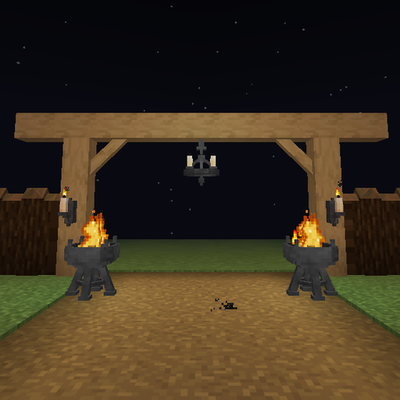
Hearthwood
Timber beams, palisades, braces, timber frames and log piles for all 12 wood types, plus braziers, chandeliers, wall sconces and candelabras. Vanilla textures.
 mod
CurseForge + Modrinth · Minecraft
Modest Meals
A vanilla enhancing mod that aims to expand the food system with dynamic meals, while also adding stamina.