Minecraft version
Back to mods 
CurseForge · Minecraft mod
Antiquus
A mod that allows the player to bring back ancient life from past time periods.
Choose a version Pick your version below, then grab the matching file.
Quick answer
Which Antiquus release should I use?
Latest stable file antiquus-26.2neo-1.2.0.0.jar
Game version 26.2
Loader NeoForge
antiquus-26.2neo-1.2.0.0.jar targets 26.2 with NeoForge. The project page does not say whether this file belongs on the client, dedicated server, or both. No extra mods listed for this file.
Where it goes
Is Antiquus required on the client, server, or both?
The project page does not say whether this file belongs on the client, dedicated server, or both.
Client Source doesn’t say
Dedicated server Source doesn’t say
Loader for this release NeoForge
Required install it here Optional supported, not mandatory Not supported do not install here Source doesn’t say do not assume
The source does not explicitly classify this release as client-only or server-only.
What else does antiquus-26.2neo-1.2.0.0.jar need?
antiquus-26.2neo-1.2.0.0.jar. Change the file and its required mods may change too.
This file does not list any required mods. Do not add a library just because a different file uses it.
This file does not list any required or optional mods.
Before you install it
Add Antiquus without breaking your instance.
Built for antiquus-26.2neo-1.2.0.0.jar. Pick another file and the loader, install side or required mods may change.
- 01
Stick to this file
Use antiquus-26.2neo-1.2.0.0.jar. It targets 26.2 with NeoForge; another release may have different loader, side or dependency requirements.
- 02
Bring the mods it needs
This file does not list any required mods. Do not add a library just because a different file uses it.
- 03
Put it on the correct side
The project page does not say whether this file belongs on the client, dedicated server, or both.
- 04
Pick the file you checked
Use the “Get this file” button beside antiquus-26.2neo-1.2.0.0.jar. It opens that exact file at the source.
About this project
What does Antiquus add?
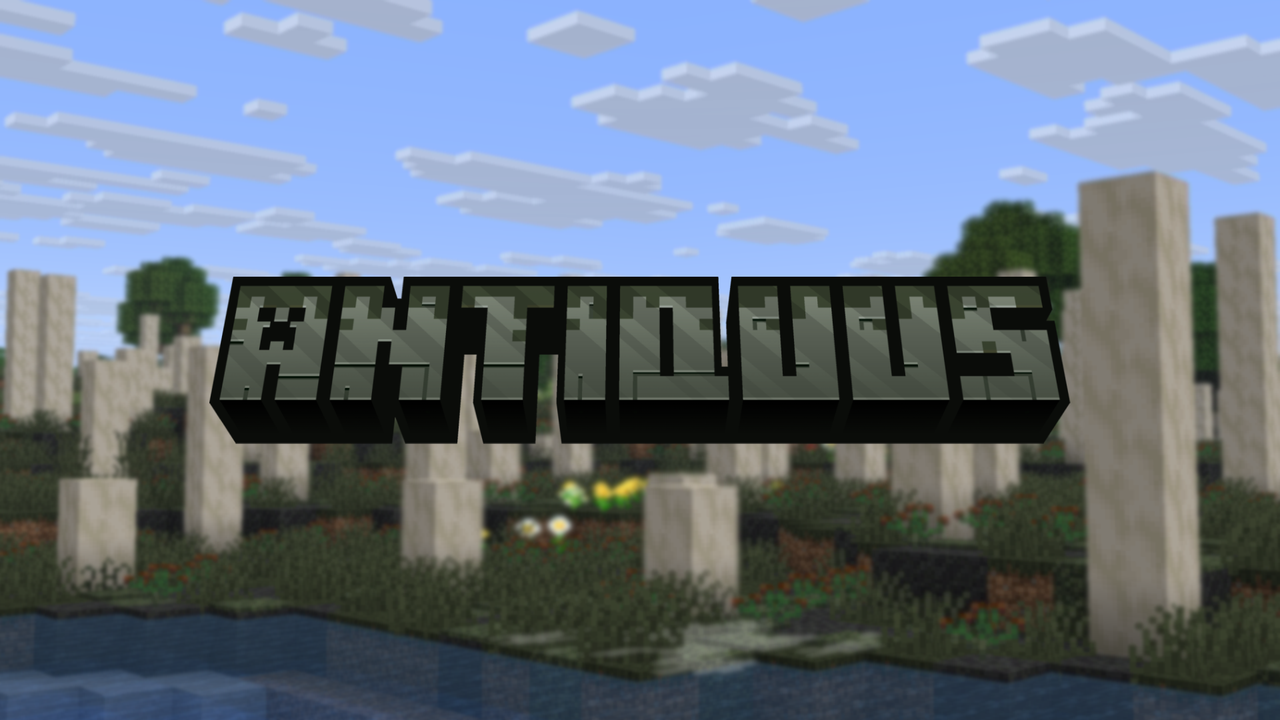
Antiquus is a mod for NeoForge 26.2 that adds ancient & extinct life from past time periods that the player can bring back to life. A project from MarbledHubb Studios.
Made for the 2026 Echos of the Past ModJam.
Features
- Silurian Period
- Prototaxites.
- Prototaxite Spores. Turn into Fertile Prototaxite Spores in a 2x2 crafting grid with Bonemeal.
- Fertile Prototaxite Spores. Plant these spores to bring back the Ancient Wetlands biome, home of the silurian period.
- Prototaxite Bud. Second stage of growing Prototaxites. Use Bonemeal to grow the bud into a grown stem. Can also be potted.
- Prototaxite Stem. What grown Prototaxites are made of. Can emit spore particles.
- Cooksonia. Can be used to create Brown Dye, or be potted.
- Zosterophyllum. Can be used to created Green Dye.
- Prototaxites.
- Other
- Fossilized items.
- Suspicious Stone. The main way of obtaining fossilized items. Generates in Stoney Shores. Use a Rock Hammer & Rock Chisel to obtain fossils.
- Sniffers. An alternative way of obtaining fossilized items.
- Fossil Reconstruction Stand. New workstation to reconstruct fossils. Fill it with water, put the fossil in, and a related foliage material to bring them back.
- Rock Hammer & Rock Chisel. New tools for proper archeology.
- Ancient Soil. Supports plants and mushrooms on any light levels.
- Ancient Moss. New type of moss that can spread onto other blocks like Pale moss and can also emit ground fog particles.
- Fossilized items.
Usage
- You may use this in your modpacks, no credit required but it would be apprecated.
- You may use this in your video, no credit required but it would be appreciated.
- You may NOT re-distribute this mod or its assets ANYWHERE.
.png)
Project description from CurseForge.
Pick your setup
Antiquus by Minecraft version and loader
Choose the version and loader you play, then open the matching release.
Check the dependencies, then try the file in a copied instance before changing a world you care about.
Recent files
Antiquus versions and loaders
antiquus-26.2neo-1.2.0.0.jar
4 Sept 2026
Client Source doesn’t say Server Source doesn’t say Dependencies No extras listed Listed on Release listing
Check the 26.2 · NeoForge setup NeoForge26.2 release
anqituus-26.2neo-1.1.0.0.jar
8 Aug 2026
Client Source doesn’t say Server Source doesn’t say Dependencies No extras listed Listed on Release listing
Check the 26.2 · NeoForge setup NeoForge26.2 release
antiquus-26.2neo-1.0.0.0.jar
30 Jul 2026
Client Source doesn’t say Server Source doesn’t say Dependencies No extras listed Listed on Release listing
Check the 26.2 · NeoForge setup NeoForge26.2 release
Looking for an older file? The official CurseForge project page is in Resources.
 mod
mod CurseForge · Minecraft
Yet Some Other Backrooms
Yet Some Other Backrooms Mod, among many others.
 mod
mod CurseForge · Minecraft
Artificial Heart
Adds non-functional versions of the creaking heart block as well as both open and closed eyeblossoms. Spice up your builds without worrying about pesky creaking spawning!
 mod
mod CurseForge + Modrinth · Minecraft
CraftTweaker GUI
Allows editing and managing edited recipes for CraftTweaker