Minecraft version
Back to mods 
CurseForge · Minecraft mod
Create - Xaero's map
See your Create: Aeronautics airships & Sable craft rendered live on Xaero's Minimap and Xaero's World Map.
Choose a version Pick your version below, then grab the matching file.
Quick answer
Which Create - Xaero's map release should I use?
Latest stable file sablexaeromaps-1.21.1-1.4.2.jar
Game version 1.21.1
Loader NeoForge
Create - Xaero's map sablexaeromaps-1.21.1-1.4.2.jar targets 1.21.1 with NeoForge. The project page does not say whether this file belongs on the client, dedicated server, or both. No extra mods listed for this file.
Where it goes
Is Create - Xaero's map required on the client, server, or both?
The project page does not say whether this file belongs on the client, dedicated server, or both.
Client Source doesn’t say
Dedicated server Source doesn’t say
Loader for this release NeoForge
Required install it here Optional supported, not mandatory Not supported do not install here Source doesn’t say do not assume
The source does not explicitly classify this release as client-only or server-only.
What else does Create - Xaero's map sablexaeromaps-1.21.1-1.4.2.jar need?
sablexaeromaps-1.21.1-1.4.2.jar. Change the file and its required mods may change too.
This file does not list any required mods. Do not add a library just because a different file uses it.
This file does not list any required or optional mods.
Before you install it
Add Create - Xaero's map without breaking your instance.
Built for Create - Xaero's map sablexaeromaps-1.21.1-1.4.2.jar. Pick another file and the loader, install side or required mods may change.
- 01
Stick to this file
Use sablexaeromaps-1.21.1-1.4.2.jar. It targets 1.21.1 with NeoForge; another release may have different loader, side or dependency requirements.
- 02
Bring the mods it needs
This file does not list any required mods. Do not add a library just because a different file uses it.
- 03
Put it on the correct side
The project page does not say whether this file belongs on the client, dedicated server, or both.
- 04
Pick the file you checked
Use the “Get this file” button beside sablexaeromaps-1.21.1-1.4.2.jar. It opens that exact file at the source.
About this project
What does Create - Xaero's map add?
Now Available on Modrinth !
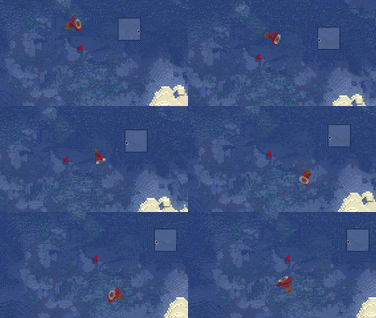
See your airships on the map.
Create: Aeronautics airships, planes, vehicles and any other Sable-based moving structures rendered as their actual blocks on Xaero's Minimap and Xaero's World Map, live.
Features
- Live sub-level block imagery on both the minimap and the full-screen world map
- True top-down birds-eye view, projected from each craft's real 3D orientation
- Position- and rotation-accurate. The image updates as craft move and maneuver
- Vanilla-style map coloring and slope shading, so craft look like a natural part of the map
Requirements
- Minecraft 1.21.1 · NeoForge
- Xaero's World Map - required
- Sable (bundled with Create: Aeronautics)
Client-side only. Create: Aeronautics itself isn't required. Its craft are Sable sub-levels, so anything Sable will work with this mod.
Compatibility & roadmap
- Supports NeoForge 1.21.1 today
- Fabric support is planned as the first post-release milestone, now that Sable supports Fabric
- New 1.21.x versions will be tracked
- This mod will eventually be split into a main library with additional components, such as aeronautics, added on top. This will allow for usage of the base create mod without needing the aeronautics mod on top of it for things like windmills etc.
FAQ
Does this mod support "X" addon?
I am actively searching for more addons to support. Right now I plan on supporting Simurail, Propulsion, Coasters, and more but if you have a suggestion, Please join my discord and let me know!!
Are there Performance Issues with large contraptions or alot of ships?
I have received reports of good performance and my testing has not shown any complications with large or many ships.
Does this work on the Minimap AND the World Map
Yes! Any ship within your render distance will be rendered onto the map.
But what about "X"?
Join my discord server and I would love to help you out! The link is right below!~
Support
- Questions or feedback? Join the Discord
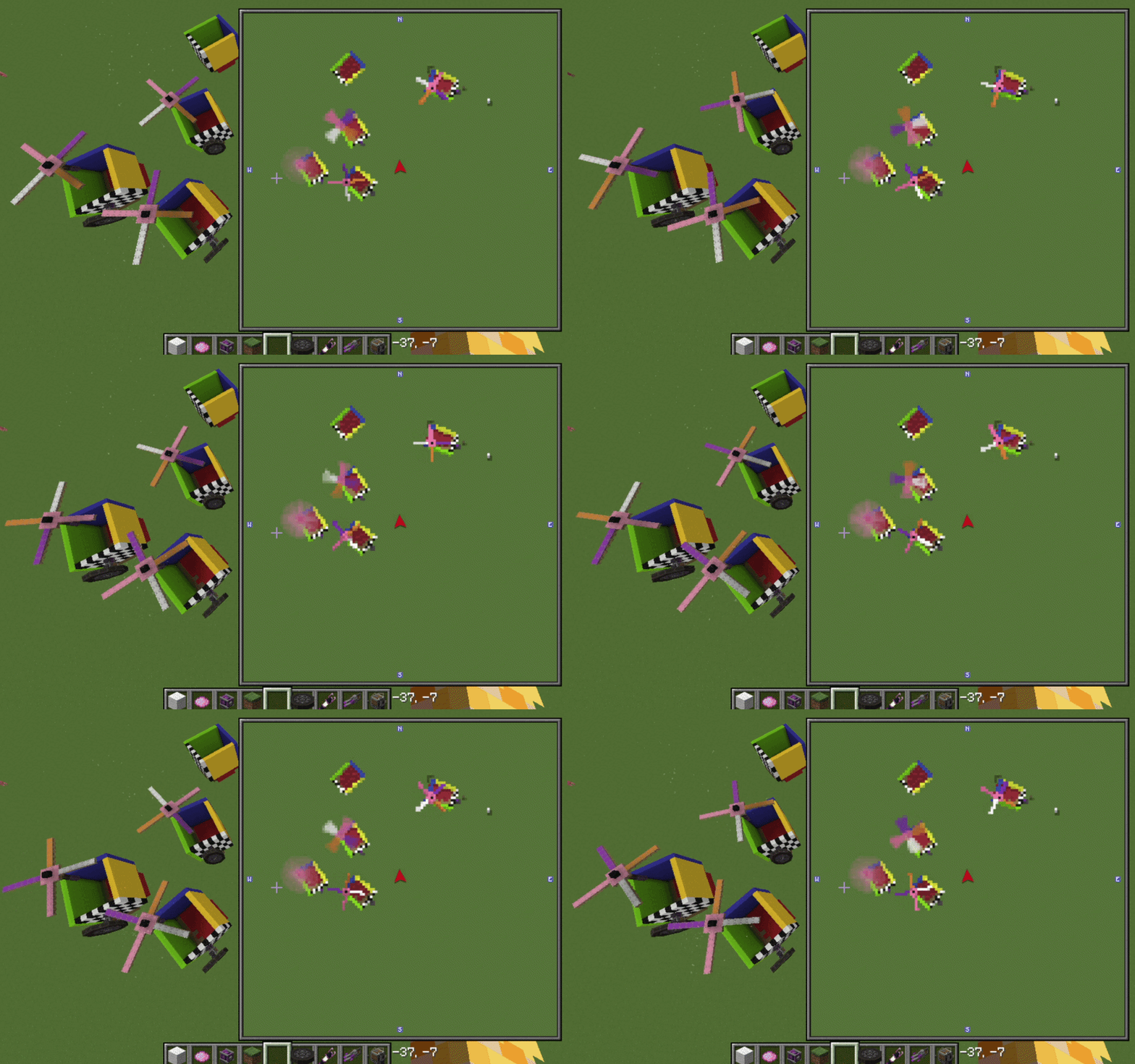
Project description from CurseForge.
Pick your setup
Create - Xaero's map by Minecraft version and loader
Choose the version and loader you play, then open the matching release.
Check the dependencies, then try the file in a copied instance before changing a world you care about.
Recent files
Create - Xaero's map versions and loaders
sablexaeromaps-1.21.1-1.4.2.jar
25 Oct 2026
Client Source doesn’t say Server Source doesn’t say Dependencies No extras listed Listed on Release listing
Check the 1.21.1 · NeoForge setup 1.21.1NeoForge release
sablexaeromaps-1.21.1-1.4.0.jar
26 Aug 2026
Client Source doesn’t say Server Source doesn’t say Dependencies No extras listed Listed on Release listing
Check the 1.21.1 · NeoForge setup 1.21.1NeoForge release
sablexaeromaps-1.21.1-1.3.1.jar
26 Aug 2026
Client Source doesn’t say Server Source doesn’t say Dependencies No extras listed Listed on Release listing
Check the 1.21.1 · NeoForge setup 1.21.1NeoForge release
sablexaeromaps-1.21.1-1.0.34.jar
25 Jul 2026
Client Source doesn’t say Server Source doesn’t say Dependencies No extras listed Listed on Release listing
Check the 1.21.1 · NeoForge setup 1.21.1NeoForge release
sablexaeromaps-1.21.1-1.0.23.jar
23 Jul 2026
Client Source doesn’t say Server Source doesn’t say Dependencies No extras listed Listed on Release listing
Check the 1.21.1 · NeoForge setup 1.21.1NeoForge release
Looking for an older file? The official CurseForge project page is in Resources.
 mod
mod CurseForge + Modrinth · Minecraft
MapStitch
World map and minimap using vanilla maps
 mod
mod CurseForge · Minecraft
Better uncrafting table(更好的拆解台)
An uncrafting table that reverses recipes from vanilla and modded functional blocks. Supports hopper automation, limited to recipes with ≤9 ingredients.
 mod
mod CurseForge · Minecraft
Create:Fire Control
An integrated fire-control system for Create and Sable vehicles, featuring dual-axis stabilization, gun sights, thermal imaging, radar, guided missiles, remote control, and optional CBC integrations.