Minecraft version
Back to mods 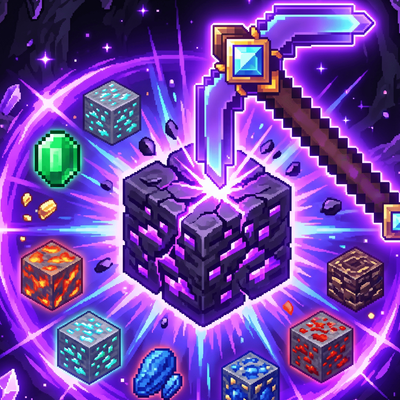
CurseForge · Minecraft mod
Mining Resonance
Mining Resonance adds a new four-level pickaxe enchantment that allows players to detect ores hidden underground.
Choose a version Pick your version below, then grab the matching file.
Quick answer
Which Mining Resonance release matches 26.1.1?
Best match for your filters minerresonance-1.2.0.jar
Game version 26.1.1
Loader Fabric
Mining Resonance minerresonance-1.2.0.jar targets 26.1.1 with Fabric. The project page does not say whether this file belongs on the client, dedicated server, or both. No extra mods listed for this file.
Where it goes
Is Mining Resonance required on the client, server, or both?
The project page does not say whether this file belongs on the client, dedicated server, or both.
Client Source doesn’t say
Dedicated server Source doesn’t say
Loader for this release Fabric
Required install it here Optional supported, not mandatory Not supported do not install here Source doesn’t say do not assume
The source does not explicitly classify this release as client-only or server-only.
What else does Mining Resonance minerresonance-1.2.0.jar need?
minerresonance-1.2.0.jar on 26.1.1. Every mod below is checked against that same setup.
This file does not list any required mods. Do not add a library just because a different file uses it.
This file does not list any required or optional mods.
Before you install it
Add Mining Resonance without breaking your instance.
Built for Mining Resonance minerresonance-1.2.0.jar on 26.1.1. Pick another file and the loader, install side or required mods may change.
- 01
Stick to this file
Use minerresonance-1.2.0.jar. It targets 26.1.1 with Fabric; another release may have different loader, side or dependency requirements.
- 02
Bring the mods it needs
This file does not list any required mods. Do not add a library just because a different file uses it.
- 03
Put it on the correct side
The project page does not say whether this file belongs on the client, dedicated server, or both.
- 04
Pick the file you checked
Use the “Get this file” button beside minerresonance-1.2.0.jar. It opens that exact file at the source.
About this project
What does Mining Resonance add?
Mining Resonance
Mining Resonance adds a new four-level pickaxe enchantment that allows players to detect ores hidden underground.
Right-clicking with an enchanted pickaxe temporarily hides the surrounding terrain and reveals only the ores detected within a 10-block radius. Each ore uses a different outline color, making it easier to identify.
The effect does not use particles and temporarily hides common blocks, entities, block entities, and particles, providing a clean X-ray view limited exclusively to the scanned area.
How to Use
- Obtain the Mining Resonance enchantment.
- Apply it to a compatible pickaxe.
- Hold the pickaxe in your main hand.
- Right-click to activate the resonance.
- Nearby ores will become visible for a few seconds.
Higher levels also detect all ores from previous levels.
Enchantment Levels
| Level | Detected ores | Duration | Cooldown | Durability | Exhaustion |
|---|---|---|---|---|---|
| I | Coal and copper | 3 s | 45 s | 1 point | 4 (½ hunger shank) |
| II | Iron, redstone, and lapis lazuli | 3.5 s | 35 s | 3 points | 6 (¾ hunger shank) |
| III | Diamond and emerald | 4 s | 25 s | 6 points | 10 (1¼ hunger shanks) |
| IV | Ancient debris | 5 s | 15 s | 10 points | 16 (2 hunger shanks) |
The hunger values shown are approximate equivalents when the player has no saturation. Minecraft consumes saturation before reducing the food bar.
Food Requirement
The player must have at least 6 food points, equivalent to 3 hunger shanks, to activate Mining Resonance.
If the player attempts to use it without meeting this requirement:
- The message “Your greed knows no bounds...” appears.
- The player receives Mining Fatigue I.
- The effect lasts for the cooldown of the corresponding enchantment level.
- The pickaxe also enters cooldown.
- No scan is performed.
This penalty does not affect players in Creative or Spectator mode.
The warning includes translations for 42 language variants, including Spanish, English, Pirate Speak, LOLCAT, and Shakespearean English.
X-Ray Behavior
While Mining Resonance is active:
- The surrounding terrain is temporarily hidden.
- Only ores detected within the configured radius are rendered.
- Detected ores are rendered at maximum brightness.
- Each ore has a different outline color.
- Entities, block entities, and particles are hidden.
- The player’s hand and pickaxe remain visible.
- Ores outside the scanned area are not revealed.
- Normal world rendering returns immediately when the effect ends.
The effect is entirely visual and temporary. It does not remove or modify any blocks in the world.
Obtaining the Enchantment
Enchanting Table
Mining Resonance has a very low enchantment weight.
- Levels I–III can appear through the enchanting table.
- Higher levels require progressively more difficult enchantment rolls.
- Level IV cannot appear directly through the enchanting table.
- Level IV can be obtained by combining two Level III books or pickaxes in an anvil.
Librarian Villagers
An Apprentice Librarian can offer:
- Mining Resonance I or II.
- A base price of 20 emeralds.
- Up to 3 uses before the trade becomes unavailable.
End Cities
End City chests have:
- A 12% chance of containing the enchantment.
- The enchanted book can appear at Levels I–III.
Strongholds
Stronghold chests have:
- A 5% chance of containing Mining Resonance II.
- The book can appear in stronghold libraries, corridors, and crossings.
Village Libraries
When a village library is generated:
- Each lectern has a 5% chance of containing Mining Resonance I.
- The enchanted book is placed inside the lectern.
- This is determined only once when the chunk is generated.
Compatibility with Modded Ores
Mining Resonance automatically recognizes ores that use common tags such as:
c:ores/coal
c:ores/copper
c:ores/iron
c:ores/redstone
c:ores/lapis
c:ores/diamond
c:ores/emerald
c:ores/ancient_debris
Any modded ore can also be added manually using its block ID or placeable item ID.
Example:
{
  "tier_1": [
    "another_mod:tin_ore"
  ],
  "tier_2": [
    "another_mod:silver_ore"
  ],
  "tier_3": [
    "another_mod:ruby_ore",
    "another_mod:deepslate_ruby_ore"
  ],
  "tier_4": [
    "another_mod:nether_crystal_ore"
  ],
  "colors": {
    "another_mod:tin_ore": "#B8C7D9",
    "another_mod:silver_ore": "#E5EDF5",
    "another_mod:ruby_ore": "#F02D52",
    "another_mod:deepslate_ruby_ore": "#F02D52",
    "another_mod:nether_crystal_ore": "#B04CFF"
  }
}
Enchantment levels are cumulative. For example, an ore assigned to tier_2 will also be detected by Mining Resonance III and IV.
Colors use the hexadecimal #RRGGBB format.
Configuration
The following file is generated during the first launch:
config/minerresonance.json
It can be used to configure:
- Detection radius.
- Maximum number of detected ores.
- X-ray duration for each level.
- Cooldown for each level.
- Pickaxe durability cost.
- Food exhaustion.
- Minimum food requirement.
- Mining Fatigue penalty and duration.
- Terrain visibility.
- Entity and particle visibility.
- Ore models and outlines.
- Librarian level, price, book levels, and offer chance.
- Structure loot probabilities.
- Additional ores from other mods.
- Individual colors for every ore.
The game or server must be restarted after changing the configuration.
Server Installation
The mod works in single-player and on multiplayer servers.
For multiplayer, it must be installed:
- On the server, to handle scanning, cooldowns, food consumption, durability, and configuration.
- On each client, to render the X-ray effect, detected ores, and colored outlines.
The server and all connecting players must use the same mod version.
Available Versions
- Fabric 1.21.1
- NeoForge 1.21.1
- Fabric 26.1.1
- NeoForge 26.1.1
Fabric versions require Fabric API. NeoForge versions require the corresponding NeoForge loader.
Project description from CurseForge.
Pick your setup
Mining Resonance by Minecraft version and loader
Choose the version and loader you play, then open the matching release.
Minecraft version
1.21.1
2 loader buildsCheck the dependencies, then try the file in a copied instance before changing a world you care about.
Recent files
Mining Resonance versions and loaders
minerresonance-1.2.0.jar
26 Jul 2026
Client Source doesn’t say Server Source doesn’t say Dependencies No extras listed Listed on Release listing
Check the 26.1.1 · Fabric setup Fabric26.1.1 release
minerresonance-1.2.0.jar
26 Jul 2026
Client Source doesn’t say Server Source doesn’t say Dependencies No extras listed Listed on Release listing
Check the 26.1.1 · NeoForge setup NeoForge26.1.1 release
Looking for an older file? The official CurseForge project page is in Resources.
 mod
CurseForge + Modrinth · Minecraft
Reliquary Reincarnations
Many magical items to help you in your minecraft world
 mod
CurseForge · Minecraft
Basalt Crusher
Minecraft Fabric mod to crush basalts into gravel
 mod
Modrinth · Minecraft
Stargate: Wellspring, a The Sift Dimension
Dial ancient stargates to eight kinds of worlds: Wellspring, a fan-made take on Minecraft's Sift dimension, sky islands with glowing heart trees, frozen wastes, molten depths and more. Vanilla potions and armour beat every hazard. Needs the Worlds mod.