Mod Menu Needed by ArmorStats Fabric
requiredMatching file found Matched file: v8.0.1 for 1.20.2

CurseForge · Minecraft mod
Minecraft mod for pvp 1.20.1+ Shows your armor in left corner with stats
Quick answer
ArmorStats Fabric targets 1.20.2, 1.20.5, 1.20.1 with Fabric. The project page does not say whether this file belongs on the client, dedicated server, or both. All 2 required mods have matching files.
Where it goes
The project page does not say whether this file belongs on the client, dedicated server, or both.
The source does not explicitly classify this release as client-only or server-only.
ArmorStats Fabric. Change the file and its required mods may change too.
Install Mod Menu, Fabric API first. We found matching files for this game-version and loader setup.
We only count dependency files that match this setup. A file for another loader does not fill the gap.
Before you install it
Built for ArmorStats Fabric. Pick another file and the loader, install side or required mods may change.
Use ArmorStats Fabric. It targets 1.20.2, 1.20.5, 1.20.1 with Fabric; another release may have different loader, side or dependency requirements.
Install Mod Menu, Fabric API first. We found matching files for this game-version and loader setup.
The project page does not say whether this file belongs on the client, dedicated server, or both.
Use the “Get this file” button beside ArmorStats Fabric. It opens that exact file at the source.
About this project


Armor Stats & HUD is a lightweight, all-in-one client-side mod designed to give you real-time visibility over your worn armor and item durability. Never get caught off-guard with broken equipment in the middle of battle or exploration again—without bloat.
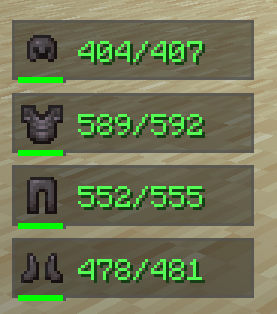
⚡ 100% Client-Side: Works on any vanilla or modded server. No server-side installation required!
⚙️ Fully Customizable: Every single feature can be tweaked, toggled, or customized directly in the Minecraft Settings menu!
Don't want a specific position? Want to change background colors, scales, or the smooth RGB mode?
Armor Stats & HUD seamlessly integrates into the native Minecraft options interface. You can adjust or toggle anything on the fly with a single click!
150/450) or simple percentage indicators (33%).0.5x to 3.0x and fine-tune its position with pixel-exact X/Y offsets.🌟 Created by Denuver
Project description from CurseForge.
Pick your setup
Choose the version and loader you play, then open the matching release.
Check the dependencies, then try the file in a copied instance before changing a world you care about.
Recent files
armorstats-Fabric-2.1.0.jar
26 Jul 2026
armorstats-2.1.0.jar
26 Jul 2026
Looking for an older file? The official CurseForge project page is in Resources.
 mod
This mod is a remake of Old Mod TofuCraft made by tsuteto. add soybean As a new all-purpose food!
 mod
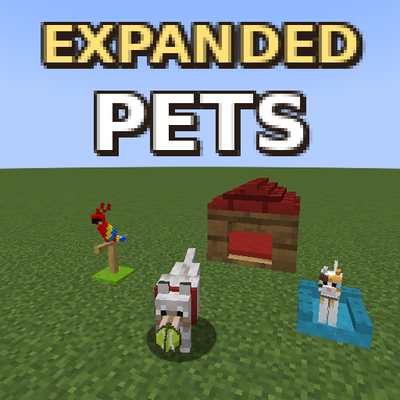
Play with your pets, make them beds, and give them armored collars!
 mod
Global Vanish Tracker Detects in real-time when a staff member enters vanish mode. The mod monitors the player list (TAB) and alerts you instantly if someone hides without actually disconnecting from the server—works regardless of distance!