Minecraft version
Back to mods 
CurseForge · Minecraft mod
SKD Menu
Fully customize your Minecraft main menu with custom backgrounds (images, videos, colors), repositionable buttons, custom action buttons, and image overlays via an easy JSON config
Choose a version Pick your version below, then grab the matching file.
Quick answer
Which SKD Menu release should I use?
Latest stable file SKD Menu (1.2.1)
Game version 26.2
Loader NeoForge
SKD Menu (1.2.1) targets 26.2 with NeoForge. The project page does not say whether this file belongs on the client, dedicated server, or both. No extra mods listed for this file.
Where it goes
Is SKD Menu required on the client, server, or both?
The project page does not say whether this file belongs on the client, dedicated server, or both.
Client Source doesn’t say
Dedicated server Source doesn’t say
Loader for this release NeoForge
Required install it here Optional supported, not mandatory Not supported do not install here Source doesn’t say do not assume
The source does not explicitly classify this release as client-only or server-only.
What else does SKD Menu (1.2.1) need?
SKD Menu (1.2.1). Change the file and its required mods may change too.
This file does not list any required mods. Do not add a library just because a different file uses it.
This file does not list any required or optional mods.
Before you install it
Add SKD Menu without breaking your instance.
Built for SKD Menu (1.2.1). Pick another file and the loader, install side or required mods may change.
- 01
Stick to this file
Use SKD Menu (1.2.1). It targets 26.2 with NeoForge; another release may have different loader, side or dependency requirements.
- 02
Bring the mods it needs
This file does not list any required mods. Do not add a library just because a different file uses it.
- 03
Put it on the correct side
The project page does not say whether this file belongs on the client, dedicated server, or both.
- 04
Pick the file you checked
Use the “Get this file” button beside SKD Menu (1.2.1). It opens that exact file at the source.
About this project
What does SKD Menu add?
🖌️ SKD Menu
Fully customize your Minecraft main menu — backgrounds, buttons, and overlays.
✨ Overview
SKD Menu lets you completely redesign the Minecraft title screen without touching a single line of code. Everything is controlled from a simple JSON config file: change the background to an image, a solid color, or an animated sequence; reposition or hide any button; add your own custom buttons; and overlay images anywhere on the screen.
🎯 Features
🖼️ Custom Backgrounds
Choose between the vanilla panorama, a static image, a solid color, or an animated frame-by-frame sequence for a pseudo-video effect. Images can be loaded from resource packs or mod assets.
🔘 Button Layout
Reposition every vanilla button — singleplayer, multiplayer, options, quit, language, accessibility, and mods — by setting X/Y coordinates in the config. Hide any button you don't need.
➕ Custom Buttons
Add your own buttons with actions: execute in-game commands, open the singleplayer/multiplayer/options screens, open a URL in your browser, or quit the game.
🖼️ Image Overlays
Render images at any position on the screen with configurable width, height, and scale. Useful for logos, watermarks, or decorative elements.
⚙️ JSON Config
All settings live in a single config/skd_menu_menu.json file, auto-generated on first launch. Edit it with any text editor and reload by re-opening the title screen.
📋 Requirements
| Minecraft | 26.2 |
|---|---|
| NeoForge | 26.2.0.35-beta |
🎮 How to Use
- Install the mod and launch Minecraft once to generate the config file.
- Edit
config/skd_menu_menu.jsonin any text editor. - Change the
background.typeto"image","color", or"animated". - Set button positions under
buttons.positions. - Add custom buttons under
buttons.custom. - Re-open the title screen to see your changes.
🙏 Credits
SKD — development and design.
https://codex.skdragons.com/
Codex Stalking Dragons — Minecraft Modding
Project description from CurseForge.
Pick your setup
SKD Menu by Minecraft version and loader
Choose the version and loader you play, then open the matching release.
Check the dependencies, then try the file in a copied instance before changing a world you care about.
Recent files
SKD Menu versions and loaders
SKD Menu (1.2.1)
skd_menu-26.2-neoforge-1.2.1.jar
5 Aug 2026
Client Source doesn’t say Server Source doesn’t say Dependencies No extras listed Listed on Release listing
Check the 26.2 · NeoForge setup NeoForge26.2 release
SKD Menu (1.2.0)
skd_menu-26.2-neoforge-1.2.0.jar
3 Aug 2026
Client Source doesn’t say Server Source doesn’t say Dependencies No extras listed Listed on Release listing
Check the 26.2 · NeoForge setup NeoForge26.2 release
SKD Menu (1.1.0)
skd_menu-26.2-neoforge-1.1.0.jar
2 Aug 2026
Client Source doesn’t say Server Source doesn’t say Dependencies No extras listed Listed on Release listing
Check the 26.2 · NeoForge setup NeoForge26.2 release
SKD Menu (1.0.2)
skd_menu-26.2-neoforge-1.0.2.jar
2 Aug 2026
Client Source doesn’t say Server Source doesn’t say Dependencies No extras listed Listed on Release listing
Check the 26.2 · NeoForge setup NeoForge26.2 release
SKD Menu (1.0.1)
skd_menu-26.2-neoforge-1.0.1.jar
30 Jul 2026
Client Source doesn’t say Server Source doesn’t say Dependencies No extras listed Listed on Release listing
Check the 26.2 · NeoForge setup NeoForge26.2 release
SKD Menu (1.0.0)
skd_menu-26.2-neoforge-1.0.0.jar
30 Jul 2026
Client Source doesn’t say Server Source doesn’t say Dependencies No extras listed Listed on Release listing
Check the 26.2 · NeoForge setup NeoForge26.2 release
SKD Menu (0.0.0-beta.15)
skd_menu-26.2-neoforge-0.0.0-beta.15.jar
30 Jul 2026
Client Source doesn’t say Server Source doesn’t say Dependencies No extras listed Listed on Release listing
Check the 26.2 · NeoForge setup NeoForge26.2 beta
SKD Menu (0.0.0-beta.14)
skd_menu-26.2-neoforge-0.0.0-beta.14.jar
29 Jul 2026
Client Source doesn’t say Server Source doesn’t say Dependencies No extras listed Listed on Release listing
Check the 26.2 · NeoForge setup NeoForge26.2 beta
SKD Menu (0.0.0-beta.13)
skd_menu-26.2-neoforge-0.0.0-beta.13.jar
29 Jul 2026
Client Source doesn’t say Server Source doesn’t say Dependencies No extras listed Listed on Release listing
Check the 26.2 · NeoForge setup NeoForge26.2 beta
SKD Menu (0.0.0-beta.12)
skd_menu-26.2-neoforge-0.0.0-beta.12.jar
29 Jul 2026
Client Source doesn’t say Server Source doesn’t say Dependencies No extras listed Listed on Release listing
Check the 26.2 · NeoForge setup NeoForge26.2 beta
SKD Menu (0.0.0-beta.11)
skd_menu-26.2-neoforge-0.0.0-beta.11.jar
29 Jul 2026
Client Source doesn’t say Server Source doesn’t say Dependencies No extras listed Listed on Release listing
Check the 26.2 · NeoForge setup NeoForge26.2 beta
SKD Menu (0.0.0-beta.10)
skd_menu-26.2-neoforge-0.0.0-beta.10.jar
28 Jul 2026
Client Source doesn’t say Server Source doesn’t say Dependencies No extras listed Listed on Release listing
Check the 26.2 · NeoForge setup NeoForge26.2 beta
Looking for an older file? The official CurseForge project page is in Resources.
 mod
mod CurseForge + Modrinth · Minecraft
Ecliptic Seasons : Fabricated
A native, lightweight rewrite of Ecliptic Seasons for Fabric, delivering a high-performance seasonal environments.
 mod
mod CurseForge · Minecraft
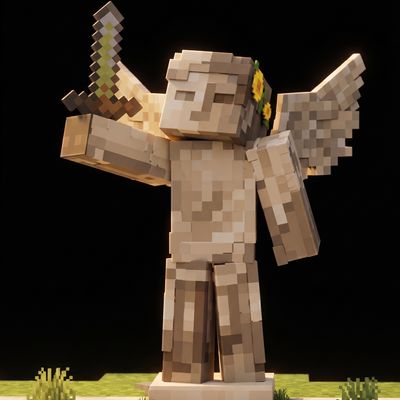
Functional Statues
Adds a collection of highly detailed, craftable statues that bring character and atmosphere to your Minecraft world
 mod
mod CurseForge + Modrinth · Minecraft
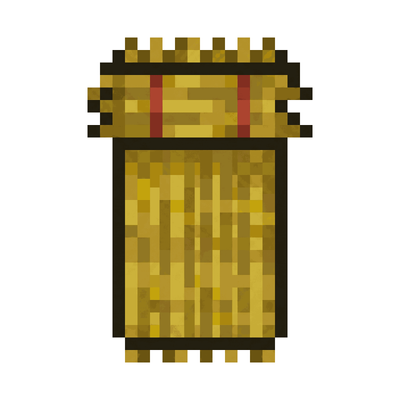
Straw Bed Backport
Backports the Straw Bed from the upcoming Minecraft updates to older versions.