Minecraft version
Back to mods 
CurseForge · Minecraft mod
Saro's Easy Lang Switcher
Switch the in-game language instantly with a hotkey. Set up multiple toggles between your favorite languages and swap in one keypress. Client-side only.
Choose a version Pick your version below, then grab the matching file.
Quick answer
Which Saro's Easy Lang Switcher release should I use?
Latest stable file Easy Lang Switcher 1.0.1
Game version 26.3
Loader Fabric
Saro's Easy Lang Switcher Easy Lang Switcher 1.0.1 targets 26.3 with Fabric. The project page does not say whether this file belongs on the client, dedicated server, or both. No extra mods listed for this file.
Where it goes
Is Saro's Easy Lang Switcher required on the client, server, or both?
The project page does not say whether this file belongs on the client, dedicated server, or both.
Client Source doesn’t say
Dedicated server Source doesn’t say
Loader for this release Fabric
Required install it here Optional supported, not mandatory Not supported do not install here Source doesn’t say do not assume
The source does not explicitly classify this release as client-only or server-only.
What else does Saro's Easy Lang Switcher Easy Lang Switcher 1.0.1 need?
Easy Lang Switcher 1.0.1. Change the file and its required mods may change too.
This file does not list any required mods. Do not add a library just because a different file uses it.
This file does not list any required or optional mods.
Before you install it
Add Saro's Easy Lang Switcher without breaking your instance.
Built for Saro's Easy Lang Switcher Easy Lang Switcher 1.0.1. Pick another file and the loader, install side or required mods may change.
- 01
Stick to this file
Use Easy Lang Switcher 1.0.1. It targets 26.3 with Fabric; another release may have different loader, side or dependency requirements.
- 02
Bring the mods it needs
This file does not list any required mods. Do not add a library just because a different file uses it.
- 03
Put it on the correct side
The project page does not say whether this file belongs on the client, dedicated server, or both.
- 04
Pick the file you checked
Use the “Get this file” button beside Easy Lang Switcher 1.0.1. It opens that exact file at the source.
About this project
What does Saro's Easy Lang Switcher add?
Saro's Easy Lang Switcher is a lightweight, client-side mod that lets you switch the in-game language instantly with a hotkey. Set up one or more toggles between your favorite languages and swap in a single keypress — no more digging through the options menu every time!

Instant Language Toggle 🌐
- Press a key and the game language flips instantly (e.g. German ⇄ English) — the resource packs reload on the spot.
Multiple Toggle Slots 🎚️
- Set up several independent hotkeys, each switching between its own pair of languages.
Searchable Language Picker 🔍
- Choose from every installed language through a search menu — just start typing to filter, no endless clicking.
Simple Config GUI 🖥️
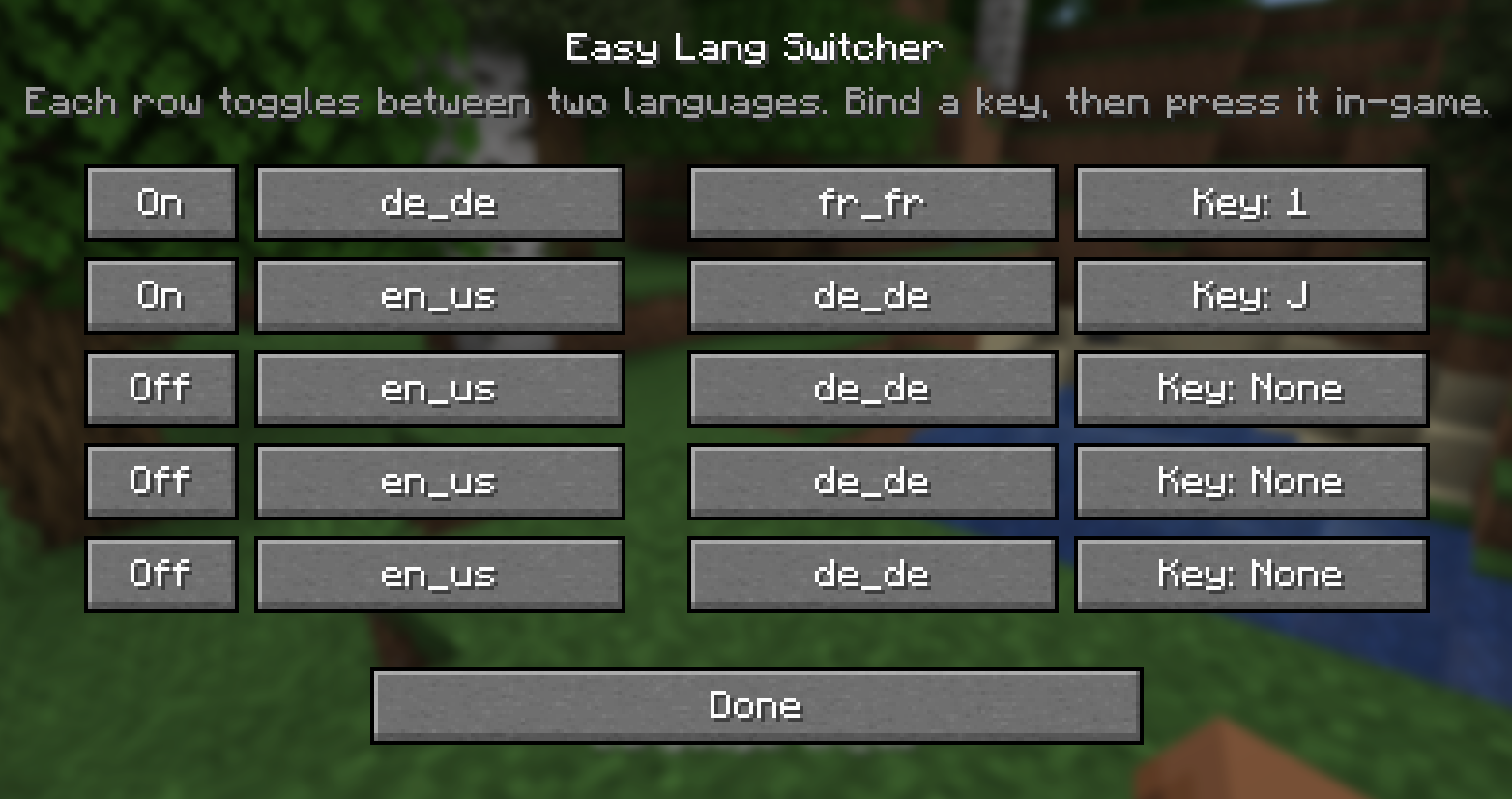
- Open it with the G key or the "Lang Switcher" button in the Options screen. Pick your languages and bind your keys all in one place.
Client-Side Only 💻
- Install it only on your client. Works on any server — vanilla, modded, singleplayer or multiplayer — without the server needing the mod.
Settings Saved 💾
- Your toggles and hotkeys are stored in a config file and persist across restarts.

- Hotkey-driven language switching with instant resource reload
- Multiple independent toggle slots, each with its own key and language pair
- Search-as-you-type language picker covering every installed language
- Config GUI via the G key or the Options screen button
- Client-side only — no server install required
- Settings persist across restarts
- Forge, NeoForge and Fabric

- Install Forge, NeoForge or Fabric for your Minecraft version.
- (Fabric only) also add Fabric API.
- Drop the Saros Easy Lang Switcher
.jarinto yourmodsfolder. - Launch the game.
How to use it
- Open the menu — press G in-game, or click the Lang Switcher button in the Options screen.
- Enable a slot — flip a row to On.
- Pick two languages — click a language button, then type to search and select the language you want (do the same for the second one).
- Bind a key — click the Key: … button and press the key you want to use.
- Switch! — close the menu and press your key in-game. The language flips instantly, and again to switch back.
Tip: give one slot German ⇄ English, another French ⇄ English — each on its own key.


Do I need it on the server? No — it's client-side only. You can use it on any server, vanilla or modded.
Which languages can I pick? Every language installed in your game, including ones added by resource packs. The picker has a search box, so just type the name.
Can I have more than one toggle? Yes — set up as many slots as you like, each with its own key and its own pair of languages.
How do I open the settings? Press G in-game, or use the Lang Switcher button in the Options screen.
Are my settings saved? Yes — your slots and hotkeys are written to a config file and restored on the next start.
Currently Supported
- 1.20.1 — Forge, Fabric
- 1.21.1 — Forge, NeoForge, Fabric
- 26.2 — Forge, NeoForge, Fabric
Port wishes welcome

Join our community on Discord to give feedback and suggestions or report any bugs you find!
Project description from CurseForge.
Pick your setup
Saro's Easy Lang Switcher by Minecraft version and loader
Choose the version and loader you play, then open the matching release.
Minecraft version
26.2
3 loader buildsMinecraft version
1.21.1
3 loader buildsMinecraft version
1.20.1
3 loader buildsCheck the dependencies, then try the file in a copied instance before changing a world you care about.
Recent files
Saro's Easy Lang Switcher versions and loaders
Easy Lang Switcher 1.0.1
Saros-Easy-Lang-Switcher-Fabric-26.3-1.0.1.jar
19 Sept 2026
Client Source doesn’t say Server Source doesn’t say Dependencies No extras listed Listed on Release listing
Check the 26.3 · Fabric setup Fabric26.3 release
Saros Easy Lang Switcher 1.0.0 (Neoforge 26.2)
Saros-Easy-Lang-Switcher-NeoForge-26.2-1.0.0.jar
26 Jul 2026
Client Source doesn’t say Server Source doesn’t say Dependencies No extras listed Listed on Release listing
Check the 26.2 · NeoForge setup NeoForge26.2 release
Saros Easy Lang Switcher 1.0.0 (Neoforge 1.21.1)
Saros-Easy-Lang-Switcher-NeoForge-1.21.1-1.0.0.jar
26 Jul 2026
Client Source doesn’t say Server Source doesn’t say Dependencies No extras listed Listed on Release listing
Check the 1.21.1 · NeoForge setup 1.21.1NeoForge release
Saros Easy Lang Switcher 1.0.0 (Forge 26.2)
Saros-Easy-Lang-Switcher-Forge-26.2-1.0.0.jar
26 Jul 2026
Client Source doesn’t say Server Source doesn’t say Dependencies No extras listed Listed on Release listing
Check the 26.2 · Forge setup Forge26.2 release
Saros Easy Lang Switcher 1.0.0 (Forge 1.21.1)
Saros-Easy-Lang-Switcher-Forge-1.21.1-1.0.0.jar
26 Jul 2026
Client Source doesn’t say Server Source doesn’t say Dependencies No extras listed Listed on Release listing
Check the 1.21.1 · Forge setup Forge1.21.1 release
Saros Easy Lang Switcher 1.0.0 (Forge 1.20.1)
Saros-Easy-Lang-Switcher-Forge-1.20.1-1.0.0.jar
26 Jul 2026
Client Source doesn’t say Server Source doesn’t say Dependencies No extras listed Listed on Release listing
Check the 1.20.1 · Forge setup 1.20.1ForgeNeoForge release
Saros Easy Lang Switcher 1.0.0 (Fabric 26.2)
Saros-Easy-Lang-Switcher-Fabric-26.2-1.0.0.jar
26 Jul 2026
Client Source doesn’t say Server Source doesn’t say Dependencies No extras listed Listed on Release listing
Check the 26.2 · Fabric setup Fabric26.2 release
Saros Easy Lang Switcher 1.0.0 (Fabric 1.21.1)
Saros-Easy-Lang-Switcher-Fabric-1.21.1-1.0.0.jar
26 Jul 2026
Client Source doesn’t say Server Source doesn’t say Dependencies No extras listed Listed on Release listing
Check the 1.21.1 · Fabric setup Fabric1.21.1 release
Saros Easy Lang Switcher 1.0.0 (Fabric 1.20.1)
Saros-Easy-Lang-Switcher-Fabric-1.20.1-1.0.0.jar
26 Jul 2026
Client Source doesn’t say Server Source doesn’t say Dependencies No extras listed Listed on Release listing
Check the 1.20.1 · Fabric setup Fabric1.20.1 release
Looking for an older file? The official CurseForge project page is in Resources.
 mod
mod CurseForge · Minecraft
Saro´s Player Plushie
Create and customize miniature player plushies with unique poses, skins, and held item.
 mod
mod CurseForge · Minecraft
Saro´s Book Renamer
Rename written books using a simple client-side command.
 mod
mod CurseForge + Modrinth · Minecraft
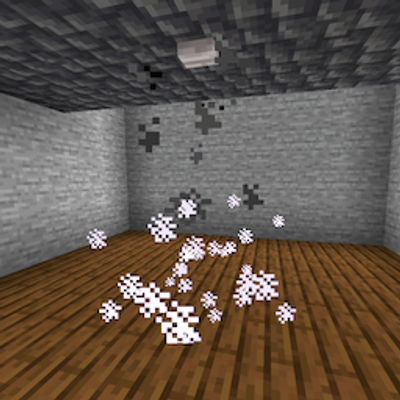
Fire Sprinkler
Server-side mod to make a button under a water-carrying block extinguish fire, burning mobs and players underneath