Minecraft version
Back to mods 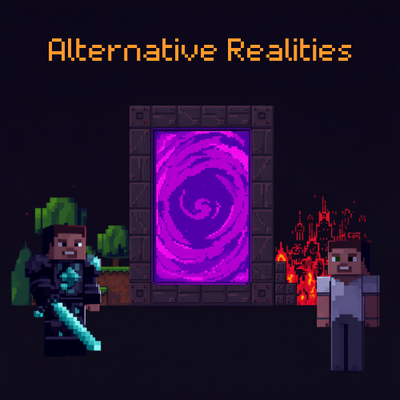
CurseForge · Minecraft mod
Alternate Realities
Separates player inventories, experience, and optional accessory slots by dimension groups.
Choose a version Pick your version below, then grab the matching file.
Quick answer
Which Alternate Realities release should I use?
Latest stable file alternative-realities-neoforge-1.0.0+mc26.2-beta.jar
Game version 26.2
Loader Fabric
Alternate Realities alternative-realities-neoforge-1.0.0+mc26.2-beta.jar targets 26.2 with Fabric. The project page does not say whether this file belongs on the client, dedicated server, or both. No extra mods listed for this file.
Where it goes
Is Alternate Realities required on the client, server, or both?
The project page does not say whether this file belongs on the client, dedicated server, or both.
Client Source doesn’t say
Dedicated server Source doesn’t say
Loader for this release Fabric
Required install it here Optional supported, not mandatory Not supported do not install here Source doesn’t say do not assume
The source does not explicitly classify this release as client-only or server-only.
What else does Alternate Realities alternative-realities-neoforge-1.0.0+mc26.2-beta.jar need?
alternative-realities-neoforge-1.0.0+mc26.2-beta.jar. Change the file and its required mods may change too.
This file does not list any required mods. Do not add a library just because a different file uses it.
This file does not list any required or optional mods.
Before you install it
Add Alternate Realities without breaking your instance.
Built for Alternate Realities alternative-realities-neoforge-1.0.0+mc26.2-beta.jar. Pick another file and the loader, install side or required mods may change.
- 01
Stick to this file
Use alternative-realities-neoforge-1.0.0+mc26.2-beta.jar. It targets 26.2 with Fabric; another release may have different loader, side or dependency requirements.
- 02
Bring the mods it needs
This file does not list any required mods. Do not add a library just because a different file uses it.
- 03
Put it on the correct side
The project page does not say whether this file belongs on the client, dedicated server, or both.
- 04
Pick the file you checked
Use the “Get this file” button beside alternative-realities-neoforge-1.0.0+mc26.2-beta.jar. It opens that exact file at the source.
About this project
What does Alternate Realities add?
Alternative Realities
Alternative Realities gives server owners control over what players carry between dimensions.
Dimensions can share one player inventory or behave as completely separate realities. Inventories, equipment, experience, Ender Chests, accessories, and first-entry commands can all follow the player’s current dimension group.
By default, every dimension belongs to the normal group. Install the mod and play normally, or separate individual dimensions through the generated configuration.
Compatibility
Alternative Realities supports Forge and Fabric on Minecraft 1.20.1, Fabric and NeoForge on 1.21.1, and NeoForge on 1.21.11, 26.1.2, and 26.2 beta.
Fabric installations require Fabric API.
Curios and Trinkets are optional. When present, supported accessory slots are saved as part of each dimension group.
Getting Started
Install the correct file for your Minecraft version and mod loader, then start the server once.
Alternative Realities creates these files in the server’s config folder:
alternative-realities.toml
alternative-realities-dimensions.toml
The main file controls global behavior. The dimensions file controls dimension groups and first-entry commands.
If every dimension should share the same inventory, no changes are required. All detected dimensions use the normal group automatically.
After editing either file, restart the server or run:
/altreal reload
Creating Dimension Groups
Dimensions with the same group name share player state.
This configuration keeps the Overworld, Nether, End, and a custom orbit dimension together:
[dimension_groups]
"minecraft:overworld" = "normal"
"minecraft:the_nether" = "normal"
"minecraft:the_end" = "normal"
"example:orbit" = "normal"
To give a dimension its own inventory, assign it a different group:
[dimension_groups]
"minecraft:overworld" = "normal"
"minecraft:the_nether" = "normal"
"minecraft:the_end" = "normal"
"example:moon" = "moon"
Players entering example:moon will now use the moon inventory group. Returning to a dimension in the normal group restores their normal inventory.
Several dimensions can share a custom group:
[dimension_groups]
"example:moon" = "space"
"example:mars" = "space"
"example:station" = "space"
All three dimensions now share the space player state.
Explicit server configuration always takes priority over automatic settings supplied by another mod.
What Changes Between Groups
Alternative Realities stores the player’s main inventory, hotbar, armor, offhand equipment, experience, and supported accessories for each group.
Ender Chests can either remain global like vanilla Minecraft or be stored separately for each group.
Dropped items and mobs can be prevented from traveling between dimensions. Projectile blocking is also available when stricter separation is needed.
Player data is written safely with backup recovery. Interrupted dimension changes are detected and recovered without discarding the source inventory.
First-Entry Commands
Commands can run when a player enters a group for the first time.
[entry_commands]
"normal" = []
"space" = [
    "give @s minecraft:bread 16",
    "give @s minecraft:stone_pickaxe"
]
"default" = []
Do not include a leading slash.
{player} inserts the player’s name.
{uuid} inserts the player’s UUID.
{group} inserts the destination group.
{dimension} inserts the destination dimension ID.
Commands can run once or on every entry. The main configuration also controls operator permission and whether player state is saved immediately afterward.
Death and Respawning
Dying clears the carried inventory and accessories stored for the active group.
Ender Chest contents remain intact. Experience follows the configured experience setting. If the player respawns in another dimension group, Alternative Realities loads that group instead of restoring items from the dimension where the death occurred.
Commands
/altreal help displays the available commands.
/altreal list displays the current dimension, current group, saved groups, and first-entry status.
/altreal reload reloads both configuration files.
/altreal save saves the player’s current group.
/altreal restore restores the saved state for the current group.
/altreal reset_kits resets the player’s first-entry markers.
/altreal run_kit manually runs the current group’s entry commands.
Integration for Dimension Developers
Dimension developers can request a separate default group without requiring server owners to edit their Alternative Realities configuration.
Create this file in the dimension mod:
data/alternative_realities/tags/dimension/separate_group.json
{
  "replace": false,
  "values": [
    "example:moon"
  ]
}
Code-driven registration is also supported:
AlternativeRealitiesApi.registerSeparateGroup("example:moon");
Several dimensions can be assigned to the same default group:
AlternativeRealitiesApi.registerDimensionGroup("example:moon", "space");
AlternativeRealitiesApi.registerDimensionGroup("example:mars", "space");
Registrations should occur during mod initialization before the server starts. Server configuration remains authoritative and can override developer defaults.
Planned Features
Dimension-specific attributes
Support for changing player attributes when moving between dimensions or groups.
Configurable attribute defaults
Configuration support for defining default player attributes in each dimension or group without relying on first-entry commands. This may include health, movement speed, attack attributes, hunger, saturation, flight, and other player properties.
Complete feature control
Configuration support for enabling or disabling individual Alternative Realities features at will. Inventory, armor, offhand equipment, experience, Ender Chests, accessories, travel restrictions, death handling, and entry commands will be independently configurable.
Expanded modding API
A full API allowing dimension developers to integrate automatically without changing Alternative Realities’ default configuration. Mods will be able to provide default groups, localized-state rules, attribute profiles, entry behavior, and other defaults for their dimensions.
Per-group rules
Different groups will be able to localize different parts of player state. One group could separate everything, while another changes only inventory and experience.
Datapack profiles
Reusable dimension profiles that modpack developers can define and distribute through datapacks.
Administration and recovery tools
Improved commands for inspecting, resetting, migrating, exporting, and repairing individual player groups.
Additional compatibility
More integration hooks for custom inventories, equipment systems, accessory providers, and other player-data mods.
Project description from CurseForge.
Pick your setup
Alternate Realities by Minecraft version and loader
Choose the version and loader you play, then open the matching release.
Minecraft version
26.1
1 loader buildMinecraft version
1.21.11
2 loader buildsMinecraft version
1.21.1
2 loader buildsMinecraft version
1.20.1
2 loader buildsCheck the dependencies, then try the file in a copied instance before changing a world you care about.
Recent files
Alternate Realities versions and loaders
alternative-realities-neoforge-1.0.0+mc26.2-beta.jar
19 Aug 2026
Client Source doesn’t say Server Source doesn’t say Dependencies No extras listed Listed on Release listing
Check the 26.2 · Fabric setup Fabric26.2 release
alternative-realities-neoforge-1.0.0+mc26.1.jar
19 Aug 2026
Client Source doesn’t say Server Source doesn’t say Dependencies No extras listed Listed on Release listing
Check the 26.1 · NeoForge setup NeoForge26.1 release
alternative-realities-neoforge-1.0.0+mc1.21.11.jar
19 Aug 2026
Client Source doesn’t say Server Source doesn’t say Dependencies No extras listed Listed on Release listing
Check the 1.21.11 · Fabric setup Fabric1.21.11 release
alternative-realities-neoforge-1.0.0.jar
19 Aug 2026
Client Source doesn’t say Server Source doesn’t say Dependencies No extras listed Listed on Release listing
Check the 1.21.1 · NeoForge setup 1.21.1NeoForge release
alternative-realities-1.21.1-fabric-1.0.0.jar
19 Aug 2026
Client Source doesn’t say Server Source doesn’t say Dependencies No extras listed Listed on Release listing
Check the 1.21.1 · Fabric setup Fabric1.21.1 release
alternative-realities-1.20.1-forge-1.0.0.jar
19 Aug 2026
Client Source doesn’t say Server Source doesn’t say Dependencies No extras listed Listed on Release listing
Check the 1.20.1 · Forge setup 1.20.1Forge release
alternative-realities-1.20.1-fabric-1.0.0.jar
19 Aug 2026
Client Source doesn’t say Server Source doesn’t say Dependencies No extras listed Listed on Release listing
Check the 1.20.1 · Fabric setup Fabric1.20.1 release
alternative-realities-neoforge-1.0.0+mc26.2-beta.jar
19 Aug 2026
Client Source doesn’t say Server Source doesn’t say Dependencies No extras listed Listed on Release listing
Check the 26.2 · NeoForge setup NeoForge26.2 release
alternative-realities-neoforge-1.0.0+mc26.1.jar
19 Aug 2026
Client Source doesn’t say Server Source doesn’t say Dependencies No extras listed Listed on Release listing
Check the 26.1 · NeoForge setup NeoForge26.1 release
alternative-realities-neoforge-1.0.0+mc1.21.11.jar
19 Aug 2026
Client Source doesn’t say Server Source doesn’t say Dependencies No extras listed Listed on Release listing
Check the 1.21.11 · NeoForge setup NeoForge1.21.11 release
alternative-realities-neoforge-1.0.0.jar
19 Aug 2026
Client Source doesn’t say Server Source doesn’t say Dependencies No extras listed Listed on Release listing
Check the 1.21.1 · NeoForge setup 1.21.1NeoForge release
alternative-realities-1.21.1-fabric-1.0.0.jar
19 Aug 2026
Client Source doesn’t say Server Source doesn’t say Dependencies No extras listed Listed on Release listing
Check the 1.21.1 · Fabric setup Fabric1.21.1 release
Looking for an older file? The official CurseForge project page is in Resources.
 mod
mod CurseForge + Modrinth · Minecraft
Tinkers' Devotion
True Tinkers' Construct Integration: Mobs spawn with TC equipment, and loot/recipes/trades are all replaced
 mod
mod CurseForge + Modrinth · Minecraft
Field Guide
Discover Plants, Animals and Monsters with a Spyglass. Collect them all and take notes in your personal Field Guide!
 mod
mod CurseForge + Modrinth · Minecraft
Crop Critters
Tired of uneventful vanilla farming? Crop Critters adds all-new levels of challenge, from basic weed management to constructing a friendly team of soul-possesed crops to work on your farm!