Minecraft version
Back to mods 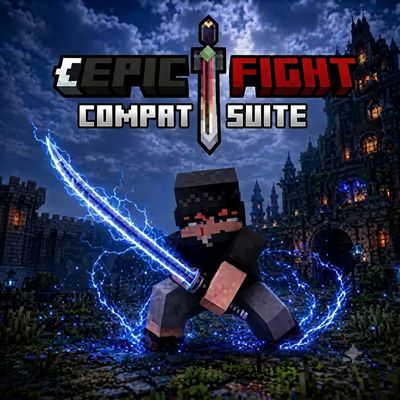
CurseForge · Minecraft mod
Epic Fight Compat Suite
A compatibility suite for Epic Fight: fixes Essential cosmetics & emotes, GeckoLib/AzureLib armor (Hazen 'n Stuff, Iron's/Cataclysm Spellbooks), spellcasting animations, plus proper movesets for L'Ender's Cataclysm weapons. Client-side, fully configurable.
Choose a version Pick your version below, then grab the matching file.
Quick answer
Which Epic Fight Compat Suite release should I use?
Latest stable file efcompat-2.1.0.jar
Game version 1.21
Loader NeoForge
Epic Fight Compat Suite efcompat-2.1.0.jar targets 1.21 with NeoForge. The project page does not say whether this file belongs on the client, dedicated server, or both. No extra mods listed for this file.
Where it goes
Is Epic Fight Compat Suite required on the client, server, or both?
The project page does not say whether this file belongs on the client, dedicated server, or both.
Client Source doesn’t say
Dedicated server Source doesn’t say
Loader for this release NeoForge
Required install it here Optional supported, not mandatory Not supported do not install here Source doesn’t say do not assume
The source does not explicitly classify this release as client-only or server-only.
What else does Epic Fight Compat Suite efcompat-2.1.0.jar need?
efcompat-2.1.0.jar. Change the file and its required mods may change too.
This file does not list any required mods. Do not add a library just because a different file uses it.
This file does not list any required or optional mods.
Before you install it
Add Epic Fight Compat Suite without breaking your instance.
Built for Epic Fight Compat Suite efcompat-2.1.0.jar. Pick another file and the loader, install side or required mods may change.
- 01
Stick to this file
Use efcompat-2.1.0.jar. It targets 1.21 with NeoForge; another release may have different loader, side or dependency requirements.
- 02
Bring the mods it needs
This file does not list any required mods. Do not add a library just because a different file uses it.
- 03
Put it on the correct side
The project page does not say whether this file belongs on the client, dedicated server, or both.
- 04
Pick the file you checked
Use the “Get this file” button beside efcompat-2.1.0.jar. It opens that exact file at the source.
About this project
What does Epic Fight Compat Suite add?
Epic Fight Compat Suite
The problem
Epic Fight replaces the player's vanilla skeleton with its own animation armature and takes over rendering the player model. Every other mod that reads or draws the vanilla player model stops working correctly once Epic Fight is installed:
- Essential cosmetics and store outfits freeze in a walk-cycle pose while the character is fighting.
- Essential emotes don't display. The body keeps playing Epic Fight's idle animation and the emote has nothing to attach to.
- GeckoLib and AzureLib armor (Hazen 'n Stuff, Iron's Spellbooks, Cataclysm Spellbooks) gets baked into a static mesh that drops its own wing, cloth, and glow animations, or, for AzureLib specifically, falls back to a vanilla texture path that doesn't exist and shows up as purple and black boxes.
- Spellcasting animations from Iron's Spellbooks and Cataclysm Spellbooks (built on the playerAnimator library) don't play, because playerAnimator only works through the vanilla render path Epic Fight has taken over.
- L'Ender's Cataclysm weapons mostly extend a plain vanilla Item with no Epic Fight moveset registered, so they don't fight as the spear, greatsword, or fist-type weapon they're supposed to be.
None of this is a bug in any of those mods individually. This mod fixes the interaction between them and Epic Fight.
What it does
Essential cosmetics & store outfits: re-posed from Epic Fight's armature onto the vanilla model skeleton every frame, so outfits track the actual animation being played instead of an idle pose.
Essential emotes: while an emote is playing on a player, this mod hands rendering for that player back to the vanilla pipeline for the duration of the emote, then returns control to Epic Fight when it ends.
GeckoLib armor (Hazen 'n Stuff, Iron's Spellbooks): rendered live through GeckoLib's own renderer instead of Epic Fight's static bake, so wing, cloth, and other built-in animations keep playing, along with emissive/glow render passes the bake drops.
AzureLib armor (Cataclysm Spellbooks): same live-render approach through a separate code path, since AzureLib is a different rendering system from GeckoLib with its own registry. This is what fixes the purple missing-texture boxes.
Spellcasting animations: same hand-off as emotes. While a playerAnimator cast animation from Iron's Spellbooks or Cataclysm Spellbooks is active, that player renders through the vanilla pipeline in both third and first person.
L'Ender's Cataclysm weapons: Ancient Spear, Coral Spear, Coral Bardiche, Astrape, Ceraunus, Soul Render, The Incinerator, The Annihilator, Meat Shredder, The Immolator, the three Gauntlets, Tidal Claws, and Athame are registered with Epic Fight weapon capability data so they use the spear, greatsword, fist, or dagger moveset they're meant to.
Requirements
- Epic Fight (required)
- Minecraft Forge, 1.20.1
Everything else is optional. Each fix only activates if the mod it targets is installed.
Configuration
Every fix is toggleable in config/efcompat-client.toml:
essential.fixCosmeticsessential.fixEmotesgeckolib.fixArmorazurelib.fixArmorplayeranimator.fixCastAnimationsplayeranimator.fixFirstPersonCasts
Compatibility notes
- Client-side only. Safe to install even if the server or other players don't have it.
- If a future update to Epic Fight, Essential, GeckoLib, AzureLib, playerAnimator, or L'Ender's Cataclysm changes something a fix depends on, that fix reverts to Epic Fight's default behavior instead of crashing.
- Does not modify Epic Fight, Essential, or any of the other listed mods. It only reads their state and adjusts when the player renders.
Project description from CurseForge.
Pick your setup
Epic Fight Compat Suite by Minecraft version and loader
Choose the version and loader you play, then open the matching release.
Minecraft version
1.20.1
1 loader buildCheck the dependencies, then try the file in a copied instance before changing a world you care about.
Recent files
Epic Fight Compat Suite versions and loaders
efcompat-2.1.0.jar
21 Sept 2026
Client Source doesn’t say Server Source doesn’t say Dependencies No extras listed Listed on Release listing
Check the 1.21 · NeoForge setup 1.21NeoForge release
efcompat-1.4.0.jar
21 Sept 2026
Client Source doesn’t say Server Source doesn’t say Dependencies No extras listed Listed on Release listing
Check the 1.20.1 · Forge setup 1.20.1Forge release
efcompat-2.0.0.jar
20 Sept 2026
Client Source doesn’t say Server Source doesn’t say Dependencies No extras listed Listed on Release listing
Check the 1.21 · NeoForge setup 1.21NeoForge release
efcompat-1.3.0.jar
17 Sept 2026
Client Source doesn’t say Server Source doesn’t say Dependencies No extras listed Listed on Release listing
Check the 1.20.1 · Forge setup 1.20.1Forge release
efcompat-1.2.0.jar
27 Jul 2026
Client Source doesn’t say Server Source doesn’t say Dependencies No extras listed Listed on Release listing
Check the 1.20.1 · Forge setup 1.20.1Forge release
Looking for an older file? The official CurseForge project page is in Resources.
 mod
CurseForge · Minecraft
Life-saving experience
A challenge mod where you have to beat the game without hunger or health, using only experience. Experience now controls your health and hunger: running or taking damage consumes your experience. The main thing is to make sure it doesn't reach 0.
 mod
CurseForge · Minecraft
StarFallCraft
Meteors fall at night, and that's only the beginning: starmetal, the Astral Realm, bosses, a casino with star wishes, cars, rockets to three asteroid belts and the final Starfall Nexus.
 mod
CurseForge + Modrinth · Minecraft
Cloth Config API (Fabric/Forge/NeoForge)
Configuration Library for Minecraft Mods