Immersive Aircraft Needed by Controller Support [IA] [Forge - 1.20.1] Immersive Aircraft - Controller Support - 1.3.0.jar
requiredMatching file found Matched file: [Forge 1.20.1] Immersive Aircraft - 1.5.0
CurseForge · Minecraft mod
DISCONTINUED
Quick answer
Controller Support [IA] [Forge - 1.20.1] Immersive Aircraft - Controller Support - 1.3.0.jar targets 1.20.1 with Forge. The project page does not say whether this file belongs on the client, dedicated server, or both. All 1 required mods have matching files.
Where it goes
The project page does not say whether this file belongs on the client, dedicated server, or both.
The source does not explicitly classify this release as client-only or server-only.
[Forge - 1.20.1] Immersive Aircraft - Controller Support - 1.3.0.jar on 1.20.1 Forge. Every mod below is checked against that same setup.
Install Immersive Aircraft first. We found matching files for this game-version and loader setup. 1 comes through another mod in the chain.
1 extra mod was pulled in by another dependency. Indented rows show who needs each one. We only count dependency files that match this setup. A file for another loader does not fill the gap.
Before you install it
Built for Controller Support [IA] [Forge - 1.20.1] Immersive Aircraft - Controller Support - 1.3.0.jar on 1.20.1 Forge. Pick another file and the loader, install side or required mods may change.
Use [Forge - 1.20.1] Immersive Aircraft - Controller Support - 1.3.0.jar. It targets 1.20.1 with Forge; another release may have different loader, side or dependency requirements.
Install Immersive Aircraft first. We found matching files for this game-version and loader setup. 1 comes through another mod in the chain.
The project page does not say whether this file belongs on the client, dedicated server, or both.
Use the “Get this file” button beside [Forge - 1.20.1] Immersive Aircraft - Controller Support - 1.3.0.jar. It opens that exact file at the source.
About this project
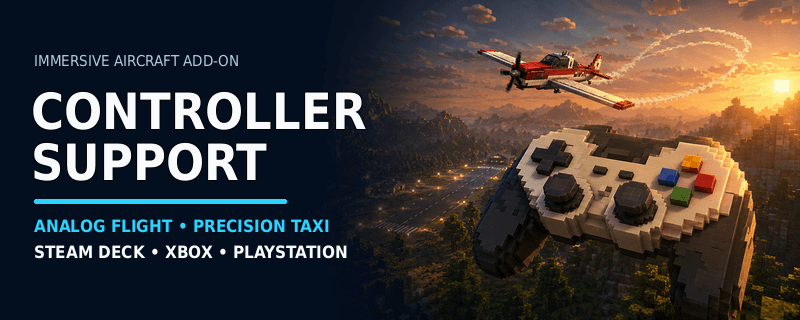
Immersive Aircraft: Controller Support adds analog gamepad controls to Immersive Aircraft.
It supports fixed-wing aircraft and rotorcraft with analog movement, gradual throttle control, precision taxiing, configurable aircraft handling, and a compact input HUD.
Required: Immersive Aircraft must also be installed. Fabric users must install Fabric API.
Unlike general controller mods that map gamepad buttons to keyboard keys, this addon sends analog input directly to the aircraft control system.
Raw DirectInput joysticks, flight sticks, HOTAS layouts, and controller vibration are not supported in version 1.0.0.
| A / Cross | Boost |
|---|---|
| B / Circle | Dismount |
| Back / Create | Toggle precision taxi mode |
| RB / R1 | Fire installed aircraft weapon |
All controls can be changed or disabled in the configuration file.
Additional shortcuts become available when the matching addon is installed:
These controls remain inactive when the corresponding addon is not installed.
mods folder.The controller can be connected before or after Minecraft starts.
Configuration file: config/gamepad-immersive-aircraft.properties
Settings from config/immersive-controls.properties are imported automatically when upgrading from an alpha version.
Version 1.0.0 was tested with:
This addon can be used alongside a general controller mod for menus, inventory navigation, and normal player movement. Avoid assigning the same aircraft actions in both mods.
HOMING MISSILES →
Guided missiles, targeting, warnings, flares, and chaff.
CAMERA ZOOM →
Adjustable third-person camera distance for aircraft.
REALISTIC LANDING →
Adaptive approach, touchdown scoring, and runway rollout.
REALISTIC TAKEOFF →
Runway acceleration, rotation, liftoff, and initial climb.
You may include Immersive Aircraft: Controller Support in public or private modpacks with credit.
Include your controller model, connection method, operating system, Minecraft version, mod loader, Immersive Aircraft version, tested aircraft, other controller mods, and edited configuration settings.
Discord: crabban1337
Created by Crabb4n.
Special thanks to the Immersive Aircraft team for the original mod.
Project description from CurseForge.
Pick your setup
Choose the version and loader you play, then open the matching release.
Check the dependencies, then try the file in a copied instance before changing a world you care about.
Recent files
16 Aug 2026
2 Aug 2026
28 Jul 2026
28 Jul 2026
Looking for an older file? The official CurseForge project page is in Resources.
 mod
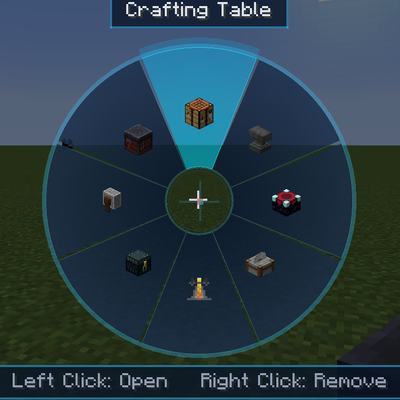
Access vanilla workstations from a portable skill wheel without placing them in the world.
 mod
Build a grand casino with poker, blackjack, roulette, pachinko, plinko and arcade minigames, using Nicktale Wallet's in-game economy. For Fabric, Forge and NeoForge.
 mod
completely re-engineers flight dynamics, sound design, and balance for all Mekanism jetpacks (Standard Jetpack, Armored Jetpack, and MekaSuit Jetpack Unit). Fix floaty "flying armchairs" effects and remake sounds.