Architectury API Needed by Fixtures & Footnotes 1.0.0+neoforge
requiredMatching file found Matched file: [NeoForge 1.21] v13.0.11

CurseForge · Minecraft mod
Wall-Mounted storage, slats & more for you and yours
Quick answer
Fixtures & Footnotes 1.0.0+neoforge targets 1.21, 1.21.1 with NeoForge. The project page does not say whether this file belongs on the client, dedicated server, or both. All 1 required mods have matching files.
Where it goes
The project page does not say whether this file belongs on the client, dedicated server, or both.
The source does not explicitly classify this release as client-only or server-only.
1.0.0+neoforge. Change the file and its required mods may change too.
Install Architectury API first. We found matching files for this game-version and loader setup.
We only count dependency files that match this setup. A file for another loader does not fill the gap.
Before you install it
Built for Fixtures & Footnotes 1.0.0+neoforge. Pick another file and the loader, install side or required mods may change.
Use 1.0.0+neoforge. It targets 1.21, 1.21.1 with NeoForge; another release may have different loader, side or dependency requirements.
Install Architectury API first. We found matching files for this game-version and loader setup.
The project page does not say whether this file belongs on the client, dedicated server, or both.
Use the “Get this file” button beside 1.0.0+neoforge. It opens that exact file at the source.
About this project
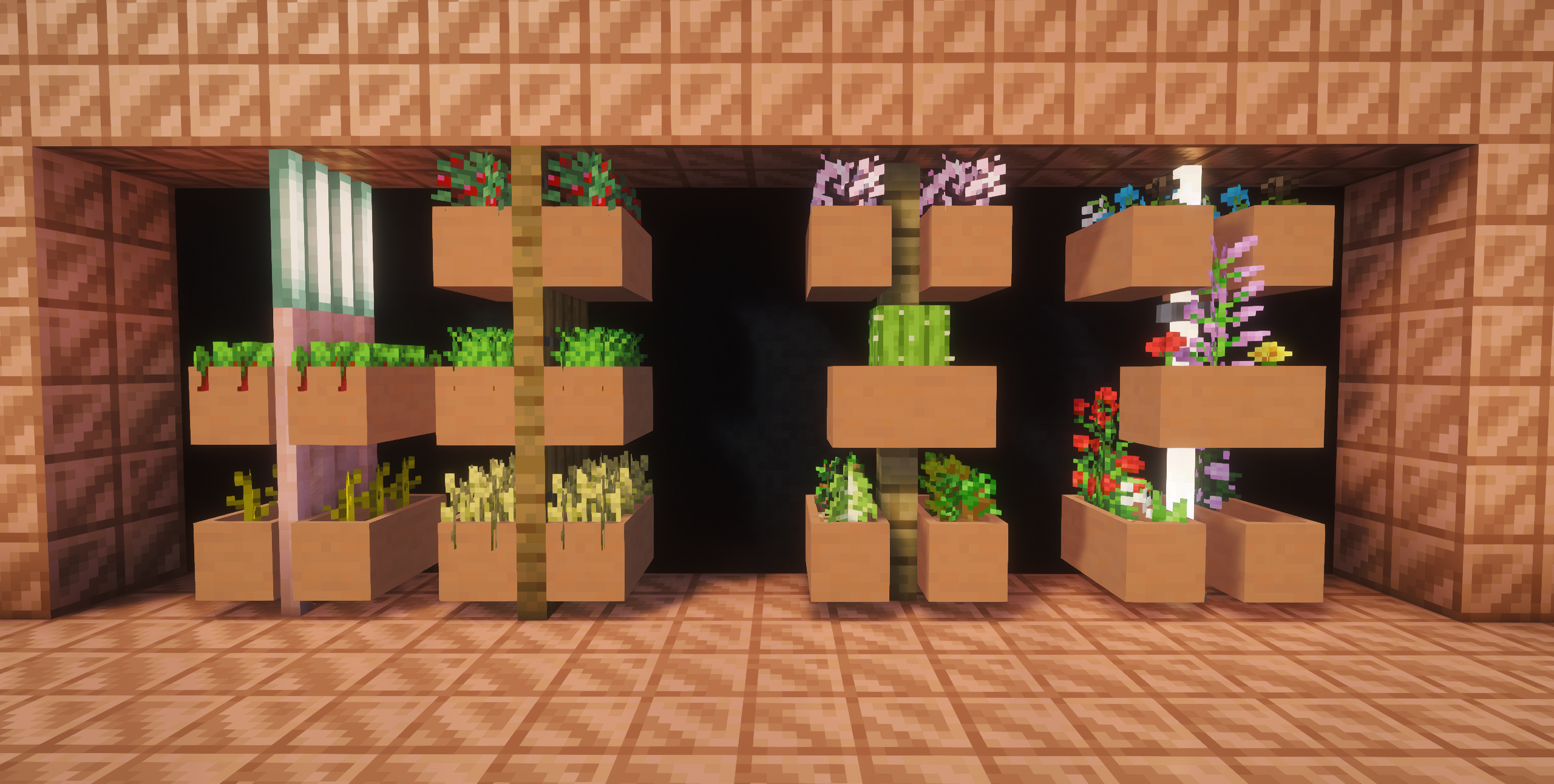 Planters can be placed on any surface, similarly to item frames except that they snap to the blocks hitbox rather than stick out. up to 3 Flowers/Crops or saplings can be placed inside.
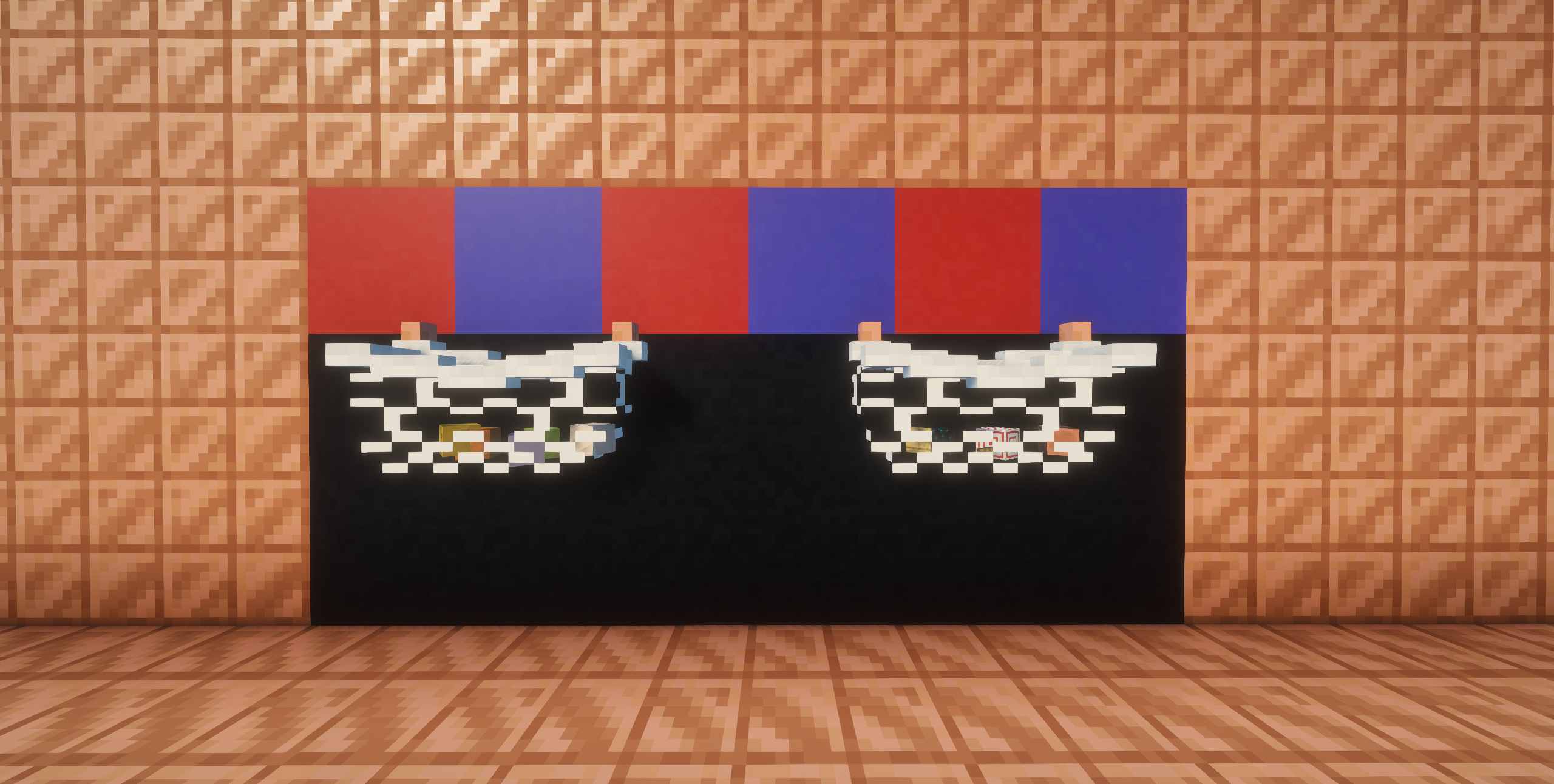 Storage nets exist in 2 variants. Small Storage Net (Ceiling Mounted; Chest) and Storage Net (Wall Mounted; Double Chest). A Small set of items in the net will be visible in the net.
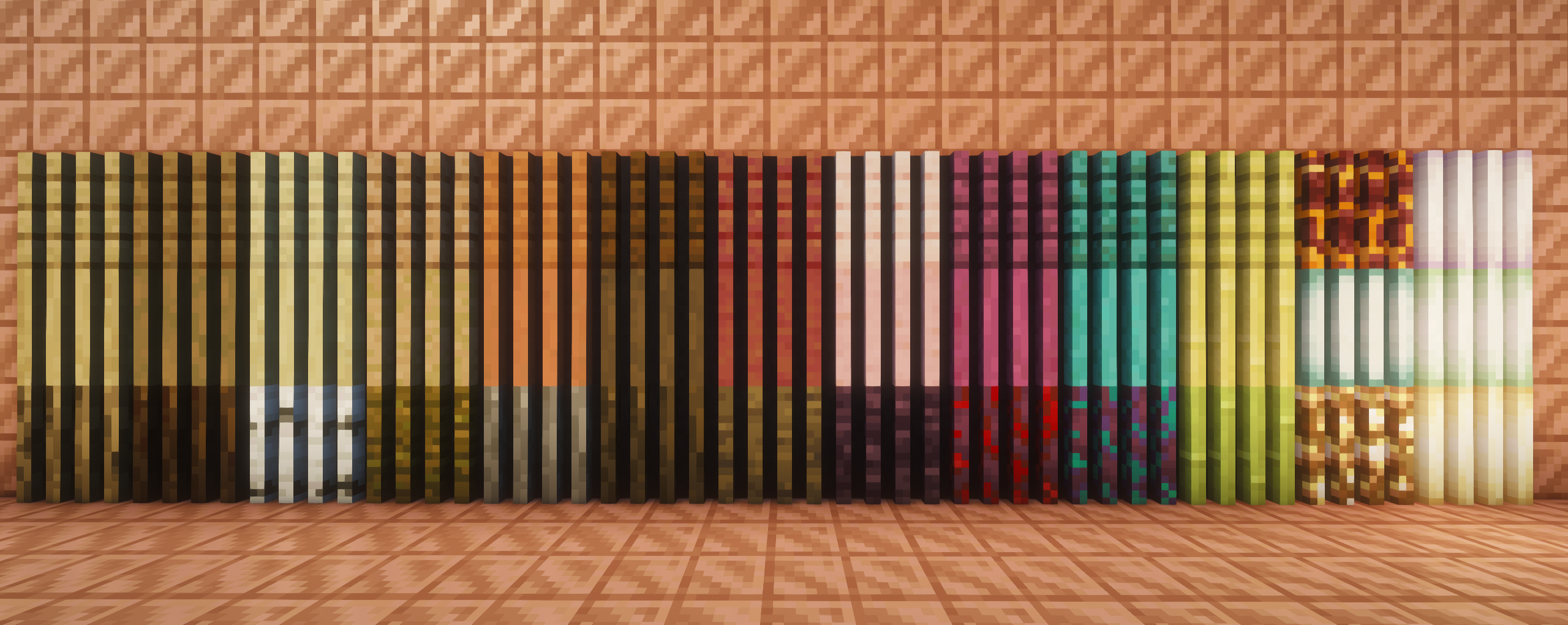 Slats can be placed on a wall similarly to vines or placed on the floor to create a partition. Vines can be used on the slats to cover them. Remove the vines with shears.
Project description from CurseForge.
Pick your setup
Choose the version and loader you play, then open the matching release.
Check the dependencies, then try the file in a copied instance before changing a world you care about.
Recent files
fixfoot-neoforge-1.0.0+1.21.1.jar
28 Jul 2026
fixfoot-fabric-1.0.0+1.21.1.jar
28 Jul 2026
Looking for an older file? The official CurseForge project page is in Resources.
 mod
modEnergy-powered resource generators with 5 tiers, upgrade cards and an endgame Plasma Reactor. Turn energy into resources: tiered generators, new ores and a Plasma Reactor.
 mod
modPhysically simulated leaves: falling leaves, leaf piles you can wade through, rake and blow away, gusts, whirlwinds and leaf tools.
 mod
modFlexible on-screen key prompts and convenient key remapping features.