Fabric API Needed by ExtractCraft: Pouch Edition extractcraft-fabric-1.0.1.jar
requiredMatching file found Matched file: [1.21.1] Fabric API 0.116.15+1.21.1
CurseForge · Minecraft mod
Secure tiered storage pouches with quest-driven progression and a craftable upgrade.
Quick answer
ExtractCraft: Pouch Edition extractcraft-fabric-1.0.1.jar targets 1.21.1 with Fabric. The project page does not say whether this file belongs on the client, dedicated server, or both. All 1 required mods have matching files.
Where it goes
The project page does not say whether this file belongs on the client, dedicated server, or both.
The source does not explicitly classify this release as client-only or server-only.
extractcraft-fabric-1.0.1.jar. Change the file and its required mods may change too.
Install Fabric API first. We found matching files for this game-version and loader setup.
We only count dependency files that match this setup. A file for another loader does not fill the gap.
Before you install it
Built for ExtractCraft: Pouch Edition extractcraft-fabric-1.0.1.jar. Pick another file and the loader, install side or required mods may change.
Use extractcraft-fabric-1.0.1.jar. It targets 1.21.1 with Fabric; another release may have different loader, side or dependency requirements.
Install Fabric API first. We found matching files for this game-version and loader setup.
The project page does not say whether this file belongs on the client, dedicated server, or both.
Use the “Get this file” button beside extractcraft-fabric-1.0.1.jar. It opens that exact file at the source.
About this project
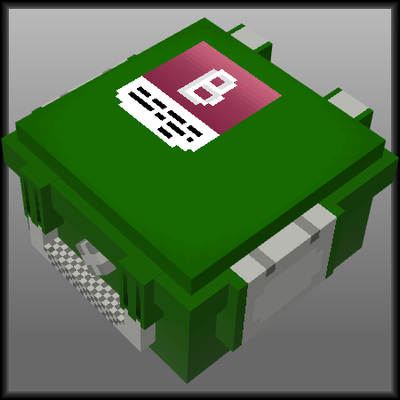
Secure containers that keep your loot when you die. Inspired by the secure container mechanics of extraction style survival games, ExtractCraft brings a loot and progression loop to Minecraft. Explore the Bunker, find containers, and upgrade them into bigger tiers so your most valuable items survive death.
A custom structure where you find containers as loot and the components needed to upgrade them. Containers you can find inside, by rarity:
| Container | Grid | Slots |
|---|---|---|
| Basic Container | 2x2 | 4 |
| Improved Container | 3x2 | 6 |
| Advanced Container | 4x2 | 8 |
| Coveted Container | 3x3 | 9 |
| Warrior's Container | 5x2 | 10 |
| Final Container | 3x4 | 12 |
Progression follows a clear chain, and each step gives you more secure space than the last:
The Pouch Table handles the first upgrade, and the quest system carries you through the rest. The Warrior's Container (10 slots) sits outside this chain as a rare Bunker find for the lucky.
Project description from CurseForge.
Pick your setup
Choose the version and loader you play, then open the matching release.
Check the dependencies, then try the file in a copied instance before changing a world you care about.
Recent files
7 Aug 2026
7 Aug 2026
29 Jul 2026
29 Jul 2026
Looking for an older file? The official CurseForge project page is in Resources.
 mod
modA clipboard manager that lives inside the Minecraft chat screen. Open chat, click an entry, and it is inserted at your cursor : no alt-tabbing to find that message, coordinate or command again.
 mod
modMMOChat is an ultra-lightweight client mod that automatically sorts multiplayer chat into General, Trade, Clan, and Private tabs, keeping your screen organized during combat.
 mod
modProcedural Trial Chambers and Bosses!