Minecraft version
Back to mods 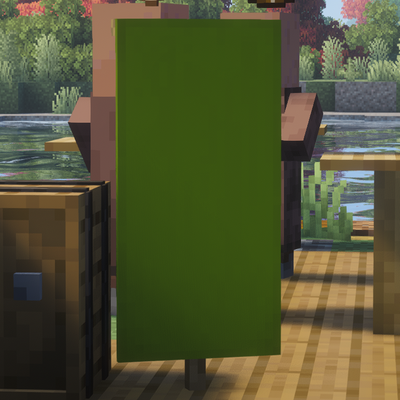
CurseForge · Minecraft mod
Food Vendor
A simple mod that lets you set up a shop to sell food to villagers.
Choose a version Pick your version below, then grab the matching file.
Quick answer
Which Food Vendor release should I use?
Latest stable file FoodVendor-3.0.0-JPN.jar
Game version 1.21.1
Loader Fabric
Food Vendor FoodVendor-3.0.0-JPN.jar targets 1.21.1 with Fabric. The project page does not say whether this file belongs on the client, dedicated server, or both. No extra mods listed for this file.
Where it goes
Is Food Vendor required on the client, server, or both?
The project page does not say whether this file belongs on the client, dedicated server, or both.
Client Source doesn’t say
Dedicated server Source doesn’t say
Loader for this release Fabric
Required install it here Optional supported, not mandatory Not supported do not install here Source doesn’t say do not assume
The source does not explicitly classify this release as client-only or server-only.
What else does Food Vendor FoodVendor-3.0.0-JPN.jar need?
FoodVendor-3.0.0-JPN.jar. Change the file and its required mods may change too.
This file does not list any required mods. Do not add a library just because a different file uses it.
This file does not list any required or optional mods.
Before you install it
Add Food Vendor without breaking your instance.
Built for Food Vendor FoodVendor-3.0.0-JPN.jar. Pick another file and the loader, install side or required mods may change.
- 01
Stick to this file
Use FoodVendor-3.0.0-JPN.jar. It targets 1.21.1 with Fabric; another release may have different loader, side or dependency requirements.
- 02
Bring the mods it needs
This file does not list any required mods. Do not add a library just because a different file uses it.
- 03
Put it on the correct side
The project page does not say whether this file belongs on the client, dedicated server, or both.
- 04
Pick the file you checked
Use the “Get this file” button beside FoodVendor-3.0.0-JPN.jar. It opens that exact file at the source.
About this project
What does Food Vendor add?
Food Vendor
Turn simple fences, pressure plates, shop banners, menu barrels, and shop bells into a fully playable little food stall. Sell foods from other food mods too, such as Farmer’s Delight or tavern-style content from fabricRPG mods.Serve villagers, welcome animal customers, meet special visitors, unlock unique story moments, make every meal feel a little more ceremonial, and turn ingredients and dishes into real profit.
plz download new version
If you want to discover things slowly, talk to villagers and wandering traders along the way. They will gradually guide you toward becoming a true master food vendor while helping you learn the mod naturally. If you would rather get started quickly and collect all the important dialogue sooner, tips and more guide-like notes are also included further below.
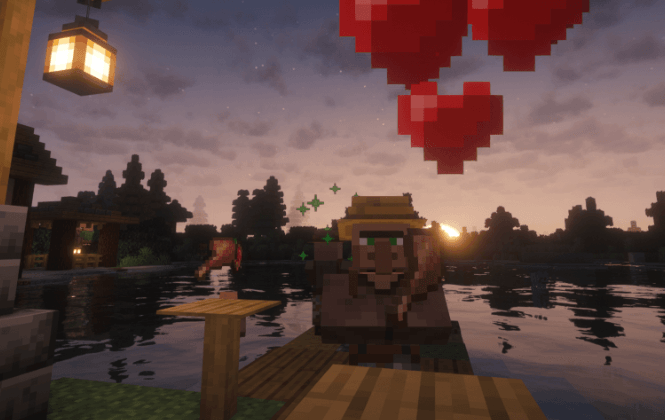
The following information applies only to version 3.0.0.
GETTING STARTED
- Craft and place a Shop Banner.
- Build tables inside its 31x31 shop area.
- Place a Menu Barrel to define what customers can order.
- Open the shop with the Shop Banner.
- Use a Shop Bell or Attraction Banners to bring in customers.
- Place each requested dish on the correct table before the customer leaves.
Shop Banner
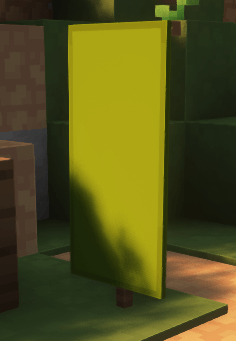
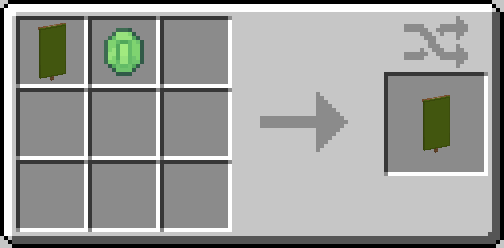
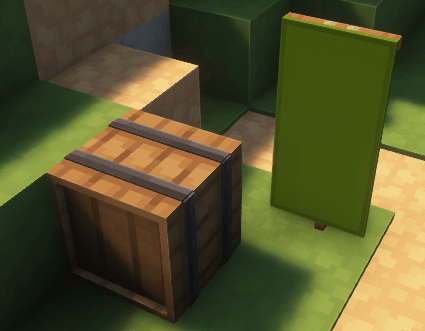
Combine a green or yellow banner with one emerald. The Shop Banner opens and closes a 31x31 restaurant area and manages its customers, tables, and helpers.
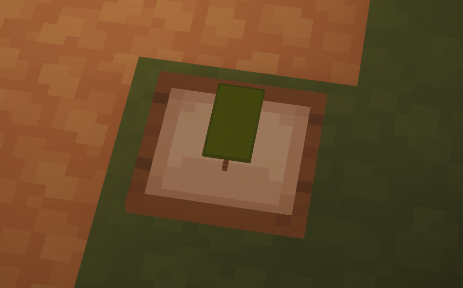
A Shop Banner placed in an item frame also creates a shop area, reaching up to 20 blocks above and 5 blocks below. This allows the banner to be hidden inside a multi-floor building.
TABLES AND CHAIRS
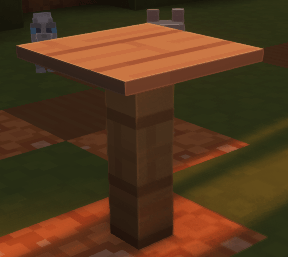
Place a wooden pressure plate on a fence to make a simple dining table. It can hold up to three dishes and serve two villagers and one animal.
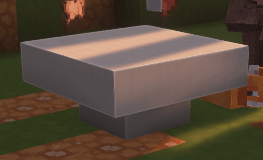
An upside-down stair creates a formal stair table. It can hold up to two dishes and serve one villager and one animal.
Upright stairs with trapdoors or signs attached to both sides become chairs. Villager customers prefer a chair assigned to their table when one is available.
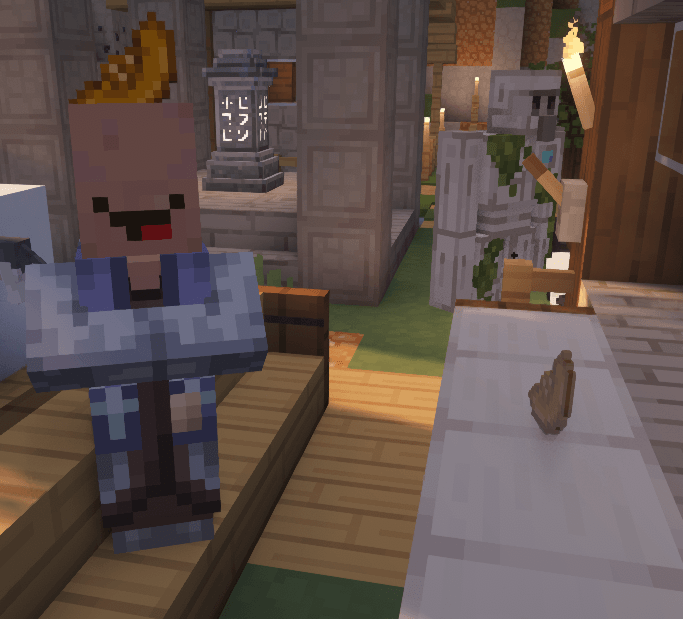
Requested dishes appear as previews above the matching table. Players can also hold right-click to eat food directly from a table.
Menu Barrel
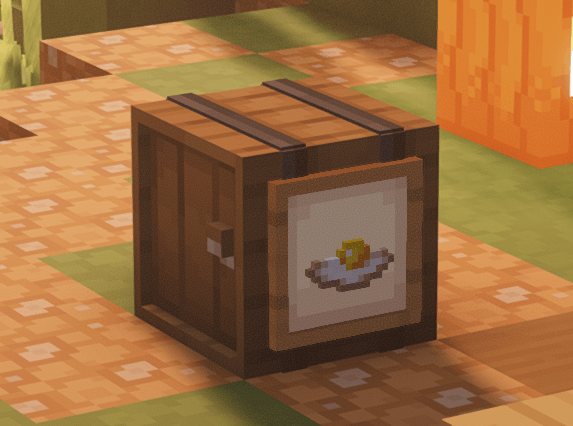
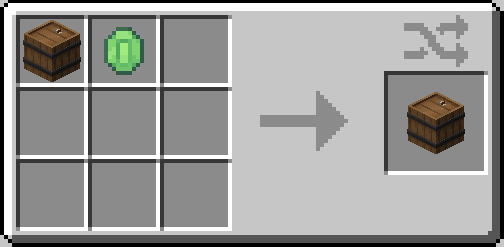
Combine a barrel with one emerald. The Menu Barrel works anywhere inside the Shop Banner's full 31x31 area and supports three business styles:
- Specialty Shop - Place items in frames on the barrel to limit orders to food from those items' source mods.
- Prepared Lunch Shop - Leave the frames empty and stock the barrel with the dishes customers may order.
- Live-Cooking Pop-Up - Leave both the frames and barrel empty for fully random orders and the greatest cooking challenge.
The primary Menu Barrel defines the menu. Additional Menu Barrels provide storage.
Shop Bell
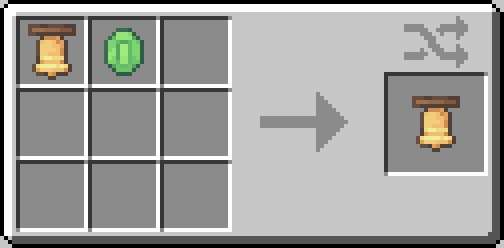
Combine a bell with one emerald. Right-click the Shop Bell to attract customers from a wide area. Customer turnout varies, and the bell enters a cooldown after use.
 Attraction Banner
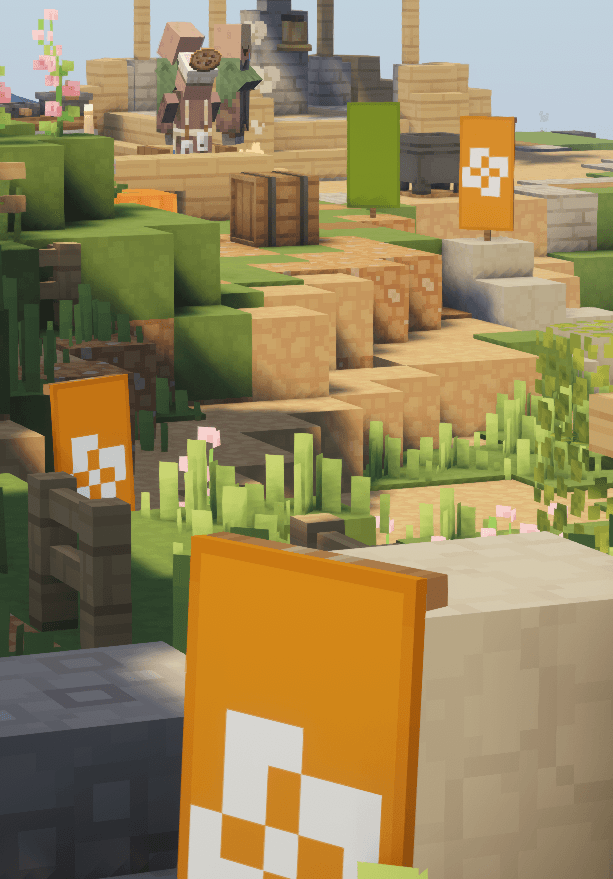
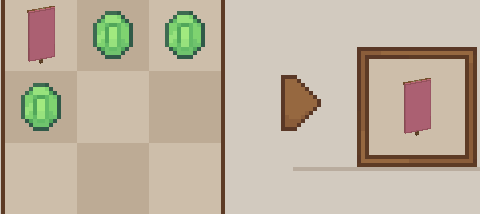
Combine any banner with three emeralds. Its original color and patterns are preserved.
Each Attraction Banner has a 31x31 effective area. Link several banners together to guide distant villagers toward your restaurant. After eating, guided customers follow the route back to where they originally came from.
Attraction Banner routing takes priority when it overlaps with normal Shop Banner guidance.
CUSTOMERS AND REWARDS
Open restaurants attract villagers, wandering traders, cats, wolves, and foxes. Up to six villagers can wait near one shop, and up to three animal customers can visit at the same time.
Customers display their orders, wait to be served, eat, and then leave a rating. Better meals provide better emerald, experience, and bonus rewards. Regular customers may share recipes, while rare high ratings can unlock achievements and special enchanted books.
Animal customers prefer food suited to their species and enter a five-minute dining cooldown after a visit.
LEGENDARY GOURMET MERCHANT
Every five in-game days, a Legendary Gourmet Merchant may visit an active restaurant. This rare trader offers ingredients, dishes, enchanted books, and sometimes expensive assistant eggs.
HELPERS
Human and animal helpers serve dishes, gain experience, level up, and assist in combat without harming players or one another. Sneak and right-click a helper to toggle follow mode.
Human helpers unlock stronger equipment as they level and can gather ingredients while following the player.
Animal helpers include cats, dogs, foxes, and permanent baby variants:
- Cat Helpers collect emeralds and return them to restaurant storage.
- Dog Helpers prepare drinks when a cauldron is available.
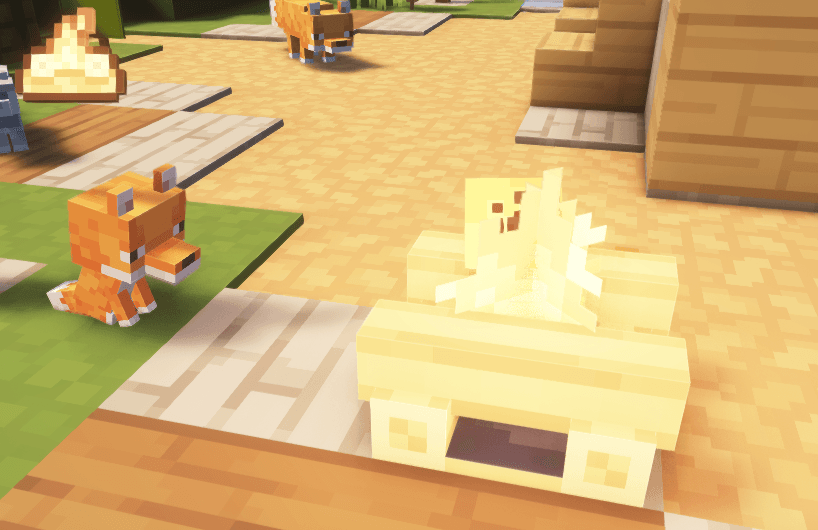
- Fox Helpers cook special dishes when a campfire is available.
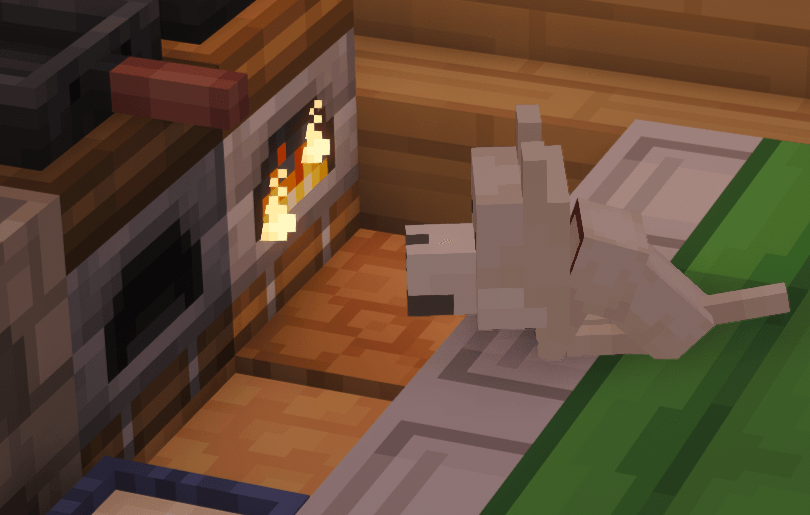
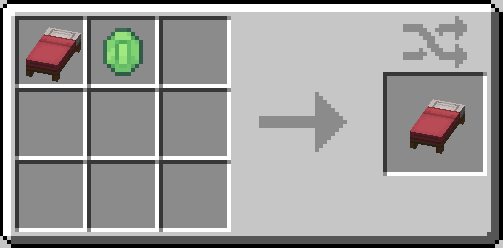
- Fluffy Assistant Beds give animal helpers a place to return and rest after work.
Each animal helper also has unique low-probability behaviors and player interactions.
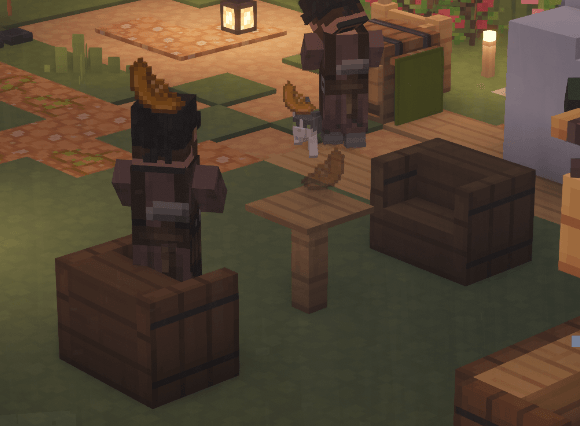
Fox is cooking Dog is resting in bed.
EXTRA SYSTEMS
Recipe Notebook
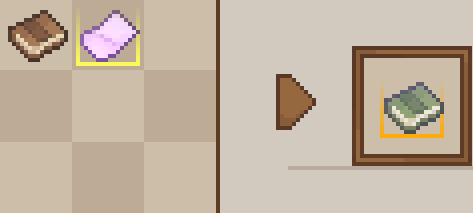
Regular customers can reward recipes. Store and organize them in a Recipe Notebook to discover compatible cooking recipes naturally.
Hot Serve
Freshly caught fish and newly cooked dishes retain heat briefly. Serve them before the heat expires to build a combo and gain temporary health and movement bonuses.
License
MIT
Author
dofa
Project description from CurseForge.
Pick your setup
Food Vendor by Minecraft version and loader
Choose the version and loader you play, then open the matching release.
Minecraft version
1.20.1
1 loader buildCheck the dependencies, then try the file in a copied instance before changing a world you care about.
Recent files
Food Vendor versions and loaders
FoodVendor-3.0.0-JPN.jar
31 Aug 2026
Client Source doesn’t say Server Source doesn’t say Dependencies No extras listed Listed on Release listing
Check the 1.21.1 · Fabric setup Fabric1.21.1 release
food-vendor-1.20.1-3.0.0-JPN.jar
31 Aug 2026
Client Source doesn’t say Server Source doesn’t say Dependencies No extras listed Listed on Release listing
Check the 1.20.1 · Fabric setup Fabric1.20.1 release
food-vendor-1.20.1-3.0.0.jar
31 Aug 2026
Client Source doesn’t say Server Source doesn’t say Dependencies No extras listed Listed on Release listing
Check the 1.20.1 · Fabric setup Fabric1.20.1 release
FoodVendor-3.0.0.jar
30 Aug 2026
Client Source doesn’t say Server Source doesn’t say Dependencies No extras listed Listed on Release listing
Check the 1.21.1 · Fabric setup Fabric1.21.1 release
Looking for an older file? The official CurseForge project page is in Resources.
 mod
CurseForge · Minecraft
Restricted Areas
Create visible, operator-controlled barriers that lock and protect restricted SMP areas until they are ready to open.
 mod
CurseForge · Minecraft
Dreadhold
Seven boss fights you call yourself: sky arenas, minion waves, attacks you can dodge, cores and relics. Falling in battle costs you nothing.
 mod
GitHub · Minecraft
modpacks-ch-github-test
Disposable public fixture for testing the Modpacks.ch GitHub catalogue flow