Bloom API Needed by Bloom UI - Resource Pack Manager BloomUI-ResourcePackManager-Fabric-26.3-v1.2.0.jar
requiredMatching file found Matched file: BloomAPI-Fabric-26.3-v1.4.16.jar
CurseForge · Minecraft mod
Transforms Minecraft’s resource pack screen into a fast, categorized manager with drag-and-drop ordering, bulk actions, load-order presets, and customizable pack controls.
Quick answer
Bloom UI - Resource Pack Manager BloomUI-ResourcePackManager-Fabric-26.3-v1.2.0.jar targets 26.3 with Fabric. The project page does not say whether this file belongs on the client, dedicated server, or both. All 1 required mods have matching files.
Where it goes
The project page does not say whether this file belongs on the client, dedicated server, or both.
The source does not explicitly classify this release as client-only or server-only.
BloomUI-ResourcePackManager-Fabric-26.3-v1.2.0.jar. Change the file and its required mods may change too.
Install Bloom API first. We found matching files for this game-version and loader setup.
We only count dependency files that match this setup. A file for another loader does not fill the gap.
Before you install it
Built for Bloom UI - Resource Pack Manager BloomUI-ResourcePackManager-Fabric-26.3-v1.2.0.jar. Pick another file and the loader, install side or required mods may change.
Use BloomUI-ResourcePackManager-Fabric-26.3-v1.2.0.jar. It targets 26.3 with Fabric; another release may have different loader, side or dependency requirements.
Install Bloom API first. We found matching files for this game-version and loader setup.
The project page does not say whether this file belongs on the client, dedicated server, or both.
Use the “Get this file” button beside BloomUI-ResourcePackManager-Fabric-26.3-v1.2.0.jar. It opens that exact file at the source.
About this project

Bloom UI - Resource Pack Manager replaces Minecraft's resource-pack screen with an organized workspace for browsing, enabling and arranging your packs. Search large collections, manage several packs at once, save load-order presets, and spot duplicate downloads while keeping a clear view of your active setup.
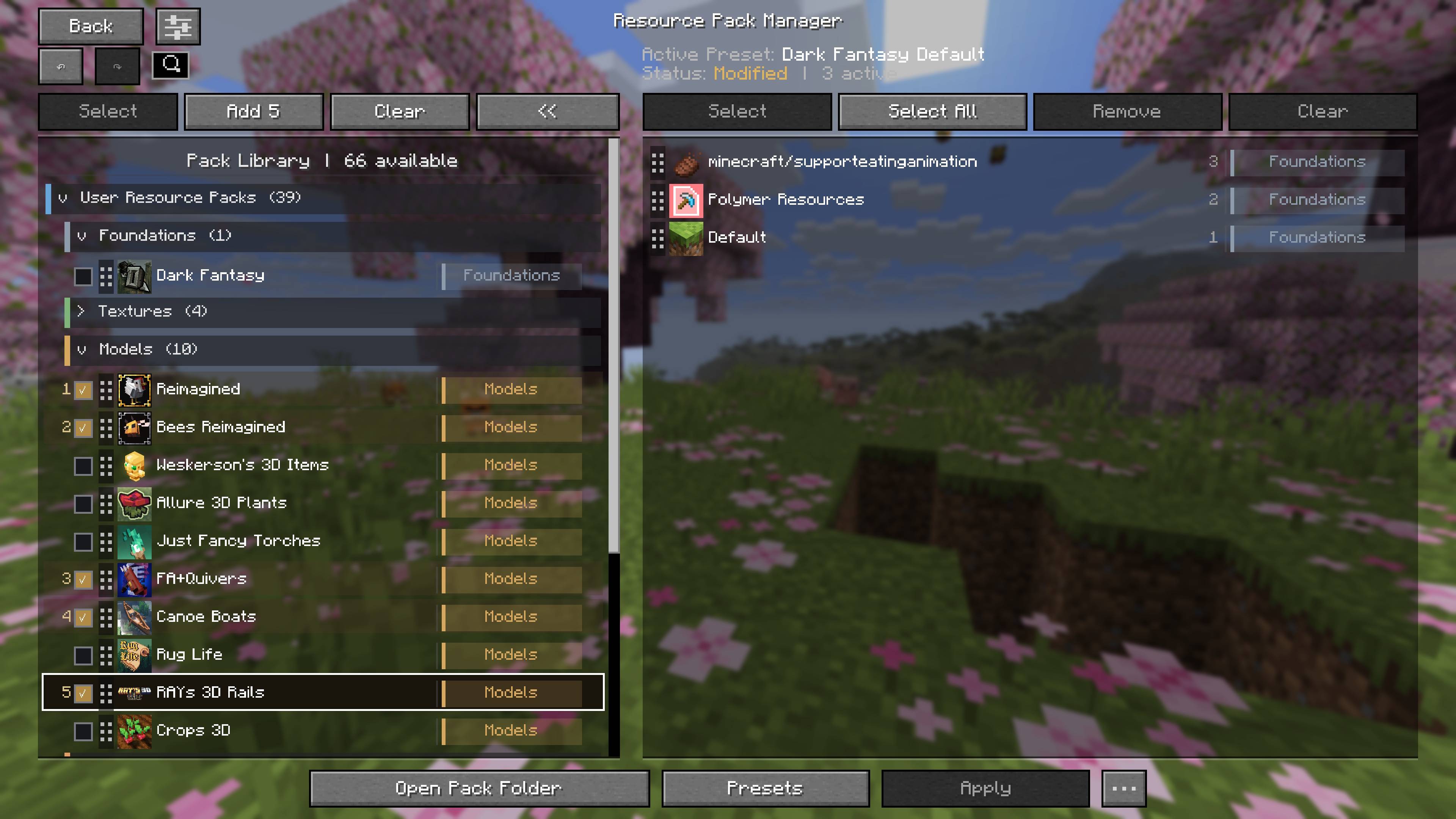
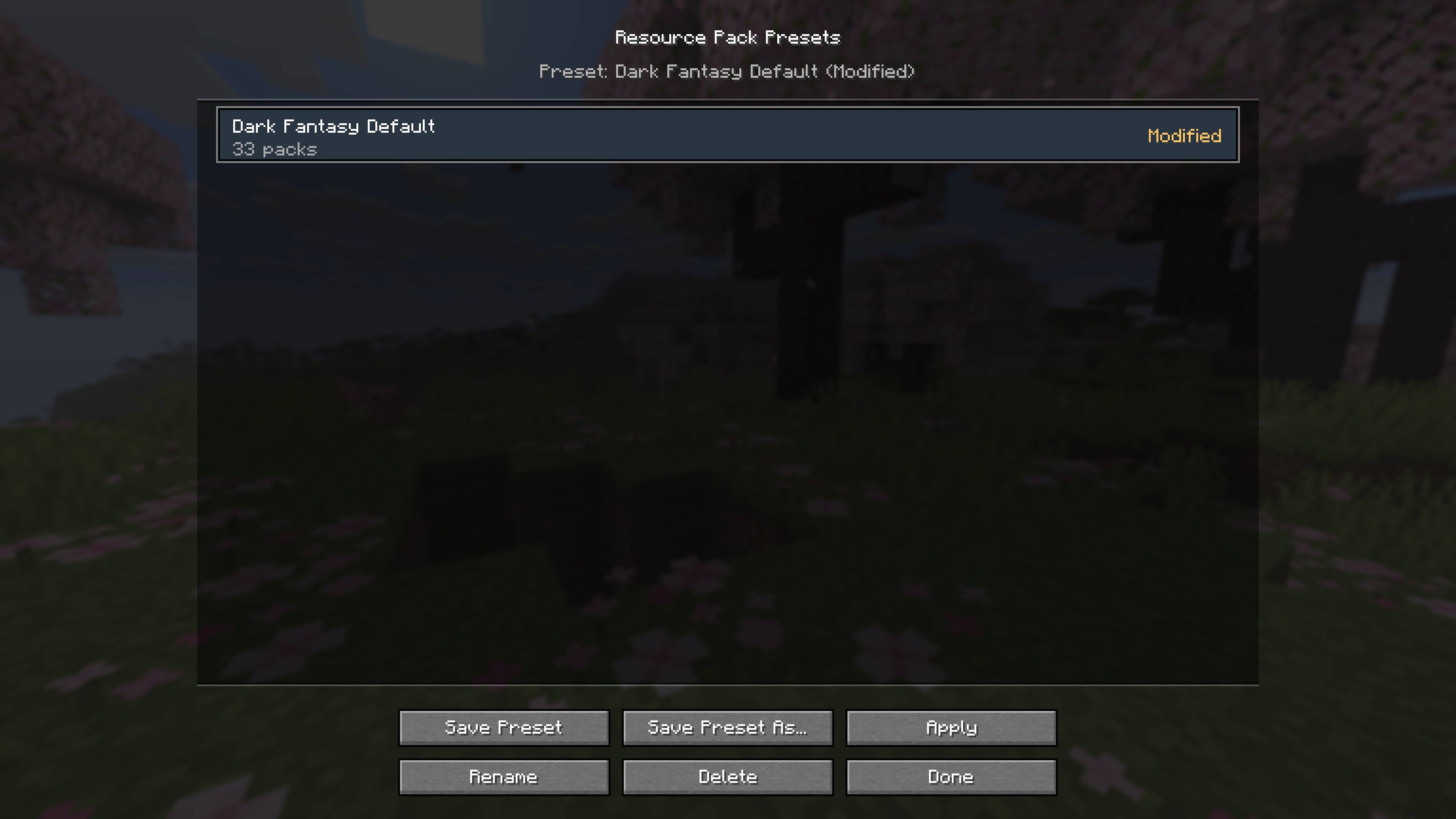
Open Options > Resource Packs. Browse or search the available library, add the packs you want, and arrange their priority in the active column. Use Apply to reload your resources, or Presets to save and switch setups.
This is a client-side interface mod; multiplayer servers do not need it. It manages resource packs already installed in your game and does not download packs or alter their contents. Category and compatibility labels help organize the library but do not guarantee that different packs work together visually.
Project description from CurseForge.
Pick your setup
Choose the version and loader you play, then open the matching release.
Check the dependencies, then try the file in a copied instance before changing a world you care about.
Recent files
20 Oct 2026
2 Aug 2026
2 Aug 2026
2 Aug 2026
2 Aug 2026
1 Aug 2026
1 Aug 2026
1 Aug 2026
1 Aug 2026
29 Jul 2026
29 Jul 2026
29 Jul 2026
Looking for an older file? The official CurseForge project page is in Resources.
 mod
Checks installed mods for available updates
 mod
HUD:A lightweight Jade alternative ,effect timmer ,Target Info,Saturation and Coordinates Monitor ,Waila,HWYLA,show Horse speed and jump stats,death location,Death Finder
 mod
Breed faster Happy Ghasts, boost flight speed with Speed Potions or Snowballs, and inspect mount stats with a Book and Quill.