Minecraft version
Back to mods 
CurseForge · Minecraft mod
Better Torches
Break free from vanilla lighting limits and elevate your builds with dozens of fully dyeable torches that you can freely place in 9 unique positions on any block!
Choose a version Pick your version below, then grab the matching file.
Quick answer
Which Better Torches release should I use?
Latest stable file bettertroches-neoforge-1.21.4-1.1.0
Game version 1.21.4
Loader NeoForge
Better Torches bettertroches-neoforge-1.21.4-1.1.0 targets 1.21.4 with NeoForge. The project page does not say whether this file belongs on the client, dedicated server, or both. No extra mods listed for this file.
Where it goes
Is Better Torches required on the client, server, or both?
The project page does not say whether this file belongs on the client, dedicated server, or both.
Client Source doesn’t say
Dedicated server Source doesn’t say
Loader for this release NeoForge
Required install it here Optional supported, not mandatory Not supported do not install here Source doesn’t say do not assume
The source does not explicitly classify this release as client-only or server-only.
What else does Better Torches bettertroches-neoforge-1.21.4-1.1.0 need?
bettertroches-neoforge-1.21.4-1.1.0. Change the file and its required mods may change too.
This file does not list any required mods. Do not add a library just because a different file uses it.
This file does not list any required or optional mods.
Before you install it
Add Better Torches without breaking your instance.
Built for Better Torches bettertroches-neoforge-1.21.4-1.1.0. Pick another file and the loader, install side or required mods may change.
- 01
Stick to this file
Use bettertroches-neoforge-1.21.4-1.1.0. It targets 1.21.4 with NeoForge; another release may have different loader, side or dependency requirements.
- 02
Bring the mods it needs
This file does not list any required mods. Do not add a library just because a different file uses it.
- 03
Put it on the correct side
The project page does not say whether this file belongs on the client, dedicated server, or both.
- 04
Pick the file you checked
Use the “Get this file” button beside bettertroches-neoforge-1.21.4-1.1.0. It opens that exact file at the source.
About this project
What does Better Torches add?
Vanilla gives you one torch per block. This gives you nine.
Better Torches turns every block face into a 3×3 grid you can fill however you like — nine individually placed torches, of twenty-seven different materials, stacked as tall as you want, each burning whatever colour you dye it.
Nine to a Block
- Placement: Point at any spot on a face and put a torch there. Floors, ceilings, and all four walls, each with its own natural lean — hanging torches tuck back under the block they hang from, wall torches angle out the way vanilla's do, and the bottom row of a wall kicks out further so a low torch still throws its flame clear.
- Stacking: Aim at a gap and you fill it. Aim at a torch that's already there and it grows upward instead.
- Easy Retrieval: Sneak with an empty hand to pluck a single torch back out — the rest stay exactly where they are, and the one you took keeps its colour.
Twenty-Seven Materials, Mixable
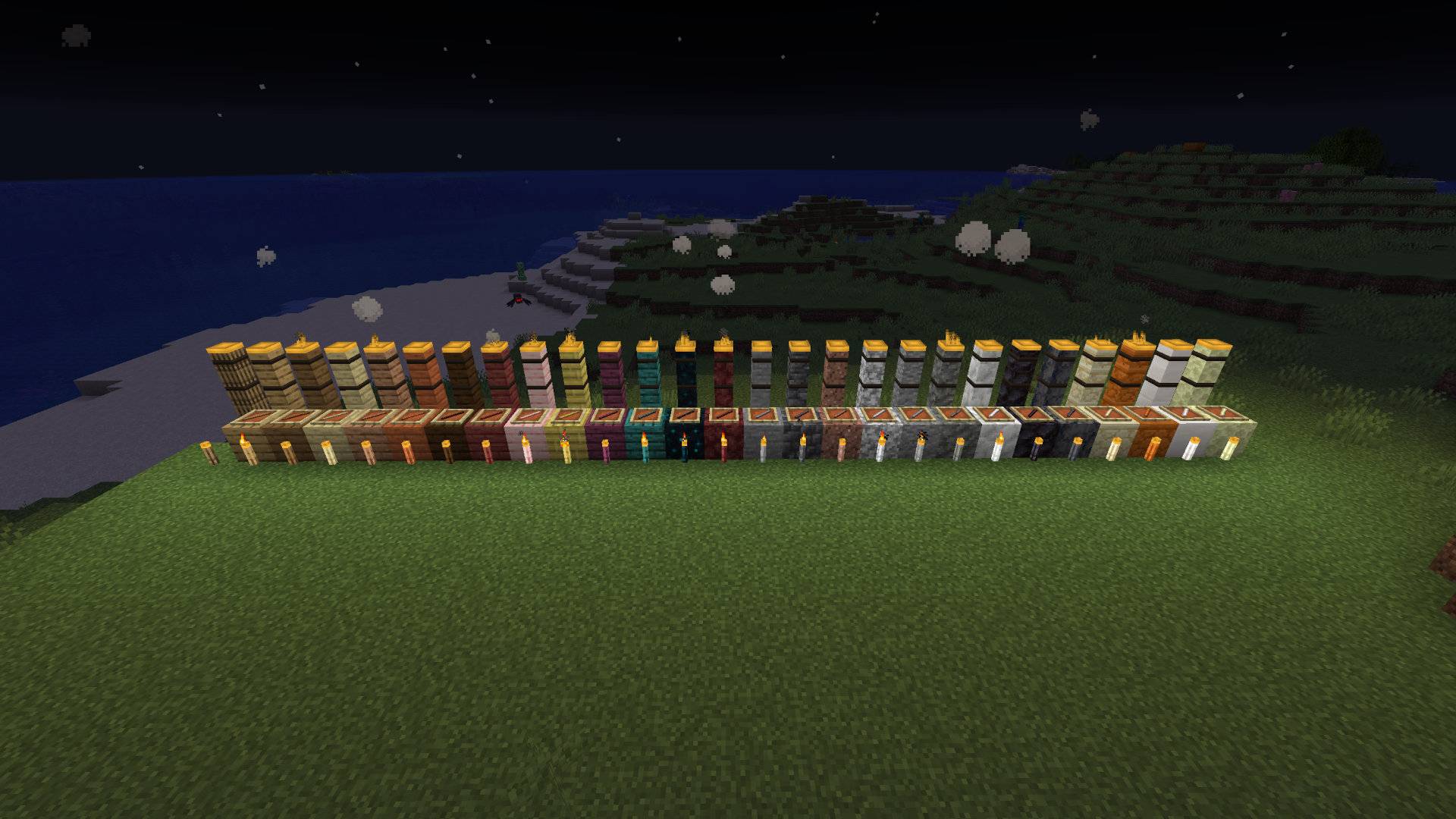
Oak, spruce, birch, jungle, acacia, dark oak, mangrove, cherry, bamboo, crimson, warped, sculk, netherrack, stone, deepslate, granite, diorite, andesite, tuff, calcite, blackstone, basalt, sandstone, red sandstone, quartz, end stone — and the classic torch you already know.
- Every one takes its colour from the block it's made of and sounds like it when you place it.
- Mix and match: One block can hold an oak torch beside a deepslate one beside a quartz one. Build a palette into a single wall panel if you want to.
Stack Them as Tall as You Like
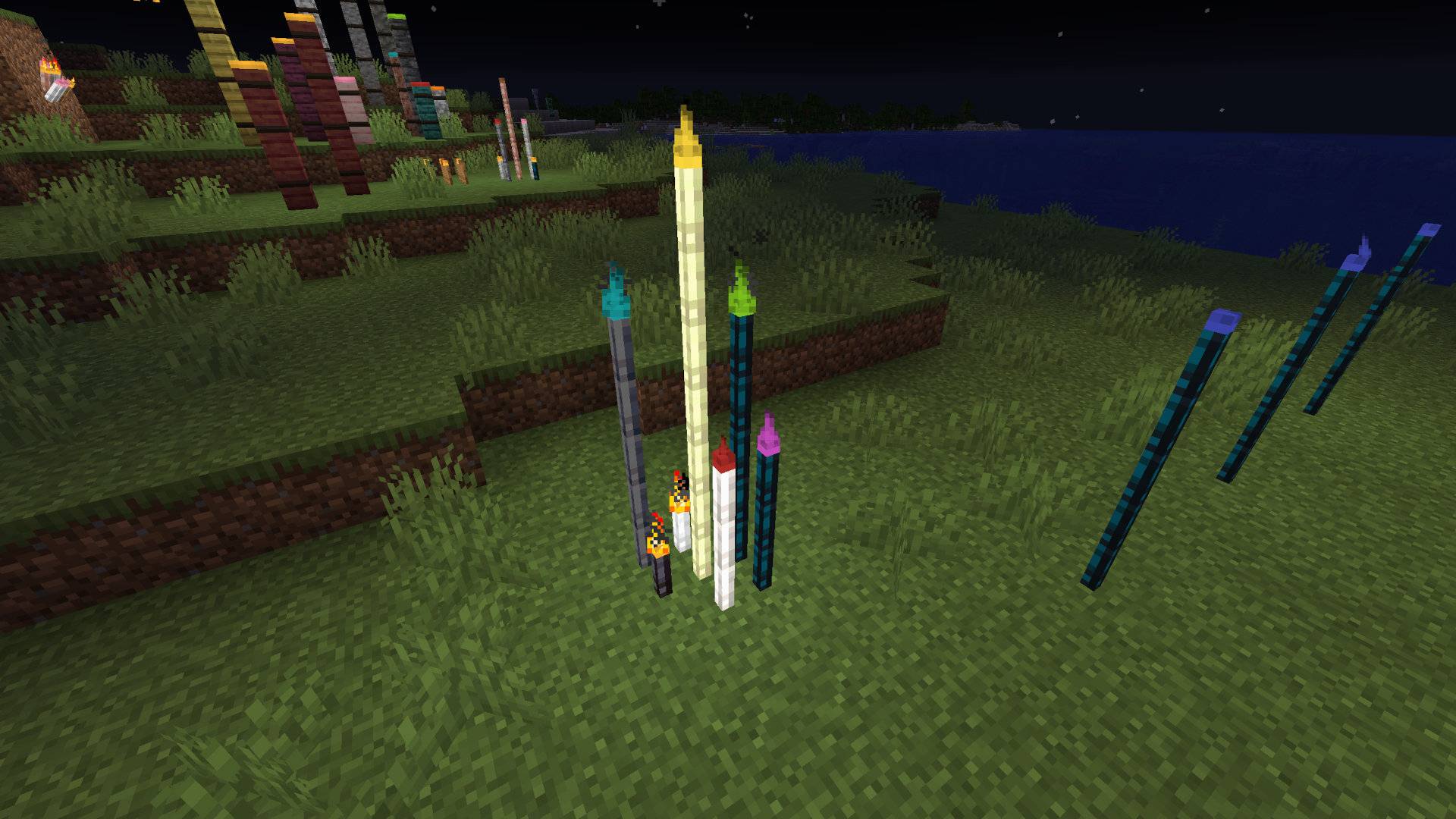
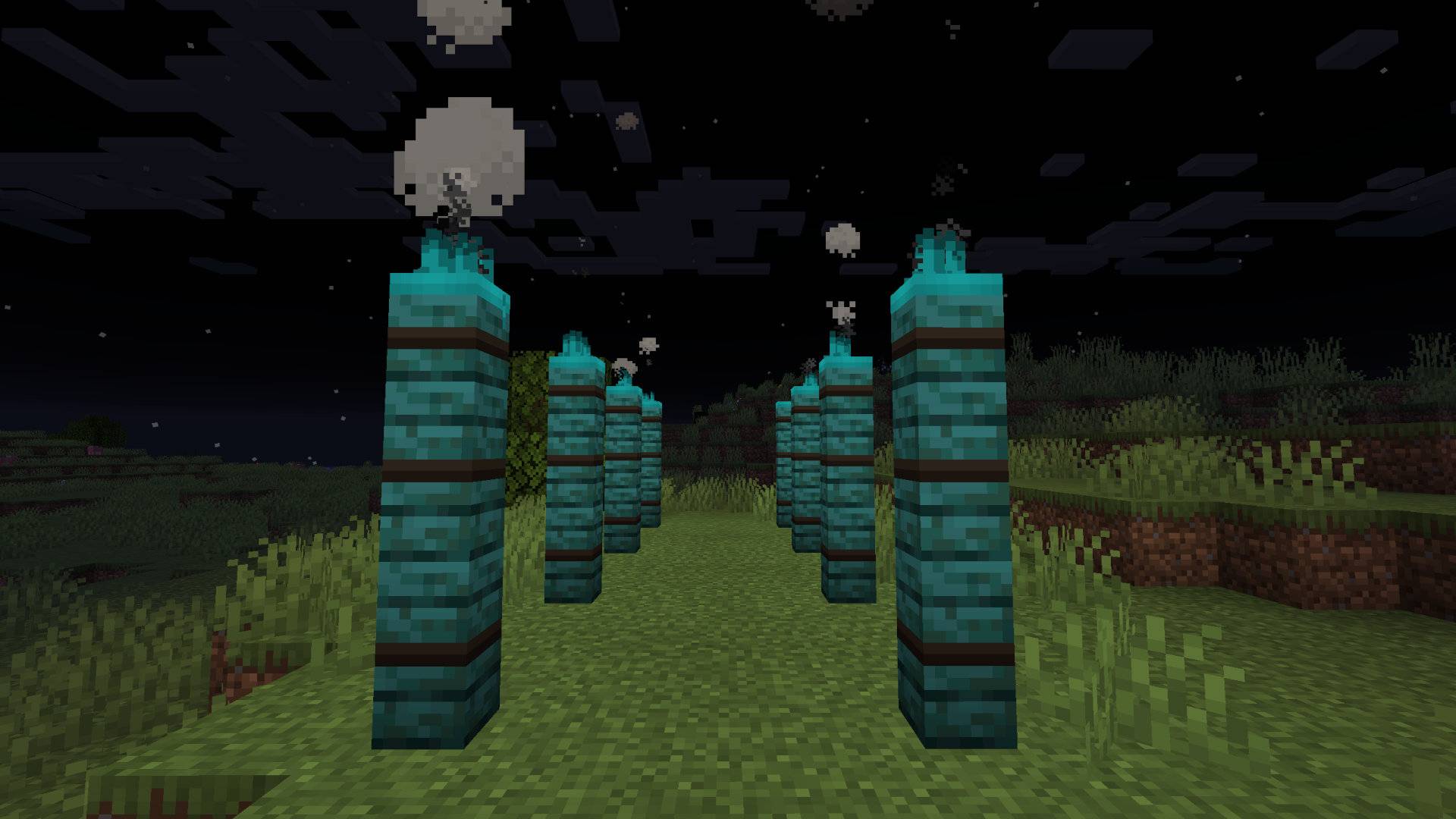
Put a torch on top of a torch and the lower one becomes a full-height post, handing its flame up to the one above. Do it again and the column keeps rising.
Each of the nine columns rises independently — raise the middle one three storeys and leave the corners as they are. A column is only ever continued by its own material, so your stacks stay honest.
Dye the Fire
- In-world Dyeing: Right-click any torch with a dye and that single flame changes colour. Sixteen colours, plus the ordinary vanilla fire for anything undyed.
- Crafting Grid: Torches are also dyeable in a crafting grid, so you can colour a whole stack at once before you place a single one.
Throw Them Into the Dark
Drop a torch without sneaking and it doesn't fall at your feet — it flies. Wherever it lands it mounts itself, snapping to walls, ceilings, edges and corners exactly as if you'd placed it by hand, and it keeps its dye on the way.
Perfect for lighting a ravine you're not ready to climb into. (Sneak-drop still drops it normally).

Big Torches
Thick, post-sized torches for when a slim one won't read across a room. One to a block, placeable in any of the same nine spots, stackable into pillars, and dyeable just like the small ones.
Getting Started
| Recipe | Result |
|---|---|
| Two of a material, stacked | 4 sticks of that material |
| Coal or charcoal over one of those sticks | 4 torches of that material |
| Three string in a row | 1 torch strap |
| Four torches around a strap, in a plus | 1 big torch |
Note: The classic torch trades one-for-one with a vanilla torch, both ways, so you can convert what you're already carrying.
Built to be Cheap
Torches are ordinary static chunk geometry — the same as any other block. No block entity renderer, nothing redrawn per frame, no matter how many you place or how many colours and materials you mix. Light a whole base with them and your frame rate won't know the difference.
Versions
| Minecraft | Loader |
|---|---|
| 1.20.1 | Forge |
| 1.21.1 | NeoForge |
| 1.21.4 | NeoForge |
No dependencies. No configuration needed.
Found a bug or want a material that isn't here? Open an issue — it genuinely helps.
Project description from CurseForge.
Pick your setup
Better Torches by Minecraft version and loader
Choose the version and loader you play, then open the matching release.
Minecraft version
1.21.1
1 loader buildMinecraft version
1.20.1
1 loader buildCheck the dependencies, then try the file in a copied instance before changing a world you care about.
Recent files
Better Torches versions and loaders
bettertroches-neoforge-1.21.4-1.1.0
bettertroches-neoforge-1.21.4-1.1.0.jar
27 Aug 2026
Client Source doesn’t say Server Source doesn’t say Dependencies No extras listed Listed on Release listing
Check the 1.21.4 · NeoForge setup 1.21.4NeoForge release
bettertroches-neoforge-1.21.1-1.1.0
bettertroches-neoforge-1.21.1-1.1.0.jar
27 Aug 2026
Client Source doesn’t say Server Source doesn’t say Dependencies No extras listed Listed on Release listing
Check the 1.21.1 · NeoForge setup 1.21.1NeoForge release
bettertroches-forge-1.20.1-1.1.0
bettertroches-forge-1.20.1-1.1.0.jar
27 Aug 2026
Client Source doesn’t say Server Source doesn’t say Dependencies No extras listed Listed on Release listing
Check the 1.20.1 · Forge setup 1.20.1Forge release
BetterTorches-neoforge-1.21.4-1.0.0
bettertroches-neoforge-1.21.4-1.0.0+1.21.4-neoforge.jar
29 Jul 2026
Client Source doesn’t say Server Source doesn’t say Dependencies No extras listed Listed on Release listing
Check the 1.21.4 · NeoForge setup 1.21.4NeoForge release
BetterTroches-neoforge-1.21.1-1.0.0
bettertroches-neoforge-1.21.1-1.0.0+1.21.1-neoforge.jar
29 Jul 2026
Client Source doesn’t say Server Source doesn’t say Dependencies No extras listed Listed on Release listing
Check the 1.21.1 · NeoForge setup 1.21.1NeoForge release
BetterTroches-forge-1.20.1-1.0.0
bettertroches-forge-1.20.1-1.0.0+1.20.1-forge.jar
29 Jul 2026
Client Source doesn’t say Server Source doesn’t say Dependencies No extras listed Listed on Release listing
Check the 1.20.1 · Forge setup 1.20.1Forge release
Looking for an older file? The official CurseForge project page is in Resources.
 mod
mod CurseForge · Minecraft
Ride Anything
Universal mob sitting system that lets you sit on any mob using Right Shift + double right click or the /sit command
 mod
mod CurseForge · Minecraft
CobbleGacha Expanded (Cobblemon Gacha System)
CobbleGacha Expanded is a Cobblemon gacha mod featuring rotating limited banners, rate-up Pokémon, pity and 50/50 guarantees, pull history, and configurable server-side banner management.
 mod
mod CurseForge · Minecraft
Give me FPS
Give Me FPS is a performance optimization mod made specifically for Create.