Colossal Chests Needed by Toms Colossal Crafting Fix toms_colossal_crafting_fix-1.1.4.jar
requiredMatching file found Matched file: colossalchests-1.21.1-neoforge-1.9.1.jar
CurseForge · Minecraft mod
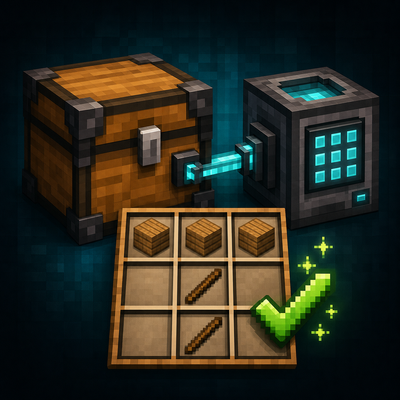
Tom's Colossal Crafting Fix is a lightweight NeoForge compatibility add-on for Minecraft 1.21.1. It fixes crafting-terminal transfers when Tom's Simple Storage Mod is connected to a Colossal Chest.
Quick answer
Toms Colossal Crafting Fix toms_colossal_crafting_fix-1.1.4.jar targets 1.21.1 with NeoForge. The project page does not say whether this file belongs on the client, dedicated server, or both. All 3 required mods have matching files.
Where it goes
The project page does not say whether this file belongs on the client, dedicated server, or both.
The source does not explicitly classify this release as client-only or server-only.
toms_colossal_crafting_fix-1.1.4.jar. Change the file and its required mods may change too.
Install Colossal Chests, Tom's Simple Storage Mod, Cyclops Core first. We found matching files for this game-version and loader setup. 22 come through another mod in the chain.
22 extra mods were pulled in by other dependencies. Indented rows show who needs each one. We only count dependency files that match this setup. A file for another loader does not fill the gap.
Before you install it
Built for Toms Colossal Crafting Fix toms_colossal_crafting_fix-1.1.4.jar. Pick another file and the loader, install side or required mods may change.
Use toms_colossal_crafting_fix-1.1.4.jar. It targets 1.21.1 with NeoForge; another release may have different loader, side or dependency requirements.
Install Colossal Chests, Tom's Simple Storage Mod, Cyclops Core first. We found matching files for this game-version and loader setup. 22 come through another mod in the chain.
The project page does not say whether this file belongs on the client, dedicated server, or both.
Use the “Get this file” button beside toms_colossal_crafting_fix-1.1.4.jar. It opens that exact file at the source.
About this project
Tom's Colossal Crafting Fix is a lightweight NeoForge compatibility add-on for Minecraft 1.21.1. It fixes crafting-terminal transfers when Tom's Simple Storage Mod is connected to a Colossal Chest.
Without this fix, Tom's crafting terminal can temporarily use an outdated view of a large connected inventory. A recipe may appear available in JEI, but the + transfer button can place only part of it—for example, inserting the planks but not the sticks for a fence. Clearing the crafting grid can also send ingredients into the player's inventory instead of returning them to storage.
JEI + transfers with repeated ingredients.
Larger recipes containing several ingredient types.
Transfers where the first ingredient changes the Colossal Chest before the remaining ingredients are retrieved.
The crafting terminal’s X button, returning grid contents to storage whenever space is available.
Safe fallback behavior when Tom’s cached inventory view becomes outdated.
The add-on preserves Tom’s normal storage behavior. If the tracked inventory view fails during a multi-step crafting action, it finishes the transfer using the live inventory exposed by the same storage network.
Minecraft 1.21.1
NeoForge 21.1 or newer
Tom’s Simple Storage Mod 2.4.1
Colossal Chests 1.8.14 or newer for the intended setup
Install the add-on with the rest of the modpack. For multiplayer, include it on both the server and participating clients.
No. This add-on introduces no blocks, items, recipes, or progression. It only repairs the interaction between the existing crafting terminal and large connected inventories.
The current release targets Tom’s Simple Storage Mod 2.4.1 and will refuse to load with Tom’s Storage 2.5.0 or newer until compatibility has been verified.
This is an independent compatibility add-on and is not an official project of Tom’s Simple Storage Mod or Colossal Chests.
Project description from CurseForge.
Pick your setup
Choose the version and loader you play, then open the matching release.
Check the dependencies, then try the file in a copied instance before changing a world you care about.
Recent files
31 Oct 2026
9 Aug 2026
8 Aug 2026
30 Jul 2026
29 Jul 2026
Looking for an older file? The official CurseForge project page is in Resources.
 mod
modMCA: Reputation gives each village a shared memory of your actions, shaping how its community sees and treats you over time.
 mod
modMCA: Conversations is an add-on for MCA: Reborn that replaces the Chat button with a hub of deeper conversations. Heart-gated personal topics, per-villager personality and profession flavor, conversation memory, gift gratitude and village gossip.
 mod
modA pack of meme characters as spawn eggs: horrors like DEMON and SEKO, and loud, ridiculous friends like SNOW, Al-Hajjiya, Abu Lag, MAX and KIMI who follow you and fight for you. English and Arabic.