Configuration Needed by Phoenix Slot Machine phoenix-fabric-1.0.3+1.21.1
requiredMatching file found Matched file: configuration-fabric-1.21.1-3.1.1
CurseForge · Minecraft mod
Casino style vintage 5-liner slot machine where you can play for various Minecraft valuable items
Quick answer
Phoenix Slot Machine phoenix-fabric-1.0.3+1.21.1 targets 1.21.1 with Fabric. The project page does not say whether this file belongs on the client, dedicated server, or both. All 1 required mods have matching files.
Where it goes
The project page does not say whether this file belongs on the client, dedicated server, or both.
The source does not explicitly classify this release as client-only or server-only.
phoenix-fabric-1.0.3+1.21.1. Change the file and its required mods may change too.
Install Configuration first. We found matching files for this game-version and loader setup.
We only count dependency files that match this setup. A file for another loader does not fill the gap.
Before you install it
Built for Phoenix Slot Machine phoenix-fabric-1.0.3+1.21.1. Pick another file and the loader, install side or required mods may change.
Use phoenix-fabric-1.0.3+1.21.1. It targets 1.21.1 with Fabric; another release may have different loader, side or dependency requirements.
Install Configuration first. We found matching files for this game-version and loader setup.
The project page does not say whether this file belongs on the client, dedicated server, or both.
Use the “Get this file” button beside phoenix-fabric-1.0.3+1.21.1. It opens that exact file at the source.
About this project
This mod adds vintage slot machine called Phoenix where you can play for various prices.
Simply place the block, insert valuable metals or gems, and you can play as long as your balance is above zero.
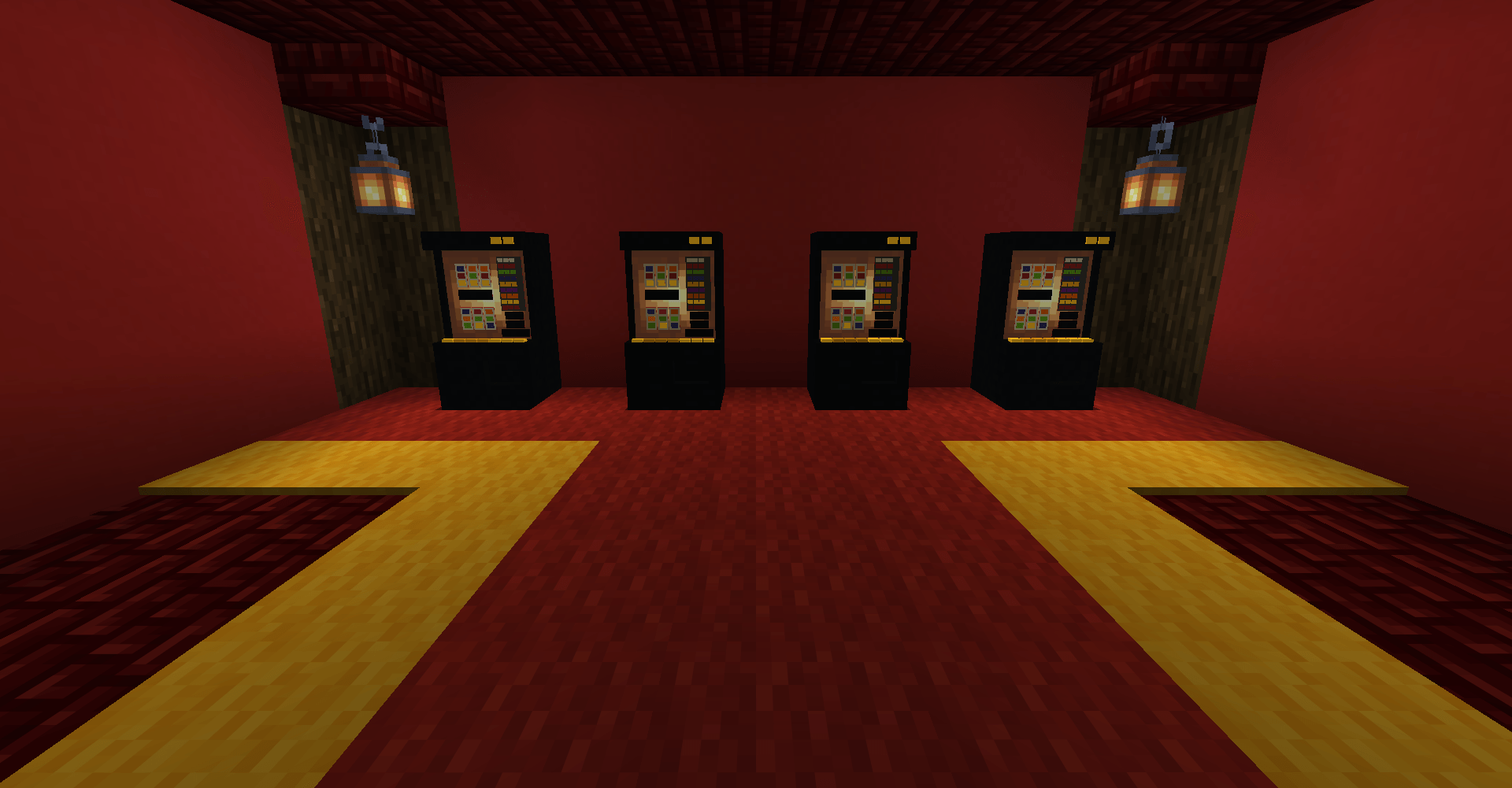
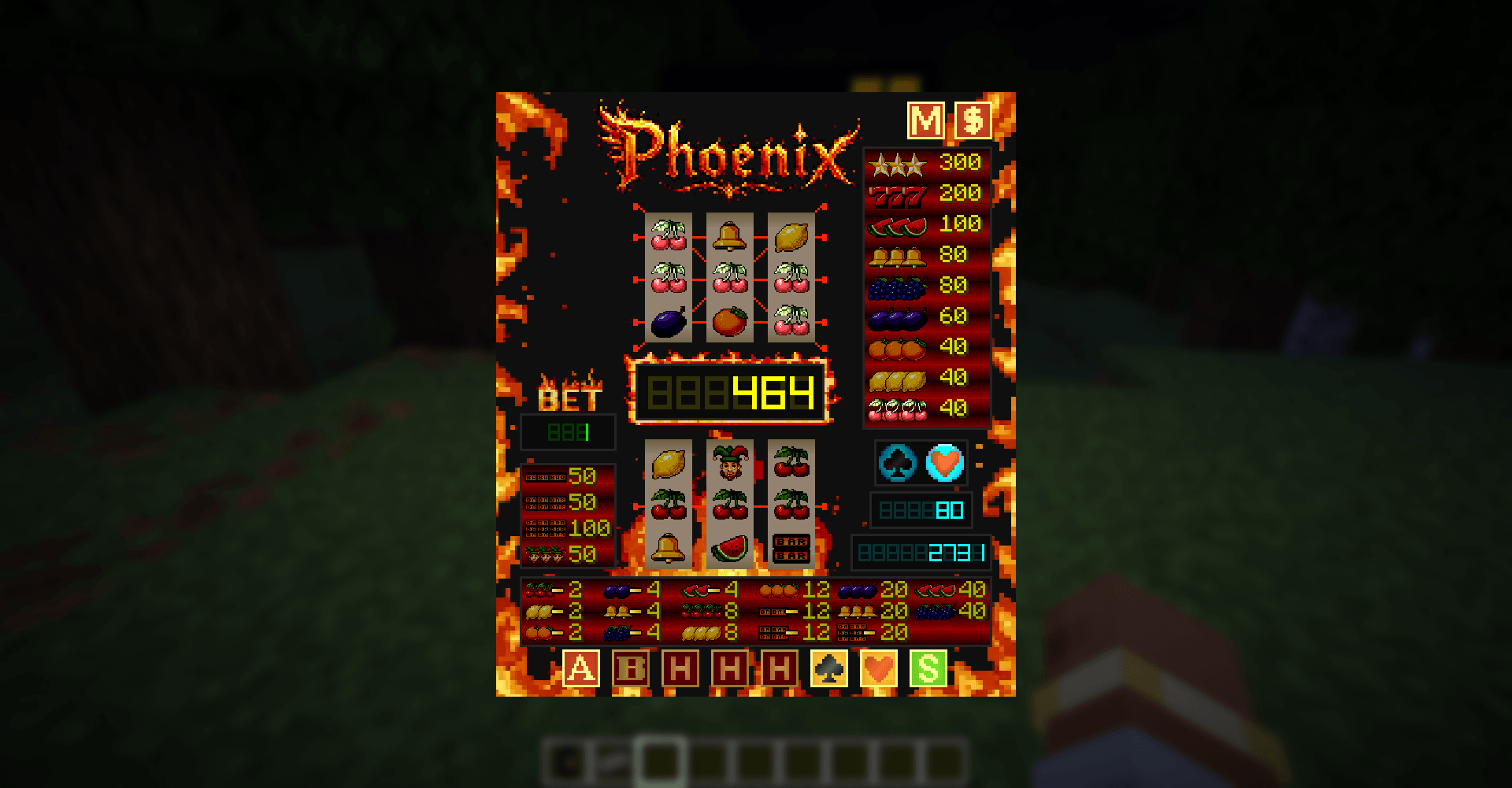
You can by default insert Copper ingot, Iron ingot, Gold Ingot, Emerald, Diamond or Netherite ingot. Each material gives different value.
After inserting materials your balance is displayed in bottom right corner. If it is not zero, you can play on lower game.
Around the Phoenix GUI you can see several bars with winning combinations you can get. In lower play you can only win with middle line. In advanced play winning combinations are different, more rewarding and there are 5 winning lines.
To play advanced play you need to win something in lower play first. After reaching enough credits in "Multiwin" balance you can switch between playing on lower or advanced play simply pressing "Advanced play" button.
Multiwin is separate balance bar (in middle) from your main deposit balance. This balance is used for playing on advanced play and for payout section.
The more you bet the more you win. If you get bored for playing for only 1 credit you can multiply your bet by pressing "Bet" button. This also multiplies you winnings.
Hold buttons are only used for lower play. After you spin and do not get winning combination you can hold up to two cylinders for your next spin. But you can not use hold function after winning spin or two times in row.
After getting winning combination your winning credits are transferred into "Risk" deposit right above your main balance and the "Risk" minigame is triggered. Now you can double your current winnings by trying to match flashing pictures of Hearts and Clubs by pressing corresponding button. If button you press is matching the flashing picture your winnings get doubled, and you can continue or simply press "Start" button to end Risk minigame and your winnings will be transferred to "Multiwin" balance. But beware, if you miss match symbols you will lose all winnings.
If you are running low on you main deposit, and you still have some credits in Multiwin, you can transfer some credits from there to your main deposit by clicking on "Transfer Multiwin" button in upper right corner. But be careful, the amount of transferred credits is based on your current bet.
Payout button (in upper right corner) takes you to the Payout section where you can withdraw items for your Multiwin credits.
Joker is the "wild" symbol that can substitute every symbol in the game giving you higher chance to win. By default, joker can occur only in lower play.
Project description from CurseForge.
Pick your setup
Choose the version and loader you play, then open the matching release.
Check the dependencies, then try the file in a copied instance before changing a world you care about.
Recent files
phoenix-fabric-1.0.3+1.21.1.jar
18 Oct 2026
phoenix-neoforge-1.0.3+1.21.1.jar
18 Oct 2026
phoenix-fabric-1.0.3+26.1.2.jar
18 Oct 2026
phoenix-neoforge-1.0.3+26.1.2.jar
18 Oct 2026
phoenix-neoforge-1.0.3+26.3.jar
22 Sept 2026
phoenix-fabric-1.0.3+26.3.jar
22 Sept 2026
phoenix-neoforge-1.0.3+26.2.jar
22 Sept 2026
phoenix-fabric-1.0.3+26.2.jar
22 Sept 2026
phoenix-neoforge-1.0.2+26.2.jar
24 Aug 2026
phoenix-fabric-1.0.2+26.2.jar
24 Aug 2026
phoenix-neoforge-1.0.1+26.2.jar
30 Jul 2026
phoenix-fabric-1.0.1+26.2.jar
30 Jul 2026
Looking for an older file? The official CurseForge project page is in Resources.