LiveVillages lib Needed by LiveVillages livevillage-1.21.1-0.8.1.jar
requiredMatching file found Matched file: livevillage-lib-1.11.0.jar
CurseForge · Minecraft mod
Turn your TikTok LIVE audience into villagers that build and populate your Minecraft world.
Quick answer
LiveVillages livevillage-1.21.1-0.8.1.jar targets 1.21.1 with NeoForge. The project page does not say whether this file belongs on the client, dedicated server, or both. All 1 required mods have matching files.
Where it goes
The project page does not say whether this file belongs on the client, dedicated server, or both.
The source does not explicitly classify this release as client-only or server-only.
livevillage-1.21.1-0.8.1.jar. Change the file and its required mods may change too.
Install LiveVillages lib first. We found matching files for this game-version and loader setup.
We only count dependency files that match this setup. A file for another loader does not fill the gap.
Before you install it
Built for LiveVillages livevillage-1.21.1-0.8.1.jar. Pick another file and the loader, install side or required mods may change.
Use livevillage-1.21.1-0.8.1.jar. It targets 1.21.1 with NeoForge; another release may have different loader, side or dependency requirements.
Install LiveVillages lib first. We found matching files for this game-version and loader setup.
The project page does not say whether this file belongs on the client, dedicated server, or both.
Use the “Get this file” button beside livevillage-1.21.1-0.8.1.jar. It opens that exact file at the source.
About this project
LiveVillage is a NeoForge mod for Minecraft 1.21.1 that grows a village in real time from
the gifts your viewers send you on a live stream. Each donation places a house, moves in a
villager named after the donor, and wires the new home into the town with a real road, a
lamp post and a sign. Nothing is pre-built: the town grows organically, house by house,
while your audience watches.
There are three ways to place houses, and they all go through the same door in the code, so
they behave identically:
/lv tiktok connect <username> <village> listens to yourThe mod decides *which* house a gift builds from a configurable gift table, so a small gift
gives a small house and a money gun gives the good one.
Organic town growth
Roads that actually make sense
Nothing is destructive
Multiple villages
House styles you can extend without recompiling
.nbt structures grouped into skins (a theme) and models (a tier). The catalogVillager management
Built-in GUI
/lv gui opens an in-game catalog of every command with a form for each one, so you don'tPermissions
Localization
For the TikTok LIVE connection only: the companion library mod (listed as a dependency — the CurseForge app installs and updates it for you). Manual placement and the external bridge work without it.
Root command is /lv (/livevillage works as an alias). Everything requires operator level 2.
Villages
/lv village create <name> [skin] Create a village where you stand
/lv village list List every village
/lv village setactive <name> Choose which village receives donations
/lv village tp <name> Teleport to a village
/lv village rename <old> <new> Rename a village
/lv village open|close <name> Allow or stop new houses
/lv village ai <name> on|off Pause or resume villager AI
/lv village forceload <name> on|off Keep chunks loaded while building
/lv village regenerate <name> Rebuild roads and decoration
/lv village delete <name> Delete the village and restore the terrain
Houses
/lv house add <model> <donor> Place a house in the active village
/lv house addto <village> <model> <donor> Place a house in a specific village
/lv house donate <village> <giftId> <coins> <gift>|<donor>
Simulate a real donation
/lv house list List houses with their owners
/lv house rename <n> <name> Change the name on the sign
/lv house tp <n> Teleport to a house
/lv house revive Bring back missing villagers
/lv house regenerate <n> Rebuild a house
/lv house remove <n> Remove it and restore the terrain
Gifts
/lv gift list Show the gift to house table
/lv gift set monedas <coins> <model> Map a coin value to a house model
/lv gift set id <giftId> <model> Map a specific gift ID to a model
/lv gift set tramo <min> <max> <model> Map a coin range to a model
/lv gift set nombre <model> <gift> Map a gift by name
/lv gift remove <n> Delete a rule
/lv gift test <giftId> <coins> <name> Dry run a gift without placing anything
/lv gift log on|off|show Log incoming gifts to find their IDs
Models and skins
/lv model list List every model
/lv model info <model> Details of one model
/lv model add <id> <skin> <coins> <structure> Register a new house model
/lv model remove <id> Remove a model
/lv model skin add <name> <lift> <plaza> <post> Register a new skin
/lv model skin remove <name> Remove a skin
TikTok LIVE
/lv tiktok connect <username> <village> Connect to a live and start listening
/lv tiktok status Connection status
/lv tiktok disconnect Stop listening
/lv tiktok diag Diagnose the library setup
System
/lv gui Open the command catalog
/lv reload Reload the config files
/lv perm grant|revoke <player> Manage authorized users
/lv perm list List authorized users
Configuration
Two JSON files are created in your config/ folder on first run and can be reloaded live
with /lv reload:
livevillage-regalos.json — the gift-to-house table. livevillage-modelos.json — the catalog of skins and house models.A broken JSON file never takes the server down: the mod warns and keeps the previous values.
Notes
LiveVillage is free and took a lot of hours to build. If it's useful to you and you'd like
to help keep it going, you can leave a tip here: https://www.paypal.me/josstv77
Completely optional — the mod isn't gated behind it in any way.
Bug reports and feature requests: please leave a comment on this page.
Project description from CurseForge.
Pick your setup
Choose the version and loader you play, then open the matching release.
Check the dependencies, then try the file in a copied instance before changing a world you care about.
Recent files
17 Aug 2026
17 Aug 2026
4 Aug 2026
4 Aug 2026
2 Aug 2026
2 Aug 2026
1 Aug 2026
1 Aug 2026
31 Jul 2026
Looking for an older file? The official CurseForge project page is in Resources.
 mod
An upgrade to minecraft's mining experience!
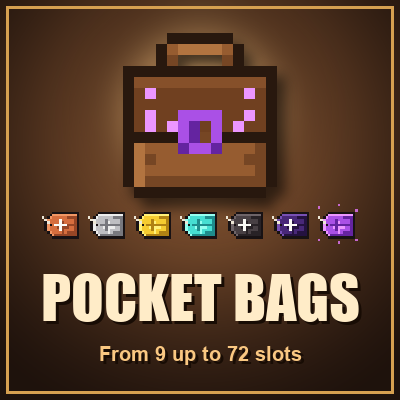 mod
A bag you carry in your pocket that grows from 9 to 72 slots: craft Slot Upgrades from copper up to netherite to add a row at a time.
 mod
Disposable public fixture for testing the Modpacks.ch GitHub catalogue flow