Minecraft version
Back to mods 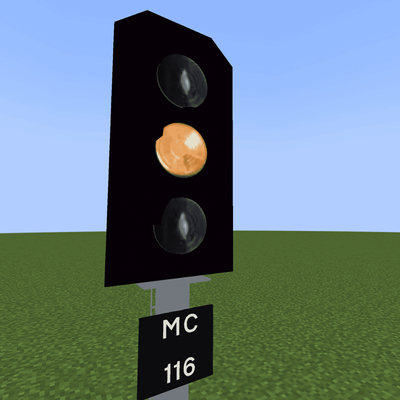
CurseForge · Minecraft mod
Create : Realistic Railways
A mod making Create's railway system more realistic!
Choose a version Pick your version below, then grab the matching file.
Quick answer
Which Create : Realistic Railways release should I use?
beta file uk_rail-0.1.1-neoforge-1.21.1.jar
Game version 1.21.1
Loader NeoForge
Create : Realistic Railways uk_rail-0.1.1-neoforge-1.21.1.jar targets 1.21.1 with NeoForge. The project page does not say whether this file belongs on the client, dedicated server, or both. No extra mods listed for this file.
Where it goes
Is Create : Realistic Railways required on the client, server, or both?
The project page does not say whether this file belongs on the client, dedicated server, or both.
Client Source doesn’t say
Dedicated server Source doesn’t say
Loader for this release NeoForge
Required install it here Optional supported, not mandatory Not supported do not install here Source doesn’t say do not assume
The source does not explicitly classify this release as client-only or server-only.
What else does Create : Realistic Railways uk_rail-0.1.1-neoforge-1.21.1.jar need?
uk_rail-0.1.1-neoforge-1.21.1.jar. Change the file and its required mods may change too.
This file does not list any required mods. Do not add a library just because a different file uses it.
This file does not list any required or optional mods.
Before you install it
Add Create : Realistic Railways without breaking your instance.
Built for Create : Realistic Railways uk_rail-0.1.1-neoforge-1.21.1.jar. Pick another file and the loader, install side or required mods may change.
- 01
Stick to this file
Use uk_rail-0.1.1-neoforge-1.21.1.jar. It targets 1.21.1 with NeoForge; another release may have different loader, side or dependency requirements.
- 02
Bring the mods it needs
This file does not list any required mods. Do not add a library just because a different file uses it.
- 03
Put it on the correct side
The project page does not say whether this file belongs on the client, dedicated server, or both.
- 04
Pick the file you checked
Use the “Get this file” button beside uk_rail-0.1.1-neoforge-1.21.1.jar. It opens that exact file at the source.
About this project
What does Create : Realistic Railways add?
Warning: Windows users have reported visual bugs on 0.1.1, use 0.1.0 if needed
Ever thought Create's railway system feels incomplete? This mod turns Create's railway system into a realistic railway system suited for passenger transport!
Features
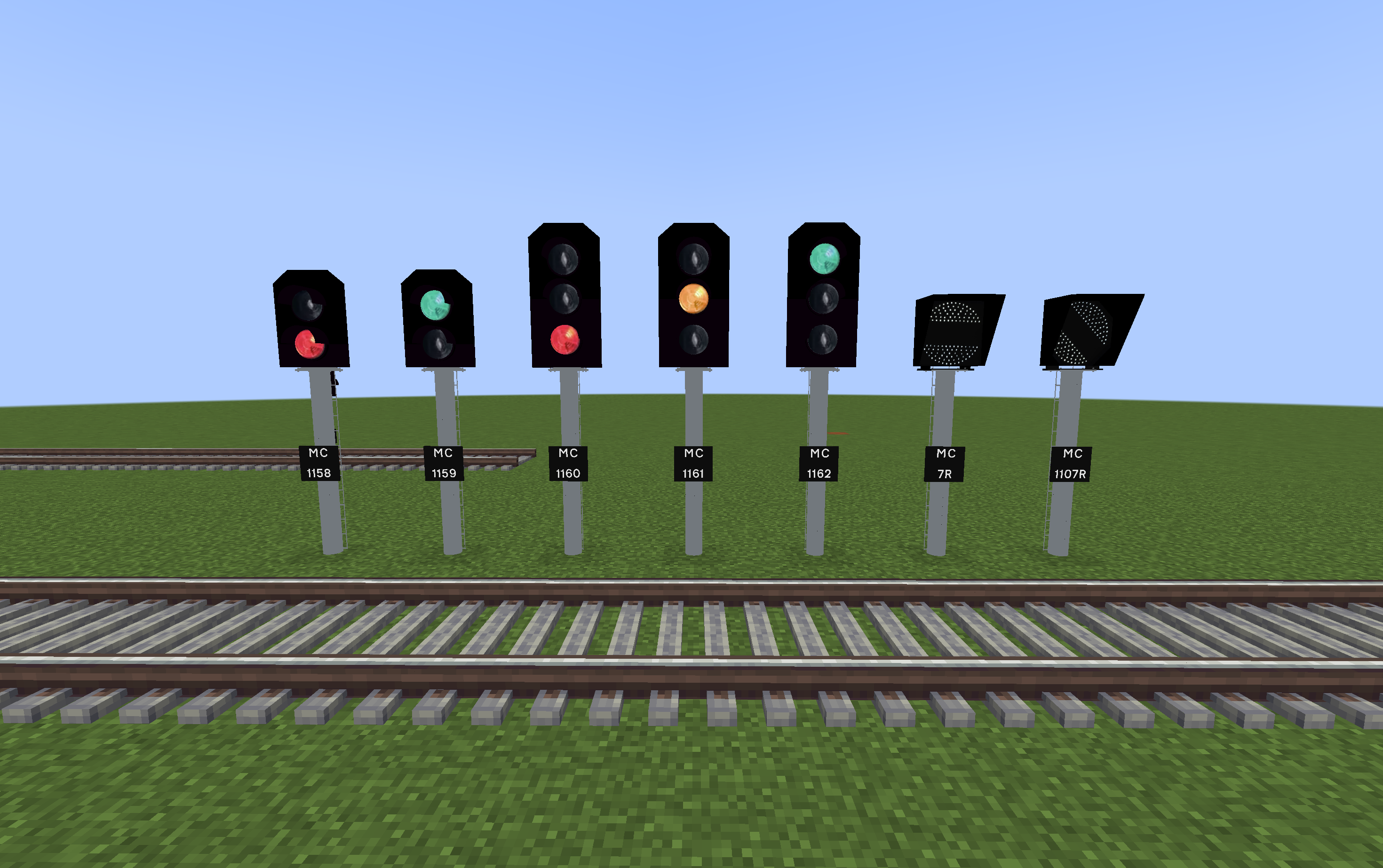 This mod adds realistic Railway Signals and blocks, including
- 2-Aspect signal
- 3-Aspect signal
- Banner Repeater
- Signal nameplates and poles
- UK Automatic Half Barrier Level Crossing
- Crossing Alarm
Planned Features
I've got a lot of features planned for this mod! Check the discord server for sneak peeks and development progress!
- Various Railway Related signs
- Class 150 Sprinter Diesel Multiple Unit
- Shunt signal
- "See it, say it, sorted" sound block
- Class 31 Diesel Locomotive
- Freight Wagons (hopper car, gondola car, boxcar, tank car)
- Stop markers (Create's train station alternative)
- Axle counters and treadles
- Class 170 Turbostar Diesel Multiple Unit
- Class 66 Diesel-Electric Locomotive
- Class 318 Electric Multiple Unit
How to use
Signals and poles can be placed in any orientation and have 360 degree rotation. Hold shift while placing to lock them to 45 degree increments.
Link signals using a stick (wrench would conflict with setting train signals to chain mode). Right click the Create Train signal first, and then right click a Railway Signal. For 3 aspect signals, first link the signal for the signal block directly ahead, then link the signal for the signal block after.
Known Bugs
- Signal Nameplate Editing GUI blurred (this only happens to some users, disable GUI World Blur in the settings)
- Crossing Arm Head block Z fighting rendering issue on Windows (a fix is being developed, check the discord server for updates)
- Windows rendering issues on 3 aspect signals, crossing arm, a fix is being worked on
- Signal nameplates and poles placed into the world before updating to 0.1.1 might disappear, have broken text rendering or appear glitchy. Break and replace them, if it still glitches report in the server.
The mod is currently in alpha development. There might be bugs. The mod has not been tested for compatibility with other mods. To report a bug, join the discord server: https://discord.gg/mpyQh2HhZw
If you want to help out with the mod, join the server and DM me on discord!
Project description from CurseForge.
Pick your setup
Create : Realistic Railways by Minecraft version and loader
Choose the version and loader you play, then open the matching release.
Check the dependencies, then try the file in a copied instance before changing a world you care about.
Recent files
Create : Realistic Railways versions and loaders
uk_rail-0.1.1-neoforge-1.21.1.jar
17 Aug 2026
Client Source doesn’t say Server Source doesn’t say Dependencies No extras listed Listed on Release listing
Check the 1.21.1 · NeoForge setup 1.21.1NeoForge beta
uk_rail-0.1.0-neoforge-1.21.1.jar
30 Jul 2026
Client Source doesn’t say Server Source doesn’t say Dependencies No extras listed Listed on Release listing
Check the 1.21.1 · NeoForge setup 1.21.1NeoForge beta
Looking for an older file? The official CurseForge project page is in Resources.
 mod
mod CurseForge · Minecraft
Reflyky / Addon AOT
This mod will make your Attack on Titan mod experience much better!
 mod
mod CurseForge · Minecraft
Sword Art Online: Alicization Armaments
The Blue Rose Sword and Night Sky Sword from Sword Art Online, with effects!
 mod
mod CurseForge + Modrinth · Minecraft
Easy NPC
Create easily NPCs with dialogs for your world or for your mods.