Minecraft version
Back to mods 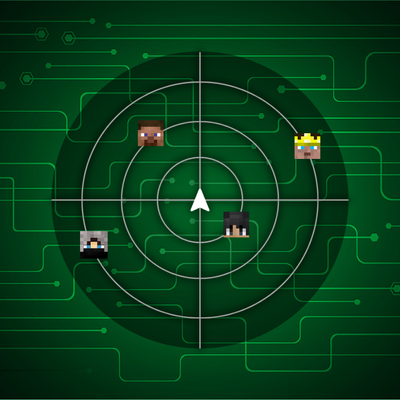
CurseForge · Minecraft mod
URS Player Radar's
A Fabric Minecraft player radar mod with multiple radar styles, player-head tracking, smooth movement, customizable coords display, and a polished in-game config menu with branding, scaling, positioning, and reset options.
Choose a version Pick your version below, then grab the matching file.
Quick answer
Which URS Player Radar's release should I use?
Latest stable file Player Radars 26.3
Game version 26.3
Loader Fabric
URS Player Radar's Player Radars 26.3 targets 26.3 with Fabric. The project page does not say whether this file belongs on the client, dedicated server, or both. No extra mods listed for this file.
Where it goes
Is URS Player Radar's required on the client, server, or both?
The project page does not say whether this file belongs on the client, dedicated server, or both.
Client Source doesn’t say
Dedicated server Source doesn’t say
Loader for this release Fabric
Required install it here Optional supported, not mandatory Not supported do not install here Source doesn’t say do not assume
The source does not explicitly classify this release as client-only or server-only.
What else does URS Player Radar's Player Radars 26.3 need?
Player Radars 26.3. Change the file and its required mods may change too.
This file does not list any required mods. Do not add a library just because a different file uses it.
This file does not list any required or optional mods.
Before you install it
Add URS Player Radar's without breaking your instance.
Built for URS Player Radar's Player Radars 26.3. Pick another file and the loader, install side or required mods may change.
- 01
Stick to this file
Use Player Radars 26.3. It targets 26.3 with Fabric; another release may have different loader, side or dependency requirements.
- 02
Bring the mods it needs
This file does not list any required mods. Do not add a library just because a different file uses it.
- 03
Put it on the correct side
The project page does not say whether this file belongs on the client, dedicated server, or both.
- 04
Pick the file you checked
Use the “Get this file” button beside Player Radars 26.3. It opens that exact file at the source.
About this project
What does URS Player Radar's add?

Latest News (September 17, 2026) - Player Radars has received a major compatibility update, now supporting Minecraft 1.21.x through 1.21.11 and 26.1 through 26.3! This release also brings improved radar rendering, a cleaner settings menu, better UI scaling, and version-specific fixes for a more consistent experience across supported Minecraft versions.
This mod is the result of hundreds of hours of development and is made possible thanks to players like you. If you would like to show a token of your appreciation for my work and help support the continued development of Player Radar, consider supporting the project.


💻 Custom Settings UI
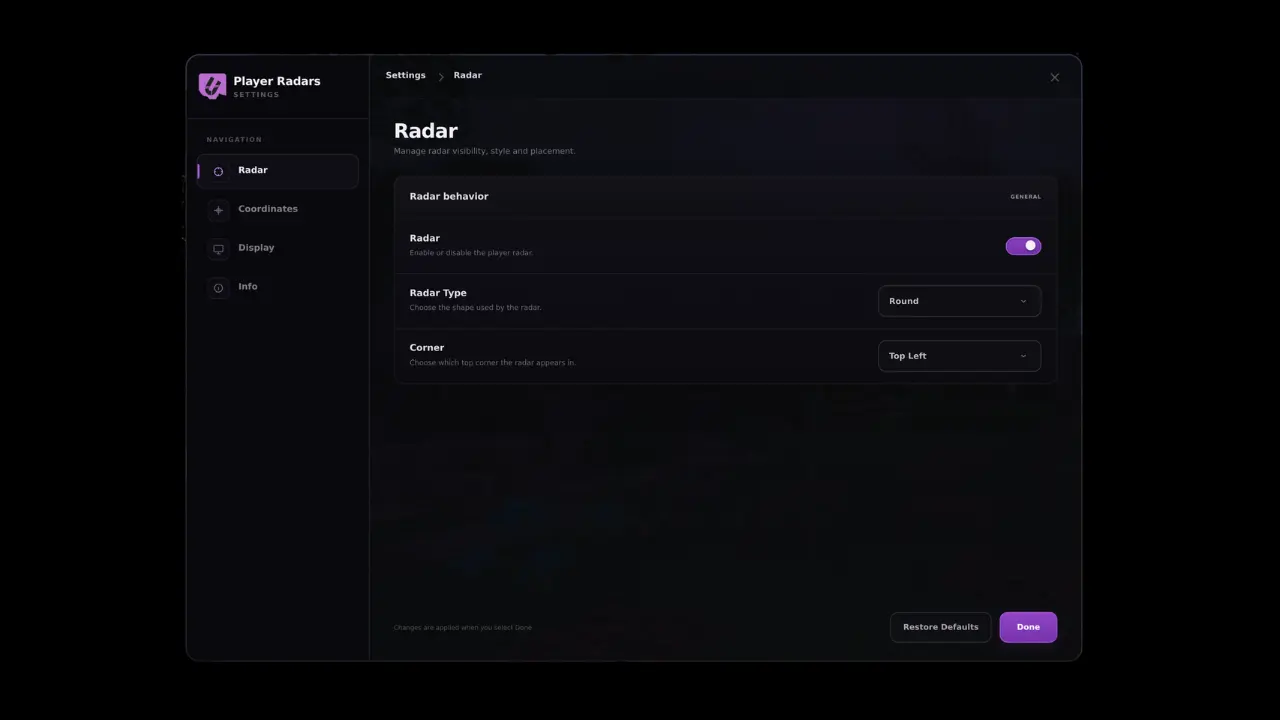
Player Radar is a polished Fabric Minecraft radar mod built for players who want a cleaner, more modern HUD experience. It provides smooth real-time player tracking, multiple radar styles, customizable coordinate placement, and a branded in-game settings menu so you can fine-tune the display to match your setup.

📥 Installation Guide
Player Radar is designed for Fabric. Once you have installed the loader, simply place the Player Radar file into your mods folder.
Not sure if you installed the mod correctly? Check your in-game settings menu, which will display the branded Player Radar configuration interface. You can adjust your radar size, padding, scaling, and coordinate placement directly from this menu, and use the "Restore Defaults" option if you ever need to reset your configuration.
✨ Features
Multiple Styles: Choose from various radar styles and layouts to fit your UI.
Smooth Tracking: High-fidelity, smooth player-head tracking.
Deep Customization: Adjust radar size, padding, scaling, and coordinate positioning.
Professional UI: Branded, intuitive in-game configuration menu.
✅ Built For
PvP-focused gameplay.
Survival servers.
Streamlined HUD setups.
Players who demand more control over their on-screen information.
🐛 How to Report Issues
Please use the Discord server to report bugs, graphical glitches, or crashes. When submitting a report, ensure you include your list of active mods and attach any relevant crash logs or stack traces to help us resolve the issue quickly.
Note: The performance and display of the radar may vary depending on your specific HUD layout and other installed interface mods.
Project description from CurseForge.
Pick your setup
URS Player Radar's by Minecraft version and loader
Choose the version and loader you play, then open the matching release.
Minecraft version
26.2
1 loader buildMinecraft version
26.1.2
1 loader buildMinecraft version
26.1.1
1 loader buildMinecraft version
26.1
1 loader buildMinecraft version
1.21.11
1 loader buildMinecraft version
1.21.10
1 loader buildMinecraft version
1.21.9
1 loader buildMinecraft version
1.21.8
1 loader buildMinecraft version
1.21.7
1 loader buildMinecraft version
1.21.6
1 loader buildMinecraft version
1.21.5
1 loader buildShowing the newest 12 of 16 game versions. Older files are in the list below.
Check the dependencies, then try the file in a copied instance before changing a world you care about.
Recent files
URS Player Radar's versions and loaders
Player Radars 26.3
player-radars-26.3.jar
18 Sept 2026
Client Source doesn’t say Server Source doesn’t say Dependencies No extras listed Listed on Release listing
Check the 26.3 · Fabric setup Fabric26.3 release
Player Radars 26.2
player-radars-26.2.jar
18 Sept 2026
Client Source doesn’t say Server Source doesn’t say Dependencies No extras listed Listed on Release listing
Check the 26.2 · Fabric setup Fabric26.2 release
Player Radars 26.1.2
player-radars-26.1.2.jar
18 Sept 2026
Client Source doesn’t say Server Source doesn’t say Dependencies No extras listed Listed on Release listing
Check the 26.1.2 · Fabric setup Fabric26.1.2 release
Player Radars 26.1.1
player-radars-26.1.1.jar
18 Sept 2026
Client Source doesn’t say Server Source doesn’t say Dependencies No extras listed Listed on Release listing
Check the 26.1.1 · Fabric setup Fabric26.1.1 release
Player Radars 26.1
player-radars-26.1.jar
18 Sept 2026
Client Source doesn’t say Server Source doesn’t say Dependencies No extras listed Listed on Release listing
Check the 26.1 · Fabric setup Fabric26.1 release
Player Radars 1.21.11
player-radars-1.21.11.jar
18 Sept 2026
Client Source doesn’t say Server Source doesn’t say Dependencies No extras listed Listed on Release listing
Check the 1.21.11 · Fabric setup Fabric1.21.11 release
Player Radars 1.21.10
player-radars-1.21.10.jar
18 Sept 2026
Client Source doesn’t say Server Source doesn’t say Dependencies No extras listed Listed on Release listing
Check the 1.21.10 · Fabric setup Fabric1.21.10 release
Player Radars 1.21.9
player-radars-1.21.9.jar
18 Sept 2026
Client Source doesn’t say Server Source doesn’t say Dependencies No extras listed Listed on Release listing
Check the 1.21.9 · Fabric setup Fabric1.21.9 release
Player Radars 1.21.8
player-radars-1.21.8.jar
18 Sept 2026
Client Source doesn’t say Server Source doesn’t say Dependencies No extras listed Listed on Release listing
Check the 1.21.8 · Fabric setup Fabric1.21.8 release
Player Radars 1.21.7
player-radars-1.21.7.jar
18 Sept 2026
Client Source doesn’t say Server Source doesn’t say Dependencies No extras listed Listed on Release listing
Check the 1.21.7 · Fabric setup Fabric1.21.7 release
Player Radars 1.21.6
player-radars-1.21.6.jar
18 Sept 2026
Client Source doesn’t say Server Source doesn’t say Dependencies No extras listed Listed on Release listing
Check the 1.21.6 · Fabric setup Fabric1.21.6 release
Player Radars 1.21.5
player-radars-1.21.5.jar
18 Sept 2026
Client Source doesn’t say Server Source doesn’t say Dependencies No extras listed Listed on Release listing
Check the 1.21.5 · Fabric setup Fabric1.21.5 release
Looking for an older file? The official CurseForge project page is in Resources.
 mod
mod CurseForge + Modrinth · Minecraft
Create Better FPS
Improve your Create FPS when shaderpack is on, up to 50%
 mod
mod CurseForge · Minecraft
Polis
A registry for land, contracts, money and a court - it records what players do and never prevents it.
 mod
mod CurseForge · Minecraft
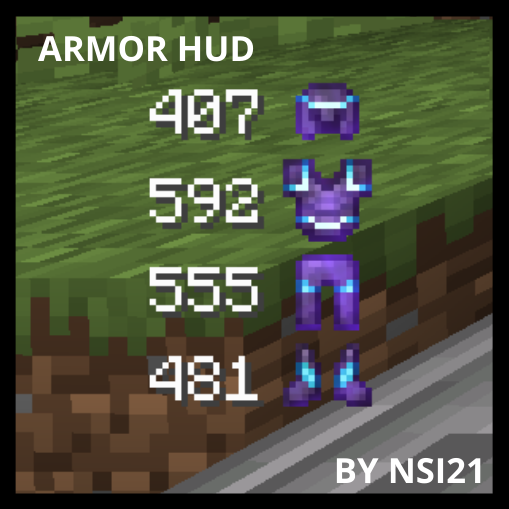
Armor Durability HUD
This mod will show you your armor durability