Minecraft version
Back to mods 
CurseForge · Minecraft mod
BlueMap Skins 3D
Full-body player skins on BlueMap — online models, greyscale offline markers, and 3D/Offline map toggles (NeoForge).
Choose a version Pick your version below, then grab the matching file.
Quick answer
Which BlueMap Skins 3D release should I use?
Latest stable file BlueMapSkins3D-3.0.0.jar
Game version 1.21.1
Loader NeoForge
BlueMap Skins 3D BlueMapSkins3D-3.0.0.jar targets 1.21.1 with NeoForge. The project page does not say whether this file belongs on the client, dedicated server, or both. No extra mods listed for this file.
Where it goes
Is BlueMap Skins 3D required on the client, server, or both?
The project page does not say whether this file belongs on the client, dedicated server, or both.
Client Source doesn’t say
Dedicated server Source doesn’t say
Loader for this release NeoForge
Required install it here Optional supported, not mandatory Not supported do not install here Source doesn’t say do not assume
The source does not explicitly classify this release as client-only or server-only.
What else does BlueMap Skins 3D BlueMapSkins3D-3.0.0.jar need?
BlueMapSkins3D-3.0.0.jar. Change the file and its required mods may change too.
This file does not list any required mods. Do not add a library just because a different file uses it.
This file does not list any required or optional mods.
Before you install it
Add BlueMap Skins 3D without breaking your instance.
Built for BlueMap Skins 3D BlueMapSkins3D-3.0.0.jar. Pick another file and the loader, install side or required mods may change.
- 01
Stick to this file
Use BlueMapSkins3D-3.0.0.jar. It targets 1.21.1 with NeoForge; another release may have different loader, side or dependency requirements.
- 02
Bring the mods it needs
This file does not list any required mods. Do not add a library just because a different file uses it.
- 03
Put it on the correct side
The project page does not say whether this file belongs on the client, dedicated server, or both.
- 04
Pick the file you checked
Use the “Get this file” button beside BlueMapSkins3D-3.0.0.jar. It opens that exact file at the source.
About this project
What does BlueMap Skins 3D add?
BlueMap Skins 3D
Full-body player skins on BlueMap for NeoForge — online models, greyscale offline markers, and in-map 3D / Offline toggles.
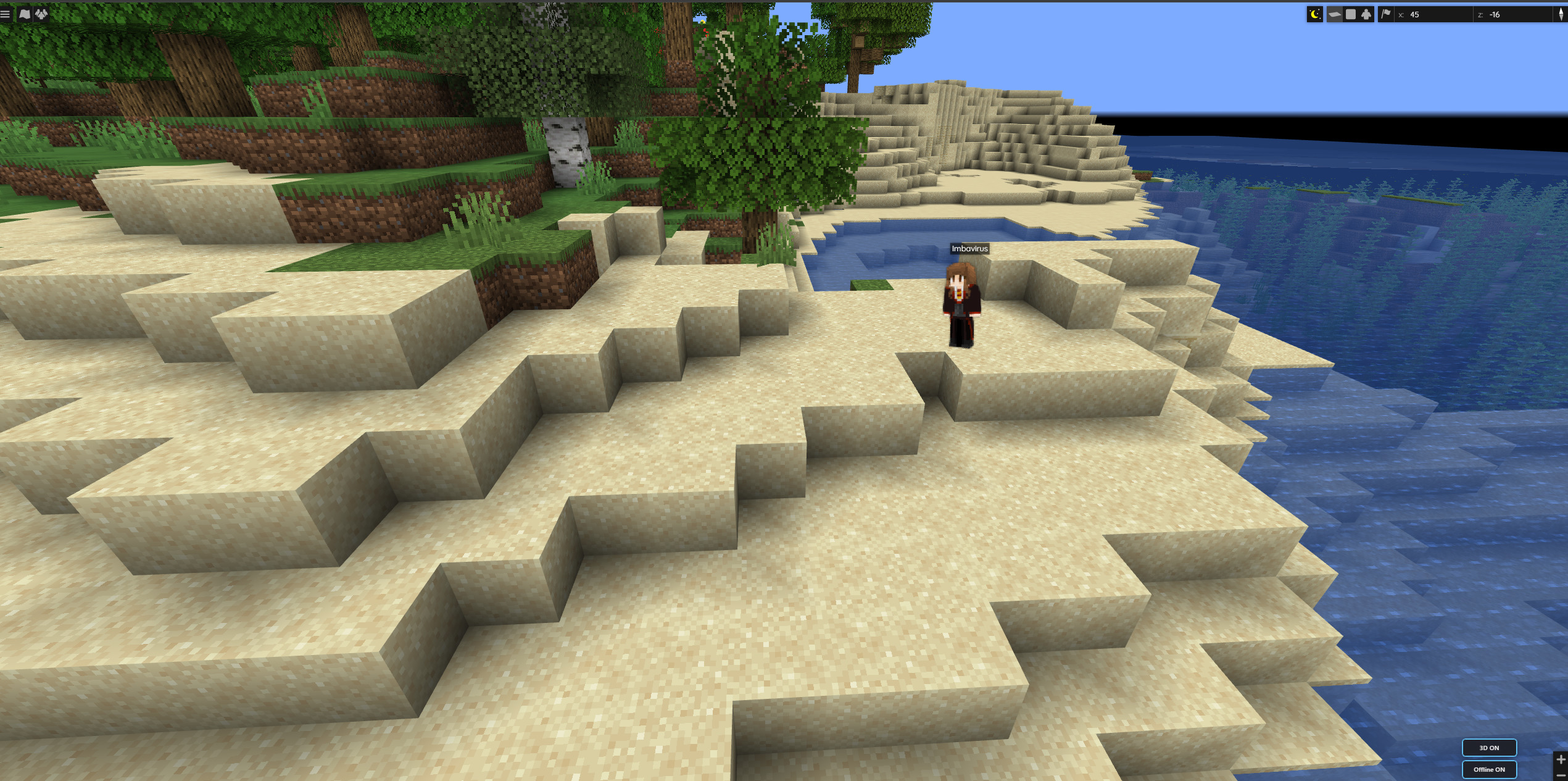
Online players show as full-body models with their real skin — about a real player height on the map.
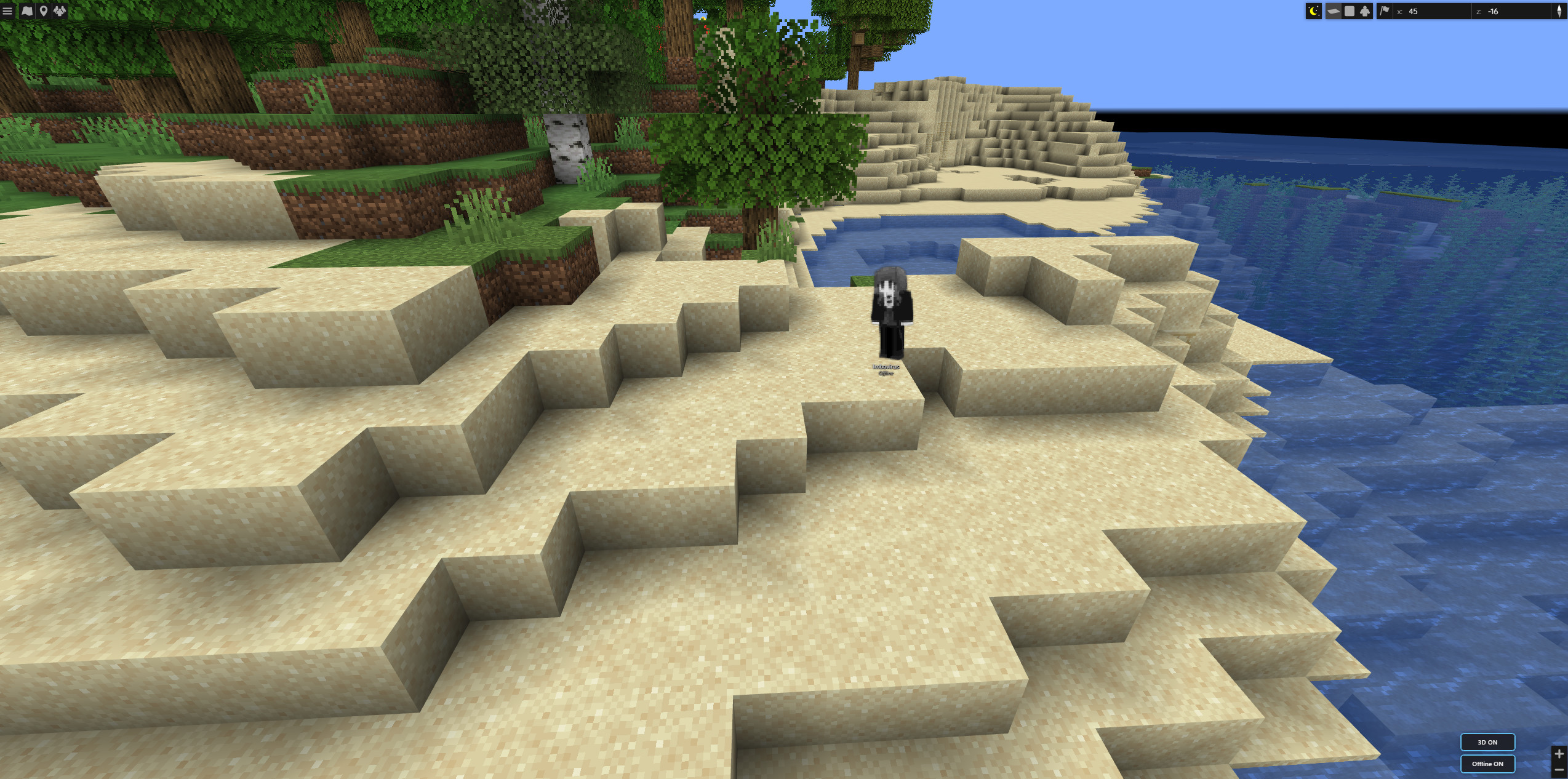
When they log off, the same marker goes greyscale and shows an Offline label so you can still find where they left off.
Features
- Full-body skins on the web map (optional; toggleable)
- Offline markers at each player’s last logout position (and dimension)
- World-scale bodies — ~1.8 blocks tall relative to the map as you zoom
- Facing follows in-game yaw when available
- Offline styling — greyscale + clear Offline label
- Map controls — 3D and Offline buttons on the BlueMap UI
- Config for expiry, banned players, hidden game modes, model defaults
Requirements
| Environment | Server only (dedicated or integrated). Clients do not need this mod. |
| Minecraft | 1.21.1 |
| Loader | NeoForge 21.1.217+ |
| Required mod | BlueMap (NeoForge) 5.0+ |
Server-side for map features (players don’t need this mod to appear on BlueMap).
Setup
- Install NeoForge + BlueMap on the server
- Add
3DBlueMapSkins-*.jartomods/ - Boot once and adjust config if needed
- Open BlueMap — use the 3D / Offline controls
Reload with /bluemap reload after config changes when available.
Config (highlights)
- ExpireTimeInHours — drop old logouts (
0= keep all) - HideBannedPlayers
- HiddenGameModes (e.g. spectator)
- ShowPlayerModels / AnimatePlayerModels
Credits
Based on BlueMap Offline Player Markers by TechnicJelle and contributors (MIT). NeoForge full-body skin UI for modern BlueMap.
Source: GitHub — neoforge branch
Project description from CurseForge.
Pick your setup
BlueMap Skins 3D by Minecraft version and loader
Choose the version and loader you play, then open the matching release.
Check the dependencies, then try the file in a copied instance before changing a world you care about.
Recent files
BlueMap Skins 3D versions and loaders
BlueMapSkins3D-3.0.0.jar
30 Jul 2026
Client Source doesn’t say Server Source doesn’t say Dependencies No extras listed Listed on Release listing
Check the 1.21.1 · NeoForge setup 1.21.1NeoForge release
Looking for an older file? The official CurseForge project page is in Resources.
 mod
mod CurseForge + Modrinth · Minecraft
Bok's Banging Butterflies
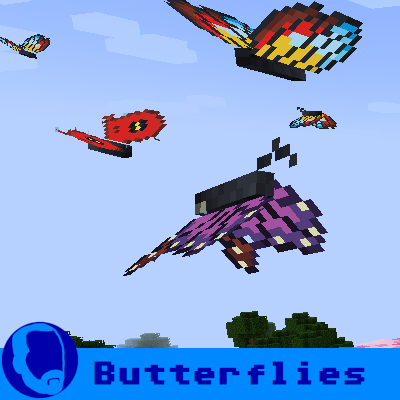
This mod adds butterflies with a full life cycle to the world of Minecraft. Butterflies can be caught or released using a butterfly net. Once caught, they can be bottled and placed in the world as decorative objects.
 mod
mod CurseForge + Modrinth · Minecraft
More Sniffer Flowers
Minecraft mod expanding upon the sniffer, adding entire new mechanics, while keeping it somewhat vanilla friendly
 mod
mod CurseForge + Modrinth · Minecraft
BBL Core
Various useful methods, utilities and helpers to make coding mods a bit better