Minecraft version
Back to mods 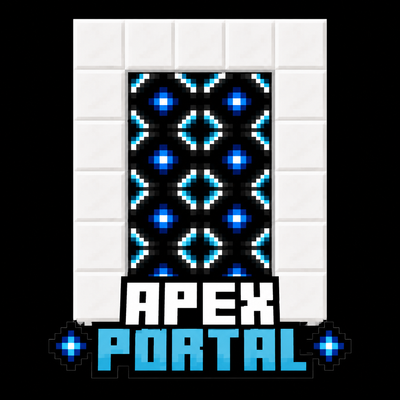
CurseForge · Minecraft mod
Apex Portal
A new dimension featuring custom ores, powerful armor, unique terrain, and more.
Choose a version Pick your version below, then grab the matching file.
Quick answer
Which Apex Portal release should I use?
beta file apex-portal-0.02.1.jar
Game version 26.2
Loader Fabric
Apex Portal apex-portal-0.02.1.jar targets 26.2 with Fabric. The project page does not say whether this file belongs on the client, dedicated server, or both. No extra mods listed for this file.
Where it goes
Is Apex Portal required on the client, server, or both?
The project page does not say whether this file belongs on the client, dedicated server, or both.
Client Source doesn’t say
Dedicated server Source doesn’t say
Loader for this release Fabric
Required install it here Optional supported, not mandatory Not supported do not install here Source doesn’t say do not assume
The source does not explicitly classify this release as client-only or server-only.
What else does Apex Portal apex-portal-0.02.1.jar need?
apex-portal-0.02.1.jar. Change the file and its required mods may change too.
This file does not list any required mods. Do not add a library just because a different file uses it.
This file does not list any required or optional mods.
Before you install it
Add Apex Portal without breaking your instance.
Built for Apex Portal apex-portal-0.02.1.jar. Pick another file and the loader, install side or required mods may change.
- 01
Stick to this file
Use apex-portal-0.02.1.jar. It targets 26.2 with Fabric; another release may have different loader, side or dependency requirements.
- 02
Bring the mods it needs
This file does not list any required mods. Do not add a library just because a different file uses it.
- 03
Put it on the correct side
The project page does not say whether this file belongs on the client, dedicated server, or both.
- 04
Pick the file you checked
Use the “Get this file” button beside apex-portal-0.02.1.jar. It opens that exact file at the source.
About this project
What does Apex Portal add?
Apex
Apex is a Fabric mod that introduces a new custom dimension with unique resources, equipment, world generation, and more.
🌍 Apex Dimension
Explore the **Apex Dimension**, a custom world with its own environment and the **Apex Wastes** biome.
- Custom Apex Dimension
- Custom Apex Wastes biome
- Custom Apex Portal
- Travel between the Overworld and the Apex Dimension
- Custom world generation
- Custom caves and terrain
- Naturally generated Apex trees
⛏️ Resources
Apex Ore
A custom ore that generates underground in the Apex Dimension.
- Hardness: 3.0
- Requires an Iron Pickaxe or better
- Drops Raw Apex Ore
Raw Apex Ore
Obtained by mining Apex Ore.
Apex Ore Ingot
Obtained by smelting Raw Apex Ore.
🛡️ Apex Armor
Apex armor is stronger than Netherite, but comes with its own limitations.
| Piece | Armor |
|---|---|
| Helmet | 4 |
| Chestplate | 9 |
| Leggings | 7 |
| Boots | 4 |
Armor Properties
- Durability: 50
- Enchantability: 25
- Armor Toughness: 4.0
- Knockback Resistance: 0.15
🌳 Apex Trees
The Apex Dimension contains its own tree system.
- Apex Log
- Apex Leaves
- Apex Sapling
- Natural tree generation
- Leaves can naturally drop saplings
🚧 Development
Apex is currently in early development.
**Version 0.01** is the first public release and focuses on the core systems of the mod.
More biomes, structures, creatures, resources, equipment, and other features are planned for future updates.
Project description from CurseForge.
Pick your setup
Apex Portal by Minecraft version and loader
Choose the version and loader you play, then open the matching release.
Check the dependencies, then try the file in a copied instance before changing a world you care about.
Recent files
Apex Portal versions and loaders
apex-portal-0.02.1.jar
apex-portal-0.02.jar
14 Aug 2026
Client Source doesn’t say Server Source doesn’t say Dependencies No extras listed Listed on Release listing
Check the 26.2 · Fabric setup Fabric26.2 beta
apex-portal-0.02.jar
8 Aug 2026
Client Source doesn’t say Server Source doesn’t say Dependencies No extras listed Listed on Release listing
Check the 26.2 · Fabric setup Fabric26.2 beta
apex-portal-0.01.jar
31 Jul 2026
Client Source doesn’t say Server Source doesn’t say Dependencies No extras listed Listed on Release listing
Check the 26.2 · Fabric setup Fabric26.2 beta
Looking for an older file? The official CurseForge project page is in Resources.
 mod
CurseForge · Minecraft
Celestial Forge
Add equipment modifier, leveling, and ascending system
 mod
CurseForge · Minecraft
Tinkers' Aquaculture
Tinkers' Aquaculture is an addon bridging Tinkers' Construct and Aquaculture 2 for Minecraft 1.20.1 / Forge.
 mod
CurseForge · Minecraft
The Real Knife
This is an Undertale mod made with the AutoMods website.Have fun playing!额.......再见