Minecraft version
Back to mods 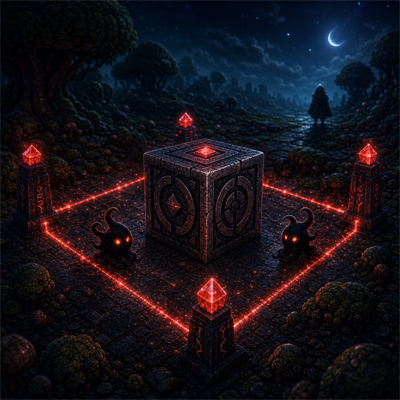
CurseForge · Minecraft mod
Mob Stasis Anchor
A redstone-controlled chunk loader that preserves hostile mobs in an 18 x 18 area with configurable height and spawning support.
Choose a version Pick your version below, then grab the matching file.
Quick answer
Which Mob Stasis Anchor release should I use?
Latest stable file Mob Stasis Anchor 1.6.0
Game version 26.2
Loader NeoForge
Mob Stasis Anchor 1.6.0 targets 26.2 with NeoForge. The project page does not say whether this file belongs on the client, dedicated server, or both. No extra mods listed for this file.
Where it goes
Is Mob Stasis Anchor required on the client, server, or both?
The project page does not say whether this file belongs on the client, dedicated server, or both.
Client Source doesn’t say
Dedicated server Source doesn’t say
Loader for this release NeoForge
Required install it here Optional supported, not mandatory Not supported do not install here Source doesn’t say do not assume
The source does not explicitly classify this release as client-only or server-only.
What else does Mob Stasis Anchor 1.6.0 need?
Mob Stasis Anchor 1.6.0. Change the file and its required mods may change too.
This file does not list any required mods. Do not add a library just because a different file uses it.
This file does not list any required or optional mods.
Before you install it
Add Mob Stasis Anchor without breaking your instance.
Built for Mob Stasis Anchor 1.6.0. Pick another file and the loader, install side or required mods may change.
- 01
Stick to this file
Use Mob Stasis Anchor 1.6.0. It targets 26.2 with NeoForge; another release may have different loader, side or dependency requirements.
- 02
Bring the mods it needs
This file does not list any required mods. Do not add a library just because a different file uses it.
- 03
Put it on the correct side
The project page does not say whether this file belongs on the client, dedicated server, or both.
- 04
Pick the file you checked
Use the “Get this file” button beside Mob Stasis Anchor 1.6.0. It opens that exact file at the source.
About this project
What does Mob Stasis Anchor add?
Mob Stasis Anchor
Mob Stasis Anchor adds a compact, configurable chunk-loading block for Minecraft Java Edition with NeoForge.
How it works
Power the anchor with a lever, redstone wire, torch, repeater, or another ordinary redstone source. While powered, it loads the four chunk columns needed to cover its 18 x 18 area. Its indicator glows bright red while powered and remains dark while off.
Right-click the anchor once to keep its protected-area outline visible. Right-click it again to hide the outline. The outline is player-specific and is a separate visual control. It does not turn chunk loading on or off.
The loaded area allows natural hostile-mob spawning while players are away. Hostile mobs inside the protected volume cannot despawn and enter stasis when no player is nearby, then resume normal behavior when a player returns. Spawn attempts in the loaded chunks but outside the protected volume are rejected to reduce wasted mob-cap usage.
Protected area and performance
The horizontal footprint is fixed at 18 x 18 to keep the loader limited to four chunk columns. Protected height defaults to the 30 blocks directly above the anchor and can be safely configured from 1 to 128 blocks. Overlapping anchors share canonical NeoForge tickets instead of creating duplicates. Boundary particles refresh once per second by default and can be slowed to reduce network traffic.
Features
- Redstone-controlled ON/OFF loading with a visible indicator
- One-click, player-specific protected-boundary display toggle
- Natural hostile-mob spawning inside the protected volume while players are away
- Hostile-mob despawn prevention without changing mob persistence data
- No fake player
- Persistent anchor and chunk-ticket state across world saves and restarts
- Immediate cleanup when redstone power is removed or the anchor is broken
- Singleplayer and dedicated-server support
- Original chiseled-stone block texture and mod icon
Configuration and Configured support
Per-world settings are stored in serverconfig/mob_stasis_anchor-server.toml. The mod uses NeoForge's standard server config system, so these controls automatically appear in MrCrayfish's Configured mod when Configured is installed.
- maxActiveAnchors: maximum powered anchors across all dimensions; default 4, range 0-32
- area.protectedHeight: blocks protected above the anchor; default 30, range 1-128
- visuals.boundaryRefreshTicks: outline refresh interval; default 20, range 20-100
- recipe.layout: default ["SSS", "SCS", "SSS"]
- recipe.surroundingIngredient: default minecraft:stick
- recipe.centerIngredient: default minecraft:stone
- recipe.resultCount: default 1, range 1-64
Recipe layouts use S for the surrounding ingredient, C for the center ingredient, and spaces for empty cells. Both ingredient roles accept exact item IDs or item tags prefixed with #.
Default recipe
Place one regular stone block (minecraft:stone) in the center of a 3 x 3 crafting grid and surround it with eight sticks. This layout does not conflict with a vanilla Minecraft 26.2 recipe.
Requirements
- Minecraft Java Edition 26.2
- NeoForge 26.2.0.35-beta or a newer compatible 26.2 build
- Java 25
- Install the mod on the server and connecting clients
- Configured is optional; compatibility was tested with Configured 2.7.5 for NeoForge 26.2
Artwork disclosure
The project avatar is original AI-assisted artwork created for Mob Stasis Anchor.
Project description from CurseForge.
Pick your setup
Mob Stasis Anchor by Minecraft version and loader
Choose the version and loader you play, then open the matching release.
Check the dependencies, then try the file in a copied instance before changing a world you care about.
Recent files
Mob Stasis Anchor versions and loaders
Mob Stasis Anchor 1.6.0
mob_stasis_anchor-1.6.0.jar
2 Aug 2026
Client Source doesn’t say Server Source doesn’t say Dependencies No extras listed Listed on Release listing
Check the 26.2 · NeoForge setup NeoForge26.2 release
Mob Stasis Anchor 1.5.0
mob_stasis_anchor-1.5.0.jar
2 Aug 2026
Client Source doesn’t say Server Source doesn’t say Dependencies No extras listed Listed on Release listing
Check the 26.2 · NeoForge setup NeoForge26.2 release
Mob Stasis Anchor 1.4.0
mob_stasis_anchor-1.4.0.jar
1 Aug 2026
Client Source doesn’t say Server Source doesn’t say Dependencies No extras listed Listed on Release listing
Check the 26.2 · NeoForge setup NeoForge26.2 release
Looking for an older file? The official CurseForge project page is in Resources.
 mod
CurseForge · Minecraft
Profet's Timber
Chop one log and the whole tree comes down, cartoon style: it creaks, tips over, bursts into leaves and pops apart into its drops. Only needed on the server.
 mod
CurseForge · Minecraft
Mantislight
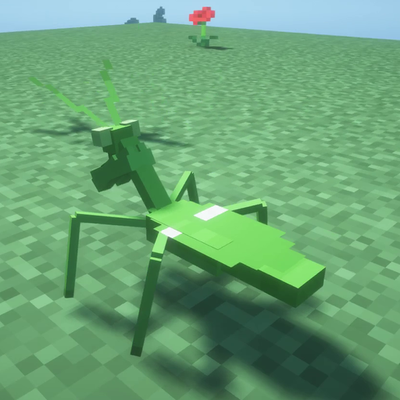
Eleven real praying mantises that blend in: catch them, keep them in enclosures, raise them from egg case to adult, and raise a Vigil that keeps watch.
 mod
CurseForge · Minecraft
Safekeep
World backups that keep themselves: the world is zipped every hour and the oldest zips are deleted. /backup now, /backup list.