Minecraft version
Back to mods 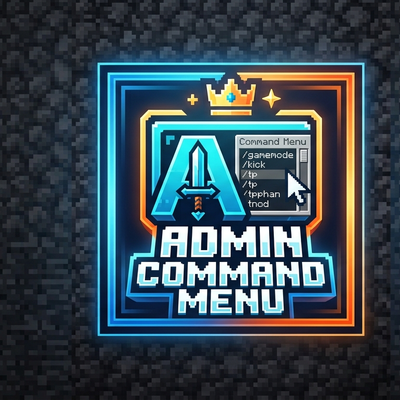
CurseForge · Minecraft mod
Admin Command Menu
An intuitive GUI menu that gives admins easy access to essential Minecraft server commands.
Choose a version Pick your version below, then grab the matching file.
Quick answer
Which Admin Command Menu release matches 26.3?
Best match for your filters admin-command-menu-fabric-1.1.0.jar
Game version 26.3
Loader Fabric
Admin Command Menu admin-command-menu-fabric-1.1.0.jar targets 26.3 with Fabric. The project page does not say whether this file belongs on the client, dedicated server, or both. No extra mods listed for this file.
Where it goes
Is Admin Command Menu required on the client, server, or both?
The project page does not say whether this file belongs on the client, dedicated server, or both.
Client Source doesn’t say
Dedicated server Source doesn’t say
Loader for this release Fabric
Required install it here Optional supported, not mandatory Not supported do not install here Source doesn’t say do not assume
The source does not explicitly classify this release as client-only or server-only.
What else does Admin Command Menu admin-command-menu-fabric-1.1.0.jar need?
admin-command-menu-fabric-1.1.0.jar on 26.3. Every mod below is checked against that same setup.
This file does not list any required mods. Do not add a library just because a different file uses it.
This file does not list any required or optional mods.
Before you install it
Add Admin Command Menu without breaking your instance.
Built for Admin Command Menu admin-command-menu-fabric-1.1.0.jar on 26.3. Pick another file and the loader, install side or required mods may change.
- 01
Stick to this file
Use admin-command-menu-fabric-1.1.0.jar. It targets 26.3 with Fabric; another release may have different loader, side or dependency requirements.
- 02
Bring the mods it needs
This file does not list any required mods. Do not add a library just because a different file uses it.
- 03
Put it on the correct side
The project page does not say whether this file belongs on the client, dedicated server, or both.
- 04
Pick the file you checked
Use the “Get this file” button beside admin-command-menu-fabric-1.1.0.jar. It opens that exact file at the source.
About this project
What does Admin Command Menu add?
👑 Admin Command Menu 👑
Admin Command Menu is a comprehensive, all-in-one administrative utility for Minecraft 26.3. It gives operators full control over the world and players through an intuitive GUI — no need to memorize /give, /effect, /summon, /attribute, or /teleport NBT.
Client-side only: install it on your client. The server does not need the mod. Open with P (operator permission required). The menu remembers your last tab, scroll, and fields when you reopen it.
Key Features:
Custom Item & Enchantment Generator: Browse any item, attach custom enchantments, and push levels past vanilla limits. Star items to keep them in Favorites.
Potion Brewer & Customizer: Craft drinkable, splash, or lingering potions, plus tipped arrows, with custom amplifier and duration.
Banner Designer: Build custom banners layer by layer, then give the result in one click.
Mob & Entity Summoner: Spawn any entity with a custom name, tags, NBT, and flags (NoAI, Invulnerable, Silent, Glowing, Persist, Baby, NameVisible).
Attribute Editor: Set or reset base attributes on yourself or the nearby mob you are looking at — health, speed, scale, attack, and more.
Teleport & Waypoint Hub: Save named waypoints, teleport in one click, or jump to an online player.
Skull & Player Head Fetcher: Get mob heads or fetch any player head by username (online or offline).
World Controls: Set time (day, noon, night, midnight), pause or resume the daylight cycle, and switch weather (clear, rain, thunder).
Mass Entity & Lag Cleaner: One-click clear for hostile mobs, friendly animals, dropped items, falling blocks, or specific players.
Structure Placer: Search and place vanilla structures at your current coordinates.
Status Effect Manager: Apply effects with custom level and duration to yourself or a selected online player.
Project description from CurseForge.
Pick your setup
Admin Command Menu by Minecraft version and loader
Choose the version and loader you play, then open the matching release.
Minecraft version
26.2
2 loader buildsMinecraft version
1.21.11
1 loader buildCheck the dependencies, then try the file in a copied instance before changing a world you care about.
Recent files
Admin Command Menu versions and loaders
admin-command-menu-fabric-1.1.0.jar
30 Oct 2026
Client Source doesn’t say Server Source doesn’t say Dependencies No extras listed Listed on Release listing
Check the 26.3 · Fabric setup Fabric26.3 release
admin-command-menu-1.1.0.jar
10 Oct 2026
Client Source doesn’t say Server Source doesn’t say Dependencies No extras listed Listed on Release listing
Check the 26.3 · NeoForge setup NeoForge26.3 release
Looking for an older file? The official CurseForge project page is in Resources.
 mod
mod CurseForge · Minecraft
Hextale
Study hextech crystals and essences, distil them in brass machines and burn runes into your tools
 mod
mod CurseForge + Modrinth · Minecraft
Uncraft Everything
Crafted wrong item? Uncraft everything with this mod!
 mod
mod CurseForge · Minecraft
Greenbound
Explore, cultivate, and refine four rare plants into unique potions, immersive visual effects, and permanent upgrades.