Mod Menu Optional for ShoulderCheck+ alt-look-plus-26.2-1.0.2.jar
optionalMatching file found Matched file: v20.0.1 for 26.2
CurseForge · Minecraft mod
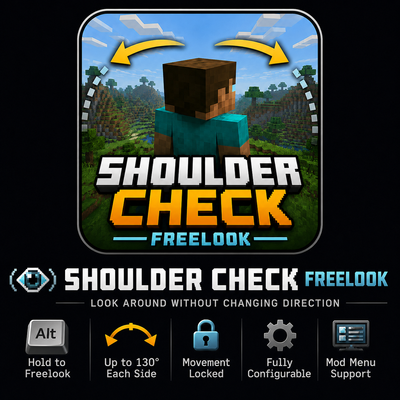
Hold a hotkey while moving and your character will continue that movement path, and allow you to look over your shoulder 130° to the left and to the right
Quick answer
ShoulderCheck+ alt-look-plus-26.2-1.0.2.jar targets 26.2 with Fabric. The project page does not say whether this file belongs on the client, dedicated server, or both. All 1 required mods have matching files.
Where it goes
The project page does not say whether this file belongs on the client, dedicated server, or both.
The source does not explicitly classify this release as client-only or server-only.
alt-look-plus-26.2-1.0.2.jar. Change the file and its required mods may change too.
Install Fabric API first. We found matching files for this game-version and loader setup. 1 comes through another mod in the chain.
1 extra mod was pulled in by another dependency. Indented rows show who needs each one. We only count dependency files that match this setup. A file for another loader does not fill the gap.
Before you install it
Built for ShoulderCheck+ alt-look-plus-26.2-1.0.2.jar. Pick another file and the loader, install side or required mods may change.
Use alt-look-plus-26.2-1.0.2.jar. It targets 26.2 with Fabric; another release may have different loader, side or dependency requirements.
Install Fabric API first. We found matching files for this game-version and loader setup. 1 comes through another mod in the chain.
The project page does not say whether this file belongs on the client, dedicated server, or both.
Use the “Get this file” button beside alt-look-plus-26.2-1.0.2.jar. It opens that exact file at the source.
About this project
Shoulder Check+ is a lightweight client-side freelook mod that lets you check your surroundings without changing the direction your character is facing or moving.
Hold the freelook key to rotate the camera independently while your movement remains locked in its original direction. Release the key to return smoothly to your normal view.
The default camera limit allows you to look up to 130 degrees in either direction, giving you a wide view over both shoulders without allowing you to look directly behind yourself.
Shoulder Check+ is completely client-side.
You can use it on vanilla servers and Fabric servers that do not have the mod installed.
The key can be changed through:
With Mod Menu installed, you can adjust settings such as:
Project description from CurseForge.
Pick your setup
Choose the version and loader you play, then open the matching release.
Check the dependencies, then try the file in a copied instance before changing a world you care about.
Recent files
6 Aug 2026
6 Aug 2026
2 Aug 2026
Looking for an older file? The official CurseForge project page is in Resources.
 mod
modMaster that Blaster with Plaster! Make it like it never happened.
 mod
modMythical creatures, forgotten stories, and untold possibilities—discover a Minecraft that could have always existed.
 mod
modBrave the Nether with 16 fire-themed armor sets and 80 unique tools, each granting a useful effect — from netherrack to obsidian. No new blocks are added to the game!