Minecraft version
Back to mods 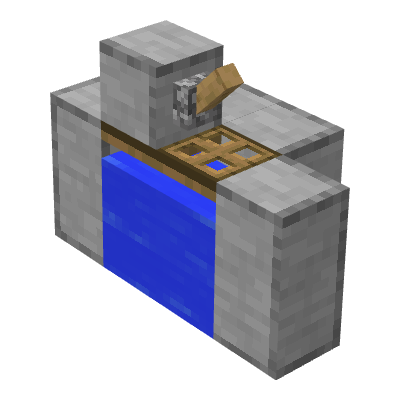
CurseForge · Minecraft mod
Lazy Redstone
Turn redstone contraptions into single blocks.
Choose a version Pick your version below, then grab the matching file.
Quick answer
Which Lazy Redstone release should I use?
alpha file Lazy Redstone 0.5.2-alpha
Game version 1.21.1
Loader NeoForge
Lazy Redstone 0.5.2-alpha targets 1.21.1 with NeoForge. The project page does not say whether this file belongs on the client, dedicated server, or both. No extra mods listed for this file.
Where it goes
Is Lazy Redstone required on the client, server, or both?
The project page does not say whether this file belongs on the client, dedicated server, or both.
Client Source doesn’t say
Dedicated server Source doesn’t say
Loader for this release NeoForge
Required install it here Optional supported, not mandatory Not supported do not install here Source doesn’t say do not assume
The source does not explicitly classify this release as client-only or server-only.
What else does Lazy Redstone 0.5.2-alpha need?
Lazy Redstone 0.5.2-alpha. Change the file and its required mods may change too.
This file does not list any required mods. Do not add a library just because a different file uses it.
This file does not list any required or optional mods.
Before you install it
Add Lazy Redstone without breaking your instance.
Built for Lazy Redstone 0.5.2-alpha. Pick another file and the loader, install side or required mods may change.
- 01
Stick to this file
Use Lazy Redstone 0.5.2-alpha. It targets 1.21.1 with NeoForge; another release may have different loader, side or dependency requirements.
- 02
Bring the mods it needs
This file does not list any required mods. Do not add a library just because a different file uses it.
- 03
Put it on the correct side
The project page does not say whether this file belongs on the client, dedicated server, or both.
- 04
Pick the file you checked
Use the “Get this file” button beside Lazy Redstone 0.5.2-alpha. It opens that exact file at the source.
About this project
What does Lazy Redstone add?

Are you tired of laying endless redstone lines and debugging piston timings just for a simple tree farm? Frustrated that Forge won't let you build a string duplicator? Lazy Redstone condenses many of vanilla Minecraft's classic and practical redstone-powered farms into single, compact blocks. No wiring, no clock calculations – just place and go. Survival automation has never been easier!
Mod Highlights
Block‑based Contraptions
Complex machines that used to require dozens of blocks, multiple pistons, and piles of redstone components are now reduced to a single, fully functional block.
Place‑and‑Use, Fully Automated
Most blocks work right after being placed – just right‑click to interact, or toggle with a redstone pulse. Some offer an intuitive GUI where you input materials or adjust settings, and automation runs by itself.
Information Display
Certain container‑like blocks (e.g., Mob Trapcage, Villager Concentration Camp) show the type or count of mobs inside directly on the block.
Blocks Overview
Simple String Duplicator
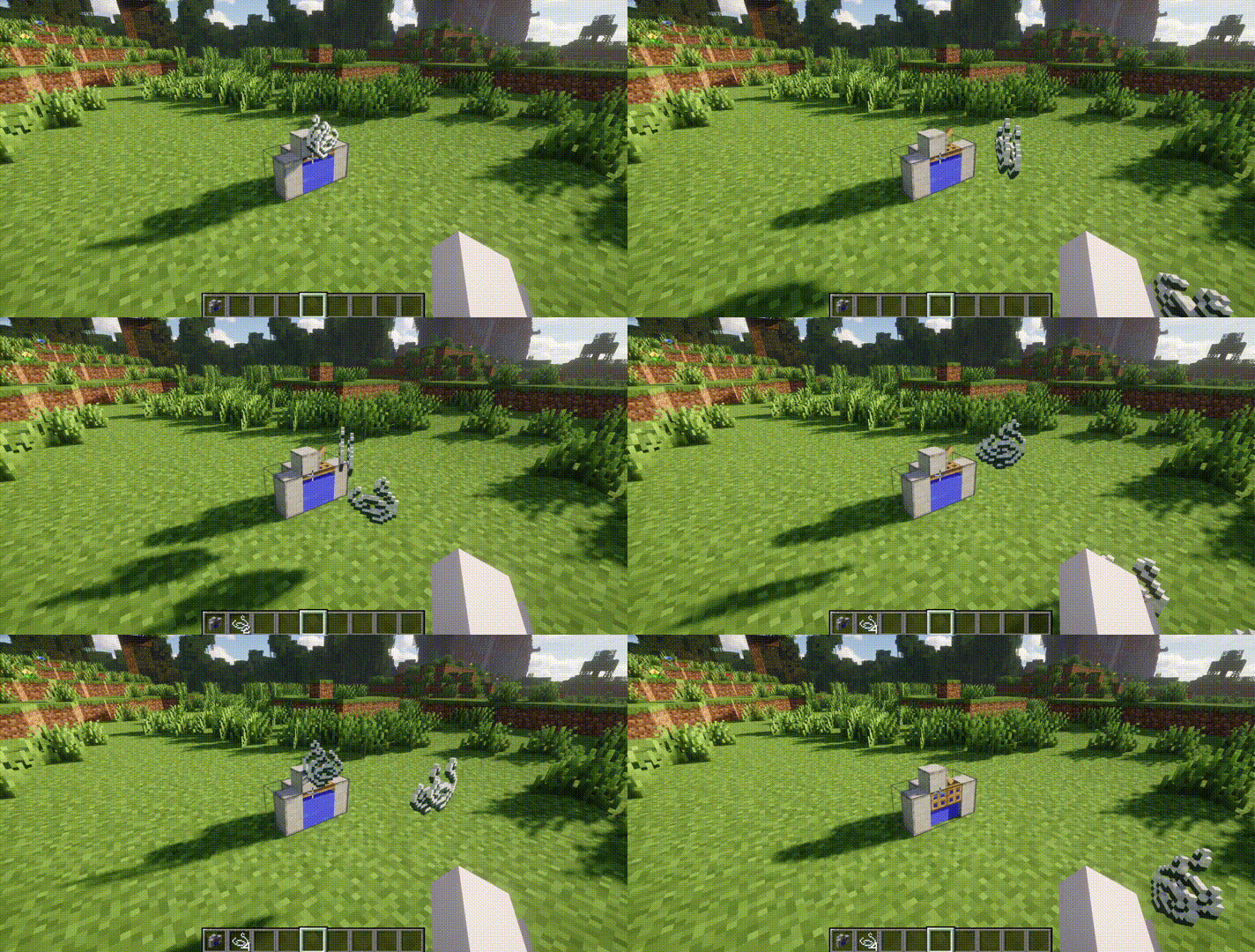
Added for Forge/NeoForge high versions where the vanilla string duplicator no longer works. Like the original, it only faces north (south‑facing player) and starts producing string immediately.
Simple Carpet Duplicator
Automatically duplicates carpets in all colours – never run out of floor decorations.
Simple TNT Duplicator
Duplicates TNT with a configurable explosion delay (in game ticks) via its GUI. Right-click to duplicate once.
Iron Farm
An integrated farm frame. Place a “Villager Concentration Camp” (containing villagers) and a “Mob Trapcage” (with a zombie) into the farm block, then add either a “Lava Chamber” or a “Trident Blender” as the killing mechanism. It works just like a classic iron farm, producing iron ingots and poppies while you AFK.
Basic Stone Generator
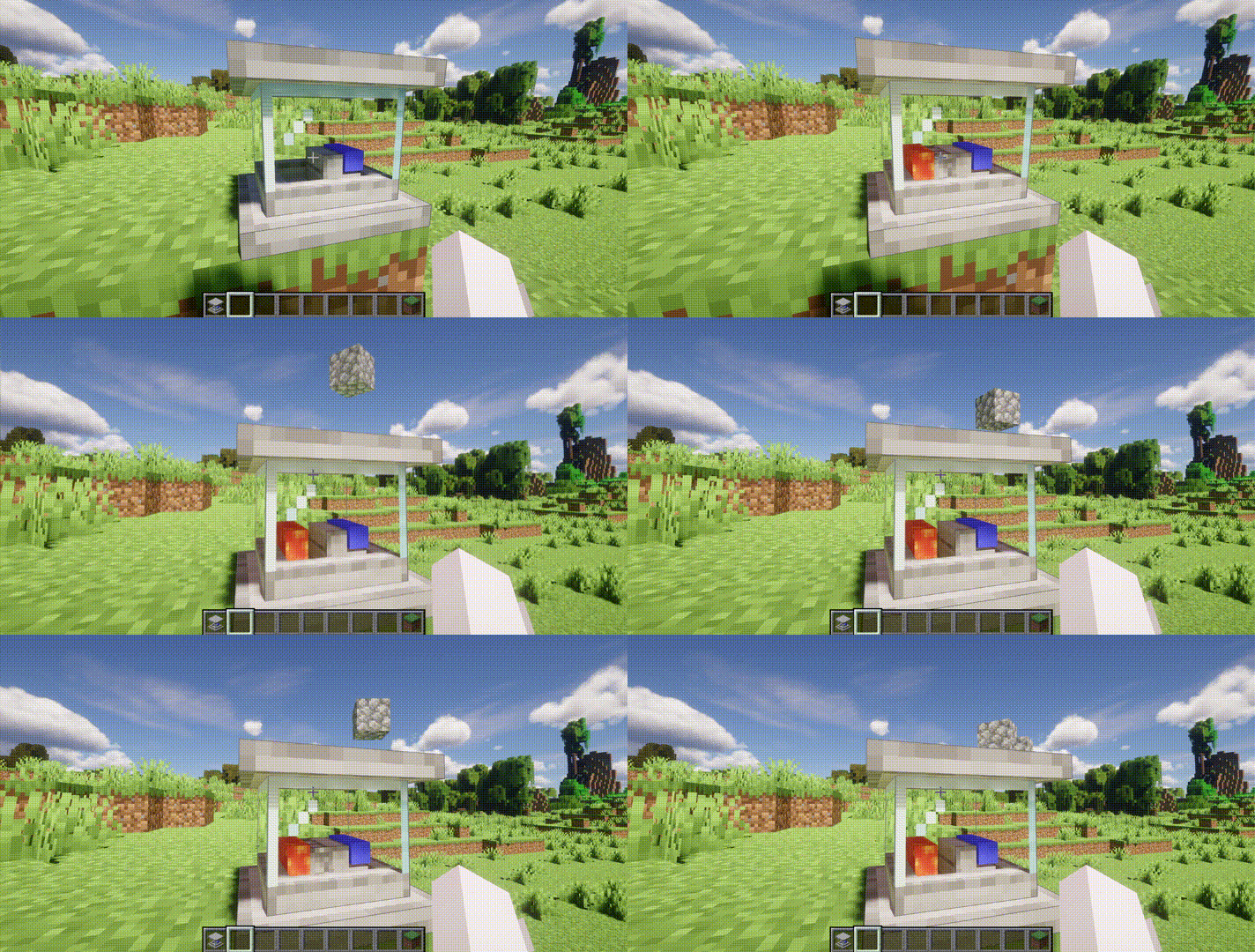
The classic cobblestone generator – now fully automatic. Place it and it produces cobblestone indefinitely with no further input.
TNT Stone Factory
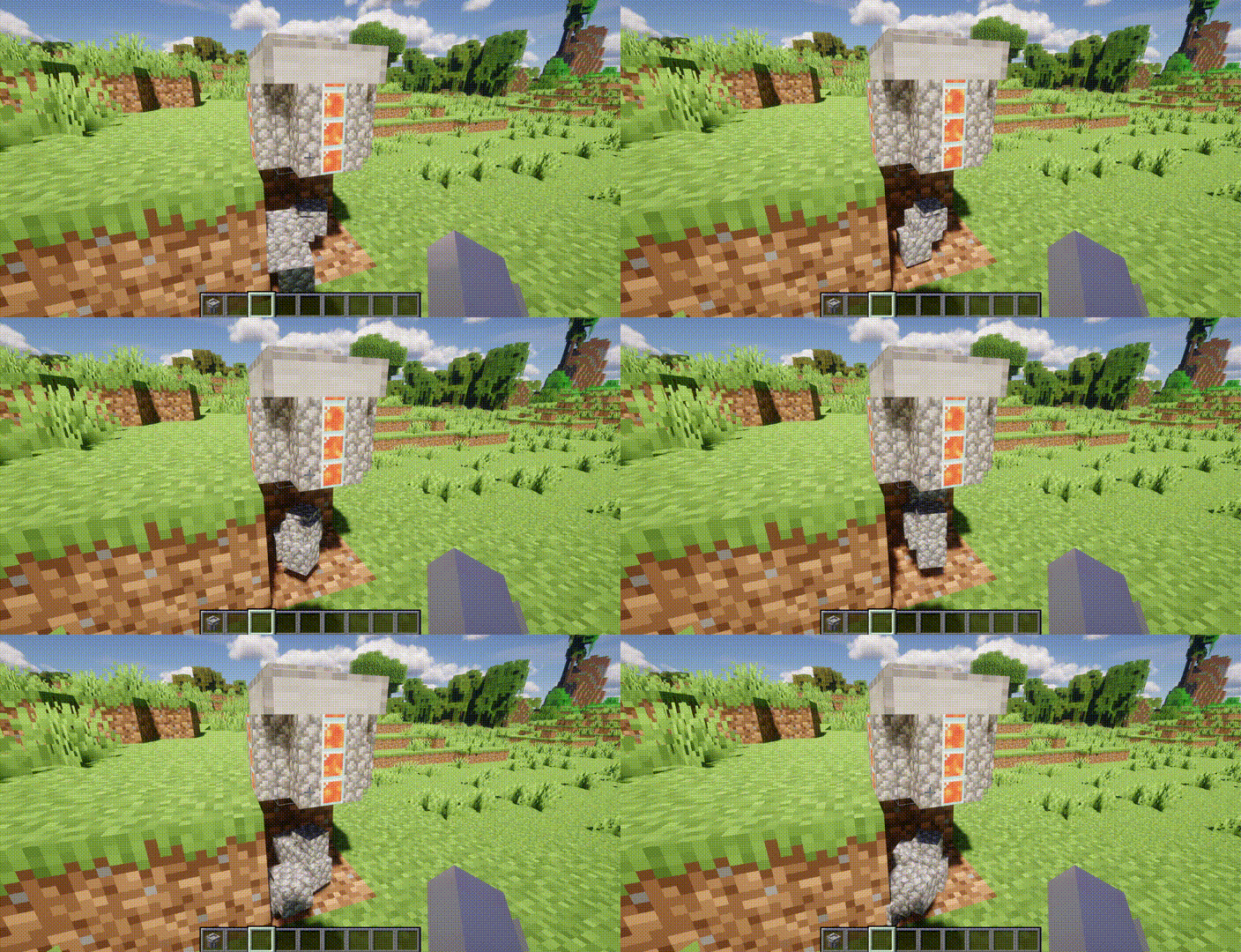
An upgraded version crafted from a Basic Stone Generator and a Simple TNT Duplicator. It uses explosions instead of mining, vastly increasing efficiency.
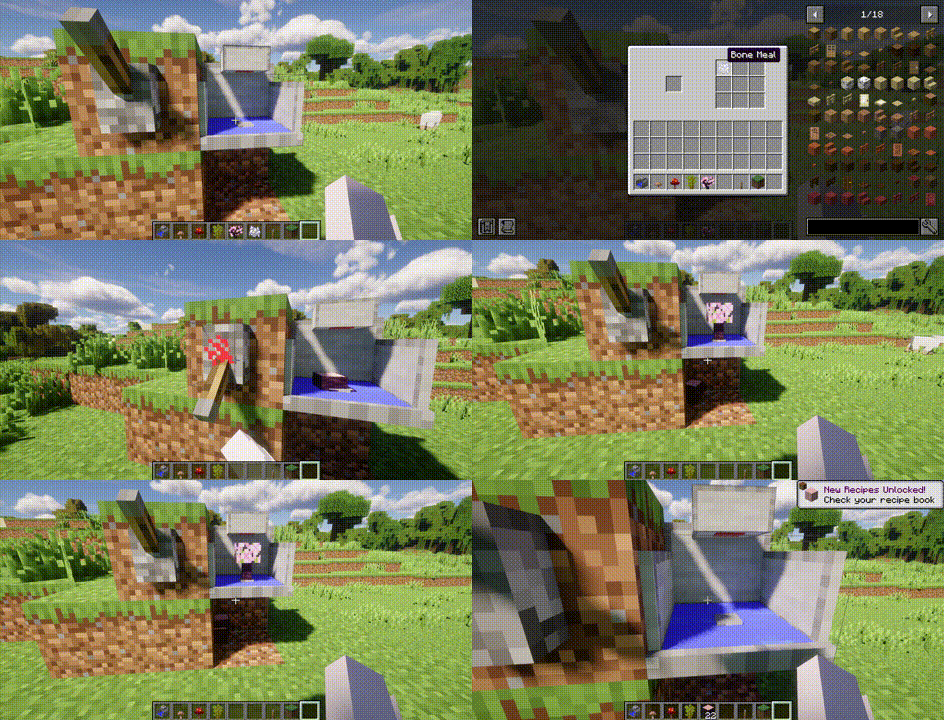
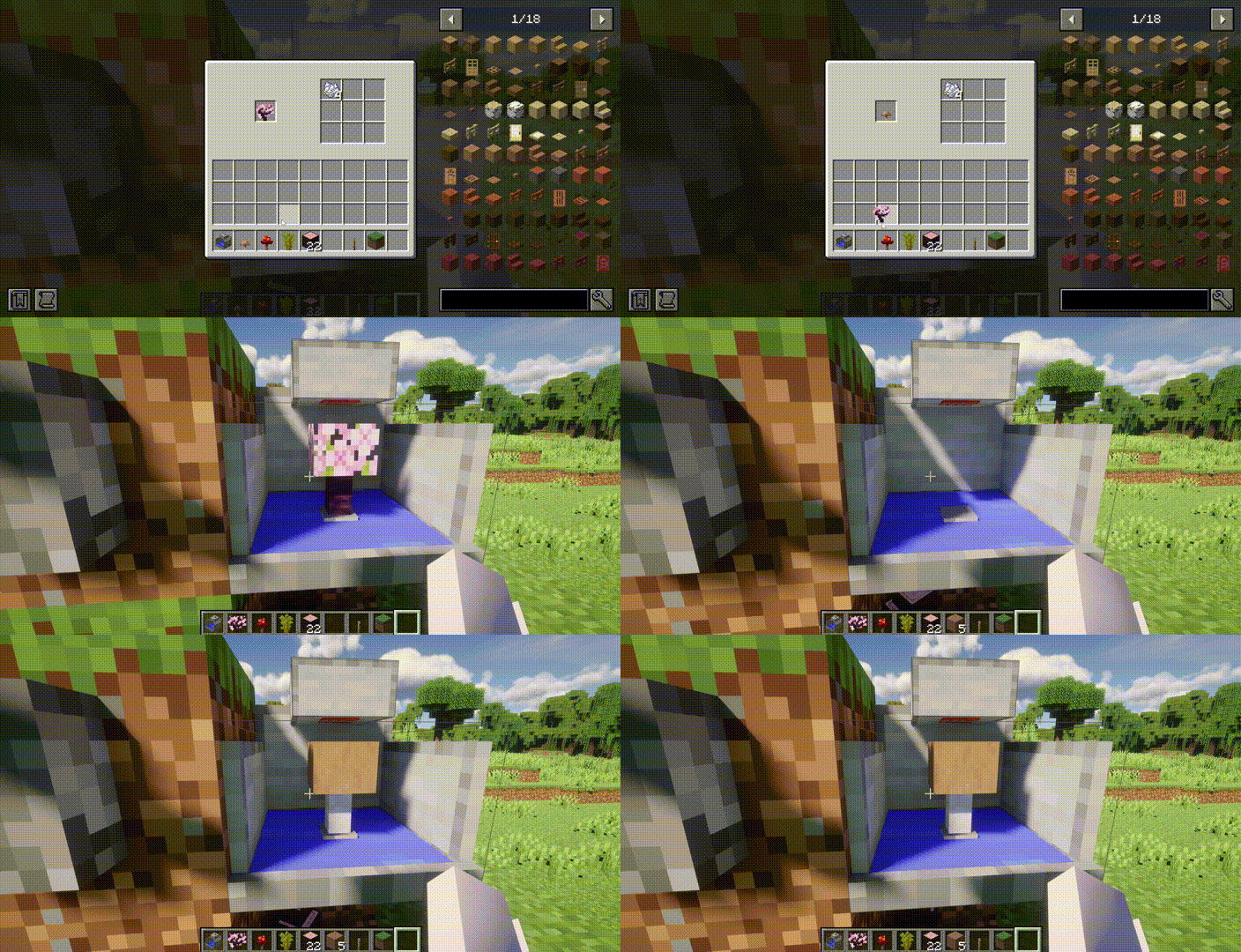
Simple TNT Tree Farm
Destroys trees with TNT and automatically collects all drops. Supports all vanilla tree types, including nether fungi and both mushroom types! Don't forget to put at least one bone meal inside to get it working.
| Cherry | Mushroom |
|---|---|
 |
 |
Portal Cycling Farm
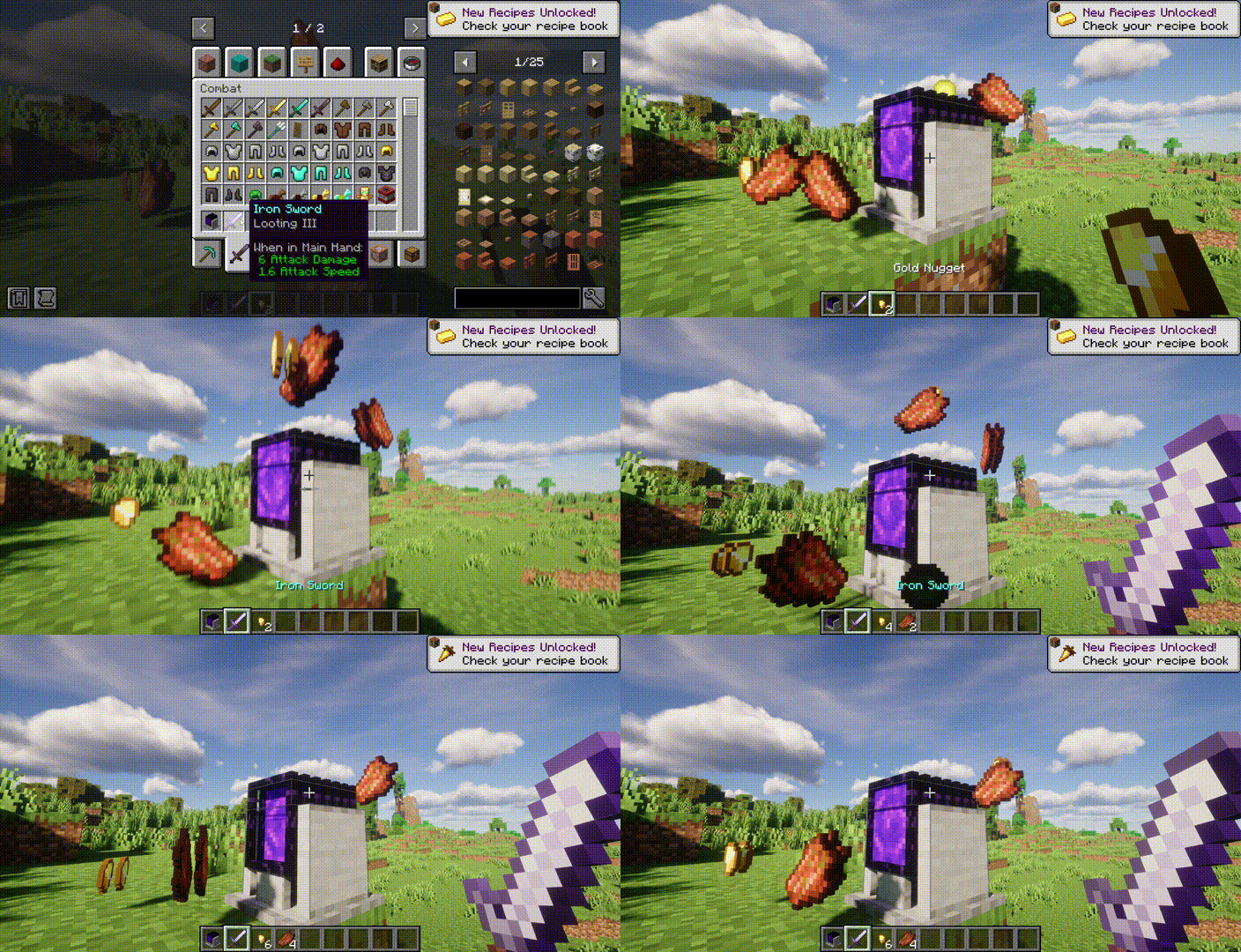
A perpetual source of gold nuggets and XP. It integrates a Trident Blender as the killing mechanism – so if you hold a Looting‑enchanted weapon in your main or off hand, drop rates increase accordingly.
Nor's Cactus Farm
Insert “Cactus Planting Units” into its GUI and it will harvest cactus automatically. You can also place the Cactus Planting Unit directly – it produces cactus on its own as well.
Auto Crafting Table
The ultimate partner for your production line. Place it directly below any output‑producing block – it automatically collects the output and compresses it into its highest form (e.g., golden nuggets → golden blocks, iron ingots → iron blocks, string → wool).
Shulker Box Packer
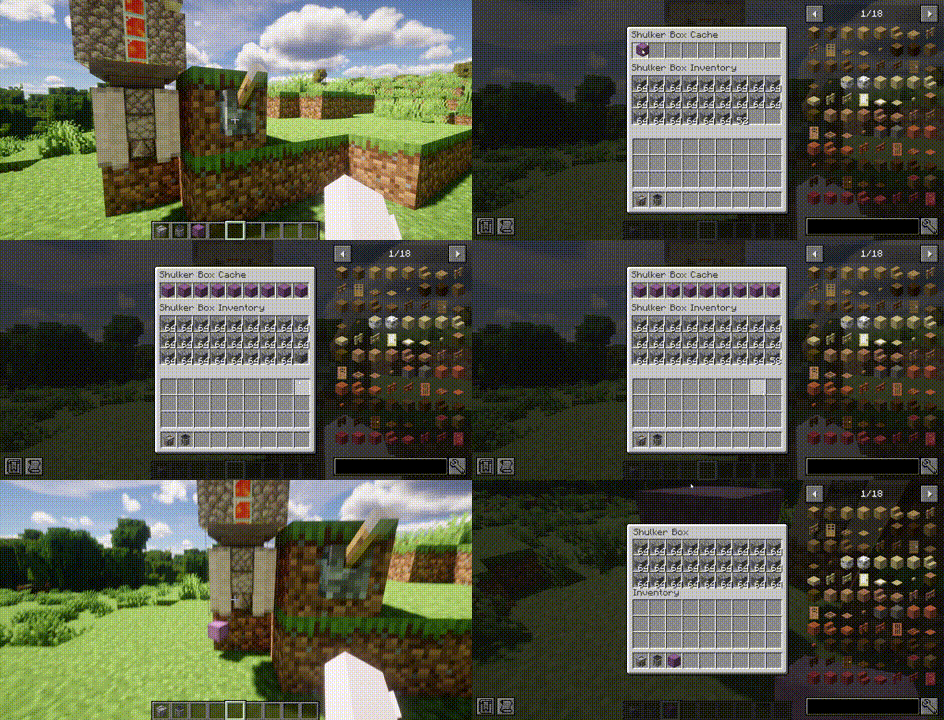
Also placed below a farm block, it automatically packs dropped items into shulker boxes for compact storage.
Project description from CurseForge.
Pick your setup
Lazy Redstone by Minecraft version and loader
Choose the version and loader you play, then open the matching release.
Minecraft version
1.20.1
1 loader buildCheck the dependencies, then try the file in a copied instance before changing a world you care about.
Recent files
Lazy Redstone versions and loaders
Lazy Redstone 0.5.2-alpha
lazy_redstone-0.5.2-alpha-neoforge-1.21.1.jar
5 Aug 2026
Client Source doesn’t say Server Source doesn’t say Dependencies No extras listed Listed on Release listing
Check the 1.21.1 · NeoForge setup 1.21.1NeoForge alpha
Lazy Redstone 0.5.2-alpha
lazy_redstone-0.5.2-alpha-forge-1.20.1.jar
5 Aug 2026
Client Source doesn’t say Server Source doesn’t say Dependencies No extras listed Listed on Release listing
Check the 1.20.1 · Forge setup 1.20.1Forge alpha
Lazy Redstone 0.5.1-alpha
lazy_redstone-0.5.1-alpha-forge-1.20.1.jar
3 Aug 2026
Client Source doesn’t say Server Source doesn’t say Dependencies No extras listed Listed on Release listing
Check the 1.20.1 · Forge setup 1.20.1Forge alpha
Lazy Redstone 0.5.0-alpha
lazy_redstone-0.5.0-alpha-forge-1.20.1.jar
2 Aug 2026
Client Source doesn’t say Server Source doesn’t say Dependencies No extras listed Listed on Release listing
Check the 1.20.1 · Forge setup 1.20.1Forge alpha
Looking for an older file? The official CurseForge project page is in Resources.
 mod
mod CurseForge + Modrinth · Minecraft
PMweather Aeronautics compat
This mod allows sable objects to be influenced by the wind and weather from Protomanly's Weather mod
 mod
mod CurseForge · Minecraft
OmniSequence: Transfinite
An endgame AE2 and ExtendedAE addon featuring molecular rewriting, transfinite crafting storage, massive parallel processing, and quantum-linked multiblocks.
 mod
mod CurseForge · Minecraft
Extended Industrialization
An addon mod that extends the content in Modern Industrialization