Minecraft version
Back to mods 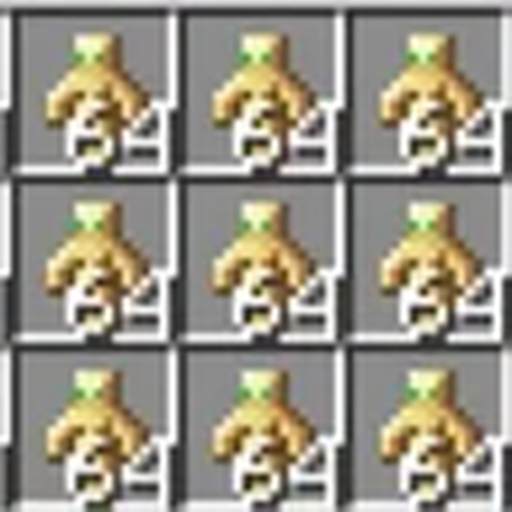
CurseForge · Minecraft mod
Stackable Totems (up to 64)
Allows you to stack totems up to 64
Choose a version Pick your version below, then grab the matching file.
Quick answer
Which Stackable Totems (up to 64) release should I use?
Latest stable file Stackable Totems (up to 64) 1.0.0 (NeoForge 26.3)
Game version 26.3
Loader NeoForge
Stackable Totems (up to 64) 1.0.0 (NeoForge 26.3) targets 26.3 with NeoForge. The project page does not say whether this file belongs on the client, dedicated server, or both. No extra mods listed for this file.
Where it goes
Is Stackable Totems (up to 64) required on the client, server, or both?
The project page does not say whether this file belongs on the client, dedicated server, or both.
Client Source doesn’t say
Dedicated server Source doesn’t say
Loader for this release NeoForge
Required install it here Optional supported, not mandatory Not supported do not install here Source doesn’t say do not assume
The source does not explicitly classify this release as client-only or server-only.
What else does Stackable Totems (up to 64) 1.0.0 (NeoForge 26.3) need?
Stackable Totems (up to 64) 1.0.0 (NeoForge 26.3). Change the file and its required mods may change too.
This file does not list any required mods. Do not add a library just because a different file uses it.
This file does not list any required or optional mods.
Before you install it
Add Stackable Totems (up to 64) without breaking your instance.
Built for Stackable Totems (up to 64) 1.0.0 (NeoForge 26.3). Pick another file and the loader, install side or required mods may change.
- 01
Stick to this file
Use Stackable Totems (up to 64) 1.0.0 (NeoForge 26.3). It targets 26.3 with NeoForge; another release may have different loader, side or dependency requirements.
- 02
Bring the mods it needs
This file does not list any required mods. Do not add a library just because a different file uses it.
- 03
Put it on the correct side
The project page does not say whether this file belongs on the client, dedicated server, or both.
- 04
Pick the file you checked
Use the “Get this file” button beside Stackable Totems (up to 64) 1.0.0 (NeoForge 26.3). It opens that exact file at the source.
About this project
What does Stackable Totems (up to 64) add?
Stackable Totems of Undying
Description
Stackable Totems of Undying is a simple tweak mod for Minecraft Forge 1.20.1 that allows Totems of Undying to stack up to 64. No more wasting inventory space on single totems—now you can carry a full stack and use them one by one.
🎬 Support this mod — cheap AI video! ZSky AI — unlimited AI text-to-video & image generation. Free forever tier, or Pro $19/mo (~$15/mo billed yearly): no queue, 1080p, watermark-free, commercial use.
How It Works (for the user)
- Totems of Undying now stack up to 64, just like most other items.
- When you are holding a stack of totems and would die, one totem is consumed from the stack (decreasing the count by 1), and you are saved as usual.
- The totem's functionality remains unchanged; only the stack size is increased.
Features
- Totems stack to 64.
- Works exactly as expected: using a totem reduces the stack count.
Credit Original project by **Noobyboom** (the same author) — https://modrinth.com/mod/stackable-totems-up-to-64. This is a self-port to modern Minecraft versions; no third-party code or assets were used.
Project description from CurseForge.
Pick your setup
Stackable Totems (up to 64) by Minecraft version and loader
Choose the version and loader you play, then open the matching release.
Minecraft version
26.1.2
2 loader buildsMinecraft version
26.1.1
1 loader buildMinecraft version
26.1
1 loader buildMinecraft version
1.21.11
2 loader buildsMinecraft version
1.21.10
1 loader buildMinecraft version
1.21.9
2 loader buildsMinecraft version
1.21.8
2 loader buildsMinecraft version
1.21.7
2 loader buildsMinecraft version
1.21.6
2 loader buildsMinecraft version
1.21.5
2 loader buildsMinecraft version
1.21.4
1 loader buildShowing the newest 12 of 32 game versions. Older files are in the list below.
Check the dependencies, then try the file in a copied instance before changing a world you care about.
Recent files
Stackable Totems (up to 64) versions and loaders
Stackable Totems (up to 64) 1.0.0 (NeoForge 26.3)
stackabletotems263-26.3-neoforge-1.0.0.jar
21 Nov 2026
Client Source doesn’t say Server Source doesn’t say Dependencies No extras listed Listed on Release listing
Check the 26.3 · NeoForge setup NeoForge26.3 release
Stackable Totems (up to 64) 1.0.0 (Forge 26.3)
stackabletotems263-26.3-forge-1.0.0.jar
21 Nov 2026
Client Source doesn’t say Server Source doesn’t say Dependencies No extras listed Listed on Release listing
Check the 26.3 · Forge setup Forge26.3 release
Stackable Totems (up to 64) 1.0.0 (Fabric 26.3)
stackabletotems263-26.3-fabric-1.0.0.jar
21 Nov 2026
Client Source doesn’t say Server Source doesn’t say Dependencies No extras listed Listed on Release listing
Check the 26.3 · Fabric setup Fabric26.3 release
Stackable Totems (up to 64) — Stackable Totems of Undying 1.0.0 (forge 1.19.2)
1785716944164-stackabletotems-1.0.0.jar
3 Aug 2026
Client Source doesn’t say Server Source doesn’t say Dependencies No extras listed Listed on Release listing
Check the 1.19.2 · Forge setup Forge1.19.2 release
Stackable Totems (up to 64) — Stackable Totems of Undying 1.0.0 (forge 1.19.3)
1785716944009-stackabletotems-1.0.0.jar
3 Aug 2026
Client Source doesn’t say Server Source doesn’t say Dependencies No extras listed Listed on Release listing
Check the 1.19.3 · Forge setup 1.19.3Forge release
Stackable Totems (up to 64) — Stackable Totems of Undying 1.0.0 (forge 1.19.4)
1785716943860-stackabletotems-1.0.0.jar
3 Aug 2026
Client Source doesn’t say Server Source doesn’t say Dependencies No extras listed Listed on Release listing
Check the 1.19.4 · Forge setup 1.19.4Forge release
Stackable Totems (up to 64) — Stackable Totems of Undying 1.0.0 (forge 1.21)
1785716943819-stackabletotems-1.0.0.jar
3 Aug 2026
Client Source doesn’t say Server Source doesn’t say Dependencies No extras listed Listed on Release listing
Check the 1.21 · Forge setup 1.21Forge release
Stackable Totems (up to 64) — Stackable Totems of Undying 1.0.0 (forge 1.21.1)
1785716943613-stackabletotems-1.0.0.jar
3 Aug 2026
Client Source doesn’t say Server Source doesn’t say Dependencies No extras listed Listed on Release listing
Check the 1.21.1 · Forge setup Forge1.21.1 release
Stackable Totems (up to 64) — Stackable Totems of Undying 1.0.0 (forge 1.21.5)
1785716942955-stackabletotems-1.0.0.jar
3 Aug 2026
Client Source doesn’t say Server Source doesn’t say Dependencies No extras listed Listed on Release listing
Check the 1.21.5 · Forge setup 1.21.5Forge release
Stackable Totems (up to 64) — Stackable Totems of Undying 1.0.0 (neoforge 1.20.2)
1785716942750-stackabletotems-1.0.0.jar
3 Aug 2026
Client Source doesn’t say Server Source doesn’t say Dependencies No extras listed Listed on Release listing
Check the 1.20.2 · NeoForge setup 1.20.2NeoForge release
Stackable Totems (up to 64) — Stackable Totems of Undying 1.0.0 (neoforge 1.20.5)
1785716942148-stackabletotems-1.0.0.jar
3 Aug 2026
Client Source doesn’t say Server Source doesn’t say Dependencies No extras listed Listed on Release listing
Check the 1.20.5 · NeoForge setup 1.20.5NeoForge release
Stackable Totems (up to 64) — Stackable Totems of Undying 1.0.0 (neoforge 1.21)
1785716941656-stackabletotems-1.0.0.jar
3 Aug 2026
Client Source doesn’t say Server Source doesn’t say Dependencies No extras listed Listed on Release listing
Check the 1.21 · NeoForge setup 1.21NeoForge release
Looking for an older file? The official CurseForge project page is in Resources.
 mod
CurseForge + Modrinth · Minecraft
Combatlog
An attempt to prevent people from logging out while in combat
 mod
CurseForge + Modrinth · Minecraft
Reliable Replacer
A lightweight utility for replacing one block with another, both during worldgen and afterward.
 mod
CurseForge + Modrinth · Minecraft
Resource Data Pack Loader
RDPL - Resource and Datapack loading to a new level. Run the same packs on any supported version of Minecraft. Restoring JOY back to Modpack building! The API that should have been. By MCT.