Minecraft version
Back to mods 
CurseForge · Minecraft mod
MODTOOLS - Staff Moderation
An administration and moderation tool for Minecraft servers.
Choose a version Pick your version below, then grab the matching file.
Quick answer
Which MODTOOLS - Staff Moderation release should I use?
Latest stable file MODTOOLS 1.1 - Forge - 1.20.1
Game version 1.20.1
Loader Forge
MODTOOLS - Staff Moderation MODTOOLS 1.1 - Forge - 1.20.1 targets 1.20.1 with Forge. The project page does not say whether this file belongs on the client, dedicated server, or both. No extra mods listed for this file.
Where it goes
Is MODTOOLS - Staff Moderation required on the client, server, or both?
The project page does not say whether this file belongs on the client, dedicated server, or both.
Client Source doesn’t say
Dedicated server Source doesn’t say
Loader for this release Forge
Required install it here Optional supported, not mandatory Not supported do not install here Source doesn’t say do not assume
The source does not explicitly classify this release as client-only or server-only.
What else does MODTOOLS - Staff Moderation MODTOOLS 1.1 - Forge - 1.20.1 need?
MODTOOLS 1.1 - Forge - 1.20.1. Change the file and its required mods may change too.
This file does not list any required mods. Do not add a library just because a different file uses it.
This file does not list any required or optional mods.
Before you install it
Add MODTOOLS - Staff Moderation without breaking your instance.
Built for MODTOOLS - Staff Moderation MODTOOLS 1.1 - Forge - 1.20.1. Pick another file and the loader, install side or required mods may change.
- 01
Stick to this file
Use MODTOOLS 1.1 - Forge - 1.20.1. It targets 1.20.1 with Forge; another release may have different loader, side or dependency requirements.
- 02
Bring the mods it needs
This file does not list any required mods. Do not add a library just because a different file uses it.
- 03
Put it on the correct side
The project page does not say whether this file belongs on the client, dedicated server, or both.
- 04
Pick the file you checked
Use the “Get this file” button beside MODTOOLS 1.1 - Forge - 1.20.1. It opens that exact file at the source.
About this project
What does MODTOOLS - Staff Moderation add?
⚔ MODTOOLS
Administration and moderation tools for Minecraft servers.
DESCRIPTION
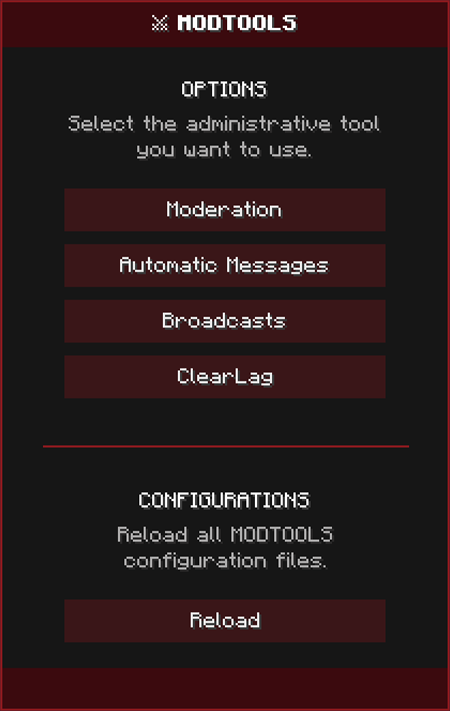
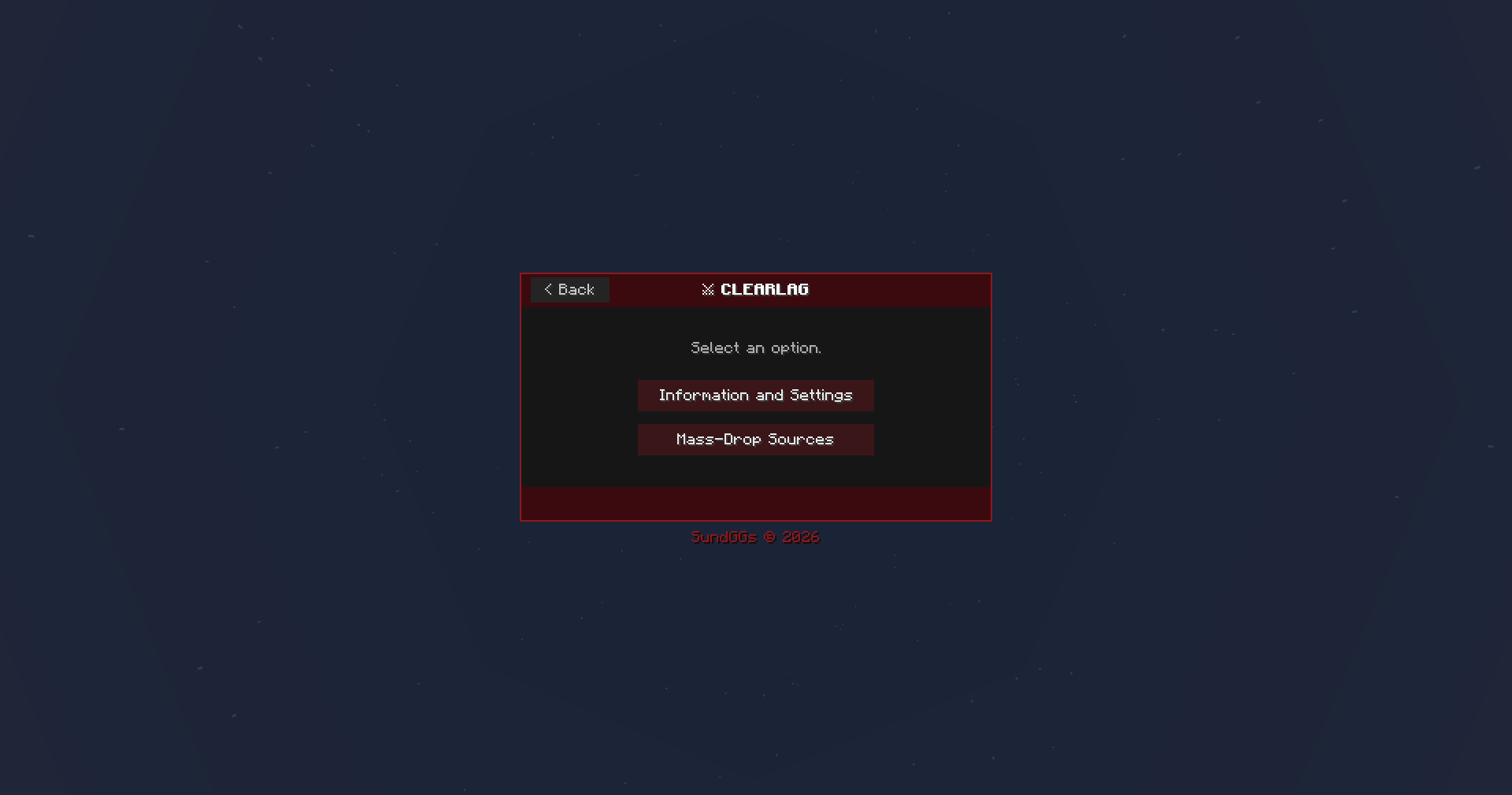
MODTOOLS brings your server's administration tools into an in-game control panel. It offers persistent moderation, automatic messages, broadcasts, and intelligent item cleanup (ClearLag), all from a single interface accessible with /mt gui.

🌐 Kinetic Hosting is proudly sponsoring this mod! Start your adventure with friends and dive into the full server experience. Enjoy a smooth, reliable, and secure hosting experience powered by Kinetic Hosting.
📋 MAIN FEATURES
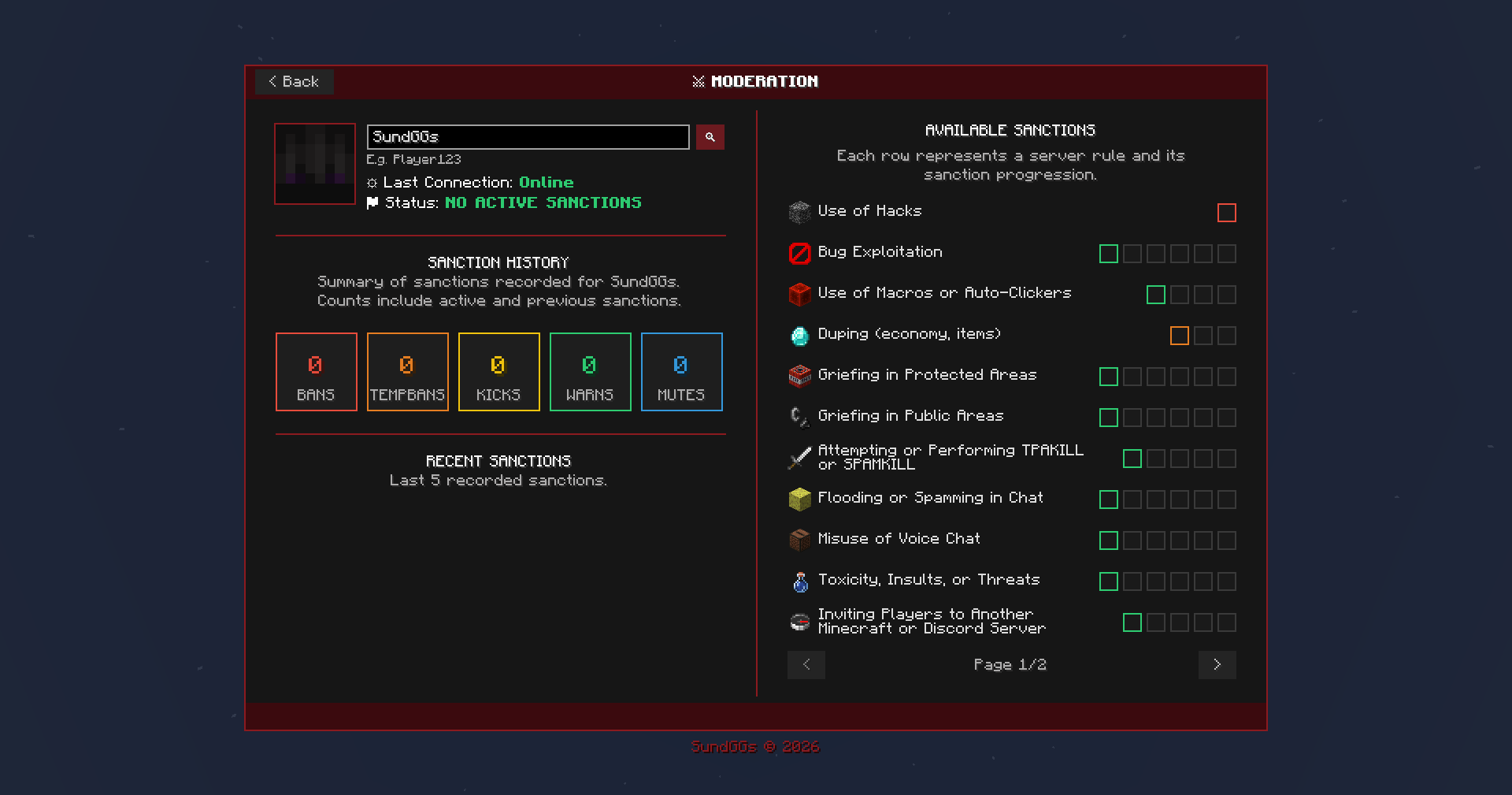
Moderation: Bans, tempbans, mutes, warnings, and kicks with persistent SQLite history and configurable rules.
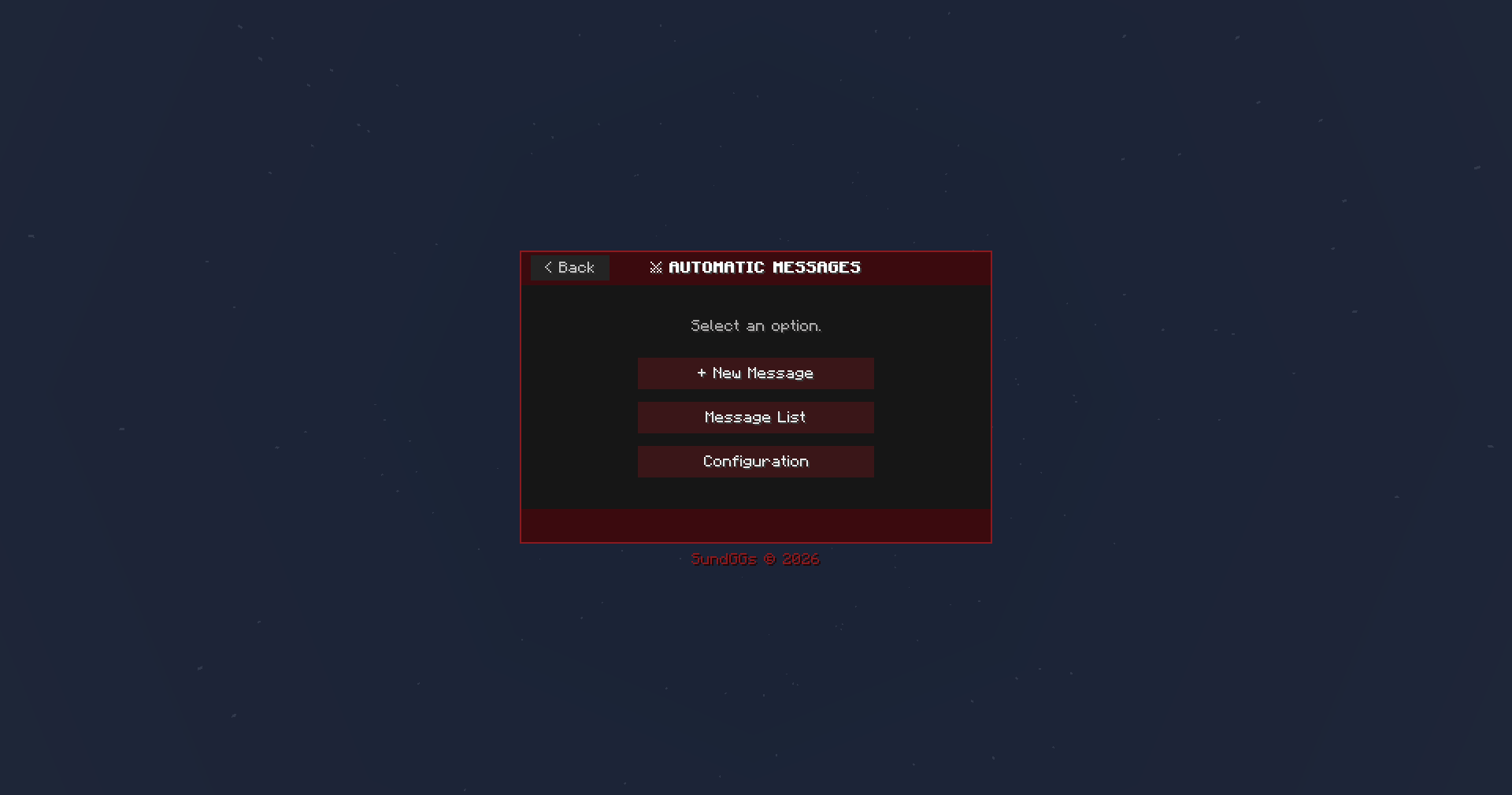
Automatic Messages: Scheduled chat or action-bar messages with preview and random ordering.
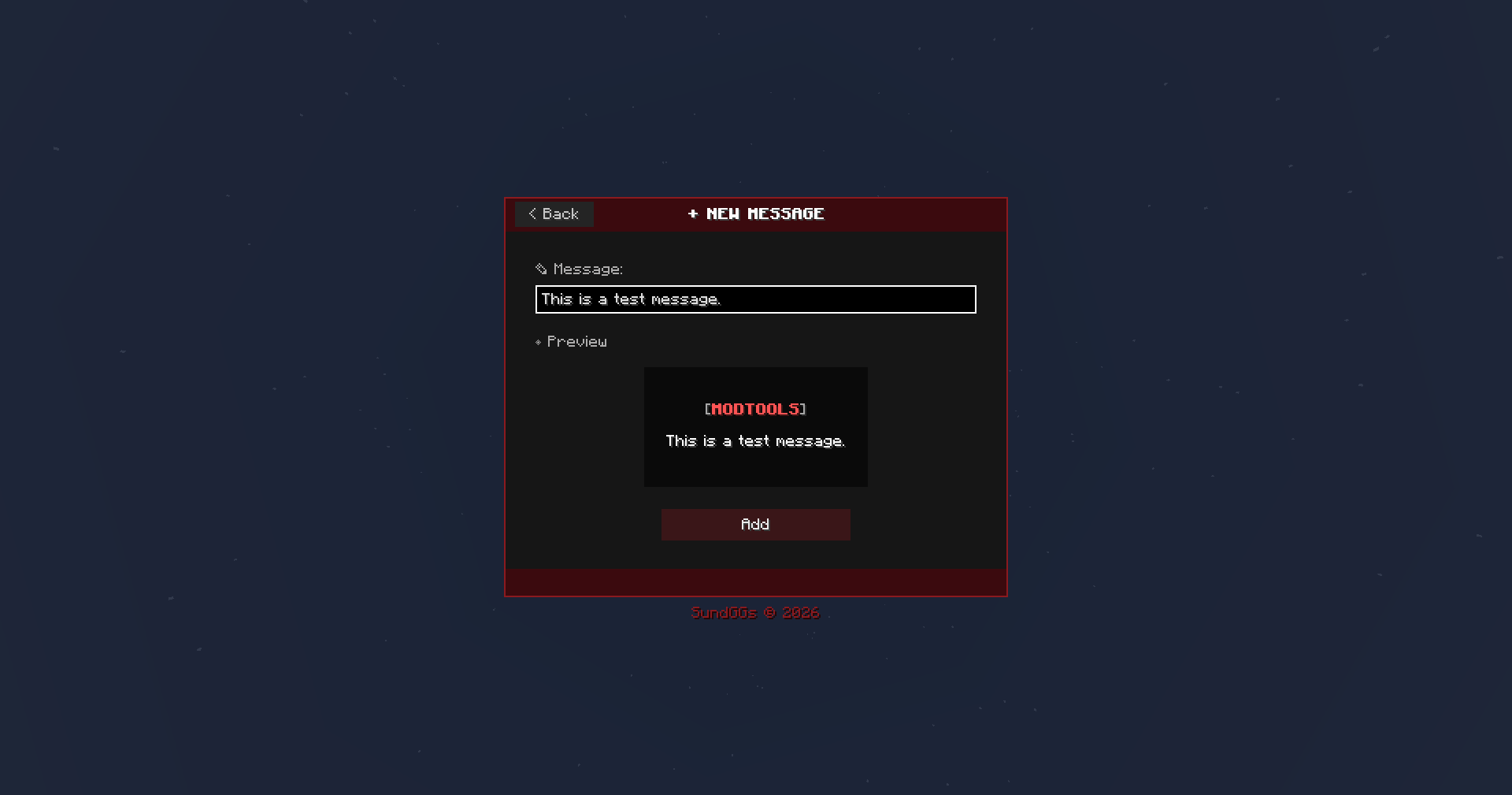
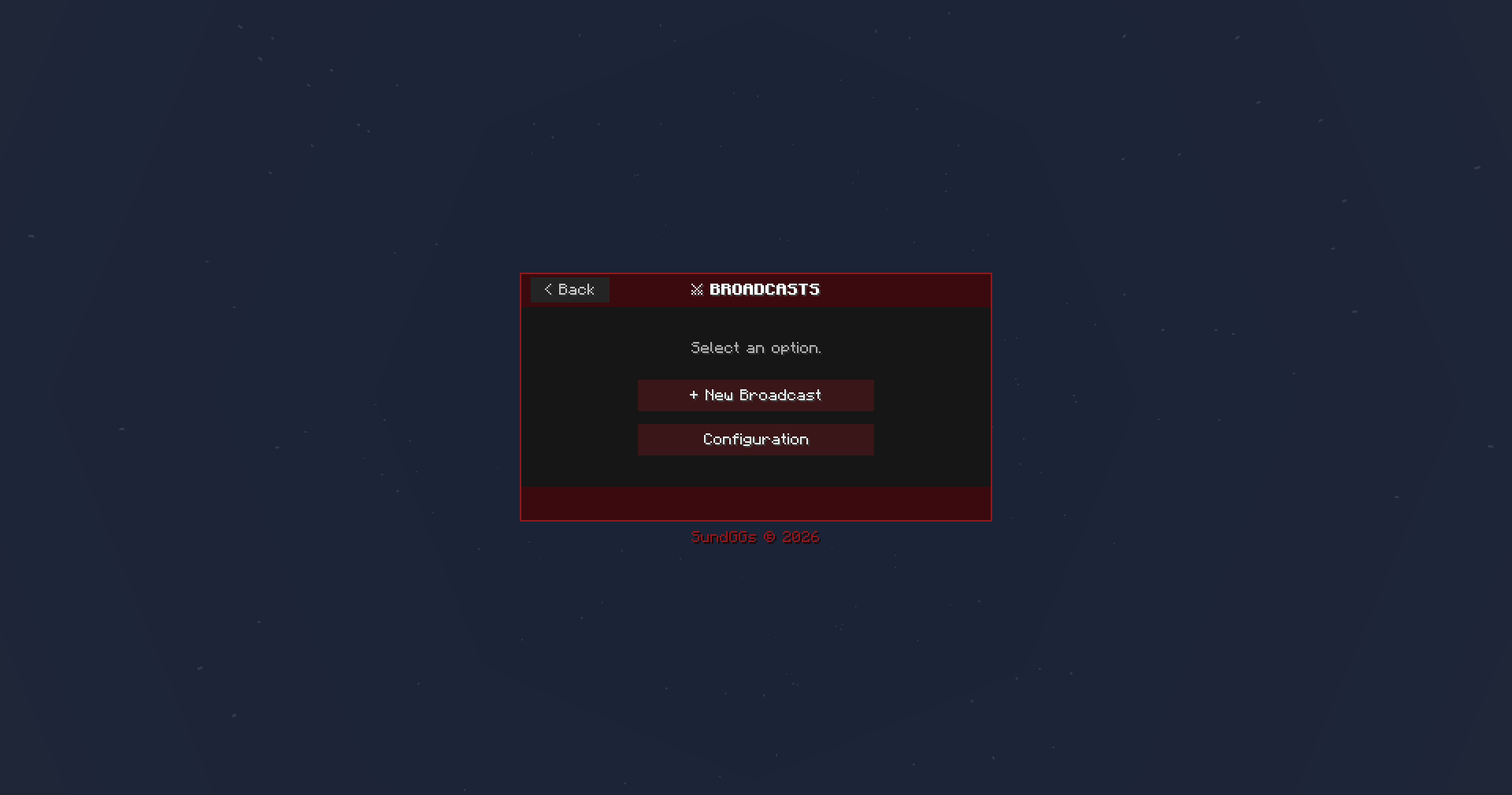
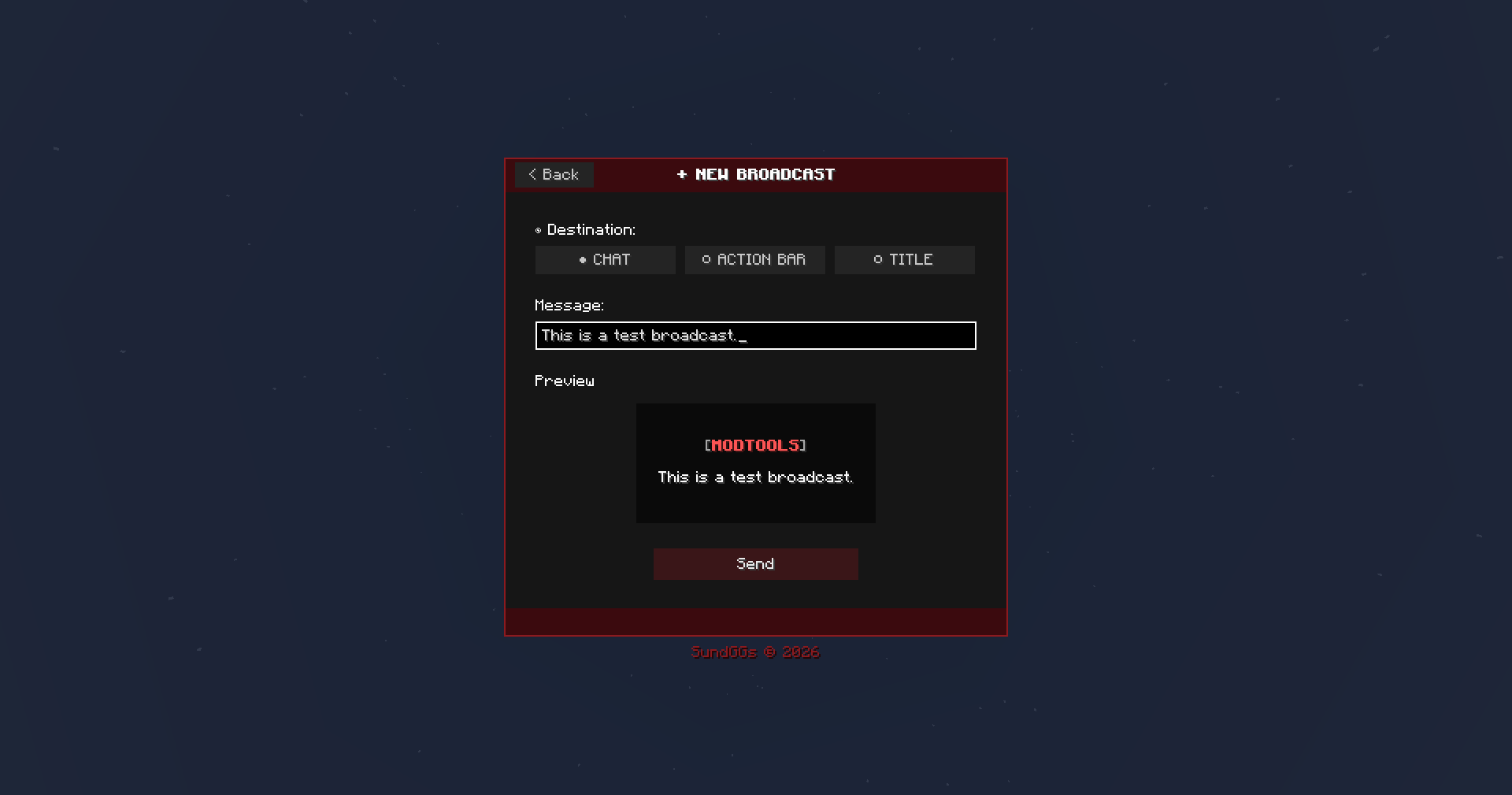
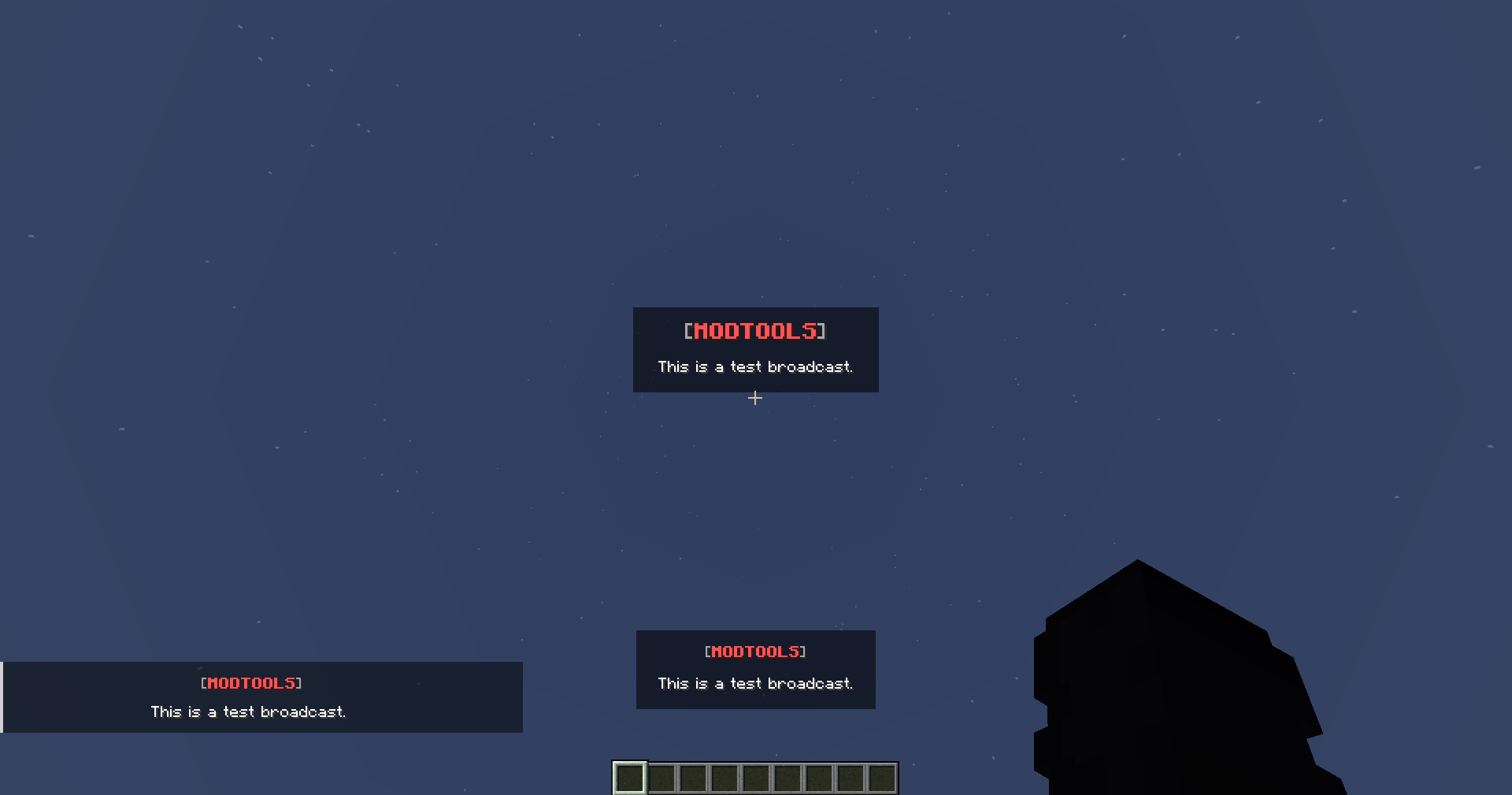
Broadcasts: Manual messages sent to chat, the action bar, or title/subtitle.
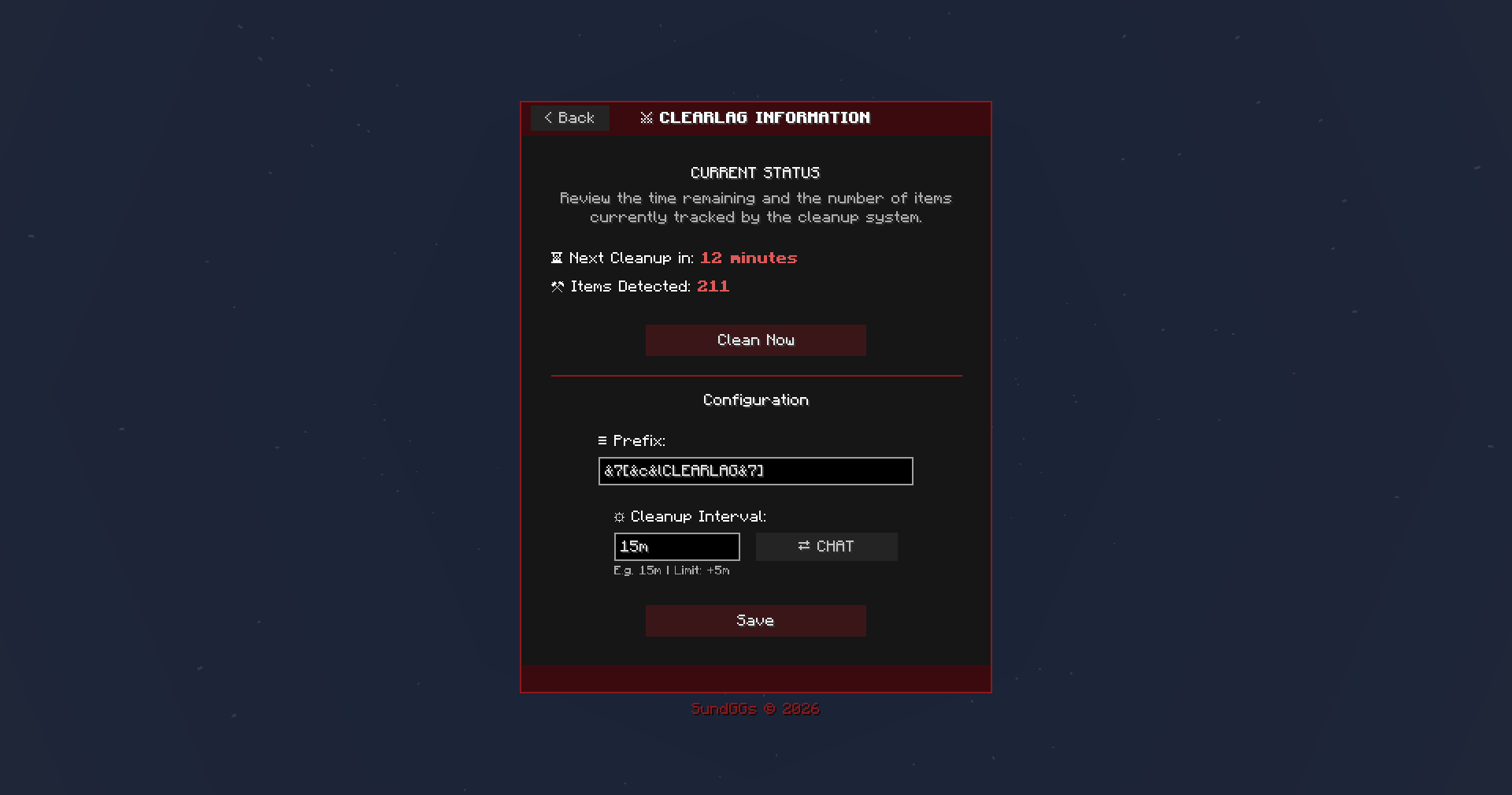
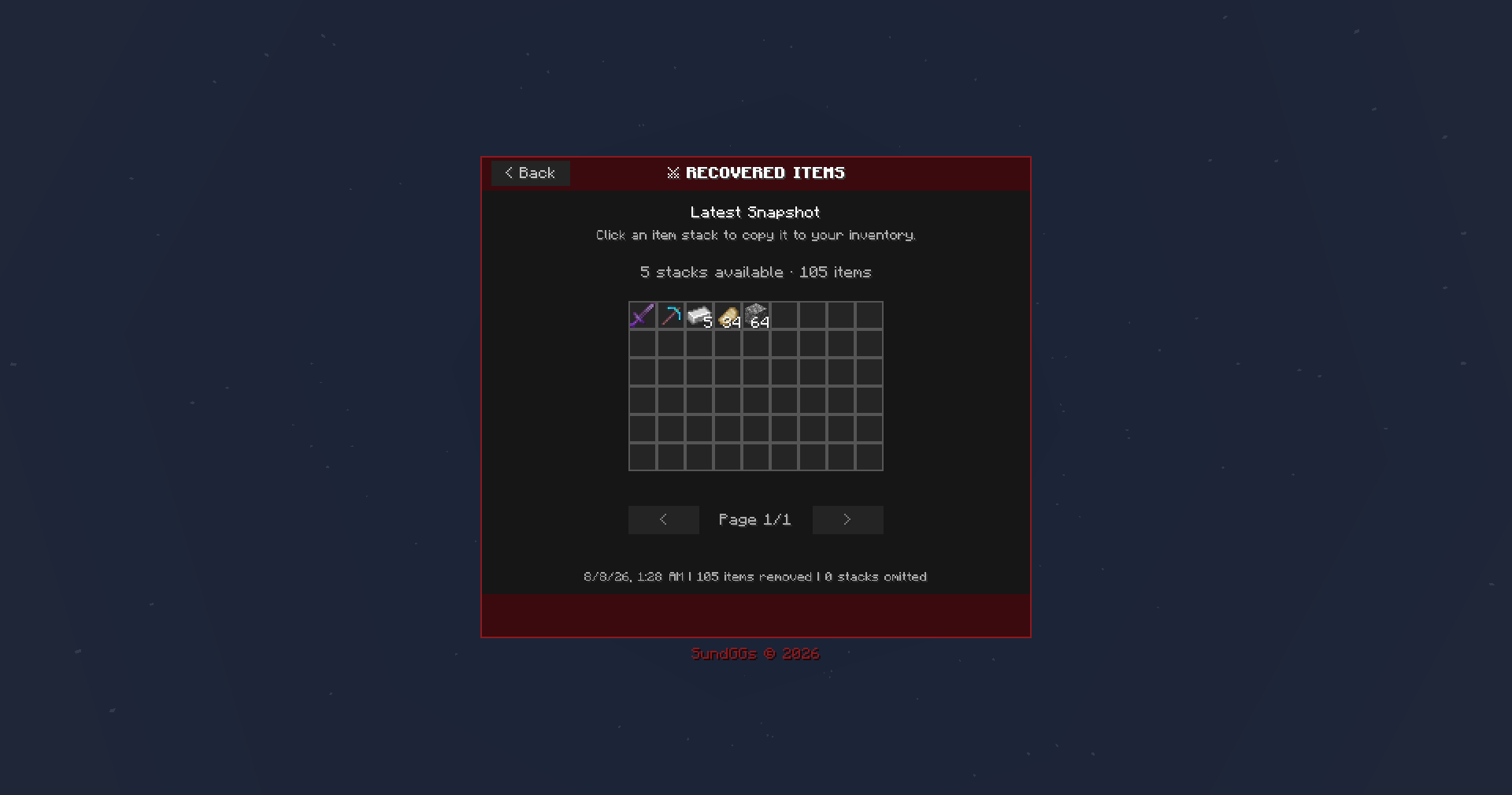
ClearLag: Scheduled cleanup, mass-drop detection, staff alerts, snapshot backup of deleted items and direct teleport access.
🔧 OPTIONAL DEPENDENCIES
No required dependencies for core functionality, although, some other mods or plugins (hybrid servers) can be added.
- Jade (optional) — when installed on both client and server, it shows the remaining lifetime of items marked by ClearLag on Jade tooltip.
- LuckPerms (optional) — on hybrid servers, permissions are checked through LuckPerms/Bukkit. On pure Forge/NeoForge servers, access is resolved through Minecraft's operator level.
🌎 LANGUAGES
English is the default language. Spanish is fully supported through the es_es and es_mx language files, including the panel (GUI), moderation messages, ClearLag alerts, and other in-game text. Each player selects their language from the Minecraft client's language settings.
⌨️ COMMANDS
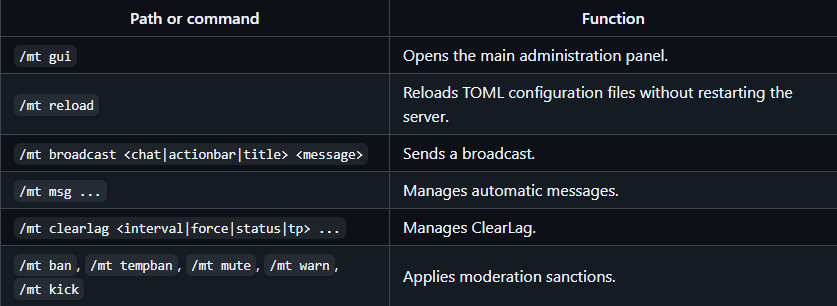
All mod functionalities can also be used outside of the main GUI. These serve as a fallback in case the GUI is unavailable, or if you simply prefer using commands.
🔑 PERMISSIONS
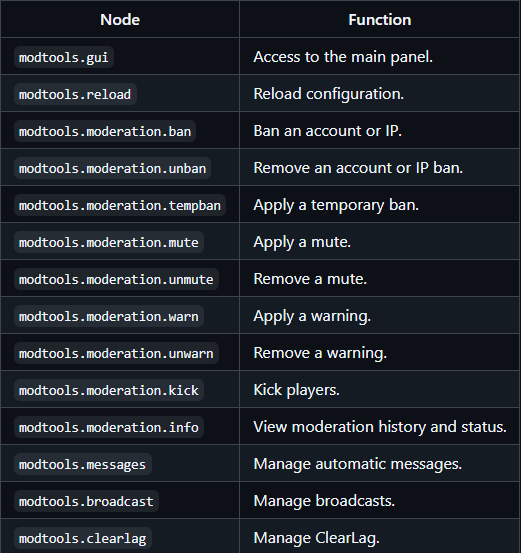
If you are using a hybrid server with the LuckPerms plugin installed, you may use permission nodes such as modtools.admin, which grants full access. If you are using a pure NeoForge/Forge server, these permission nodes don't apply, instead, use OP levels. For a least-privilege setup, assign only the required nodes:
📄 LICENSE
SundGGs © 2026
MODTOOLS is proprietary software distributed under an All Rights Reserved license. The source code, documentation, and resources may not be copied, modified, redistributed, or used to create derivative works without prior written authorization.
Project description from CurseForge.
Pick your setup
MODTOOLS - Staff Moderation by Minecraft version and loader
Choose the version and loader you play, then open the matching release.
Minecraft version
1.20.1
1 loader buildCheck the dependencies, then try the file in a copied instance before changing a world you care about.
Recent files
MODTOOLS - Staff Moderation versions and loaders
MODTOOLS 1.1 - Forge - 1.20.1
modtools-forge-1.20.1-1.1.jar
8 Aug 2026
Client Source doesn’t say Server Source doesn’t say Dependencies No extras listed Listed on Release listing
Check the 1.20.1 · Forge setup 1.20.1Forge release
MODTOOLS 1.1 - NeoForge - 1.21.1
modtools-neoforge-1.21.1-1.1.jar
8 Aug 2026
Client Source doesn’t say Server Source doesn’t say Dependencies No extras listed Listed on Release listing
Check the 1.21.1 · NeoForge setup 1.21.1NeoForge release
MODTOOLS 1.0 - Forge - 1.20.1
modtools-forge-1.20.1-1.0.jar
3 Aug 2026
Client Source doesn’t say Server Source doesn’t say Dependencies No extras listed Listed on Release listing
Check the 1.20.1 · Forge setup 1.20.1Forge release
MODTOOLS 1.0 - NeoForge - 1.21.1
modtools-neoforge-1.21.1-1.0.jar
3 Aug 2026
Client Source doesn’t say Server Source doesn’t say Dependencies No extras listed Listed on Release listing
Check the 1.21.1 · NeoForge setup 1.21.1NeoForge release
Looking for an older file? The official CurseForge project page is in Resources.
 mod
mod CurseForge + Modrinth · Minecraft
Create: Cyber Goggles
A client-side mod for Create that provides modular assistance features.
 mod
mod CurseForge · Minecraft
Ultimate Brightness
Makes Minecraft brighter!!! A full brightness mod
 mod
mod CurseForge · Minecraft
Upgrade Underground
A Cave-Overhaul mod that adds new biomes, tools, structures, items, and enhances QoL by adding small tweaks