Minecraft version
Back to mods 
CurseForge · Minecraft mod
INVTOOLS - Inventory Rollback
Inventory, accessory, backpack, and backup administration for Minecraft servers.
Choose a version Pick your version below, then grab the matching file.
Quick answer
Which INVTOOLS - Inventory Rollback release should I use?
Latest stable file INVTOOLS 2.0 - NeoForge - 1.21.1
Game version 1.21.1
Loader NeoForge
INVTOOLS - Inventory Rollback INVTOOLS 2.0 - NeoForge - 1.21.1 targets 1.21.1 with NeoForge. The project page does not say whether this file belongs on the client, dedicated server, or both. No extra mods listed for this file.
Where it goes
Is INVTOOLS - Inventory Rollback required on the client, server, or both?
The project page does not say whether this file belongs on the client, dedicated server, or both.
Client Source doesn’t say
Dedicated server Source doesn’t say
Loader for this release NeoForge
Required install it here Optional supported, not mandatory Not supported do not install here Source doesn’t say do not assume
The source does not explicitly classify this release as client-only or server-only.
What else does INVTOOLS - Inventory Rollback INVTOOLS 2.0 - NeoForge - 1.21.1 need?
INVTOOLS 2.0 - NeoForge - 1.21.1. Change the file and its required mods may change too.
This file does not list any required mods. Do not add a library just because a different file uses it.
This file does not list any required or optional mods.
Before you install it
Add INVTOOLS - Inventory Rollback without breaking your instance.
Built for INVTOOLS - Inventory Rollback INVTOOLS 2.0 - NeoForge - 1.21.1. Pick another file and the loader, install side or required mods may change.
- 01
Stick to this file
Use INVTOOLS 2.0 - NeoForge - 1.21.1. It targets 1.21.1 with NeoForge; another release may have different loader, side or dependency requirements.
- 02
Bring the mods it needs
This file does not list any required mods. Do not add a library just because a different file uses it.
- 03
Put it on the correct side
The project page does not say whether this file belongs on the client, dedicated server, or both.
- 04
Pick the file you checked
Use the “Get this file” button beside INVTOOLS 2.0 - NeoForge - 1.21.1. It opens that exact file at the source.
About this project
What does INVTOOLS - Inventory Rollback add?
🧰 INVTOOLS
Inventory, accessory, backpack, and backup administration for Minecraft servers.
DESCRIPTION
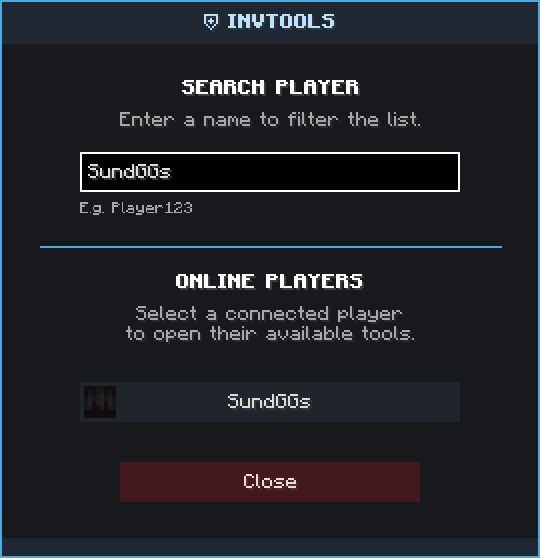
INVTOOLS provides server administrators with tools for viewing, editing, backing up, and restoring player inventories. Manage online or offline players, inspect accessories (CuriosAPI) and Cosmetic Armor, access compatible backpacks (Sophisticated Backpacks), and recover inventory data through a centralized panel accessible with /inv gui.

🌐 Kinetic Hosting is proudly sponsoring this mod! Start your adventure with friends and enjoy a reliable, high-performance Minecraft server powered by Kinetic Hosting.
📋 MAIN FEATURES
Inventory Management: View and edit the main inventory, armor, and offhand slots of online or offline players through a secure administrative interface.
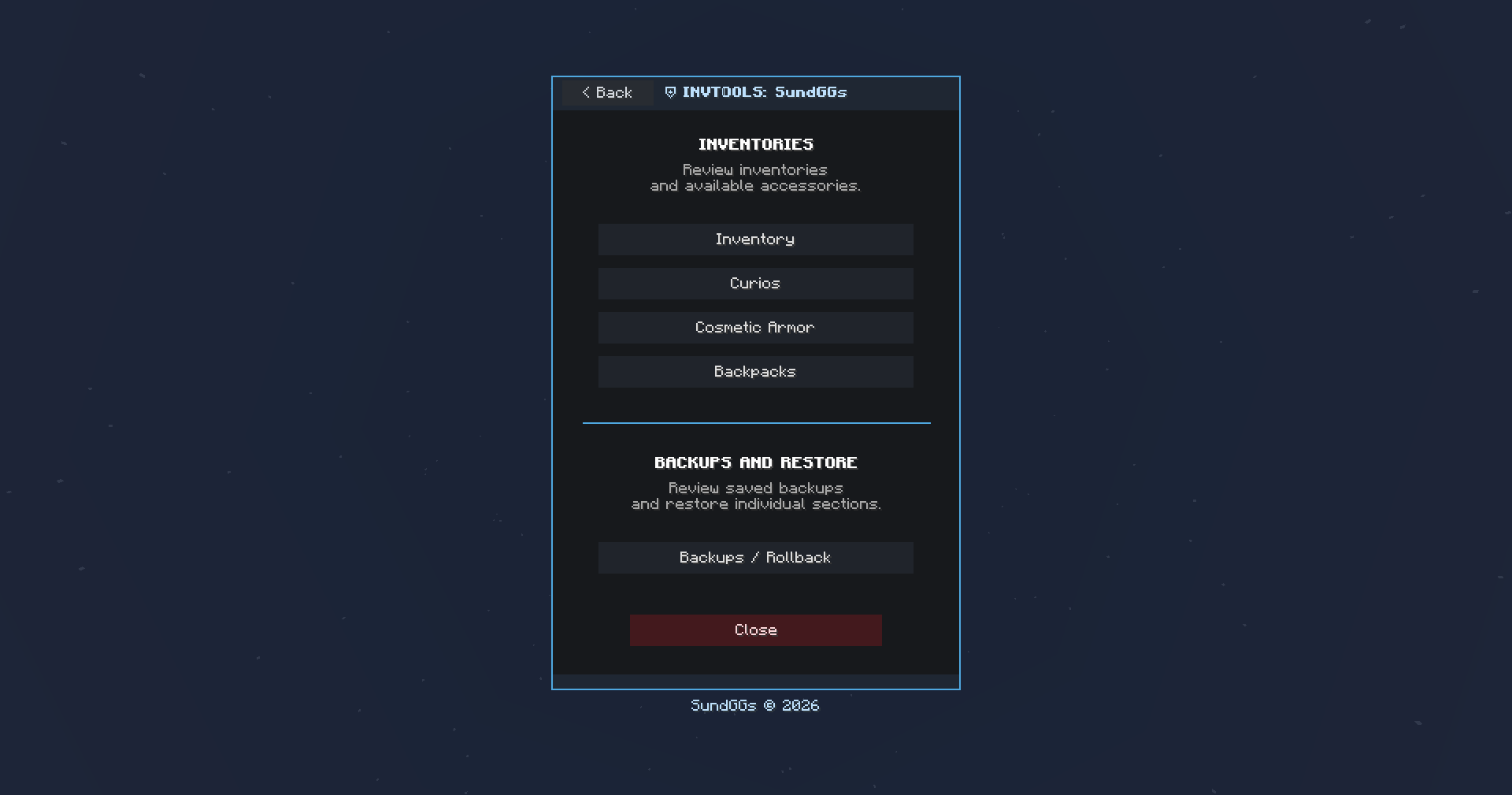
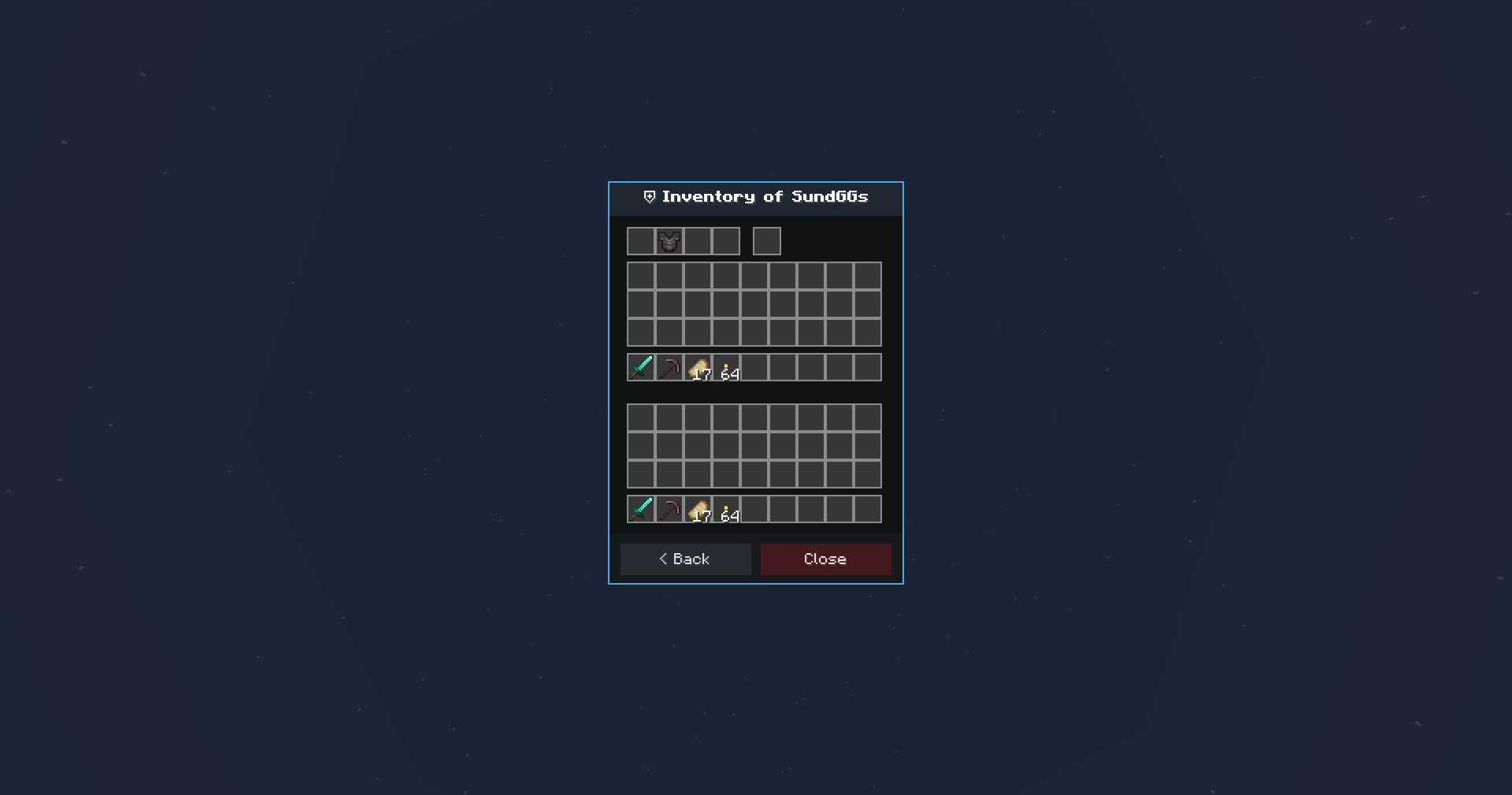
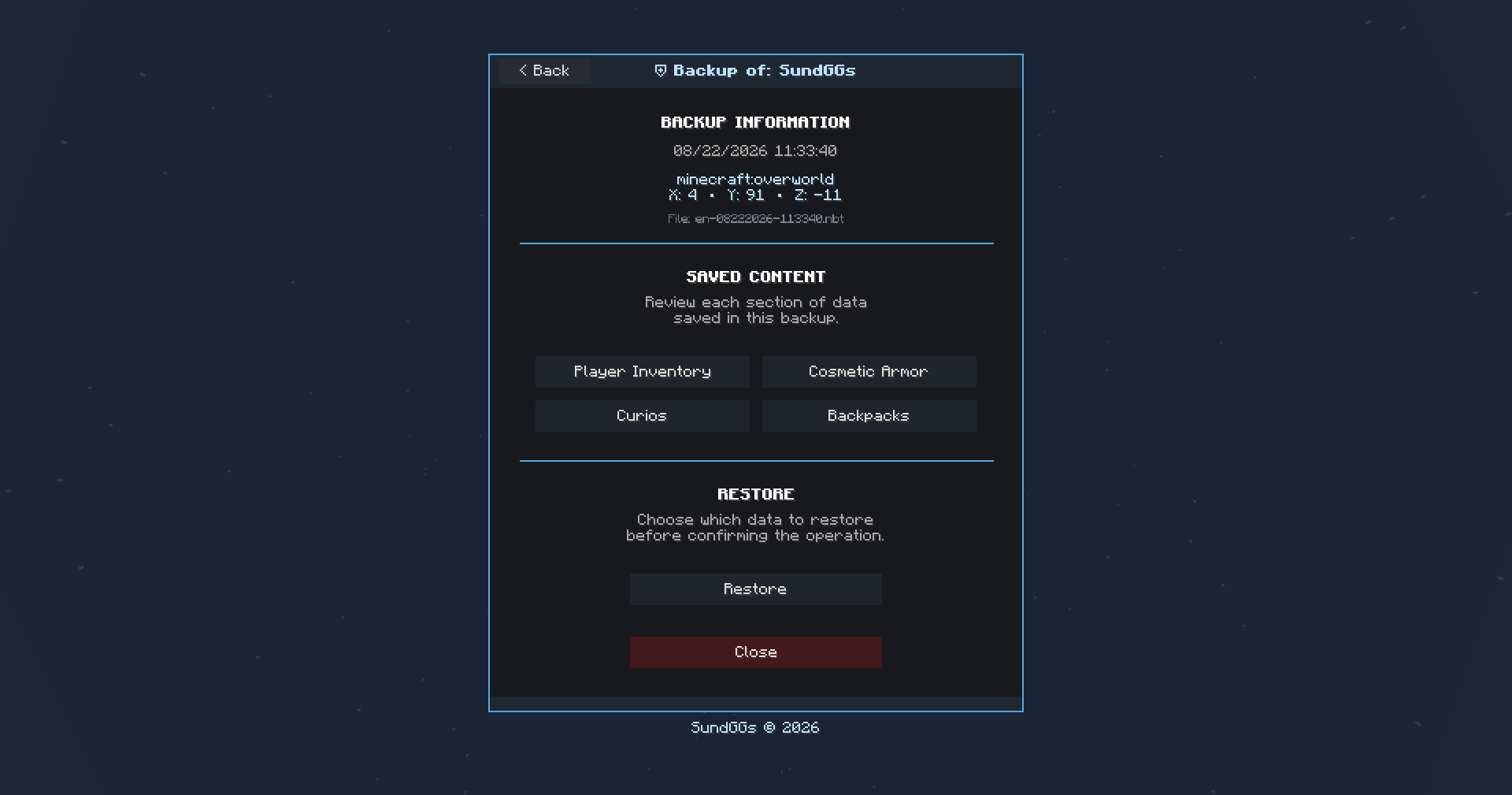
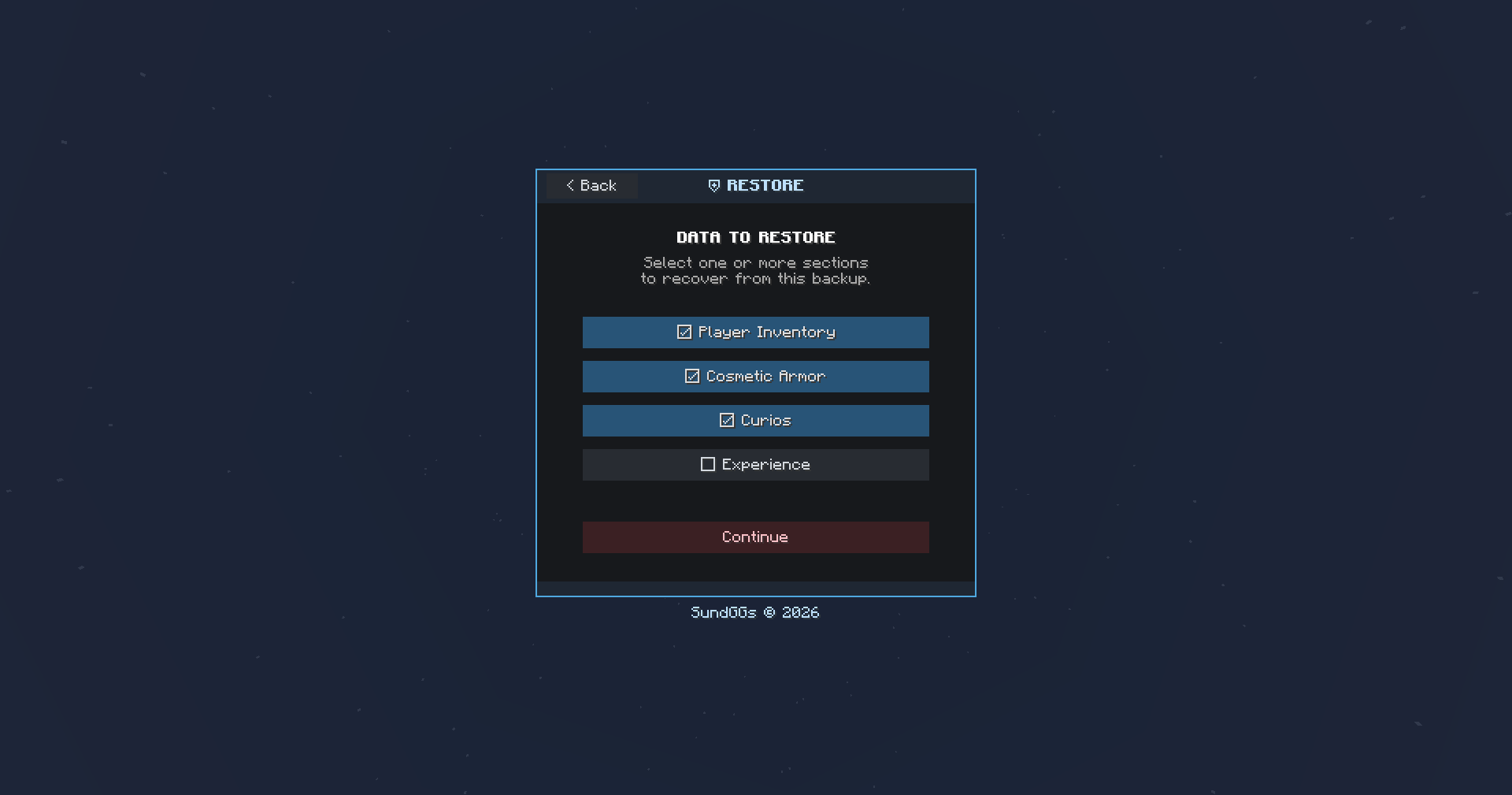
CuriosAPI Management: View, edit, and restore accessories stored in Curios slots when the integration is installed.
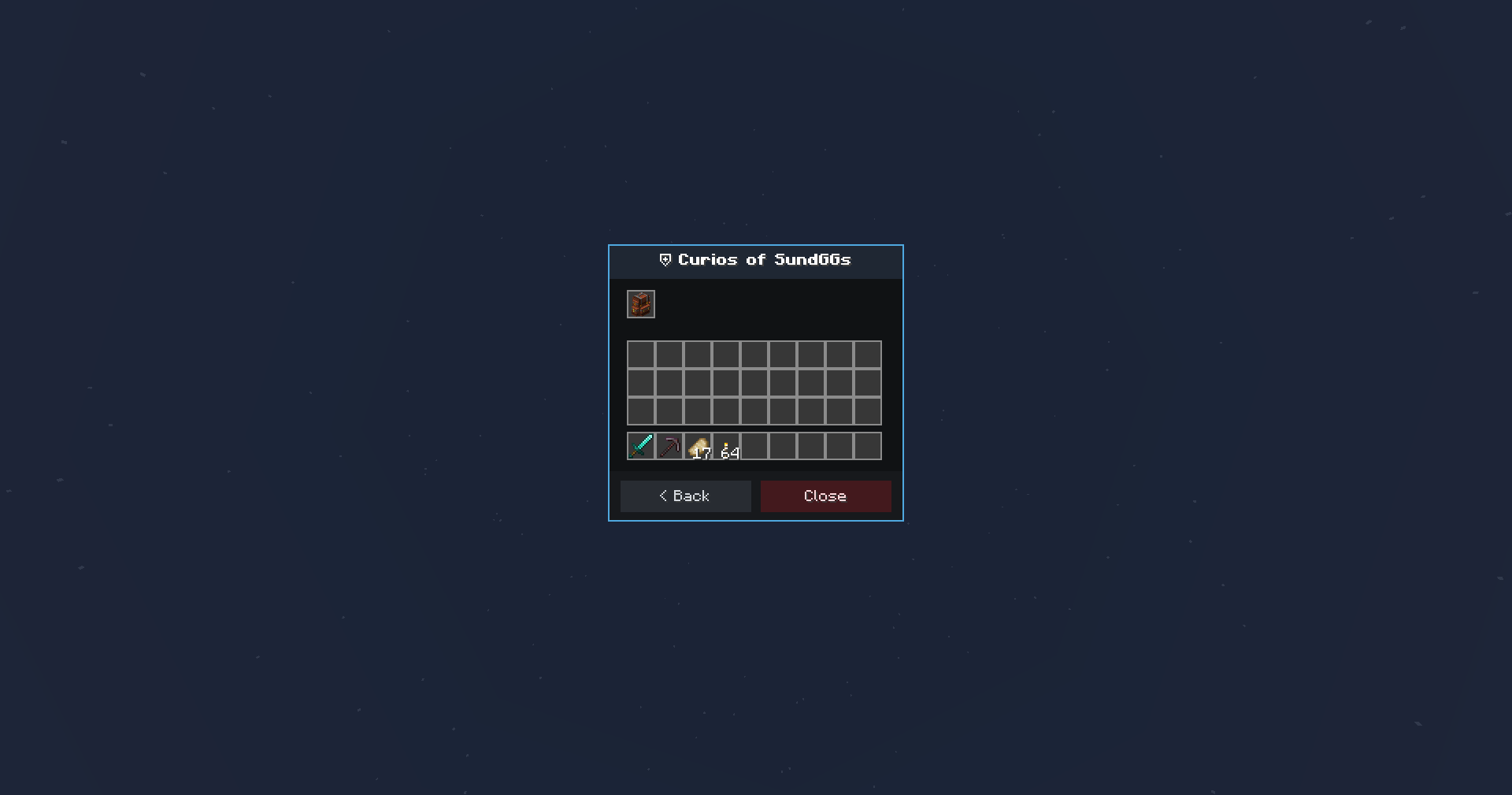
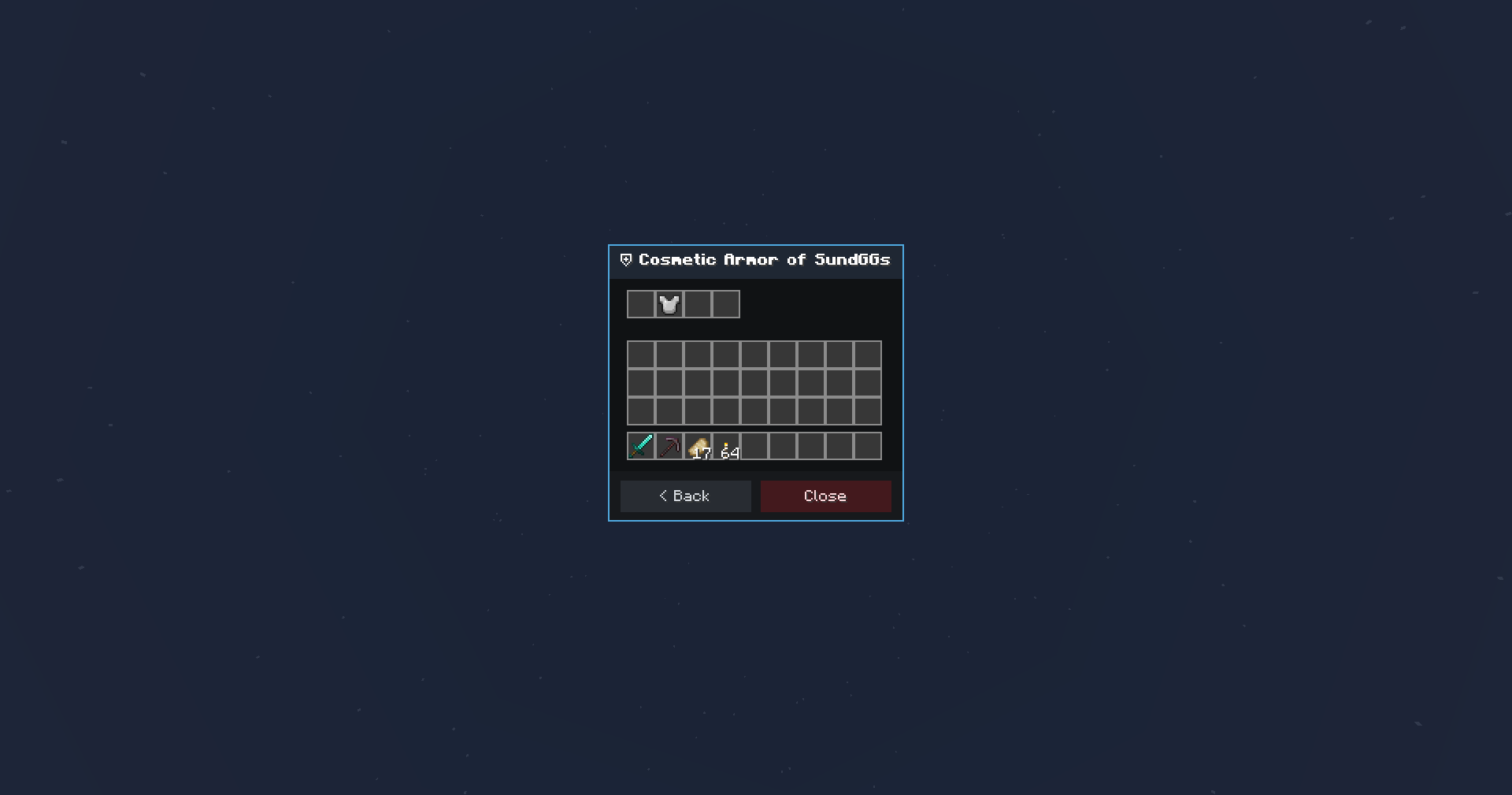
Cosmetic Armor Management: Inspect, modify, and restore equipment stored in Cosmetic Armor Reworked slots.
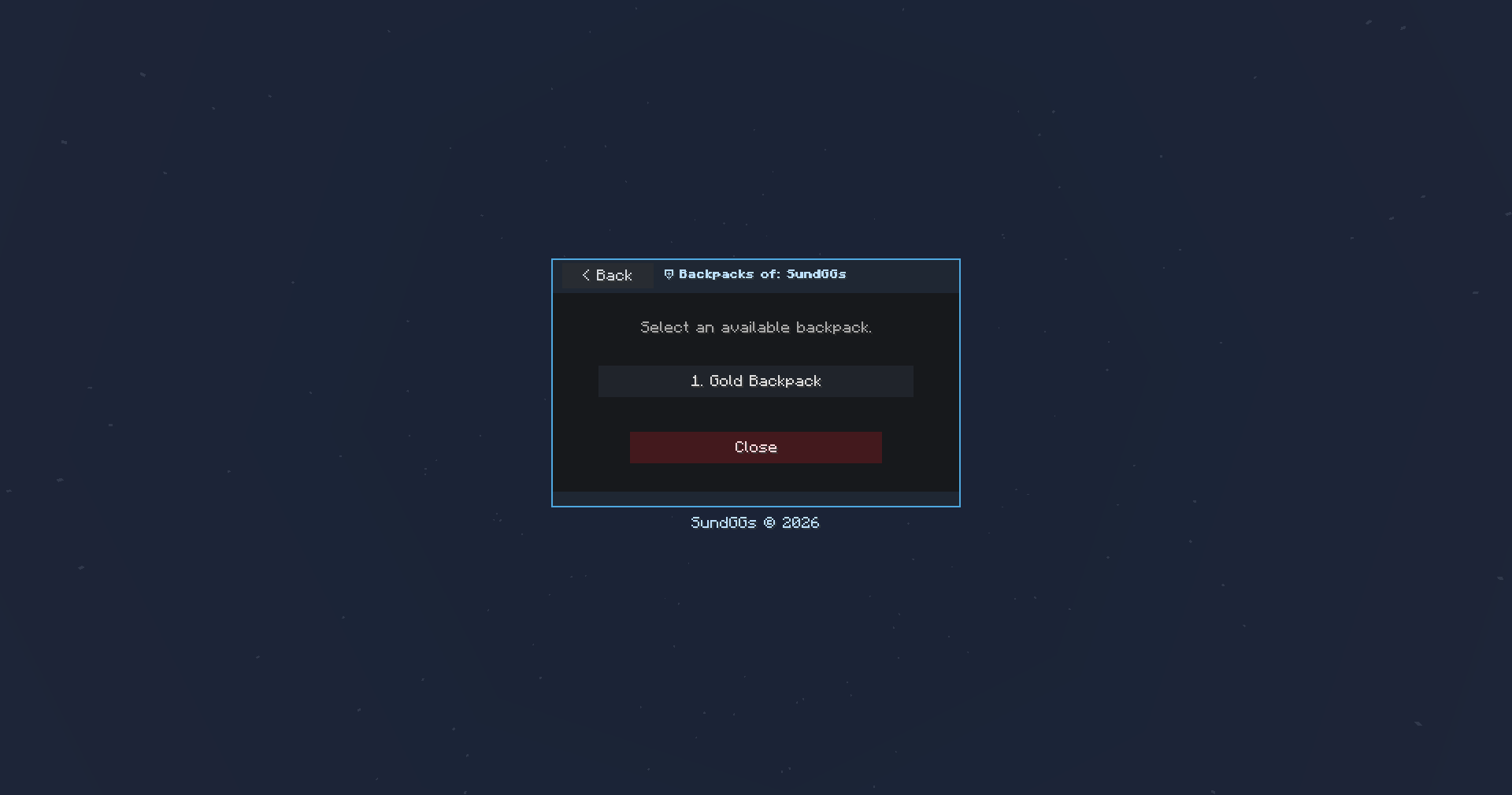
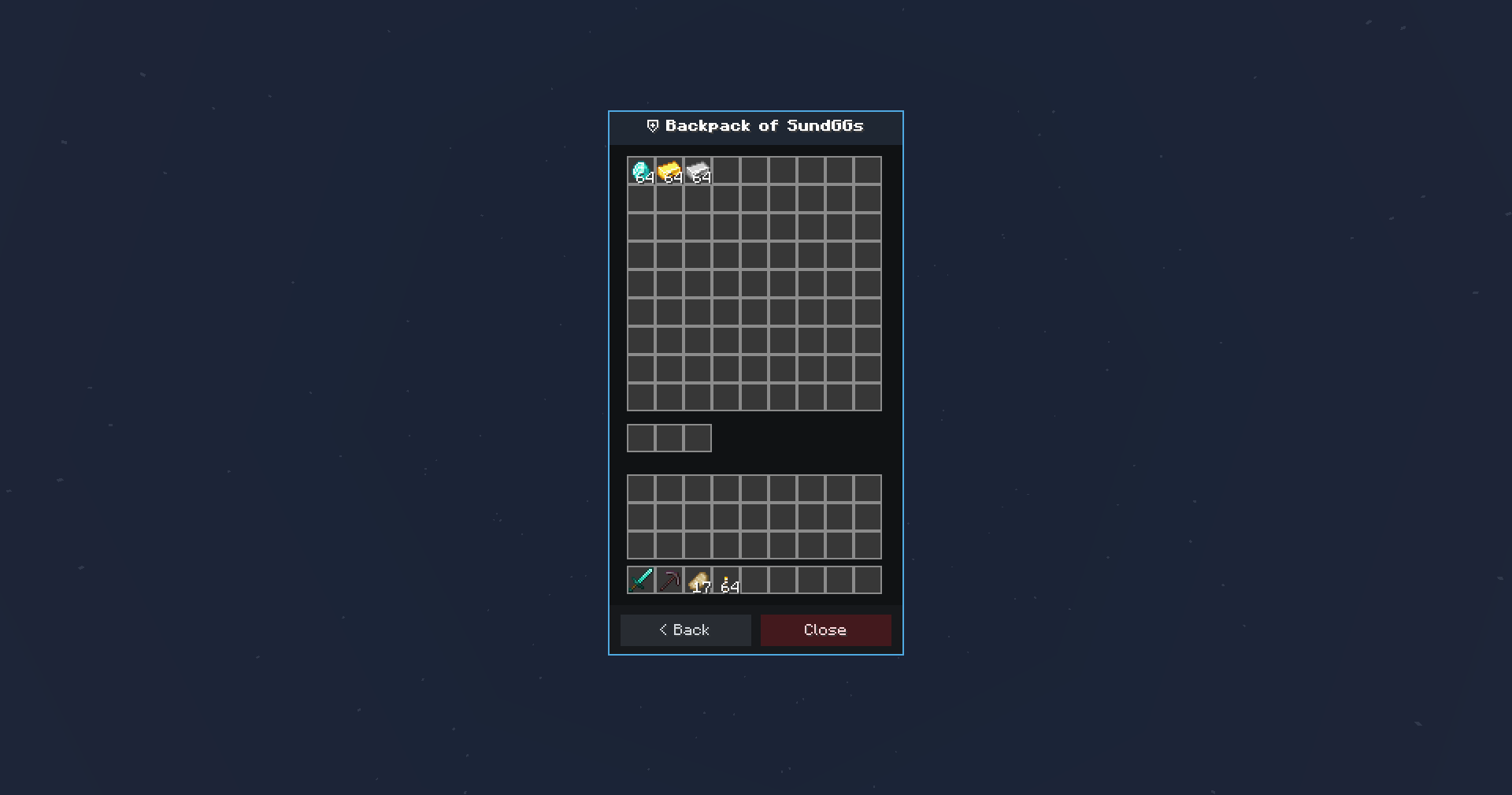
Backpack Management: Safely browse and edit Sophisticated Backpacks, including their contents and installed upgrades.
Automatic Backups: Creates inventory backups during important player events such as death, joining, leaving, and changing dimensions.
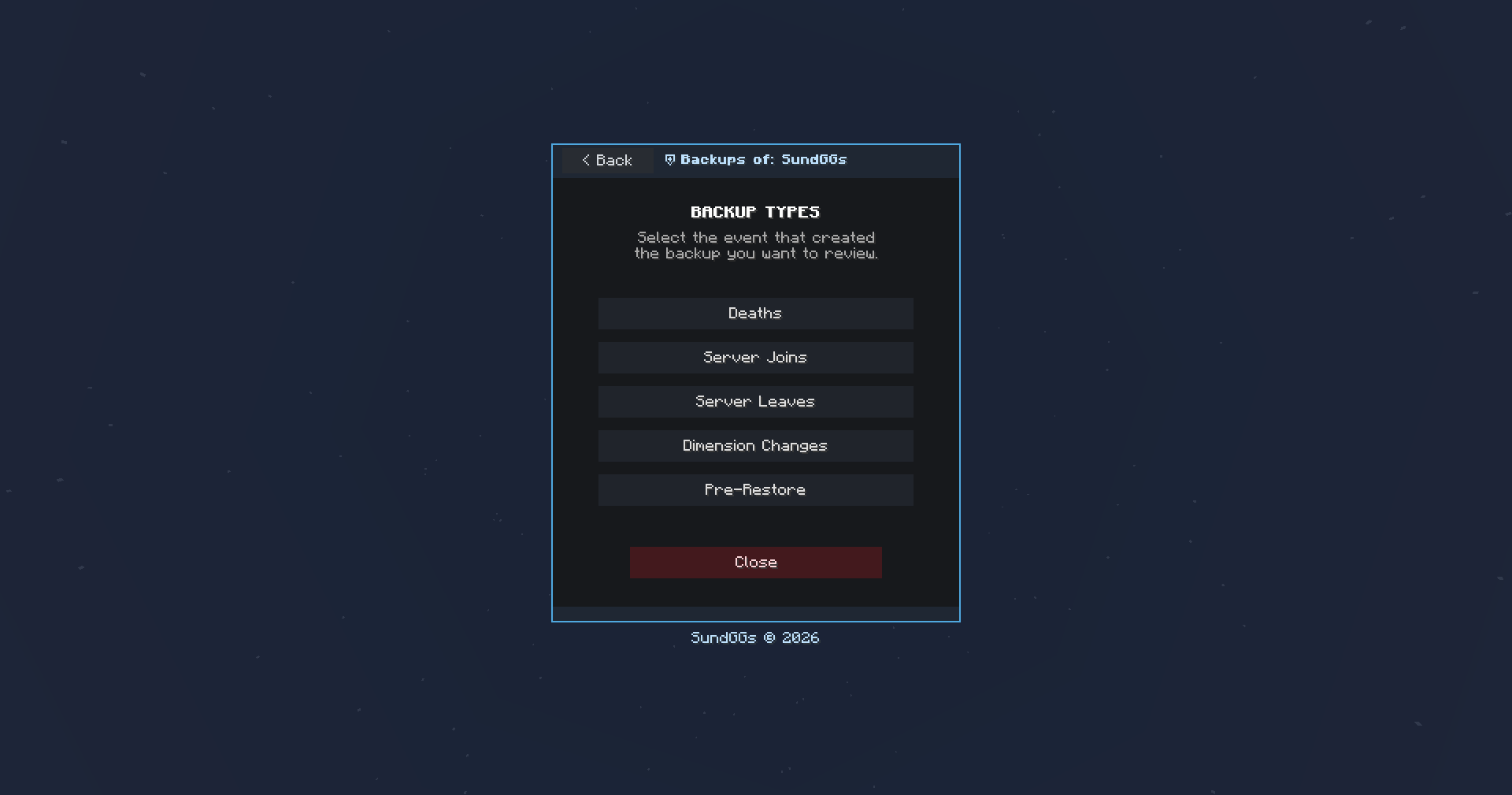
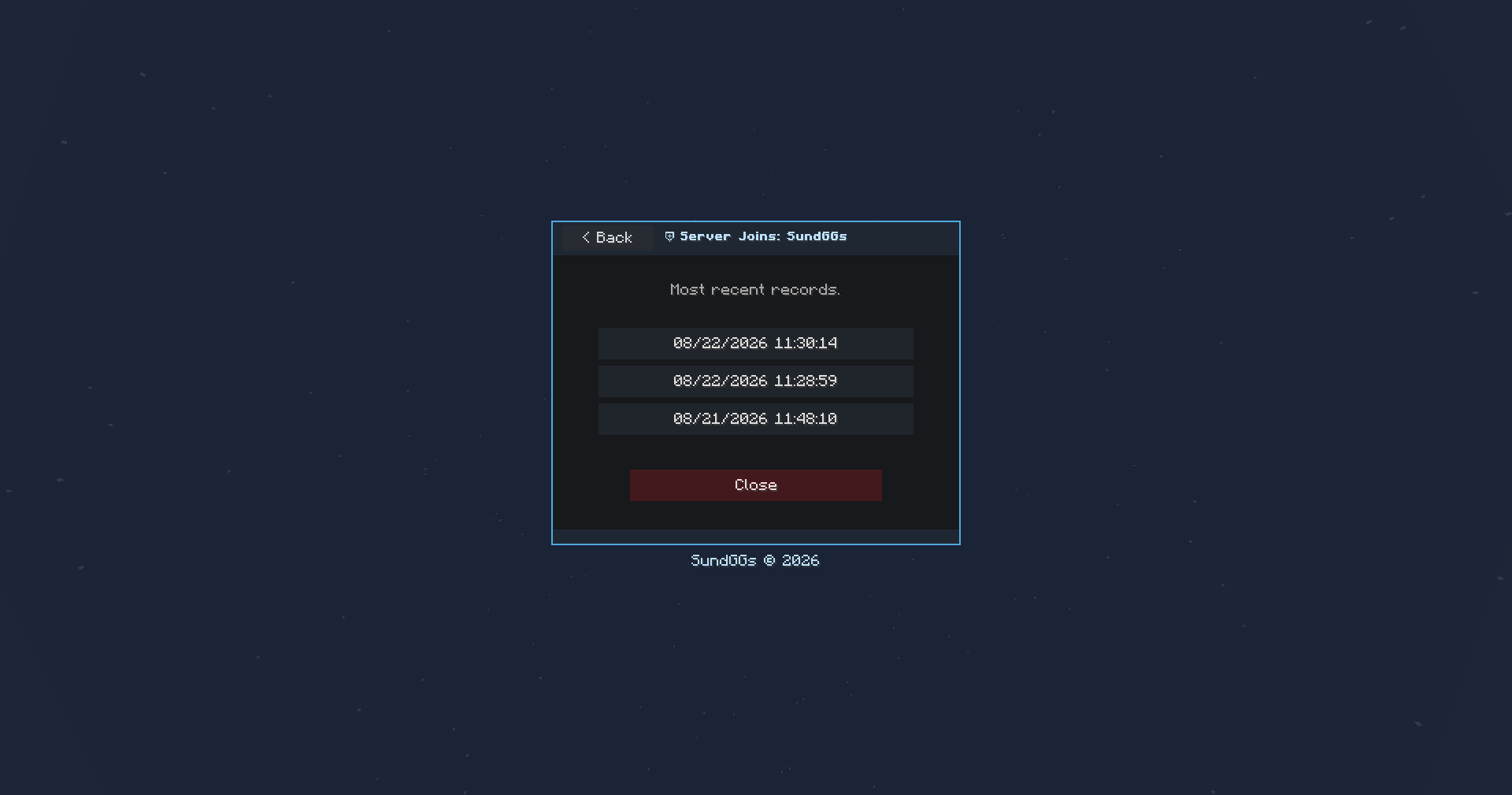
Rollback System: Browse backups by date and category, inspect their contents, teleport to the backup location, or restore selected modules or the complete player inventory.
🔧 OPTIONAL DEPENDENCIES
No required dependencies for vanilla inventory management and backup functionality.
- Curios API (optional) — enables viewing, editing, and restoring Curios accessory slots.
- Cosmetic Armor Reworked (optional) — enables management of cosmetic armor slots.
- Sophisticated Backpacks (optional) — enables secure viewing and editing of player backpacks.
- Sophisticated Core (optional) — required by Sophisticated Backpacks.
- LuckPerms (optional) — on hybrid servers, permissions are resolved through LuckPerms/Bukkit. On pure Forge or NeoForge servers, Minecraft operator levels are used instead.
Features associated with missing integrations remain disabled without preventing the rest of INVTOOLS from loading.
🌎 LANGUAGES
English is the default language. Spanish is fully supported through the es_es and es_mx language files, including administrative panels, backup interfaces, notifications, and command feedback. Each player can select their preferred language from the Minecraft client settings.
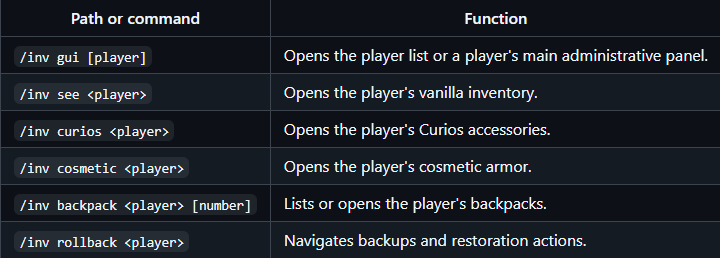
⌨️ COMMANDS
Every main inventory management module can be accessed directly through commands. These provide a convenient alternative when the main GUI navegation is unavailable or when administrators prefer working directly from chat.
🔑 PERMISSIONS
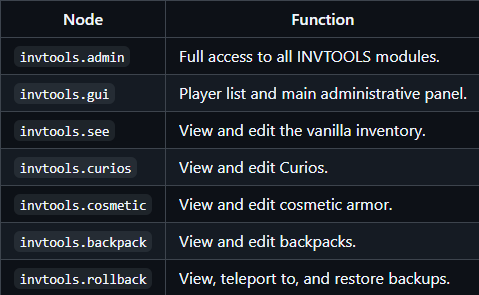
When running on a hybrid server with LuckPerms, INVTOOLS supports permission nodes such as invtools.admin, which grants complete access to every module. On pure Forge or NeoForge servers, permissions are handled through Minecraft's operator levels.
📄 LICENSE
SundGGs © 2026
INVTOOLS is proprietary software distributed under an All Rights Reserved license. The source code, documentation, and resources may not be copied, modified, redistributed, or used to create derivative works without prior written authorization.
Project description from CurseForge.
Pick your setup
INVTOOLS - Inventory Rollback by Minecraft version and loader
Choose the version and loader you play, then open the matching release.
Minecraft version
1.20.1
1 loader buildCheck the dependencies, then try the file in a copied instance before changing a world you care about.
Recent files
INVTOOLS - Inventory Rollback versions and loaders
INVTOOLS 2.0 - NeoForge - 1.21.1
invtools-neoforge-1.21.1-2.0.jar
22 Aug 2026
Client Source doesn’t say Server Source doesn’t say Dependencies No extras listed Listed on Release listing
Check the 1.21.1 · NeoForge setup 1.21.1NeoForge release
INVTOOLS 2.0 - Forge - 1.20.1
invtools-forge-1.20.1-2.0.jar
22 Aug 2026
Client Source doesn’t say Server Source doesn’t say Dependencies No extras listed Listed on Release listing
Check the 1.20.1 · Forge setup 1.20.1Forge release
INVTOOLS 1.0 - Forge - 1.20.1
invtools-forge-1.20.1-1.0.jar
3 Aug 2026
Client Source doesn’t say Server Source doesn’t say Dependencies No extras listed Listed on Release listing
Check the 1.20.1 · Forge setup 1.20.1Forge release
INVTOOLS 1.0 - NeoForge - 1.21.1
invtools-neoforge-1.21.1-1.0.jar
3 Aug 2026
Client Source doesn’t say Server Source doesn’t say Dependencies No extras listed Listed on Release listing
Check the 1.21.1 · NeoForge setup 1.21.1NeoForge release
Looking for an older file? The official CurseForge project page is in Resources.
 mod
mod CurseForge + Modrinth · Minecraft
FTB Quests Entity Visualization
Adds entity visualization to FTB Quests
 mod
mod CurseForge · Minecraft
Ascendra Core
Mod that adds custom features especially made for the Ascendra Modpack
 mod
mod CurseForge · Minecraft
Evolving Furnaces
Adds a fully data-driven upgrade system to Furnace, Blast Furnace and Smoker, allowing them to evolve through multiple tiers as you use them and allowing them to generate/use FE.