Minecraft version
Back to mods 
CurseForge · Minecraft mod
DiscX
Add custom music discs to Minecraft.
Choose a version Pick your version below, then grab the matching file.
Quick answer
Which DiscX release matches 26.2?
Best match for your filters discx-1.0.0.jar
Game version 26.2
Loader NeoForge
discx-1.0.0.jar targets 26.2 with NeoForge. The project page does not say whether this file belongs on the client, dedicated server, or both. No extra mods listed for this file.
Where it goes
Is DiscX required on the client, server, or both?
The project page does not say whether this file belongs on the client, dedicated server, or both.
Client Source doesn’t say
Dedicated server Source doesn’t say
Loader for this release NeoForge
Required install it here Optional supported, not mandatory Not supported do not install here Source doesn’t say do not assume
The source does not explicitly classify this release as client-only or server-only.
What else does discx-1.0.0.jar need?
discx-1.0.0.jar on 26.2. Every mod below is checked against that same setup.
This file does not list any required mods. Do not add a library just because a different file uses it.
This file does not list any required or optional mods.
Before you install it
Add DiscX without breaking your instance.
Built for discx-1.0.0.jar on 26.2. Pick another file and the loader, install side or required mods may change.
- 01
Stick to this file
Use discx-1.0.0.jar. It targets 26.2 with NeoForge; another release may have different loader, side or dependency requirements.
- 02
Bring the mods it needs
This file does not list any required mods. Do not add a library just because a different file uses it.
- 03
Put it on the correct side
The project page does not say whether this file belongs on the client, dedicated server, or both.
- 04
Pick the file you checked
Use the “Get this file” button beside discx-1.0.0.jar. It opens that exact file at the source.
About this project
What does DiscX add?
DiscX is a Minecraft mod for adding custom music discs without writing Java code.
Built for server owners, modpack creators, and players who want more control over their music, DiscX lets you create new discs using a simple folder, a small JSON file, and a MIDI or ABC track. Add an optional custom texture, reload DiscX, and the mod generates the resource pack needed for clients to hear and see your custom disc.
Features
- Custom music discs defined with simple JSON files
- MIDI, MIDI, and ABC track support
- Works with vanilla jukeboxes
- Custom disc title and artist text
- Optional custom disc textures
- Automatic duration detection for MIDI files
- Generated resource pack zip
- DiscX creative tab
- Multiplayer and dedicated server support
- Commands for reloading, validating, listing, inspecting, exporting examples, and giving discs
How To Add A Disc
Create a folder inside:
config/discx/discs/
Example folder structure:
config/discx/discs/my_custom_disc/
  disc.json
  song.mid
  disc.png
You can also use song.midi or song.abc instead of song.mid.
disc.png is optional. If no custom texture is included, DiscX uses its default disc texture.
Example disc.json:
{
  "id": "my_custom_disc",
  "title": "My Custom Disc",
  "artist": "Artist Name"
}
For ABC files, add duration_seconds to disc.json so DiscX knows how long the track should play.
After adding your files, run:
/discx reload
DiscX will generate:
config/discx/generated_pack/discx_resourcepack.zip
Multiplayer Setup
For multiplayer servers:
- Install DiscX on the server.
- Install DiscX on every client that will hear the custom discs.
- Give players
discx_resourcepack.zip, or host it as your server resource pack. - Run
/discx reloadafter adding or changing discs. - Restart the server after adding brand-new discs if needed.
No datapack setup is required.
Commands
/discx reload
/discx list
/discx give <player> <disc> [amount]
/discx info <disc>
/discx validate
/discx export-example
Example give command:
/discx give <player> discx:my_custom_disc 1
Important Copyright Note
DiscX does not include copyrighted music or original audio recordings.
MIDI and ABC files are not original audio recordings, but songs, melodies, compositions, and arrangements may still be protected by copyright. Only distribute tracks you created yourself, tracks in the public domain, or tracks you have permission to use.
Project description from CurseForge.
Pick your setup
DiscX by Minecraft version and loader
Choose the version and loader you play, then open the matching release.
Minecraft version
26.1.2
2 loader buildsMinecraft version
1.21.8
1 loader buildMinecraft version
1.21.1
3 loader buildsCheck the dependencies, then try the file in a copied instance before changing a world you care about.
Recent files
DiscX versions and loaders
discx-1.0.0.jar
5 Aug 2026
Client Source doesn’t say Server Source doesn’t say Dependencies No extras listed Listed on Release listing
Check the 26.2 · NeoForge setup NeoForge26.2 release
discx-1.0.0.jar
5 Aug 2026
Client Source doesn’t say Server Source doesn’t say Dependencies No extras listed Listed on Release listing
Check the 26.2 · Fabric setup Fabric26.2 release
Looking for an older file? The official CurseForge project page is in Resources.
 mod
mod CurseForge + Modrinth · Minecraft
Plague's Noisy Creepers
A client-side Fabric mod that adds footstep and idle sounds to creepers!
 mod
mod CurseForge · Minecraft
Slaughter & Hide
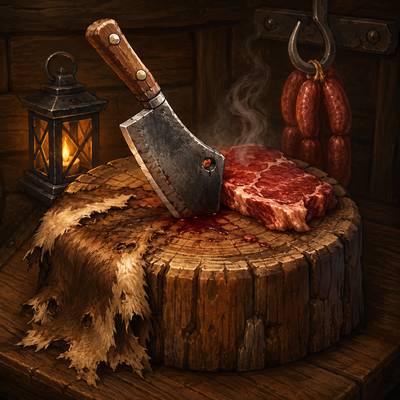
Realistically butcher every mob in Minecraft: skin carcasses, cure hides into leather, cut meat, and cook it all at the butcher's table. Port of Butchery to NeoForge 26.2.
 mod
mod CurseForge · Minecraft
SHERRIED
You Have Been Sherried