Minecraft version
Back to mods 
CurseForge · Minecraft mod
PlayerLocatorPlus NeoForged
A configurable player locator bar for NeoForge 1.21.1 - track players with colored markers, distance fading, height indicators, and privacy options.
Choose a version Pick your version below, then grab the matching file.
Quick answer
Which PlayerLocatorPlus NeoForged release should I use?
Latest stable file player-locator-plus-neoforged-1.21.1-2.5.1.jar
Game version 1.21.1
Loader NeoForge
PlayerLocatorPlus NeoForged player-locator-plus-neoforged-1.21.1-2.5.1.jar targets 1.21.1 with NeoForge. The project page does not say whether this file belongs on the client, dedicated server, or both. No extra mods listed for this file.
Where it goes
Is PlayerLocatorPlus NeoForged required on the client, server, or both?
The project page does not say whether this file belongs on the client, dedicated server, or both.
Client Source doesn’t say
Dedicated server Source doesn’t say
Loader for this release NeoForge
Required install it here Optional supported, not mandatory Not supported do not install here Source doesn’t say do not assume
The source does not explicitly classify this release as client-only or server-only.
What else does PlayerLocatorPlus NeoForged player-locator-plus-neoforged-1.21.1-2.5.1.jar need?
player-locator-plus-neoforged-1.21.1-2.5.1.jar. Change the file and its required mods may change too.
This file does not list any required mods. Do not add a library just because a different file uses it.
This file does not list any required or optional mods.
Before you install it
Add PlayerLocatorPlus NeoForged without breaking your instance.
Built for PlayerLocatorPlus NeoForged player-locator-plus-neoforged-1.21.1-2.5.1.jar. Pick another file and the loader, install side or required mods may change.
- 01
Stick to this file
Use player-locator-plus-neoforged-1.21.1-2.5.1.jar. It targets 1.21.1 with NeoForge; another release may have different loader, side or dependency requirements.
- 02
Bring the mods it needs
This file does not list any required mods. Do not add a library just because a different file uses it.
- 03
Put it on the correct side
The project page does not say whether this file belongs on the client, dedicated server, or both.
- 04
Pick the file you checked
Use the “Get this file” button beside player-locator-plus-neoforged-1.21.1-2.5.1.jar. It opens that exact file at the source.
About this project
What does PlayerLocatorPlus NeoForged add?
PlayerLocatorPlus NeoForged
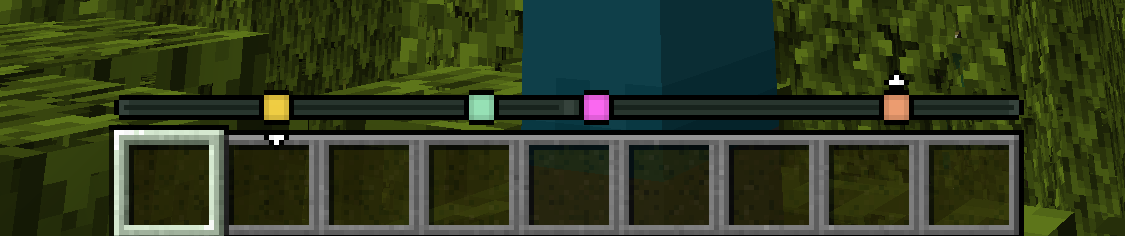
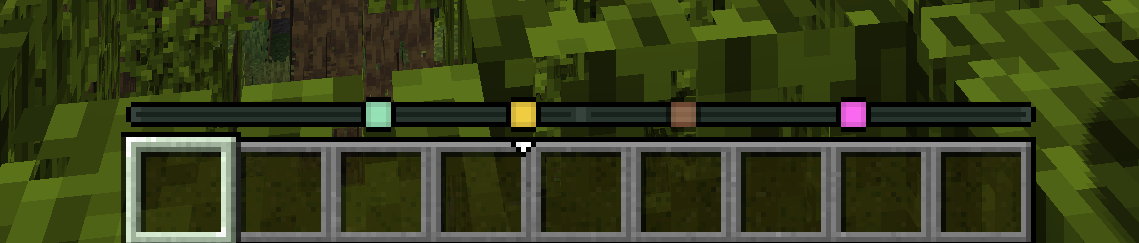
Adds a compass-like multiplayer HUD above the experience bar. It shows the direction of other players in the same dimension, making it easier to find teammates without opening a map or waypoint screen.
This project is an independent NeoForge 1.21.1 port of Player Locator Plus by timas130.
Features
- Colored player markers using UUID, team, custom, or shared colors
- Player heads and names while holding Tab
- Distance-based marker fading and shrinking
- Up/down indicators for large height differences
- Configurable tracking range, direction precision, and update rate
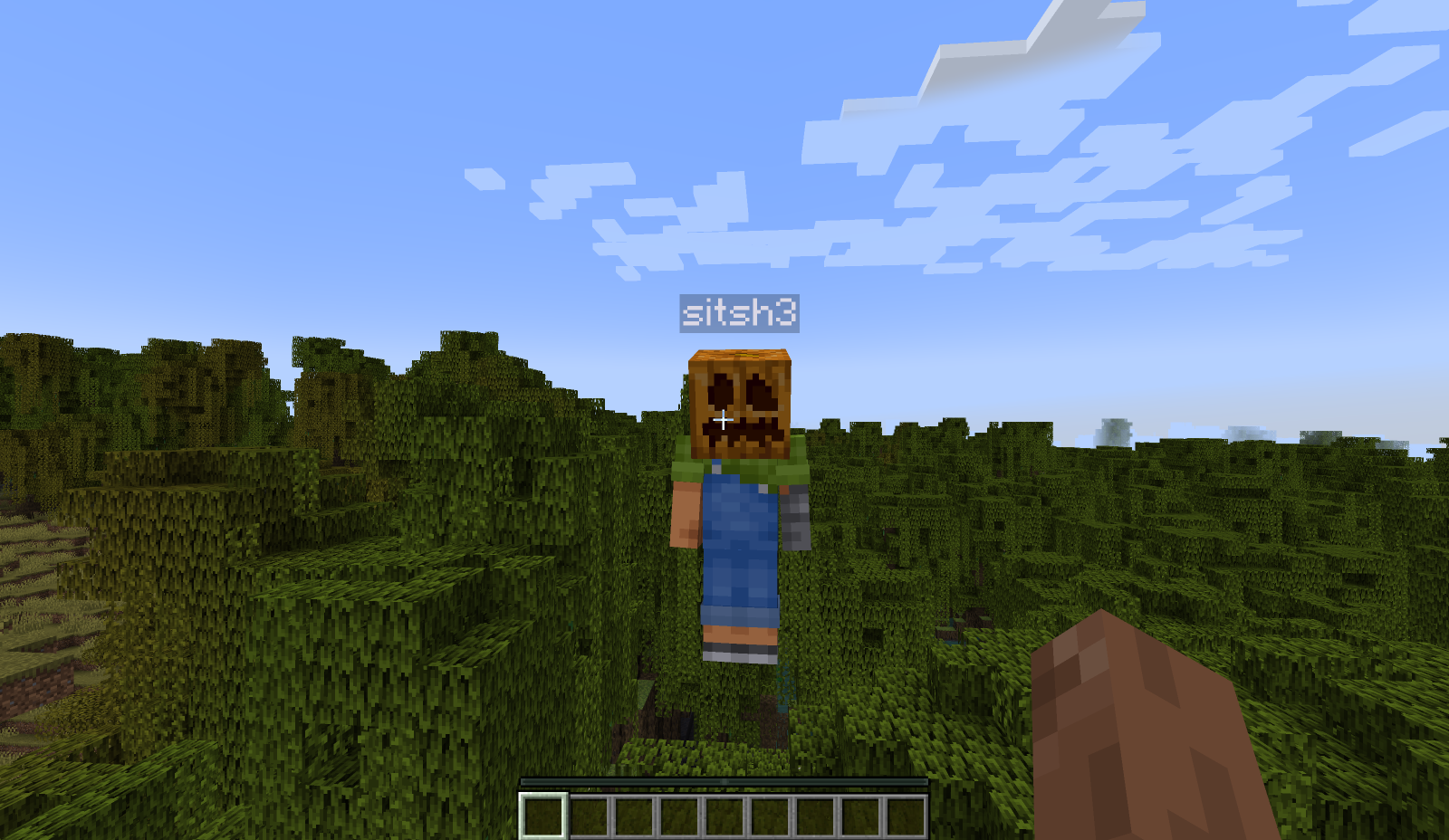
- Server-controlled hiding while sneaking, invisible, or wearing configured equipment
- Correct marker synchronization when changing dimensions
- Vanilla experience and jump indicators retain HUD priority when needed
Installation
- Minecraft 1.21.1
- NeoForge 21.1.x
- Java 21
- Install on both the client and server
The release jar includes the required Kotlin and TOML runtime libraries. Fabric API, Fabric Language Kotlin, and Cloth Config are not required.
Configuration and privacy
Configuration is stored in config/player-locator-plus.toml. After editing server settings, run /plp reload as an operator or restart the server.
Server owners can disable tracking, set a maximum range, reduce direction precision, control the update frequency, and choose whether distance data is sent.
Players can be hidden while:
- Sneaking
- Invisible
- Wearing a carved pumpkin
- Wearing equipment in the
player-locator-plus:hiding_equipmentitem tag
The equipment tag can be changed with a datapack. Disabling distance data does not prevent approximate triangulation from directional updates; use directionPrecision and maxDistance for stronger limits.
Commands
/plp reload— reload the configuration (operator only)/plp color <color>— set your marker color when custom colors are enabled/plp color <color> <player>— set another player's marker color (permission level 3)/plp random— display test markers (permission level 2)
Colors can be Minecraft color names or six-digit hexadecimal values such as #ff8800.
About this fork
The original Player Locator Plus provides the locator HUD, marker customization, hiding rules, commands, and client/server configuration model.
This fork:
- Ports the project from Fabric to NeoForge for Minecraft 1.21.1
- Targets Java 21 and packages the required runtime libraries
- Reimplements HUD integration using NeoForge GUI layers
- Fixes stale markers after players change dimensions
Player Locator Plus NeoForge is a derivative work distributed under GPL-3.0-or-later. It is maintained independently and is not endorsed by the original author.
Source code · Issues · Attribution · License
Project description from CurseForge.
Pick your setup
PlayerLocatorPlus NeoForged by Minecraft version and loader
Choose the version and loader you play, then open the matching release.
Check the dependencies, then try the file in a copied instance before changing a world you care about.
Recent files
PlayerLocatorPlus NeoForged versions and loaders
player-locator-plus-neoforged-1.21.1-2.5.1.jar
10 Aug 2026
Client Source doesn’t say Server Source doesn’t say Dependencies No extras listed Listed on Release listing
Check the 1.21.1 · NeoForge setup 1.21.1NeoForge release
player-locator-plus-neoforged-1.21.1-2.5.0.jar
6 Aug 2026
Client Source doesn’t say Server Source doesn’t say Dependencies No extras listed Listed on Release listing
Check the 1.21.1 · NeoForge setup 1.21.1NeoForge release
player-locator-plus-neoforge-1.21.1-2.4.0+neoforge-1.21.1.jar
3 Aug 2026
Client Source doesn’t say Server Source doesn’t say Dependencies No extras listed Listed on Release listing
Check the 1.21.1 · NeoForge setup 1.21.1NeoForge beta
Looking for an older file? The official CurseForge project page is in Resources.
 mod
CurseForge · Minecraft
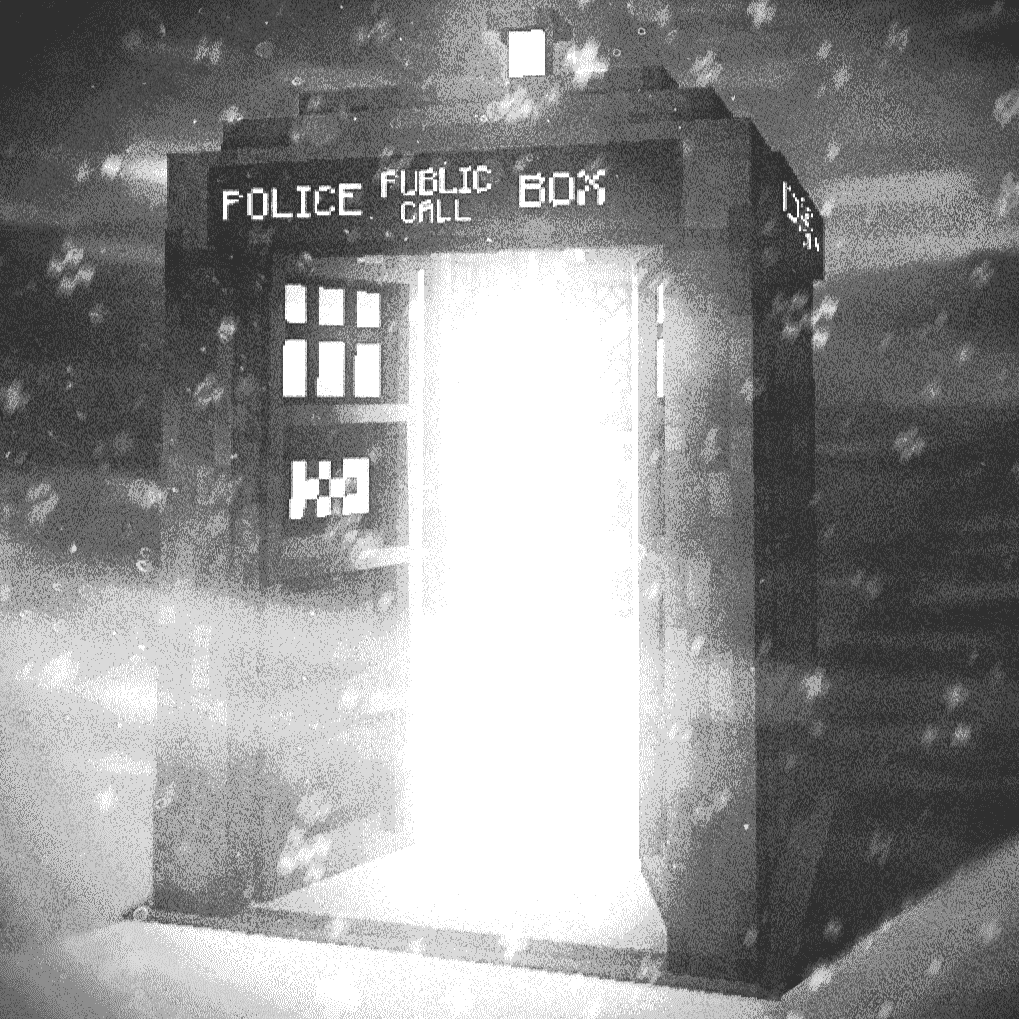
THE Doctor Who Client Mod
THE Doctor Who Client Mod. A Doctor Who Mod with fun Tardis Controls and Exploration at its core !
 mod
CurseForge · Minecraft
Profet's Timber
Chop one log and the whole tree comes down, cartoon style: it creaks, tips over, bursts into leaves and pops apart into its drops. Only needed on the server.
 mod
CurseForge · Minecraft
Chalk Unofficial Fork
Chalk allows you to draw marks for easier navigation in caves or structures, or as decoration