Minecraft version
Back to mods 
CurseForge · Minecraft mod
Vulky
Improves Vulkan compatibility and stability by adding fallbacks for missing features, fixing descriptor issues, and reducing common rendering problems.
Choose a version Pick your version below, then grab the matching file.
Quick answer
Which Vulky release matches 26.3 Forge?
Best match for your filters Vulky-Enhanced-0.26.0-26.3-Forge
Game version 26.3
Loader Forge
Vulky-Enhanced-0.26.0-26.3-Forge targets 26.3 with Forge. The project page does not say whether this file belongs on the client, dedicated server, or both. No extra mods listed for this file.
Where it goes
Is Vulky required on the client, server, or both?
The project page does not say whether this file belongs on the client, dedicated server, or both.
Client Source doesn’t say
Dedicated server Source doesn’t say
Loader for this release Forge
Required install it here Optional supported, not mandatory Not supported do not install here Source doesn’t say do not assume
The source does not explicitly classify this release as client-only or server-only.
What else does Vulky-Enhanced-0.26.0-26.3-Forge need?
Vulky-Enhanced-0.26.0-26.3-Forge on 26.3 Forge. Every mod below is checked against that same setup.
This file does not list any required mods. Do not add a library just because a different file uses it.
This file does not list any required or optional mods.
Before you install it
Add Vulky without breaking your instance.
Built for Vulky-Enhanced-0.26.0-26.3-Forge on 26.3 Forge. Pick another file and the loader, install side or required mods may change.
- 01
Stick to this file
Use Vulky-Enhanced-0.26.0-26.3-Forge. It targets 26.3 with Forge; another release may have different loader, side or dependency requirements.
- 02
Bring the mods it needs
This file does not list any required mods. Do not add a library just because a different file uses it.
- 03
Put it on the correct side
The project page does not say whether this file belongs on the client, dedicated server, or both.
- 04
Pick the file you checked
Use the “Get this file” button beside Vulky-Enhanced-0.26.0-26.3-Forge. It opens that exact file at the source.
About this project
What does Vulky add?
Vulky Stability
Vulky Stability is a Fabric mod that helps Minecraft’s Vulkan renderer work on more devices.
Some Vulkan drivers support most of what Minecraft needs but are missing certain newer extensions or features. This mod adds compatibility fallbacks so Minecraft may still be able to start and render correctly.
Main Features
- Improves Vulkan compatibility on devices missing selected modern Vulkan features
- Converts dynamic rendering into traditional Vulkan render passes when required
- Converts newer synchronization commands into older Vulkan equivalents
- Emulates push descriptors using normal descriptor sets when unsupported
- Uses native push descriptors when the device supports them
- Adds multi-draw fallbacks for limited Vulkan drivers
- Disables unsupported GPU timestamp operations when necessary
- Uses a safer two-frame rendering pipeline for improved stability
- Automatically rebuilds terrain to help fix stretched, missing, or corrupted chunks
- Helps resolve some red screens, black screens, missing textures, and rendering failures
Is This a Performance Mod?
The main purpose of this mod is compatibility and stability.
Performance may improve on devices where Minecraft’s Vulkan renderer works well, but some compatibility fallbacks can be slower than native Vulkan support.
Installation
Install:
- Fabric Loader
- Fabric API
- Vulky Stability
Place the mod JAR inside your Minecraft instance’s mods folder.
Compatibility
This mod cannot add Vulkan support to hardware that does not already have a working Vulkan driver.
Results may vary depending on:
- GPU model
- Vulkan driver
- Operating system
- Minecraft version
- Other graphics mods
- Shader packs
Vulky Stability is an experimental low-level graphics compatibility mod, so graphical issues or driver crashes may still occur on unsupported devices. Thanks to RTOS on Discord for helping with the development of this mod to make it possible on some unsupported devices. TIPS & INFO
If you join a world and it's see though do the following:- Change your biome blend value so if it's set to OFF set it to 3x3 or more
- Then change your MipMap levels to another value so if your current MipMap is 1 change it to OFF or 2
- Vulkan is only going to be as performant as your device will allow it to be, meaning if you have a MediaTekD8300 with a MaliG615 GPU that device will do great with Vullkan alongside Vulky. But a S20 FE since it's not really a compatible driver will still struggle a bit.
Project description from CurseForge.
Pick your setup
Vulky by Minecraft version and loader
Choose the version and loader you play, then open the matching release.
Minecraft version
26.2
3 loader buildsCheck the dependencies, then try the file in a copied instance before changing a world you care about.
Recent files
Vulky versions and loaders
Vulky-Enhanced-0.26.0-26.3-Forge
Vulky-Enhanced-0.26.0-26.3-Forge.jar
5 Oct 2026
Client Source doesn’t say Server Source doesn’t say Dependencies No extras listed Listed on Release listing
Check the 26.3 · Forge setup Forge26.3 release
Looking for an older file? The official CurseForge project page is in Resources.
 mod
CurseForge + Modrinth · Minecraft
Easy NPC: Core
Provides the core functionallity for the Easy NPC mod.
 mod
CurseForge + Modrinth · Minecraft
Easy NPC
Create easily NPCs with dialogs for your world or for your mods.
 mod
CurseForge + Modrinth · Minecraft
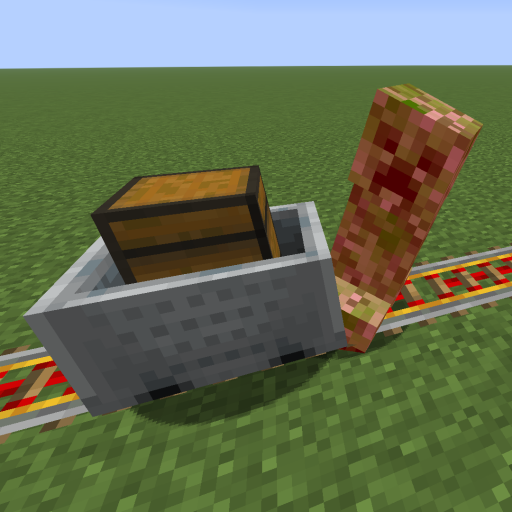
Kinetic Minecart
This mod increases damage to moving minecarts; the faster they move, the higher the damage, with virtually no damage limit!