[EMF] Entity Model Features [Fabric & Forge] Optional for Hero Capes 1.3.1 - 1.20.1 Forge
optionalMatching file found Matched file: 3.3.12-forge-1.20.1
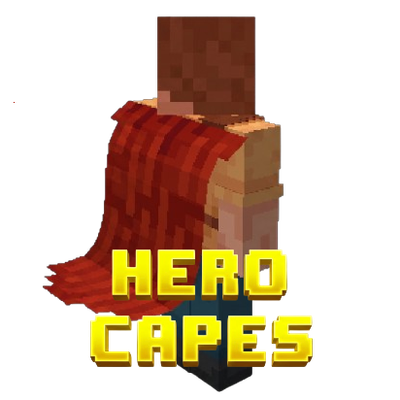
CurseForge · Minecraft mod
Best customizable physics cape mod (Epic Fight & Fresh Animations support)
Quick answer
Hero Capes 1.3.1 - 1.20.1 Forge targets 1.20.1 with Forge. The project page does not say whether this file belongs on the client, dedicated server, or both. No extra mods listed for this file.
Where it goes
The project page does not say whether this file belongs on the client, dedicated server, or both.
The source does not explicitly classify this release as client-only or server-only.
Hero Capes 1.3.1 - 1.20.1 Forge. Change the file and its required mods may change too.
This file does not list any required mods. Do not add a library just because a different file uses it.
1 extra mod was pulled in by another dependency. Indented rows show who needs each one. We only count dependency files that match this setup. A file for another loader does not fill the gap.
Before you install it
Built for Hero Capes 1.3.1 - 1.20.1 Forge. Pick another file and the loader, install side or required mods may change.
Use Hero Capes 1.3.1 - 1.20.1 Forge. It targets 1.20.1 with Forge; another release may have different loader, side or dependency requirements.
This file does not list any required mods. Do not add a library just because a different file uses it.
The project page does not say whether this file belongs on the client, dedicated server, or both.
Use the “Get this file” button beside Hero Capes 1.3.1 - 1.20.1 Forge. It opens that exact file at the source.
About this project
Adds very cool 2D customizable capes, that's it.
If you are developer and want to add custom capes to your mod:
You can use CurseMaven to add Hero Capes to your project as a dependency.
You don't need to touch anything client-side. You just need to cast the player to HeroCapesTracker and set your custom ResourceLocation. Make sure to set it back to null when you don't use it.
@SubscribeEvent
    public static void onServerTick(TickEvent.ServerTickEvent event) {
        if (event.phase == TickEvent.Phase.END) {
            if (ServerLifecycleHooks.getCurrentServer() != null) {
                for (ServerPlayer player : ServerLifecycleHooks.getCurrentServer().getPlayerList().getPlayers()) {
                    HeroCapesTracker tracker = (HeroCapesTracker) player;

                    if (player.getItemBySlot(EquipmentSlot.CHEST).is(Items.IRON_CHESTPLATE)) {
                        //tracker.herocapes$setCapeEnabled(true);

                        tracker.herocapes$setCustomCapeTexture(new ResourceLocation(HeroCapes.MODID,
                                "textures/cape/iron_chestplate_cape.png"));
                        // Prevent the player from using cape commands, don't use herocapes$setCapeTexture!!!

                        tracker.herocapes$setCapeHeight(25);
                        tracker.herocapes$setGravity(-0.025f);
                        //...
                    }
                    else {
                        tracker.herocapes$setCustomCapeTexture(null); // Allow the player to use cape commands or don't...
                        tracker.herocapes$setCapeHeight(21);
                        tracker.herocapes$setGravity(-0.035f);
                        //...
                    }
                }
            }
        }
    }
This mod works perfectly as a client-side only mod! However if you install it on a server you and your friends will be able to see each other's capes.
You can easily use your own cape textures. Just drop your custom .png files into the .minecraft/herocapes folder. You can then apply them in-game using the /herocapes texture [filename] command.

Mods that use vanilla model and renderer classes have built-in support.

Epic Fight and its addons are supported!


Fresh Moves, Fresh Animations and other EMF resource packs are supported.

| Command | Argument Type | Value Range | Description |
|---|---|---|---|
/herocapes enabled [value] |
Boolean | true or false |
Enables or disables the cape. DV = true |
/herocapes texture [name] |
String | Text | Sets the texture file name of the cape. DV = "default" |
/herocapes width [value] |
Integer | 1 to 100 |
Sets the width of the cape. DV = 14 |
/herocapes height [value] |
Integer | 1 to 100 |
Sets the height of the cape (Resets physics when changed). DV = 17 |
/herocapes nodecount [value] |
Integer | 2 to 50 |
Sets the number of physics nodes in the cape (Resets physics when changed). DV = 8 |
/herocapes gravity [value] |
Float | -10.0 to 10.0 |
Sets the gravity force of the cape (Resets physics when changed). DV = -0.035 |
/herocapes damping [value] |
Float | 0.01 to 1.0 |
Sets the elasticity and air resistance of the cape (Resets physics when changed). DV = 0.8 |
/herocapes speedlimit [value] |
Float | 0.01 to 50.0 |
Sets the maximum physics speed limit for the cape (per tick) (Resets physics when changed). DV = 1.0 |
/herocapes collisionthreshold [value] |
Float | -1.0 to 1.0 |
Sets the collision threshold between the player's body and the cape (Resets physics when changed). DV = -0.25 |
/herocapes windspeed [value] |
Float | 0.0 to 10.0 |
Sets the general blowing speed of the wind (Resets physics when changed). DV = 0.1 |
/herocapes windripple [value] |
Float | 0.0 to 10.0 |
Sets the ripple frequency of the wind effect (Resets physics when changed). DV = 0.3 |
/herocapes windstrength [value] |
Float | 0.0 to 1.0 |
Sets the amplitude of the wind moving the cape (Resets physics when changed). DV = 0.015 |
Project description from CurseForge.
Pick your setup
Choose the version and loader you play, then open the matching release.
Check the dependencies, then try the file in a copied instance before changing a world you care about.
Recent files
herocapes-1.3.1.jar
11 Aug 2026
herocapes-1.3.0.jar
11 Aug 2026
herocapes-1.2.2.jar
11 Aug 2026
herocapes-1.2.1.jar
10 Aug 2026
herocapes-1.2.0.jar
9 Aug 2026
herocapes-1.1.5.jar
9 Aug 2026
herocapes-1.1.4.jar
8 Aug 2026
herocapes-1.1.3.jar
8 Aug 2026
herocapes-1.1.2.jar
7 Aug 2026
herocapes-1.1.1.jar
7 Aug 2026
herocapes-1.1.0.jar
7 Aug 2026
herocapes-1.0.2.jar
6 Aug 2026
Looking for an older file? The official CurseForge project page is in Resources.
 mod
modAdds automatic compatibility for Quark's (& others) Vertical Slabs
 mod
modDecorations that have some sort of chopped charm!
 mod
modLess friction, more life. Fixes the hundred small annoyances of survival, brings the world to life and makes it worth exploring, with no new ores, magic or machines.