Fabric API Needed by exhibit-1.0.2-fix.jar
requiredMatching file found Matched file: [26.1.2] Fabric API 0.155.3+26.1.2
CurseForge · Minecraft mod
Adds blocks to display items better! Includes: Display Panels, Item Displays, Tool Racks and more!
Quick answer
exhibit-1.0.2-fix.jar targets 26.1, 26.1.1, 26.1.2 with Fabric, Quilt. The project page does not say whether this file belongs on the client, dedicated server, or both. All 1 required mods have matching files.
Where it goes
The project page does not say whether this file belongs on the client, dedicated server, or both.
The source does not explicitly classify this release as client-only or server-only.
exhibit-1.0.2-fix.jar. Change the file and its required mods may change too.
Install Fabric API first. We found matching files for this game-version and loader setup.
We only count dependency files that match this setup. A file for another loader does not fill the gap.
Before you install it
Built for exhibit-1.0.2-fix.jar. Pick another file and the loader, install side or required mods may change.
Use exhibit-1.0.2-fix.jar. It targets 26.1, 26.1.1, 26.1.2 with Fabric, Quilt; another release may have different loader, side or dependency requirements.
Install Fabric API first. We found matching files for this game-version and loader setup.
The project page does not say whether this file belongs on the client, dedicated server, or both.
Use the “Get this file” button beside exhibit-1.0.2-fix.jar. It opens that exact file at the source.
About this project
"For showing what you got"
Well, it adds 5 new blocks to the game, more on those later.
Putting an item on displays if spinning above the block
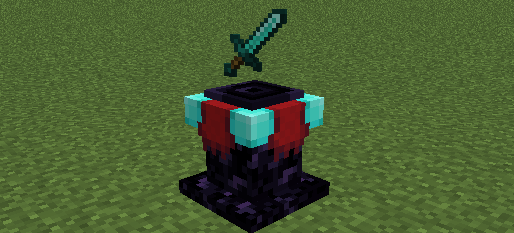
Putting an item in displays it spinning in the invisible block
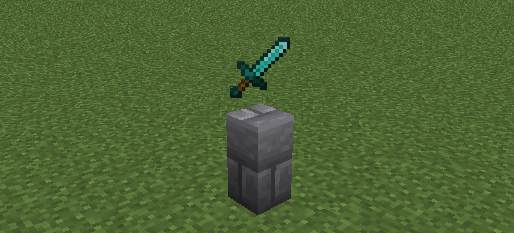
Works like an item frame but displays items bigger and sneak+right-clicking makes it turn 45 degrees
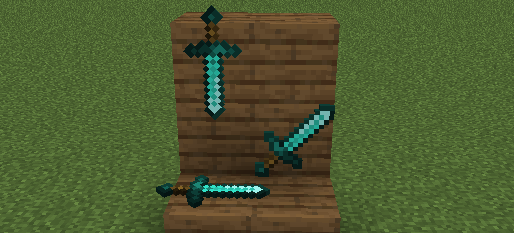
Works like a Display Panel but only some items go in, it has a custom model and there is a tag to make items display as if handheld
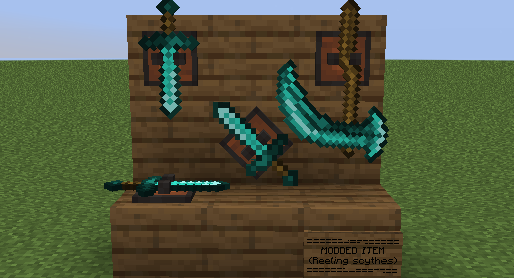
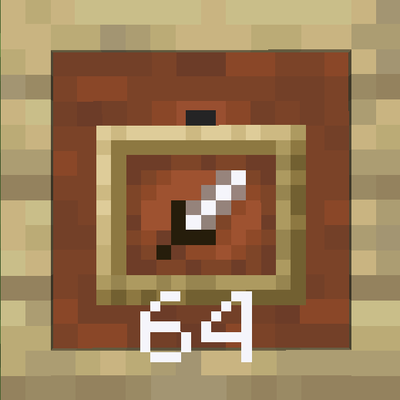
Putting an item in displays it like an item frame, but items can stack to 64 and it displays the number of items inside if its more then one
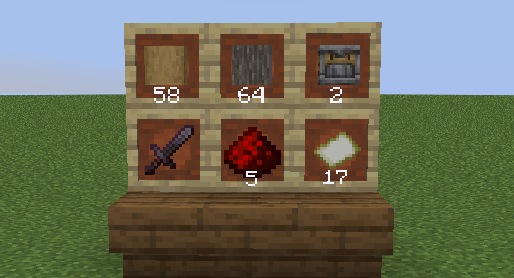
Project description from CurseForge.
Pick your setup
Choose the version and loader you play, then open the matching release.
Check the dependencies, then try the file in a copied instance before changing a world you care about.
Recent files
8 Aug 2026
8 Aug 2026
8 Aug 2026
8 Aug 2026
8 Aug 2026
Looking for an older file? The official CurseForge project page is in Resources.