Mod Menu Optional for PulseRadar pulse-radar-1.2.0.jar
optionalMatching file found Matched file: v17.0.0 for 1.21.11
CurseForge · Minecraft mod
A lightweight military-style radar HUD for Fabric that displays nearby loaded players and mobs with configurable blips, distances, colours, range, positioning, and Mod Menu support.
Quick answer
PulseRadar pulse-radar-1.2.0.jar targets 1.21.11 with Fabric. The project page does not say whether this file belongs on the client, dedicated server, or both. All 1 required mods have matching files.
Where it goes
The project page does not say whether this file belongs on the client, dedicated server, or both.
The source does not explicitly classify this release as client-only or server-only.
pulse-radar-1.2.0.jar. Change the file and its required mods may change too.
Install Fabric API first. We found matching files for this game-version and loader setup. 1 comes through another mod in the chain.
1 extra mod was pulled in by another dependency. Indented rows show who needs each one. We only count dependency files that match this setup. A file for another loader does not fill the gap.
Before you install it
Built for PulseRadar pulse-radar-1.2.0.jar. Pick another file and the loader, install side or required mods may change.
Use pulse-radar-1.2.0.jar. It targets 1.21.11 with Fabric; another release may have different loader, side or dependency requirements.
Install Fabric API first. We found matching files for this game-version and loader setup. 1 comes through another mod in the chain.
The project page does not say whether this file belongs on the client, dedicated server, or both.
Use the “Get this file” button beside pulse-radar-1.2.0.jar. It opens that exact file at the source.
About this project
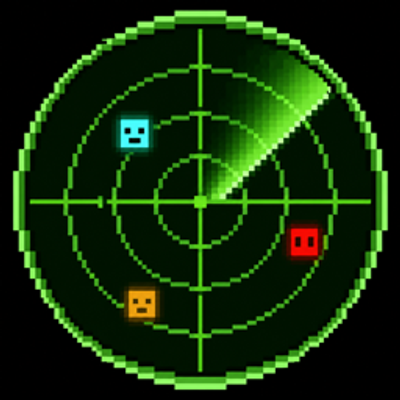
Pulse Radar is a lightweight, client-side radar HUD for Minecraft Fabric. It displays nearby players and mobs on a clean, circular military-style radar without turning your screen into a minimap.
The radar rotates relative to your camera direction, making it easy to understand where nearby entities are positioned around you. Player and mob blips can be configured independently, including their visibility, colour, and distance labels.
Pulse Radar does not display terrain, blocks, chunks, structures, caves, or biomes.
Pulse Radar is configured to support a range of up to 1,000 blocks.
However, the radar can only display entities that the Minecraft server has already sent to your client. Most multiplayer servers stop transmitting player and mob entities at a much shorter distance.
As a result, the effective radar range depends on:
The 1,000-block setting does not bypass server restrictions or guarantee that entities will be visible from 1,000 blocks away.
Players and mobs are handled independently.
You can:
Mob tracking is disabled by default.
Only loaded entities already known to the client can appear on the radar.
Distance labels show the horizontal distance to each displayed entity in blocks.
When an entity is significantly above or below you, Pulse Radar can also display:
Distance labels can be controlled separately for players and mobs.
When Mod Menu is installed, Pulse Radar provides an interactive configuration screen.
Open:
Mods → Pulse Radar → Configure
From this screen, you can:
Mod Menu is optional. Pulse Radar continues to work without it.
Press R by default to toggle the radar.
The key can be changed under:
Options → Controls → Key Binds → Pulse Radar
Pulse Radar only uses entity information already available to the Minecraft client.
It does not:
If the server does not send an entity to your client, Pulse Radar cannot display it.
Pulse Radar saves its settings in:
.minecraft/config/pulse-radar.json
For the easiest configuration experience, install Mod Menu and use the in-game configuration screen.
mods folder.Pulse Radar is client-side only and does not need to be installed on the server.
Project description from CurseForge.
Pick your setup
Choose the version and loader you play, then open the matching release.
Check the dependencies, then try the file in a copied instance before changing a world you care about.
Recent files
15 Aug 2026
8 Aug 2026
Looking for an older file? The official CurseForge project page is in Resources.
 mod
modA collection of configurable music/sound features!
 mod
modA powerful, data-driven mod that gives you complete control over Creative Mode tabs!
 mod
modAdding mega evolutions, z-moves, teralization, dynamax, ultra burst and fusions to the game