Minecraft version
Back to mods 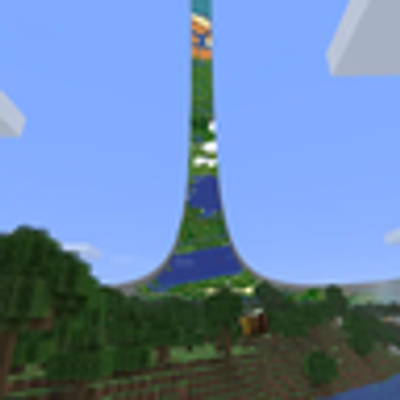
CurseForge · Minecraft mod
RingWorld
Wraps the Overworld into a seamless, customizable ring with true periodic gameplay and curved rendering.
Choose a version Pick your version below, then grab the matching file.
Quick answer
Which RingWorld release matches 26.2 NeoForge?
Best match for your filters RingWorld 1.1 for Minecraft 26.2 (NeoForge)
Game version 26.2
Loader NeoForge
RingWorld 1.1 for Minecraft 26.2 (NeoForge) targets 26.2 with NeoForge. The project page does not say whether this file belongs on the client, dedicated server, or both. No extra mods listed for this file.
Where it goes
Is RingWorld required on the client, server, or both?
The project page does not say whether this file belongs on the client, dedicated server, or both.
Client Source doesn’t say
Dedicated server Source doesn’t say
Loader for this release NeoForge
Required install it here Optional supported, not mandatory Not supported do not install here Source doesn’t say do not assume
The source does not explicitly classify this release as client-only or server-only.
What else does RingWorld 1.1 for Minecraft 26.2 (NeoForge) need?
RingWorld 1.1 for Minecraft 26.2 (NeoForge) on 26.2 NeoForge. Every mod below is checked against that same setup.
This file does not list any required mods. Do not add a library just because a different file uses it.
This file does not list any required or optional mods.
Before you install it
Add RingWorld without breaking your instance.
Built for RingWorld 1.1 for Minecraft 26.2 (NeoForge) on 26.2 NeoForge. Pick another file and the loader, install side or required mods may change.
- 01
Stick to this file
Use RingWorld 1.1 for Minecraft 26.2 (NeoForge). It targets 26.2 with NeoForge; another release may have different loader, side or dependency requirements.
- 02
Bring the mods it needs
This file does not list any required mods. Do not add a library just because a different file uses it.
- 03
Put it on the correct side
The project page does not say whether this file belongs on the client, dedicated server, or both.
- 04
Pick the file you checked
Use the “Get this file” button beside RingWorld 1.1 for Minecraft 26.2 (NeoForge). It opens that exact file at the source.
About this project
What does RingWorld add?
RingWorld
RingWorld bends the Overworld into a ring. Keep travelling around it and you’ll come back to where you started. Look up and you can see the other side.
You can build across the join, sail through it, or chase a mob around the whole ring. Blocks, redstone, water and projectiles work across it too. Walls run along the two edges. The Nether and End stay unchanged.
Choose your world size
Create a new world and open the RingWorld settings. Pick a preset or enter your own dimensions:
- Small: 2,048 blocks around, 128 across.
- Medium: 16,384 around, 256 across.
- Large: 32,768 around, 512 across.
The dimensions are fixed once the world is created.
Why the distant ring starts out foggy
The Ring Atlas builds a view of the terrain beyond your render distance. As it fills in, more of the ring becomes visible. You can play while it runs, and progress is saved when you quit.
Open RingWorld Map in the pause menu to check progress and the estimated time remaining. Players with permission can start, pause or resume generation there. You don’t have to explore the whole ring yourself.
Generating the Atlas takes processor time and disk space. Medium and Large worlds can take tens of minutes or longer, depending on your computer and settings.
Installation
- RingWorld 1.1 supports Minecraft Java 26.1, 26.1.1, 26.1.2 and 26.2, with Java 25.
- Download the file for your Minecraft version and loader: Fabric or NeoForge. The 26.2 files are separate from the 26.1.x files.
- Fabric also needs the matching Fabric API. Don’t install both loader versions of RingWorld together.
- For multiplayer, install RingWorld on the server and every player’s client. Use the same loader and RingWorld version throughout.
- Start a new world. On a dedicated server, configure RingWorld before generating the Overworld for the first time.
Back up your saves before updating. Mods that replace rendering, shaders, world generation or networking can conflict with RingWorld. Check the compatibility notes before adding it to a modpack.
Open source under MPL-2.0. Not affiliated with Mojang or Microsoft.
Project description from CurseForge.
Pick your setup
RingWorld by Minecraft version and loader
Choose the version and loader you play, then open the matching release.
Minecraft version
26.1.2
2 loader buildsMinecraft version
26.1.1
2 loader buildsMinecraft version
26.1
2 loader buildsMinecraft version
1.21.1
2 loader buildsCheck the dependencies, then try the file in a copied instance before changing a world you care about.
Recent files
RingWorld versions and loaders
RingWorld 1.1 for Minecraft 26.2 (NeoForge)
ringworld-neoforge-1.1.0+mc26.2.jar
27 Aug 2026
Client Source doesn’t say Server Source doesn’t say Dependencies No extras listed Listed on Release listing
Check the 26.2 · NeoForge setup NeoForge26.2 release
Looking for an older file? The official CurseForge project page is in Resources.