Minecraft version
Back to mods 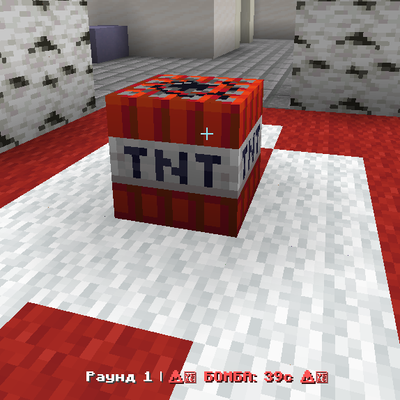
CurseForge · Minecraft mod
SimpleCS
CSGO minigame mod
Choose a version Pick your version below, then grab the matching file.
Quick answer
Which SimpleCS release should I use?
Latest stable file simplecs-1.0.0.jar
Game version 1.20.1
Loader Forge
simplecs-1.0.0.jar targets 1.20.1 with Forge. The project page does not say whether this file belongs on the client, dedicated server, or both. No extra mods listed for this file.
Where it goes
Is SimpleCS required on the client, server, or both?
The project page does not say whether this file belongs on the client, dedicated server, or both.
Client Source doesn’t say
Dedicated server Source doesn’t say
Loader for this release Forge
Required install it here Optional supported, not mandatory Not supported do not install here Source doesn’t say do not assume
The source does not explicitly classify this release as client-only or server-only.
What else does simplecs-1.0.0.jar need?
simplecs-1.0.0.jar. Change the file and its required mods may change too.
This file does not list any required mods. Do not add a library just because a different file uses it.
This file does not list any required or optional mods.
Before you install it
Add SimpleCS without breaking your instance.
Built for simplecs-1.0.0.jar. Pick another file and the loader, install side or required mods may change.
- 01
Stick to this file
Use simplecs-1.0.0.jar. It targets 1.20.1 with Forge; another release may have different loader, side or dependency requirements.
- 02
Bring the mods it needs
This file does not list any required mods. Do not add a library just because a different file uses it.
- 03
Put it on the correct side
The project page does not say whether this file belongs on the client, dedicated server, or both.
- 04
Pick the file you checked
Use the “Get this file” button beside simplecs-1.0.0.jar. It opens that exact file at the source.
About this project
What does SimpleCS add?
# SimpleCS: Tactical Minigame

**SimpleCS** is a complete, server-side game mode implementation for **Minecraft Forge 1.20.1**, designed to bring the classic 5v5 tactical shooter experience directly into your Minecraft world. From bomb planting and defusing to an economy-based loadout system, this mod delivers a high-stakes, competitive environment.

---

## 📦 Required Dependencies
For a stable and fully featured experience, the following mods are required:
*   **Superb Warfare** (Required for all firearms and tactical equipment).
*   **SimpleGuard** (Required for region protection and bomb site management).*   **CustomNPC**  (NPCs to buy equipment for tokens)

**⚠️ NOTE:** This mod is designed to run in an isolated environment. Do **NOT** run this mod alongside *Mob Loot Bags* or *SimpleTarkov*, as they may cause gameplay conflicts.

---

## 🎮 Gameplay Mechanics

*   **Tactical Rounds:** Experience a complete match cycle. The game is played until one side secures **8 round wins**.
*   **Economy System:** Players start with a base loadout and tokens. Earn tokens by eliminating enemies and winning rounds (Win: +4 tokens, Loss: +2 tokens). Use these to purchase ammo and armor before the round begins.
*   **Objective-Based:** Terrorists must plant the **C4** at either Site A or Site B. Counter-Terrorists must prevent the plant or defuse the bomb in time.
*   **Spectator Mode:** Death is final for the round. Eliminated players are moved to Spectator mode until the next round begins.

---

## 💬 Commands (OP Level 3 Required)

*   `/cs start` — Initiates the match. Note: Players must join a team (Terrorist or Counter-Terrorist) before starting.
*   `/cs stop` — Immediately ends the current match and resets the game state.
*   `/cs endround <T/KT>` — Forcefully ends the current round and awards the win to the specified team.
*   `/cs setspawn` — Sets the spawn points for teams.

---

## 🛠️ Map Setup Guide

SimpleCS is fully compatible with any map, including the classic **Dust 2**! To set up a new map, follow these steps:

1.  **Teams:** Create two teams (T and KT) using standard Minecraft scoreboard commands.
2.  **Spawns:** Use `/cs setspawn` to configure team spawn points.
3.  **Bomb Sites (Crucial):** You **must** create two regions named exactly `site_a` and `site_b` using **SimpleGuard**. The bomb can only be planted if the player is standing inside one of these protected regions.
4.  **Region Protection:** To protect your map from grenade damage, create a large region covering the entire map, and then create smaller protected regions for sites A and B inside it. Ensure that `pvp` is set to `true` for the match to proceed.
Project description from CurseForge.
Pick your setup
SimpleCS by Minecraft version and loader
Choose the version and loader you play, then open the matching release.
Check the dependencies, then try the file in a copied instance before changing a world you care about.
Recent files
SimpleCS versions and loaders
simplecs-1.0.0.jar
11 Aug 2026
Client Source doesn’t say Server Source doesn’t say Dependencies No extras listed Listed on Release listing
Check the 1.20.1 · Forge setup 1.20.1Forge release
Looking for an older file? The official CurseForge project page is in Resources.
 mod
mod CurseForge + Modrinth · Minecraft
Horse Stats Vanilla (Fabric)
This client-side mod displays the statistics (health, speed, jump height) of horses in their inventory.
 mod
mod CurseForge + Modrinth · Minecraft
End-Parasitize and Convert All
This is an infection mod with magical elements.
 mod
mod CurseForge · Minecraft
Nout Stalker
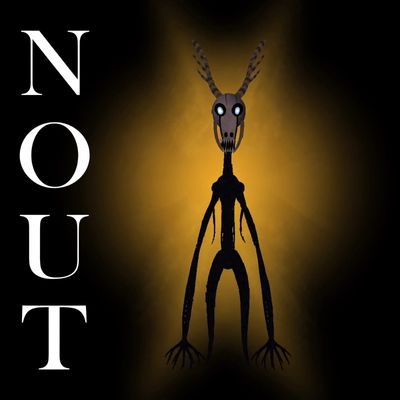
A terrifying 3-block-tall skeletal entity that stalks you at night, bypassing your base doors and windows.