Minecraft version
Back to mods 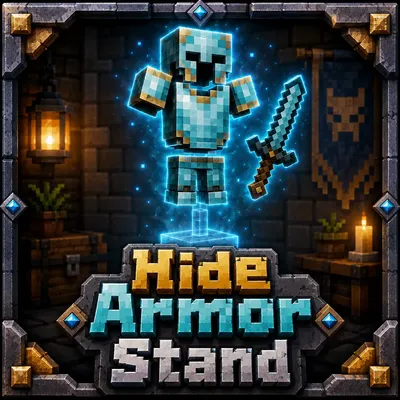
CurseForge · Minecraft mod
Hide Armor Stand
Hide individual Armor Stands while keeping their armor and displayed items visible
Choose a version Pick your version below, then grab the matching file.
Quick answer
Which Hide Armor Stand release should I use?
Latest stable file hidearmorstand-neoforge-1.0.0.jar
Game version 26.2
Loader NeoForge
Hide Armor Stand hidearmorstand-neoforge-1.0.0.jar targets 26.2 with NeoForge. The project page does not say whether this file belongs on the client, dedicated server, or both. No extra mods listed for this file.
Where it goes
Is Hide Armor Stand required on the client, server, or both?
The project page does not say whether this file belongs on the client, dedicated server, or both.
Client Source doesn’t say
Dedicated server Source doesn’t say
Loader for this release NeoForge
Required install it here Optional supported, not mandatory Not supported do not install here Source doesn’t say do not assume
The source does not explicitly classify this release as client-only or server-only.
What else does Hide Armor Stand hidearmorstand-neoforge-1.0.0.jar need?
hidearmorstand-neoforge-1.0.0.jar. Change the file and its required mods may change too.
This file does not list any required mods. Do not add a library just because a different file uses it.
This file does not list any required or optional mods.
Before you install it
Add Hide Armor Stand without breaking your instance.
Built for Hide Armor Stand hidearmorstand-neoforge-1.0.0.jar. Pick another file and the loader, install side or required mods may change.
- 01
Stick to this file
Use hidearmorstand-neoforge-1.0.0.jar. It targets 26.2 with NeoForge; another release may have different loader, side or dependency requirements.
- 02
Bring the mods it needs
This file does not list any required mods. Do not add a library just because a different file uses it.
- 03
Put it on the correct side
The project page does not say whether this file belongs on the client, dedicated server, or both.
- 04
Pick the file you checked
Use the “Get this file” button beside hidearmorstand-neoforge-1.0.0.jar. It opens that exact file at the source.
About this project
What does Hide Armor Stand add?
Hide Armor Stand
Hide Armor Stand is a small client-side mod that lets you hide individual Armor Stands while keeping their armor and displayed items visible.
It is mainly useful for decoration — armor sets, player heads, weapons and other displays can be shown without the wooden stand getting in the way.
How to use
Place and equip an Armor Stand normally, then sneak + right-click it to hide the stand.
Only the Armor Stand itself is hidden. Its armor, held items, heads and other equipment stay visible.
Sneak + right-click the stand again to return it to normal.
Empty selected Armor Stands are always shown, so you won't end up with an invisible empty stand that is difficult to find. If you equip it again later, it will automatically hide again.
Features
- Hide Armor Stands individually
- Armor and displayed items stay visible
- Empty stands remain visible
- Sneak + right-click to toggle a stand
- Selected stands are remembered between sessions
- No commands or configuration screens
- Client-side only
- Works with Fabric and NeoForge
The mod does not change Armor Stand data, hitboxes or server behavior. It only changes how selected stands are rendered on your client.
Compatibility
Minecraft: 26.2 Loaders: Fabric and NeoForge Side: Client
The mod does not need to be installed on the server.
Project description from CurseForge.
Pick your setup
Hide Armor Stand by Minecraft version and loader
Choose the version and loader you play, then open the matching release.
Check the dependencies, then try the file in a copied instance before changing a world you care about.
Recent files
Hide Armor Stand versions and loaders
hidearmorstand-neoforge-1.0.0.jar
11 Aug 2026
Client Source doesn’t say Server Source doesn’t say Dependencies No extras listed Listed on Release listing
Check the 26.2 · NeoForge setup NeoForge26.2 release
hidearmorstand-fabric-1.0.0.jar
11 Aug 2026
Client Source doesn’t say Server Source doesn’t say Dependencies 1 required · 1 unchecked Listed on Release listing
Check the 26.2 · Fabric setup Fabric26.2 release
Looking for an older file? The official CurseForge project page is in Resources.
 mod
mod CurseForge · Minecraft
Magic Vibe Decorations (Crystals, Halloween)
Decorations and crystals with magical aesthetics. Some crystals provide protective abilities.
 mod
mod CurseForge + Modrinth · Minecraft
Falldrop Backport
Backporting minecraft features from 26.3 to the latest versions
 mod
mod CurseForge · Minecraft
Builder's Palette
Adds wide range of various blocks to build