Minecraft version
Back to mods 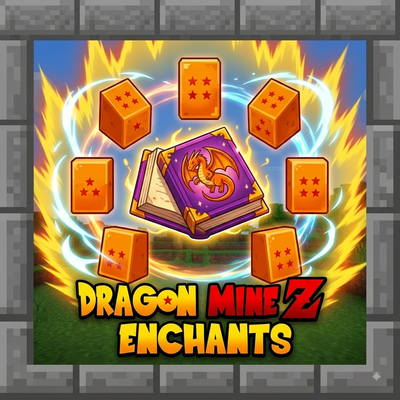
CurseForge · Minecraft mod
DMZEnchants+
Dragon Mine Z Enchants introduces powerful new enchantments inspired by Dragon Ball Z to enhance your combat and survival in Minecraft.
Choose a version Pick your version below, then grab the matching file.
Quick answer
Which DMZEnchants+ release should I use?
Latest stable file DMZEnchants+1.5
Game version 1.20.1
Loader Forge
DMZEnchants+1.5 targets 1.20.1 with Forge. The project page does not say whether this file belongs on the client, dedicated server, or both. No extra mods listed for this file.
Where it goes
Is DMZEnchants+ required on the client, server, or both?
The project page does not say whether this file belongs on the client, dedicated server, or both.
Client Source doesn’t say
Dedicated server Source doesn’t say
Loader for this release Forge
Required install it here Optional supported, not mandatory Not supported do not install here Source doesn’t say do not assume
The source does not explicitly classify this release as client-only or server-only.
What else does DMZEnchants+1.5 need?
DMZEnchants+1.5. Change the file and its required mods may change too.
This file does not list any required mods. Do not add a library just because a different file uses it.
This file does not list any required or optional mods.
Before you install it
Add DMZEnchants+ without breaking your instance.
Built for DMZEnchants+1.5. Pick another file and the loader, install side or required mods may change.
- 01
Stick to this file
Use DMZEnchants+1.5. It targets 1.20.1 with Forge; another release may have different loader, side or dependency requirements.
- 02
Bring the mods it needs
This file does not list any required mods. Do not add a library just because a different file uses it.
- 03
Put it on the correct side
The project page does not say whether this file belongs on the client, dedicated server, or both.
- 04
Pick the file you checked
Use the “Get this file” button beside DMZEnchants+1.5. It opens that exact file at the source.
About this project
What does DMZEnchants+ add?
Dragon Mine Z Enchants
Bring the power of the Saiyans and Z Fighters to your Minecraft world with Dragon Mine Z Enchants! This mod adds a unique set of seven powerful enchantments to enhance your character's capabilities, defense, and power, inspired by iconic abilities from Dragon Ball Z. Whether you're a warrior looking for more melee power or a Ki user wanting better protection, this mod has you covered.
All enchantments are fully configurable to suit your modpack's balance!
Features
This mod adds the following custom enchantments, which can be applied to various pieces of gear:
dmzenchants:ki_protection– Reduces damage taken from Ki-based attacks (designed to work with compatible DBZ-themed mods).dmzenchants:melee_protection– Provides focused protection against all incoming melee damage.dmzenchants:ki_power– Increases the damage and effectiveness of your Ki attacks.dmzenchants:tp_boost– Enhances teleportation abilities (from compatible sources), increasing range and reducing cooldowns.dmzenchants:vitality– Passively increases your maximum health while the enchanted gear is worn.dmzenchants:stamina– Passively increases your max stamina or reduces physical exhaustion.dmzenchants:melee_power– Signficantly boosts the damage dealt by all your melee attacks.
Configuration
The mod generates a server configuration file. This allows you to adjust enchantment rarities, max levels, and power multipliers to your liking.
How to find and edit the configuration:
Navigate to your Minecraft game directory.
Open the
savesfolder.Enter your specific world folder (e.g.,
New World).Inside your world folder, find and open the
serverconfigfolder.Edit the file named
dmzenchants-server.tomlwith any text editor.
Changes to this file require a server restart to take effect. If you are playing in single-player, this file is located within your world save and only affects that specific world.
Project description from CurseForge.
Pick your setup
DMZEnchants+ by Minecraft version and loader
Choose the version and loader you play, then open the matching release.
Check the dependencies, then try the file in a copied instance before changing a world you care about.
Recent files
DMZEnchants+ versions and loaders
DMZEnchants+1.5
dmzenchants-1.5.jar
13 Aug 2026
Client Source doesn’t say Server Source doesn’t say Dependencies No extras listed Listed on Release listing
Check the 1.20.1 · Forge setup 1.20.1Forge release
DMZEnchants+-1.0
DMZEnchants+.jar
12 Aug 2026
Client Source doesn’t say Server Source doesn’t say Dependencies No extras listed Listed on Release listing
Check the 1.20.1 · Forge setup 1.20.1Forge release
Looking for an older file? The official CurseForge project page is in Resources.