Minecraft version
Back to mods 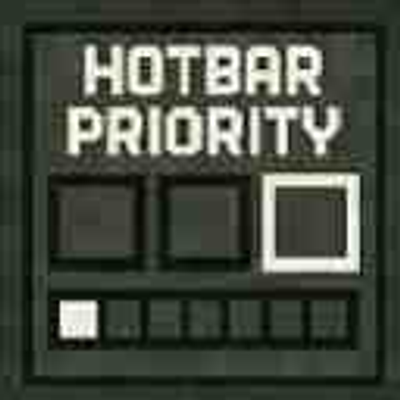
CurseForge · Minecraft mod
Priority
A mod which allows you to swap your items hotbar priority explained in Marlow's video about the hotbar order.
Choose a version Pick your version below, then grab the matching file.
Quick answer
Which Priority release should I use?
Latest stable file Priority-1.0.0+mc26.2.jar
Game version 26.2
Loader Fabric
Priority-1.0.0+mc26.2.jar targets 26.2 with Fabric. The project page does not say whether this file belongs on the client, dedicated server, or both. No extra mods listed for this file.
Where it goes
Is Priority required on the client, server, or both?
The project page does not say whether this file belongs on the client, dedicated server, or both.
Client Source doesn’t say
Dedicated server Source doesn’t say
Loader for this release Fabric
Required install it here Optional supported, not mandatory Not supported do not install here Source doesn’t say do not assume
The source does not explicitly classify this release as client-only or server-only.
What else does Priority-1.0.0+mc26.2.jar need?
Priority-1.0.0+mc26.2.jar. Change the file and its required mods may change too.
This file does not list any required mods. Do not add a library just because a different file uses it.
This file does not list any required or optional mods.
Before you install it
Add Priority without breaking your instance.
Built for Priority-1.0.0+mc26.2.jar. Pick another file and the loader, install side or required mods may change.
- 01
Stick to this file
Use Priority-1.0.0+mc26.2.jar. It targets 26.2 with Fabric; another release may have different loader, side or dependency requirements.
- 02
Bring the mods it needs
This file does not list any required mods. Do not add a library just because a different file uses it.
- 03
Put it on the correct side
The project page does not say whether this file belongs on the client, dedicated server, or both.
- 04
Pick the file you checked
Use the “Get this file” button beside Priority-1.0.0+mc26.2.jar. It opens that exact file at the source.
About this project
What does Priority add?
The config menu will not close if there is an error message at the bottom middle. In order to close the menu please fix whatever problem is stated in the error message.
Priority is a Fabric mod for Minecraft that enhances hotbar management by allowing players to customize the priority order of hotbar slots for key bindings. This mod overrides Minecraft's default hotbar key handling to check and prioritize slots based on user-defined priorities, enabling more efficient and personalized hotbar switching.
Features
Priority-Based Hotbar Switching
Customizable Slot Priorities: Assign a priority value (1-9) to each of the 9 hotbar slots (1-9).
Priority 1 is checked first.
Priority 9 is checked last.
if 2 slots are clicked at once the one checked later will be selected
How to Use It with Mod Menu
Install Mod Menu: Ensure you have the Mod Menu mod installed alongside Hotbar Priority (see Installation section above).
Launch Minecraft: Start the game with Fabric loader, cloth config and mod menu, then load into a world or the main menu.
Open Mods Screen: Press the "Mods" button in the main menu.
Find Priority: Scroll through the list of mods and locate "Priority".
Access Config: Click the mods icon next to the name in Mod Menu.
Adjust Priorities: In the config screen, you'll see sliders or input fields for each hotbar slot (1-9). Set the priority values:
Defaults match vanilla (slot 1 = 1, slot 2 = 2, etc.).
Save Changes: Simply just press esc or close the menu to apply. The menu will not close if a priority is not set or if priorities are conflicting.
This setup allows for personalized hotbar behavior, such as prioritizing items in certain slots to be switched to over others when clicked at the same time.
Project description from CurseForge.
Pick your setup
Priority by Minecraft version and loader
Choose the version and loader you play, then open the matching release.
Minecraft version
26.1.2
1 loader buildMinecraft version
26.1.1
1 loader buildMinecraft version
26.1
1 loader buildMinecraft version
1.21.11
1 loader buildMinecraft version
1.21.10
1 loader buildMinecraft version
1.21.9
1 loader buildMinecraft version
1.21.8
1 loader buildMinecraft version
1.21.7
1 loader buildMinecraft version
1.21.6
1 loader buildMinecraft version
1.21.5
1 loader buildMinecraft version
1.21.4
1 loader buildShowing the newest 12 of 16 game versions. Older files are in the list below.
Check the dependencies, then try the file in a copied instance before changing a world you care about.
Recent files
Priority versions and loaders
Priority-1.0.0+mc26.2.jar
12 Aug 2026
Client Source doesn’t say Server Source doesn’t say Dependencies No extras listed Listed on Release listing
Check the 26.2 · Fabric setup Fabric26.2 release
Priority-1.0.2+mc26.1.jar
12 Aug 2026
Client Source doesn’t say Server Source doesn’t say Dependencies No extras listed Listed on Release listing
Check the 26.1.2 · Fabric setup Fabric26.126.1.126.1.2 release
Priority-1.0.2+mc1.21.jar
12 Aug 2026
Client Source doesn’t say Server Source doesn’t say Dependencies No extras listed Listed on Release listing
Check the 1.21.5 · Fabric setup 1.21Fabric1.21.51.21.4 release
Priority-1.0.2+mc1.21.6.jar
12 Aug 2026
Client Source doesn’t say Server Source doesn’t say Dependencies No extras listed Listed on Release listing
Check the 1.21.11 · Fabric setup Fabric1.21.81.21.61.21.7 release
Looking for an older file? The official CurseForge project page is in Resources.
 mod
CurseForge · Minecraft
Savaru's Chat
A modern Fabric chat overhaul with animated speech bubbles, player avatars, channels, mentions, timestamps, emoji support, item sharing, and party integration.
 mod
CurseForge · Minecraft
Savaru's Dungeon Bar
Dark dungeon-style survival HUD with centered health, split hotbar slots, and subtle XP display.
 mod
CurseForge · Minecraft
Keep My Chat Draft
Close vanilla chat with Escape and restore your unsent draft when you reopen it. Client-side, session-only memory with command exclusions.