Minecraft version
Back to mods 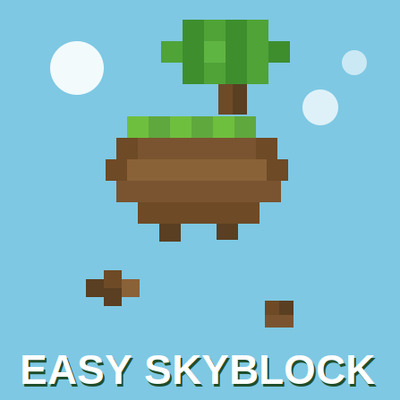
CurseForge · Minecraft mod
Easy SkyBlock
Easy Skyblock is a lightweight, no-frills, Skyblock world preset for NeoForge. Pick Sky Block from the World Type menu when creating a new world and you're instantly dropped onto a shared spawn island in an empty void world.
Choose a version Pick your version below, then grab the matching file.
Quick answer
Which Easy SkyBlock release should I use?
Latest stable file Easy Skyblock 1.1.0
Game version 26.1.2
Loader NeoForge
Easy Skyblock 1.1.0 targets 26.1.2 with NeoForge. The project page does not say whether this file belongs on the client, dedicated server, or both. No extra mods listed for this file.
Where it goes
Is Easy SkyBlock required on the client, server, or both?
The project page does not say whether this file belongs on the client, dedicated server, or both.
Client Source doesn’t say
Dedicated server Source doesn’t say
Loader for this release NeoForge
Required install it here Optional supported, not mandatory Not supported do not install here Source doesn’t say do not assume
The source does not explicitly classify this release as client-only or server-only.
What else does Easy Skyblock 1.1.0 need?
Easy Skyblock 1.1.0. Change the file and its required mods may change too.
This file does not list any required mods. Do not add a library just because a different file uses it.
This file does not list any required or optional mods.
Before you install it
Add Easy SkyBlock without breaking your instance.
Built for Easy Skyblock 1.1.0. Pick another file and the loader, install side or required mods may change.
- 01
Stick to this file
Use Easy Skyblock 1.1.0. It targets 26.1.2 with NeoForge; another release may have different loader, side or dependency requirements.
- 02
Bring the mods it needs
This file does not list any required mods. Do not add a library just because a different file uses it.
- 03
Put it on the correct side
The project page does not say whether this file belongs on the client, dedicated server, or both.
- 04
Pick the file you checked
Use the “Get this file” button beside Easy Skyblock 1.1.0. It opens that exact file at the source.
About this project
What does Easy SkyBlock add?
Easy Skyblock
A lightweight, no-frills Skyblock world preset for NeoForge. Pick Sky Block from the World Type menu when creating a new world and you're instantly dropped onto a shared spawn island in an empty void world — no commands, no teams, no extra menus to learn.
Features
New world type, zero setup — "Sky Block" appears right in the vanilla World Type list alongside Default and Superflat. Just select it and create your world.
Void world generation — Overworld (and optionally the Nether) generates completely empty, ready for a pure skyblock experience.
Custom spawn island — The island is built from a real .nbt structure (exported straight from a Structure Block), so it looks exactly the way you designed it, not a generated approximation.
Automatic first spawn — New players are placed on the island the moment they join. After that, the game behaves normally: log out mid-build and you'll come right back where you left off next time.
Death safety net — Die without a valid bed and you're sent straight back to the island instead of respawning lost in the void.
Optional Nether Skyblock — Toggle the Nether to generate as void too, for a full-void experience across both dimensions.
Fully configurable via the mod's config file:
Exact spawn coordinates
Optional flat block layers instead of pure void (Overworld and Nether independently)
Allow-lists for which vanilla structures, carvers, and placed features can still generate
Custom chat message prefix
No bloat — No custom commands, no team/permission system, no extra GUIs or keybinds. It's just a world preset that does one thing well, which makes it easy to drop into any modpack without conflicts.
How It Works
Create a new world and choose the Sky Block world type.
On first server start, the mod copies its bundled island template and pastes it into the world once.
When you join for the first time, you're teleported onto the island.
From then on, your position is saved and restored like any vanilla world — the mod only steps in again if you die without a bed.
Want a different island? Swap out the bundled structure file with your own .nbt export and rebuild — no code changes needed.
Project description from CurseForge.
Pick your setup
Easy SkyBlock by Minecraft version and loader
Choose the version and loader you play, then open the matching release.
Check the dependencies, then try the file in a copied instance before changing a world you care about.
Recent files
Easy SkyBlock versions and loaders
Easy Skyblock 1.1.0
Easy Skyblock-26.1.2-1.1.0.jar
22 Aug 2026
Client Source doesn’t say Server Source doesn’t say Dependencies No extras listed Listed on Release listing
Check the 26.1.2 · NeoForge setup NeoForge26.1.2 release
Easy Skyblock 1.0.0
Easy Skyblock-26.1.2-1.0.0.jar
12 Aug 2026
Client Source doesn’t say Server Source doesn’t say Dependencies No extras listed Listed on Release listing
Check the 26.1.2 · NeoForge setup NeoForge26.1.2 release
Looking for an older file? The official CurseForge project page is in Resources.