Minecraft version
Back to mods 
CurseForge · Minecraft mod
Focus Revolution
A client-side mod for Iris Shaders that lets you manually control the depth-of-field (DoF) focus position in real time using keyboard controls, designed for streaming and recording.
Choose a version Pick your version below, then grab the matching file.
Quick answer
Which Focus Revolution release should I use?
Latest stable file focus_revolution-2.0.0+mc26.2.jar
Game version 26.2
Loader Fabric
Focus Revolution focus_revolution-2.0.0+mc26.2.jar targets 26.2 with Fabric. The project page does not say whether this file belongs on the client, dedicated server, or both. No extra mods listed for this file.
Where it goes
Is Focus Revolution required on the client, server, or both?
The project page does not say whether this file belongs on the client, dedicated server, or both.
Client Source doesn’t say
Dedicated server Source doesn’t say
Loader for this release Fabric
Required install it here Optional supported, not mandatory Not supported do not install here Source doesn’t say do not assume
The source does not explicitly classify this release as client-only or server-only.
What else does Focus Revolution focus_revolution-2.0.0+mc26.2.jar need?
focus_revolution-2.0.0+mc26.2.jar. Change the file and its required mods may change too.
This file does not list any required mods. Do not add a library just because a different file uses it.
This file does not list any required or optional mods.
Before you install it
Add Focus Revolution without breaking your instance.
Built for Focus Revolution focus_revolution-2.0.0+mc26.2.jar. Pick another file and the loader, install side or required mods may change.
- 01
Stick to this file
Use focus_revolution-2.0.0+mc26.2.jar. It targets 26.2 with Fabric; another release may have different loader, side or dependency requirements.
- 02
Bring the mods it needs
This file does not list any required mods. Do not add a library just because a different file uses it.
- 03
Put it on the correct side
The project page does not say whether this file belongs on the client, dedicated server, or both.
- 04
Pick the file you checked
Use the “Get this file” button beside focus_revolution-2.0.0+mc26.2.jar. It opens that exact file at the source.
About this project
What does Focus Revolution add?
Focus Revolution
Manual focus control for Iris shaders
Focus Revolution is a client-side Minecraft mod that lets you control the depth-of-field focus of Iris shaders manually. It is designed for streaming, machinima, cinematic recordings, and screenshots.
Shader packs normally focus automatically on whatever is near the center of the screen. This works well during regular gameplay, but it can be inconvenient when filming because the focus may change as you move the crosshair. Focus Revolution lets you take control of the focus, move it smoothly to the position you want, and return to automatic focus when you are finished.
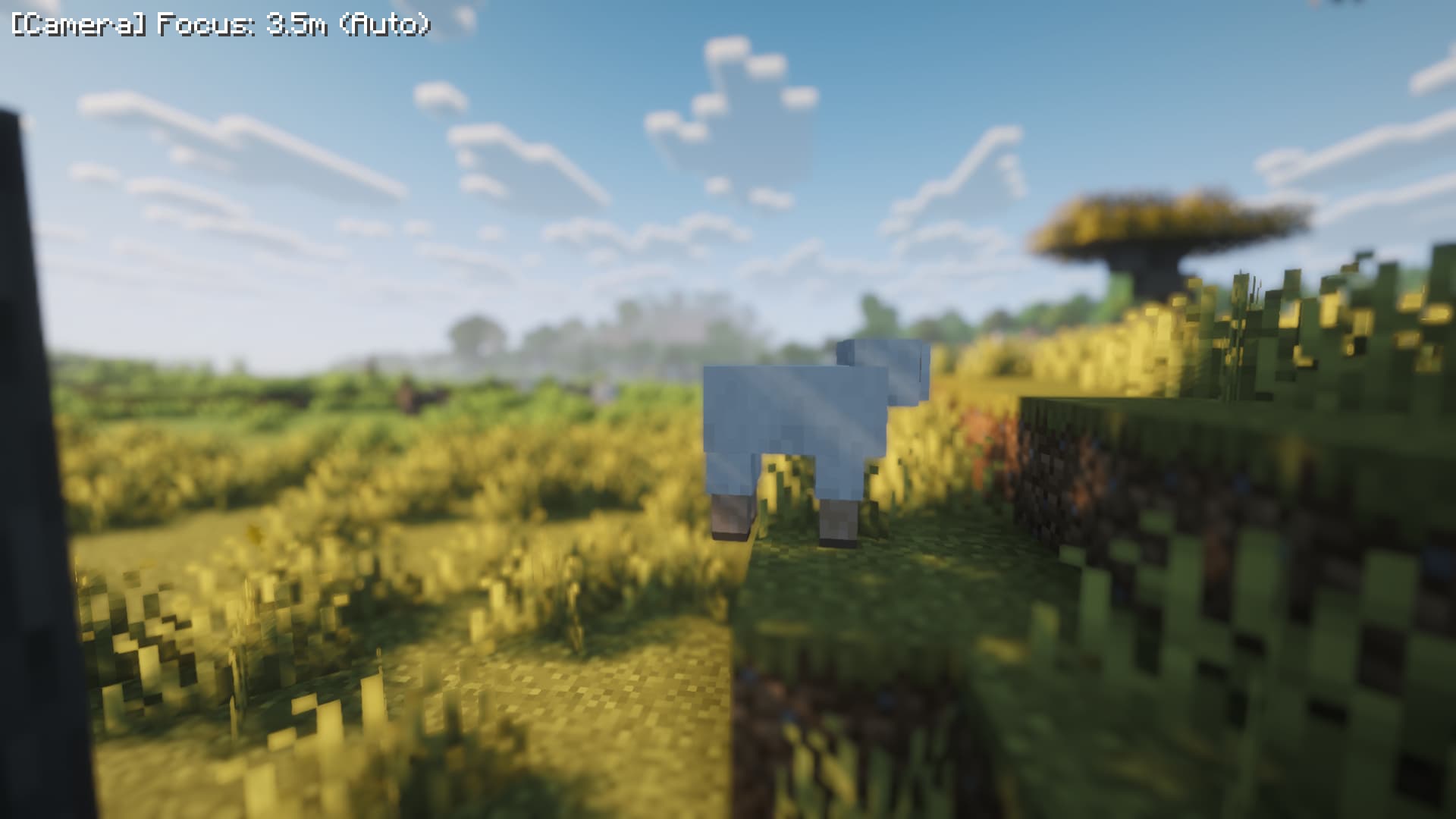
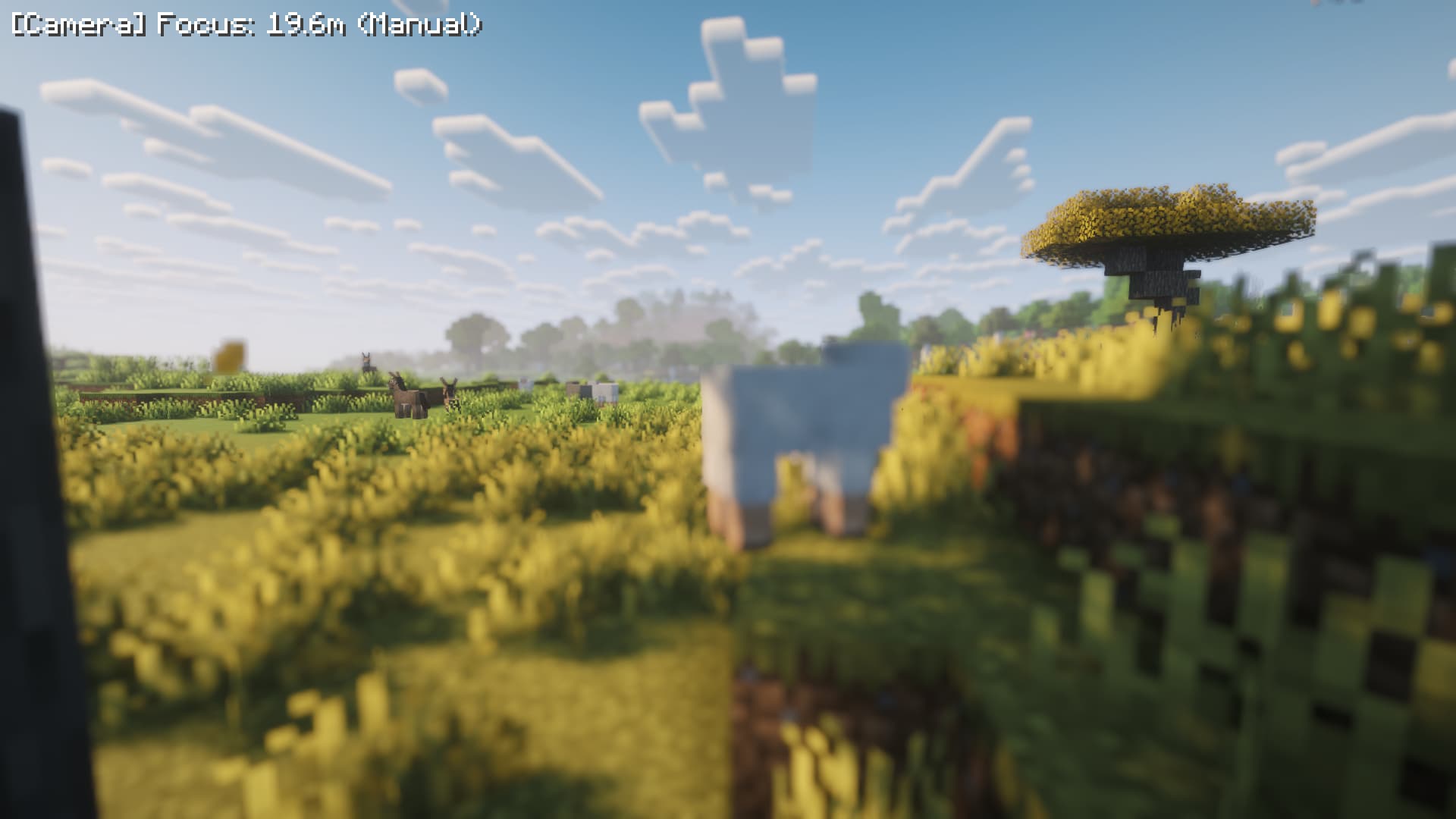
Shot with Complementary Reimagined
Features
| Feature | Description |
|---|---|
| **Manual focus pulls** | Move the focus nearer or farther with a key. Hold the key to move the focus smoothly. |
| **Auto / Manual toggle** | Switching to Manual keeps the shader's current focus position, preventing a sudden visual jump. Switching back lets the shader control the focus again. |
| **Smooth focus movement** | Focus gradually moves toward the target instead of changing instantly, creating a more natural lens-like effect. |
| **Infinity lock** | Move beyond the maximum distance to lock the focus at infinity for distant scenes. |
| **On-screen focus display** | A small HUD in the top-left corner shows the current focus distance and mode. It fades out automatically and can be set to remain visible. |
| **Safe failure behavior** | If no shader pack is active or the Iris version is incompatible, the feature disables itself and shows the reason. It does not crash the client. |
| **Configurable settings** | Adjust focus step sizes, smoothing, HUD behavior, maximum distance, and whether the last focus state is restored on launch. |
Requirements
| Item | Requirement |
|---|---|
| Minecraft | 26.1, 26.1.1, 26.1.2, or 26.2 |
| Mod loader | Fabric Loader 0.19.0 or newer |
| Required mod | Fabric API |
| Required mod | Iris 1.11.0 or newer |
| Required mod | Sodium |
Focus Revolution is **client-side only**. Do not install it on a server. Install it only in the Minecraft client that you use to play or record.
Shader pack setup
Focus Revolution requires a shader pack with depth of field enabled. The shader pack must also use its **automatic focus** mode.
Complementary Reimagined
The following settings are recommended for Complementary Reimagined:
Open the shader settings.
Open **Camera Settings**.
Open **World Blur Settings**.
Set
WORLD_BLURto2 (Depth Of Field).Set
WB_DOF_FOCUSto0 (Auto).
Other shader packs may work in the same way if their depth-of-field feature uses automatic focus. If a shader pack is set to its own fixed-focus or manual-focus mode, it may ignore Focus Revolution's focus value.
Installation
Install Fabric Loader for Minecraft 26.1.x or 26.2.
Download Fabric API, Sodium, Iris, and Focus Revolution.
Place the corresponding
.jarfiles in your Minecraftmodsfolder.Launch Minecraft using the Fabric profile.
Enable a shader pack in Iris and configure its depth-of-field settings as described above.
Controls
All controls can be changed under **Options → Controls → Focus Revolution**. The default controls are:
| Action | Default key | Description |
|---|---|---|
| Toggle Auto / Manual | F6 |
Switch between automatic and manual focus. The current focus is kept when switching to Manual. |
| Focus nearer | [ |
Move the focus closer. Hold Shift for coarse steps. |
| Focus farther | ] |
Move the focus farther away. Hold Shift for coarse steps. |
| Toggle HUD Always-On | Unbound | Keep the focus display permanently visible instead of letting it fade. |
| Toggle Auto Read-back | Unbound | Change how often the focus display updates while using Auto mode. |
The physical location and displayed name of the [ and ] keys depend on your keyboard layout. If the default keys are inconvenient, rebind them from the Controls menu.
In Manual mode, the HUD displays information such as:
> [Camera] Focus: 5.2m (Manual)
When focus is locked at infinity, the distance is shown as ∞.
Pressing the focus keys while in Auto mode does not change the focus. The HUD may appear so that you can check the current state, but accidental key presses will not spoil a recording.
Configuration
A configuration file named config/focus_revolution.json is created the first time the game starts with the mod installed. Most users can use the in-game controls without editing this file. If you edit it, close Minecraft first.
| Setting | Description |
|---|---|
fineStep |
Focus distance moved per keypress during normal operation. The default is 0.1 metres. |
coarseStep |
Focus distance moved per keypress while holding Shift. The default is 1.0 metre. |
lerpTau |
Focus movement smoothness. Smaller values move faster; larger values move more slowly. A value of 0 changes focus instantly. |
maxDistance |
Maximum manual focus distance. The default is 512 metres. Moving beyond this distance locks focus at infinity. |
hudFadeSeconds |
How long the HUD remains visible after a focus change. The default is 3 seconds. |
hudAlwaysOn |
Set to true to keep the focus display permanently visible. |
autoReadbackEveryFrame |
Set to true to update the Auto-mode display every frame. The default setting is lighter on performance and is suitable for most users. |
restoreOnLaunch |
Set to true to restore the previous mode and focus distance when Minecraft starts. |
The last mode and focus distance are saved automatically when the game exits.
Troubleshooting
If the focus does not change, first check that Iris and Sodium are installed correctly and that a shader pack is active. Then confirm that depth of field is enabled and that the shader pack is using automatic focus.
If the focus still does not respond, the shader pack may not support the automatic-focus method used by Focus Revolution. Check whether the shader pack has a fixed-focus or manual-focus option, and switch it to automatic focus if available.
If the required environment is missing or incompatible, Focus Revolution disables itself and displays the reason. Check the versions of Minecraft, Fabric Loader, Fabric API, Iris, and Sodium if this happens.
License
Focus Revolution is released under the MIT License.
Project description from CurseForge.
Pick your setup
Focus Revolution by Minecraft version and loader
Choose the version and loader you play, then open the matching release.
Minecraft version
26.1.2
1 loader buildMinecraft version
26.1.1
1 loader buildMinecraft version
26.1
1 loader buildMinecraft version
1.21.11
1 loader buildCheck the dependencies, then try the file in a copied instance before changing a world you care about.
Recent files
Focus Revolution versions and loaders
focus_revolution-2.0.0+mc26.2.jar
12 Aug 2026
Client Source doesn’t say Server Source doesn’t say Dependencies No extras listed Listed on Release listing
Check the 26.2 · Fabric setup Fabric26.2 release
focus_revolution-2.0.0+mc26.1.jar
12 Aug 2026
Client Source doesn’t say Server Source doesn’t say Dependencies No extras listed Listed on Release listing
Check the 26.1.2 · Fabric setup Fabric26.126.1.126.1.2 release
focus_revolution-1.0.0.jar
12 Aug 2026
Client Source doesn’t say Server Source doesn’t say Dependencies No extras listed Listed on Release listing
Check the 1.21.11 · Fabric setup Fabric1.21.11 release
Looking for an older file? The official CurseForge project page is in Resources.