Minecraft version
Back to mods 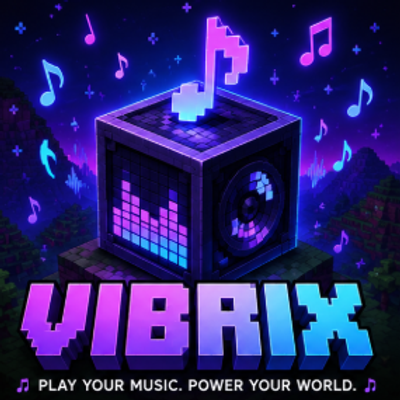
CurseForge · Minecraft mod
Vibrix
Play your favorite music inside Minecraft with Vibrix - a simple, powerful mod that brings songs, playlists, and custom controls into your game.
Choose a version Pick your version below, then grab the matching file.
Quick answer
Which Vibrix release should I use?
Latest stable file musicbox-1.0.1.jar
Game version 1.21.11
Loader Fabric
Vibrix musicbox-1.0.1.jar targets 1.21.11 with Fabric. The project page does not say whether this file belongs on the client, dedicated server, or both. No extra mods listed for this file.
Where it goes
Is Vibrix required on the client, server, or both?
The project page does not say whether this file belongs on the client, dedicated server, or both.
Client Source doesn’t say
Dedicated server Source doesn’t say
Loader for this release Fabric
Required install it here Optional supported, not mandatory Not supported do not install here Source doesn’t say do not assume
The source does not explicitly classify this release as client-only or server-only.
What else does Vibrix musicbox-1.0.1.jar need?
musicbox-1.0.1.jar. Change the file and its required mods may change too.
This file does not list any required mods. Do not add a library just because a different file uses it.
This file does not list any required or optional mods.
Before you install it
Add Vibrix without breaking your instance.
Built for Vibrix musicbox-1.0.1.jar. Pick another file and the loader, install side or required mods may change.
- 01
Stick to this file
Use musicbox-1.0.1.jar. It targets 1.21.11 with Fabric; another release may have different loader, side or dependency requirements.
- 02
Bring the mods it needs
This file does not list any required mods. Do not add a library just because a different file uses it.
- 03
Put it on the correct side
The project page does not say whether this file belongs on the client, dedicated server, or both.
- 04
Pick the file you checked
Use the “Get this file” button beside musicbox-1.0.1.jar. It opens that exact file at the source.
About this project
What does Vibrix add?
Vibrix
Your music. Your world. Your adventure.
Vibrix brings a complete music experience directly into Minecraft, letting you enjoy your favorite tracks while you build, explore, fight, survive, or simply relax. No more constantly switching between Minecraft and other apps — Vibrix keeps your music and your game together in one seamless experience.
With a clean, modern, and fully customizable in-game interface, Vibrix gives you powerful control over your music without interrupting your gameplay. Search for music, play your favorite tracks, manage playlists, control playback, adjust volume, and customize your experience — all while staying inside Minecraft.
Features
🎵 In-Game Music Player
Enjoy your music directly inside Minecraft without leaving your world.
🔎 Music Search
Quickly find the music you want through the Vibrix interface.
📂 Custom Playlists
Create, organize, and manage playlists for different moods and gameplay sessions.
▶️ Complete Playback Controls
Play, pause, skip, restart, shuffle, and control your volume with ease.
🌎 Background Music
Keep your soundtrack playing while you explore, build, mine, or travel through your Minecraft world.
🎨 Fully Customizable
Customize keybinds, interface settings, and other options to make Vibrix fit your playstyle.
🖥️ Modern In-Game GUI
A clean and intuitive interface designed to feel natural inside Minecraft.
⚔️ Made for Every Playstyle
Whether you're playing PvP, building massive projects, exploring the world, grinding survival, or relaxing with friends, Vibrix gives every session its own soundtrack.
Built for Minecraft Players
Vibrix is designed for players who want more control over their gaming experience without sacrificing simplicity. Whether you want energetic music during an intense PvP match, relaxing tracks while building, or an epic soundtrack during a long survival adventure, Vibrix puts the choice in your hands.
Create playlists for every mood. Set up your controls exactly how you like them. Start your favorite music and let it follow you through your adventure.
Minecraft is your world. Vibrix is your soundtrack.
Vibrix — Play Your Music. Power Your World.
Project description from CurseForge.
Pick your setup
Vibrix by Minecraft version and loader
Choose the version and loader you play, then open the matching release.
Check the dependencies, then try the file in a copied instance before changing a world you care about.
Recent files
Vibrix versions and loaders
musicbox-1.0.1.jar
12 Aug 2026
Client Source doesn’t say Server Source doesn’t say Dependencies No extras listed Listed on Release listing
Check the 1.21.11 · Fabric setup Fabric1.21.11 release
Looking for an older file? The official CurseForge project page is in Resources.
 mod
mod CurseForge + Modrinth · Minecraft
EarthMC Map Addon
Xaero's minimap extension that is built for EarthMC.
 mod
mod CurseForge + Modrinth · Minecraft
Plague's Noisy Creepers
A client-side Fabric mod that adds footstep and idle sounds to creepers!
 mod
mod CurseForge + Modrinth · Minecraft
RPG Mob Leveling System
Every mob has the potential to grow stronger, smarter, and more dangerous as they gain levels. With dynamic scaling of health, damage, and special abilities, each encounter becomes a unique challenge that will test your survival skills