Minecraft version
Back to mods 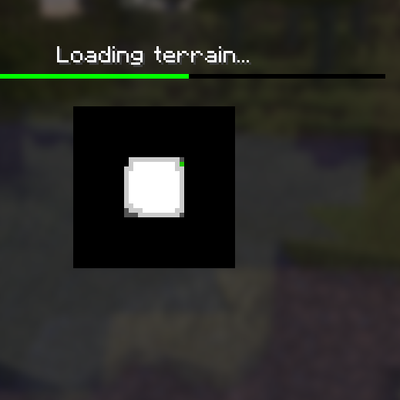
CurseForge · Minecraft mod
Seamless Loading Screen Rethinking
Add transition on loading world screen
Choose a version Pick your version below, then grab the matching file.
Quick answer
Which Seamless Loading Screen Rethinking release matches 1.20.1?
Best match for your filters SLSR-1.0.2+1.20.1-forge.jar
Game version 1.20.1
Loader Forge
Seamless Loading Screen Rethinking SLSR-1.0.2+1.20.1-forge.jar targets 1.20.1 with Forge. The project page does not say whether this file belongs on the client, dedicated server, or both. No extra mods listed for this file.
Where it goes
Is Seamless Loading Screen Rethinking required on the client, server, or both?
The project page does not say whether this file belongs on the client, dedicated server, or both.
Client Source doesn’t say
Dedicated server Source doesn’t say
Loader for this release Forge
Required install it here Optional supported, not mandatory Not supported do not install here Source doesn’t say do not assume
The source does not explicitly classify this release as client-only or server-only.
What else does Seamless Loading Screen Rethinking SLSR-1.0.2+1.20.1-forge.jar need?
SLSR-1.0.2+1.20.1-forge.jar on 1.20.1. Every mod below is checked against that same setup.
This file does not list any required mods. Do not add a library just because a different file uses it.
This file does not list any required or optional mods.
Before you install it
Add Seamless Loading Screen Rethinking without breaking your instance.
Built for Seamless Loading Screen Rethinking SLSR-1.0.2+1.20.1-forge.jar on 1.20.1. Pick another file and the loader, install side or required mods may change.
- 01
Stick to this file
Use SLSR-1.0.2+1.20.1-forge.jar. It targets 1.20.1 with Forge; another release may have different loader, side or dependency requirements.
- 02
Bring the mods it needs
This file does not list any required mods. Do not add a library just because a different file uses it.
- 03
Put it on the correct side
The project page does not say whether this file belongs on the client, dedicated server, or both.
- 04
Pick the file you checked
Use the “Get this file” button beside SLSR-1.0.2+1.20.1-forge.jar. It opens that exact file at the source.
About this project
What does Seamless Loading Screen Rethinking add?
Seamless Loading Screen Rethinking
A client-side rework of Minenash's Seamless Loading Screen. The mod saves a view of a world or server when you leave it normally, shows that screenshot during the next load, and fades it into the live game when the world is ready.
Rethinking keeps Minecraft's loading indicator visible and does not hold the player behind an extra transition screen after the world becomes playable.
Features
- Saved world and server screenshots during loading, followed by a smooth transition into the game.
- Two screenshot reveal modes: New follows loading progress with a short opacity animation; Classic reveals the screenshot independently of progress.
- Native and Optimized screenshot output sizes.
- Configurable tint, transition duration, and optional world-icon updates.
- Optional use of Minecraft's built-in menu blur where available.
- A substantial under-the-hood rework of screenshot capture and saving, loading-screen state, and world transitions. These parts are designed to behave more reliably across supported Minecraft versions and mod loaders—not just look different.
Project description from CurseForge.
Pick your setup
Seamless Loading Screen Rethinking by Minecraft version and loader
Choose the version and loader you play, then open the matching release.
Minecraft version
26.2
1 loader buildMinecraft version
26.1.2
2 loader buildsMinecraft version
1.21.11
1 loader buildMinecraft version
1.21.1
1 loader buildMinecraft version
1.20.1
1 loader buildCheck the dependencies, then try the file in a copied instance before changing a world you care about.
Recent files
Seamless Loading Screen Rethinking versions and loaders
SLSR-1.0.2+1.20.1-forge.jar
seamless-loading-screen-rethinking-1.0.2+1.20.1-forge.jar
16 Sept 2026
Client Source doesn’t say Server Source doesn’t say Dependencies No extras listed Listed on Release listing
Check the 1.20.1 · Forge setup 1.20.1Forge release
Looking for an older file? The official CurseForge project page is in Resources.
 mod
mod CurseForge + Modrinth · Minecraft
Afterimages
A lightweight, data-driven mod that adds visual afterimage trails to entities!
 mod
mod CurseForge + Modrinth · Minecraft
Fire Extinguisher
Enhance your fire safety with a straightforward and effective fire extinguisher modification that incorporates essential items for combating fires.
 mod
mod CurseForge + Modrinth · Minecraft
Easy NPC: Core
Provides the core functionallity for the Easy NPC mod.