Fabric API Needed by Create: Display Regex 0.1.1
requiredMatching file found Matched file: [26.2] Fabric API 0.161.0+26.2
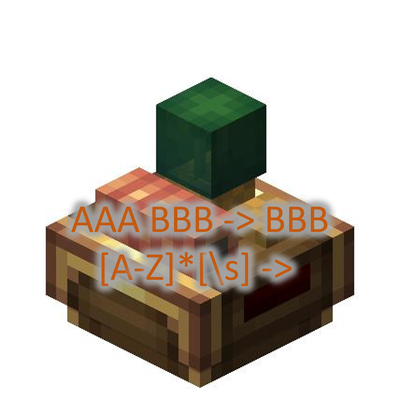
CurseForge · Minecraft mod
Adds configurable regex text replacement to Create Fly Display Links.
Quick answer
Create: Display Regex 0.1.1 targets 26.2 with Fabric. The project page does not say whether this file belongs on the client, dedicated server, or both. 1 required mod needs a matching file.
Where it goes
The project page does not say whether this file belongs on the client, dedicated server, or both.
The source does not explicitly classify this release as client-only or server-only.
0.1.1. Change the file and its required mods may change too.
Install Fabric API, Create first, but 1 required mod has no matching file for this setup. Do not mix loader builds to force a match.
We only count dependency files that match this setup. A file for another loader does not fill the gap.
Before you install it
Built for Create: Display Regex 0.1.1. Pick another file and the loader, install side or required mods may change.
Use 0.1.1. It targets 26.2 with Fabric; another release may have different loader, side or dependency requirements.
Install Fabric API, Create first, but 1 required mod has no matching file for this setup. Do not mix loader builds to force a match.
The project page does not say whether this file belongs on the client, dedicated server, or both.
Use the “Get this file” button beside 0.1.1. It opens that exact file at the source.
About this project
Create: Display Regex is a small Fabric addon for Create Fly that adds configurable regular-expression replacement to Display Links.
It lets you modify the text produced by a Display Link before it is sent to its display target, without changing the original source data.
For example:
Input:       AAA BBB CCC
Pattern:     ^\S+\s+
Replacement:
Output:      BBB CCC
Adds a Regex configuration button to the Display Link screen
Supports Java regular expressions
Separate Pattern and Replacement fields
Enable or disable processing per Display Link
Live validation for invalid regex patterns and replacement expressions
Supports capture groups such as $1 and $2
Works with normal Display Link text output and flap displays
Stores settings inside the Display Link's existing configuration
Does not modify package addresses, inventories, or other source data
Remove the first space-separated section:
Pattern: ^\S+\s+
Keep only the final section:
Pattern: ^.*\s+
Replace spaces with separators:
Pattern: \s+
Replacement:  -
Remove numbers:
Pattern: \d+
Minecraft 26.2
Fabric Loader 0.19.3+
Fabric API 0.152.0+26.2
Create Fly 6.0.9 build 1 or compatible 6.0.x version
Java 25
The mod is intended for both client and server. The server must have the mod installed, and clients that want to configure regex rules should install it as well.
Regex processing affects only the text sent to the display target. The underlying source block and its data remain unchanged.
Invalid rules are rejected by the configuration screen, and invalid runtime replacements fall back to the original text instead of modifying the source data.
Project description from CurseForge.
Pick your setup
Choose the version and loader you play, then open the matching release.
Check the dependencies, then try the file in a copied instance before changing a world you care about.
Recent files
create-display-regex-0.1.1.jar
14 Aug 2026
Looking for an older file? The official CurseForge project page is in Resources.
 mod
Spore: cold and hardness enhances Fungal Infection: Spore with snowball-based infection cleaning, automatic Snow Golem targeting, progressive Frostbite, bile freezing, and configurable damage to Hyper Evolved mobs when they destroy blocks.
 mod
Connect a QShop currency to the coin system in Confluence: Otherworld. QShop shops, commands, quests, and scripts can all use the same balance, while players carry that money as Confluence coins.
 mod
Improve daily quality of life by adding better search logic to JEI