Minecraft version
Back to mods 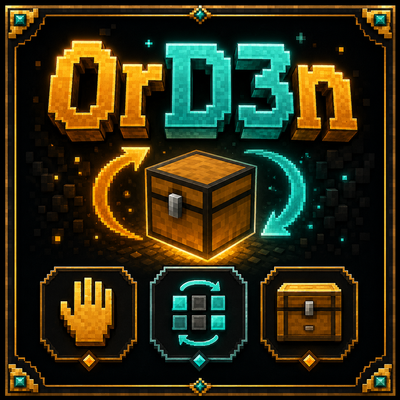
CurseForge · Minecraft mod
Ord3n
A lightweight client-side inventory utility that lets you free your hands, reorganize items and quickly store them in nearby chests.
Choose a version Pick your version below, then grab the matching file.
Quick answer
Which Ord3n release should I use?
Latest stable file OrD3n 1.0.21
Game version 1.21.1
Loader Fabric
OrD3n 1.0.21 targets 1.21.1 with Fabric. The project page does not say whether this file belongs on the client, dedicated server, or both. No extra mods listed for this file.
Where it goes
Is Ord3n required on the client, server, or both?
The project page does not say whether this file belongs on the client, dedicated server, or both.
Client Source doesn’t say
Dedicated server Source doesn’t say
Loader for this release Fabric
Required install it here Optional supported, not mandatory Not supported do not install here Source doesn’t say do not assume
The source does not explicitly classify this release as client-only or server-only.
What else does OrD3n 1.0.21 need?
OrD3n 1.0.21. Change the file and its required mods may change too.
This file does not list any required mods. Do not add a library just because a different file uses it.
This file does not list any required or optional mods.
Before you install it
Add Ord3n without breaking your instance.
Built for OrD3n 1.0.21. Pick another file and the loader, install side or required mods may change.
- 01
Stick to this file
Use OrD3n 1.0.21. It targets 1.21.1 with Fabric; another release may have different loader, side or dependency requirements.
- 02
Bring the mods it needs
This file does not list any required mods. Do not add a library just because a different file uses it.
- 03
Put it on the correct side
The project page does not say whether this file belongs on the client, dedicated server, or both.
- 04
Pick the file you checked
Use the “Get this file” button beside OrD3n 1.0.21. It opens that exact file at the source.
About this project
What does Ord3n add?
🇬🇧 OrD3n
OrD3n is a Minecraft Fabric utility mod focused on making inventory management faster, cleaner and more convenient.
It combines three independent tools into a single mod: Manos D3socupadas, ReorD3n, and GuarD3n. Each module can be enabled or disabled separately from the OrD3n configuration menu.
✋ Manos D3socupadas
Temporarily frees the item you are holding whenever that slot is needed for another action.
The mod keeps track of where the item was moved so your inventory remains organized. If you manually rearrange your inventory and need to start fresh, the Reset State option clears the stored tracking information without moving any items.
🔄 ReorD3n
Adds tools for quickly reorganizing and moving items inside inventories and containers.
Row movement
Press L to select and move an entire inventory row.
Block selection
After activating ReorD3n with L, press K to select a rectangular group of slots and move the entire selection together.
If K is not pressed, ReorD3n keeps its normal row movement behavior.
Recollect All
Press Ñ while hovering over an item to quickly collect every matching item.
The transfer direction depends on where the selected item is located:
- Hover over an item in your inventory and press Ñ to bring all matching items from the open container into your inventory.
- Hover over an item inside the container and press Ñ to move all matching items from your inventory into that container.
- If no item is under the cursor, nothing happens.
📦 GuarD3n
GuarD3n makes it easier to store items in nearby chests without opening every container manually.
When activated, the mod searches for compatible nearby storage containers and distributes items using normal inventory transfer rules.
Any chest that actually receives items is temporarily highlighted, making it easy to see where your items were stored.
You can also protect specific inventory slots to prevent important items from being transferred accidentally.
⚙️ Configuration
Press F7 to open the main OrD3n configuration screen.
From there you can:
- Enable or disable Manos D3socupadas.
- Enable or disable ReorD3n.
- Enable or disable GuarD3n.
- Quickly access the configurable keybinds for each module.
- Reset the Manos D3socupadas state whenever necessary.
All keybinds can be changed through Minecraft's standard Controls menu.
Minecraft.
🇪🇸 OrD3n
OrD3n es un mod de utilidades para Minecraft Fabric enfocado en hacer más cómoda, rápida y ordenada la gestión del inventario.
Reúne tres herramientas independientes dentro de un mismo mod: Manos D3socupadas, ReorD3n y GuarD3n. Cada módulo puede activarse o desactivarse por separado desde el menú de configuración de OrD3n.
✋ Manos D3socupadas
Permite liberar temporalmente el objeto que tienes en la mano cuando necesitas utilizar ese espacio para otra acción.
El mod recuerda dónde dejó el objeto para poder mantener el inventario organizado y, si realizas cambios manualmente y necesitas empezar de nuevo, puedes utilizar la opción Reiniciar estado para borrar el seguimiento sin mover ningún objeto.
🔄 ReorD3n
Añade herramientas para reorganizar y mover objetos dentro de inventarios y contenedores de forma mucho más rápida.
Movimiento de líneas
Con L puedes seleccionar y mover una línea completa del inventario.
Selección de bloques
Después de activar ReorD3n con L, puedes presionar K para seleccionar un bloque rectangular de casillas y moverlo como una sola unidad.
Si no presionas K, el sistema conserva el comportamiento normal de movimiento por línea.
Recolectar todos
Con Ñ puedes reunir rápidamente todos los objetos iguales al que tengas bajo el cursor.
La dirección depende de dónde esté el objeto seleccionado:
- Si presionas Ñ sobre un objeto de tu inventario, todos los objetos iguales que estén en el contenedor abierto se trasladan hacia tu inventario.
- Si presionas Ñ sobre un objeto dentro del contenedor, todos los objetos iguales de tu inventario se trasladan hacia ese contenedor.
- Si no hay ningún objeto bajo el cursor, no ocurre nada.
📦 GuarD3n
GuarD3n facilita el almacenamiento de objetos en cofres cercanos sin tener que abrirlos uno por uno.
Al ejecutar la función de guardado, el mod busca contenedores cercanos compatibles y distribuye los objetos siguiendo las reglas normales del inventario.
Los cofres que realmente reciben objetos quedan marcados visualmente durante unos segundos, para que puedas identificar rápidamente dónde fueron almacenados.
También puedes proteger determinadas casillas del inventario para evitar que ciertos objetos sean trasladados accidentalmente.
⚙️ Configuración
Presiona F7 para abrir el menú principal de OrD3n.
Desde ahí puedes:
- Activar o desactivar Manos D3socupadas.
- Activar o desactivar ReorD3n.
- Activar o desactivar GuarD3n.
- Acceder rápidamente a las teclas configurables de cada módulo.
- Reiniciar el estado de Manos D3socupadas cuando sea necesario.
Todas las teclas pueden modificarse desde los controles de
Project description from CurseForge.
Pick your setup
Ord3n by Minecraft version and loader
Choose the version and loader you play, then open the matching release.
Check the dependencies, then try the file in a copied instance before changing a world you care about.
Recent files
Ord3n versions and loaders
OrD3n 1.0.21
OrD3n-1.0.21.jar
31 Aug 2026
Client Source doesn’t say Server Source doesn’t say Dependencies No extras listed Listed on Release listing
Check the 1.21.1 · Fabric setup Fabric1.21.1 release
OrD3n 1.0.14
OrD3n-1.0.14-beta.jar
14 Aug 2026
Client Source doesn’t say Server Source doesn’t say Dependencies No extras listed Listed on Release listing
Check the 1.21.1 · Fabric setup Fabric1.21.1 release
Looking for an older file? The official CurseForge project page is in Resources.
 mod
mod CurseForge · Minecraft
PrimeClient
PrimeClient is the custom Client-side Mod made specifically for Pixelmon Prime. It enables the ability to communicate with the server using the PrimeAPI.
 mod
mod CurseForge · Minecraft
[EMF] Entity Model Features [Fabric & Forge]
EMF is an, OptiFine format, Custom Entity Model replacement mod available for Fabric and Forge.
 mod
mod CurseForge + Modrinth · Minecraft
Create: Bits 'n' Bobs
Decorative and mechanical additions to create!