Minecraft version
Back to mods 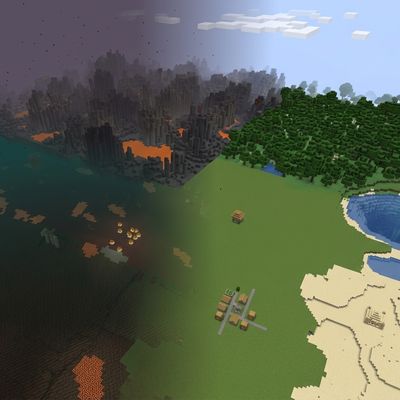
CurseForge · Minecraft mod
Flots
Flat Overworld, Nether, and End with vanilla biomes and structures. Same seed, same biome map — no mountains.
Choose a version Pick your version below, then grab the matching file.
Quick answer
Which Flots release matches 26.2 NeoForge?
Best match for your filters flots-1.0.0.jar
Game version 26.2
Loader NeoForge
flots-1.0.0.jar targets 26.2 with NeoForge. The project page does not say whether this file belongs on the client, dedicated server, or both. No extra mods listed for this file.
Where it goes
Is Flots required on the client, server, or both?
The project page does not say whether this file belongs on the client, dedicated server, or both.
Client Source doesn’t say
Dedicated server Source doesn’t say
Loader for this release NeoForge
Required install it here Optional supported, not mandatory Not supported do not install here Source doesn’t say do not assume
The source does not explicitly classify this release as client-only or server-only.
What else does flots-1.0.0.jar need?
flots-1.0.0.jar on 26.2 NeoForge. Every mod below is checked against that same setup.
This file does not list any required mods. Do not add a library just because a different file uses it.
This file does not list any required or optional mods.
Before you install it
Add Flots without breaking your instance.
Built for flots-1.0.0.jar on 26.2 NeoForge. Pick another file and the loader, install side or required mods may change.
- 01
Stick to this file
Use flots-1.0.0.jar. It targets 26.2 with NeoForge; another release may have different loader, side or dependency requirements.
- 02
Bring the mods it needs
This file does not list any required mods. Do not add a library just because a different file uses it.
- 03
Put it on the correct side
The project page does not say whether this file belongs on the client, dedicated server, or both.
- 04
Pick the file you checked
Use the “Get this file” button beside flots-1.0.0.jar. It opens that exact file at the source.
About this project
What does Flots add?
Flots
Flots adds a world type that keeps vanilla biome placement and structure locations, but flattens the terrain. Use the same seed as a normal world and you get the same deserts, forests, oceans, villages, and strongholds — just without hills and mountains.
How to use
- Create a new world.
- Open World Type.
- Select Vanilla Flat.
The default Normal world type is unchanged. Only worlds created with Vanilla Flat are affected.
What you get
- Overworld land — flat surface at Y=64, with biome-correct grass, sand, snow, and terracotta.
- Oceans — water up to sea level. Regular ocean floor around Y=40, deep ocean around Y=32.
- Caves, ores, and underground structures — vanilla caves, ore veins, mineshafts, strongholds, and Ancient Cities still generate in the stone below.
- Surface structures — villages, outposts, temples, and other overworld structures use the same seed-based positions as a normal world.
- Nether — flat netherrack floor at Y=32 with a bedrock ceiling. Nether biomes and structures still generate.
- End — End islands keep their vanilla outlines, with flattened tops. Outer islands and End Cities still appear.
Requirements
- Minecraft 26.2
- NeoForge 26.2
Notes
- Existing worlds are not converted. Create a new world with Vanilla Flat.
- Land next to oceans can have a cliff, because land sits at Y=64 and the sea floor is lower.
- Compatible with most content mods. Terrain mods that replace the overworld generator may conflict.
Project description from CurseForge.
Pick your setup
Flots by Minecraft version and loader
Choose the version and loader you play, then open the matching release.
Check the dependencies, then try the file in a copied instance before changing a world you care about.
Recent files
Flots versions and loaders
flots-1.0.0.jar
14 Aug 2026
Client Source doesn’t say Server Source doesn’t say Dependencies No extras listed Listed on Release listing
Check the 26.2 · NeoForge setup NeoForge26.2 release
Looking for an older file? The official CurseForge project page is in Resources.
 mod
CurseForge · Minecraft
Fastglass Graphics Switch
Client-side FPS booster , switches graphics to Fast when you join a world, a simple way to get more FPS on weak PCs. No config, no gameplay change.
 mod
CurseForge · Minecraft
Cloudshear Sky Lite
Client-side FPS booster , turns clouds off when you join a world, removing a constant rendering cost in the sky. Tiny, single purpose, no config.
 mod
CurseForge · Minecraft
MerlinLib
A Minecraft library mod: it gives mod authors three registration lines - enchantments, effects and potions - and ships a ready-to-use testing toolkit on top of them.