Custom Server Data Needed by Ultimate NPC ultimate-npc-0.4.4.jar
requiredMatching file found Matched file: custom-server-data-1.0.3.jar

CurseForge · Minecraft mod
Mod to create custom NPC, quests, trade and more
Quick answer
Ultimate NPC ultimate-npc-0.4.4.jar targets 1.20.6 with Fabric, Quilt. The project page does not say whether this file belongs on the client, dedicated server, or both. 2 required mods need a matching file.
Where it goes
The project page does not say whether this file belongs on the client, dedicated server, or both.
The source does not explicitly classify this release as client-only or server-only.
ultimate-npc-0.4.4.jar on Quilt. Every mod below is checked against that same setup.
Install Custom Server Data, Gui Helper, Custom Player Data, Fabric API first, but 2 required mods have no matching file for this setup. Do not mix loader builds to force a match. 1 comes through another mod in the chain.
1 extra mod was pulled in by another dependency. Indented rows show who needs each one. We only count dependency files that match this setup. A file for another loader does not fill the gap.
Before you install it
Built for Ultimate NPC ultimate-npc-0.4.4.jar on Quilt. Pick another file and the loader, install side or required mods may change.
Use ultimate-npc-0.4.4.jar. It targets 1.20.6 with Fabric, Quilt; another release may have different loader, side or dependency requirements.
Install Custom Server Data, Gui Helper, Custom Player Data, Fabric API first, but 2 required mods have no matching file for this setup. Do not mix loader builds to force a match. 1 comes through another mod in the chain.
The project page does not say whether this file belongs on the client, dedicated server, or both.
Use the “Get this file” button beside ultimate-npc-0.4.4.jar. It opens that exact file at the source.
About this project


A Fabric mod for Minecraft 1.20.6 (Java 21) that lets you create and fully customize NPCs in-game. NPCs support custom textures, equipment, loot tables, boss bars, wandering AI, dialogues, and trading.
Full editor interface with 5 tabs:
Coming soon
Coming soon
Coming soon
To add custom textures, place PNG files in:
<game_directory>/npc/<namespace>/<entity_name>/
Example for a custom player skin:
npc/minecraft/player/texture.png
The texture will appear in the editor's dropdown. You can do this for all entities, even those from other mods.
npc/modid/entity/texture.png
Your file name will appear in the dropdown menu, so choose it carefully.
mods folder..jar file and place it in your mods folder.Project description from CurseForge.
Pick your setup
Choose the version and loader you play, then open the matching release.
Check the dependencies, then try the file in a copied instance before changing a world you care about.
Recent files
19 Nov 2026
25 Oct 2026
14 Aug 2026
Looking for an older file? The official CurseForge project page is in Resources.
 mod
Shulkers can drop 2 shulker shells, instead of 1
 mod
Add slabs, vertical slabs, stairs, vertical stairs and corners for the blocks you choose from any mod into your game. A builder's dream; palette expanding mod.
 mod
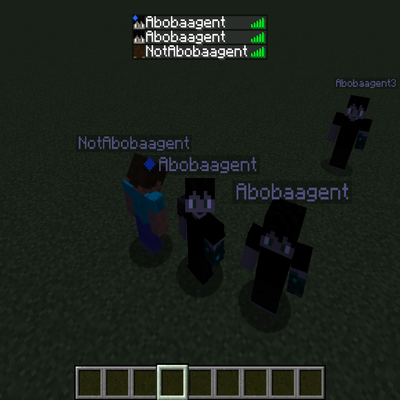
Create customizable fake player clones with real Minecraft skins, adjustable sizes, and full command-based control — no client-side mod required.
