Minecraft version
Back to mods 
CurseForge · Minecraft mod
MineTale : Server
A server-side mod designed to seamlessly connect and synchronize Minecraft and Hytale servers. Fully lightweight and 100% server-side, requiring no client installation for players!
Choose a version Pick your version below, then grab the matching file.
Quick answer
Which MineTale : Server release should I use?
beta file HytaleMinecraftCrossplay-0.2.jar
Game version 1.20.1
Loader Forge
MineTale : Server HytaleMinecraftCrossplay-0.2.jar targets 1.20.1 with Forge. The project page does not say whether this file belongs on the client, dedicated server, or both. No extra mods listed for this file.
Where it goes
Is MineTale : Server required on the client, server, or both?
The project page does not say whether this file belongs on the client, dedicated server, or both.
Client Source doesn’t say
Dedicated server Source doesn’t say
Loader for this release Forge
Required install it here Optional supported, not mandatory Not supported do not install here Source doesn’t say do not assume
The source does not explicitly classify this release as client-only or server-only.
What else does MineTale : Server HytaleMinecraftCrossplay-0.2.jar need?
HytaleMinecraftCrossplay-0.2.jar. Change the file and its required mods may change too.
This file does not list any required mods. Do not add a library just because a different file uses it.
This file does not list any required or optional mods.
Before you install it
Add MineTale : Server without breaking your instance.
Built for MineTale : Server HytaleMinecraftCrossplay-0.2.jar. Pick another file and the loader, install side or required mods may change.
- 01
Stick to this file
Use HytaleMinecraftCrossplay-0.2.jar. It targets 1.20.1 with Forge; another release may have different loader, side or dependency requirements.
- 02
Bring the mods it needs
This file does not list any required mods. Do not add a library just because a different file uses it.
- 03
Put it on the correct side
The project page does not say whether this file belongs on the client, dedicated server, or both.
- 04
Pick the file you checked
Use the “Get this file” button beside HytaleMinecraftCrossplay-0.2.jar. It opens that exact file at the source.
About this project
What does MineTale : Server add?
This mod allows you to create Minecraft-Hytale servers.
/!\ The mod is unfinished and not functional.
(The mod's logo was generated by AI.)
Si vous instaler se mod mod sur vortre serveur, les perssonne voulant y jouer pourons s'y connecter depuis Hytale ou Minecraft sans aucun autre mods a instaler sur leur jeu
Les joueur Hytale verron les action de joueurs, les message dans le tchat, les blocs poser ou casser
/!\ Le mod n'est pour le moment non fonctionel.
Project description from CurseForge.
Pick your setup
MineTale : Server by Minecraft version and loader
Choose the version and loader you play, then open the matching release.
Check the dependencies, then try the file in a copied instance before changing a world you care about.
Recent files
MineTale : Server versions and loaders
HytaleMinecraftCrossplay-0.2.jar
HytaleMinecraftCrossplay-1.0.jar
15 Aug 2026
Client Source doesn’t say Server Source doesn’t say Dependencies No extras listed Listed on Release listing
Check the 1.20.1 · Forge setup 1.20.1Forge beta
Looking for an older file? The official CurseForge project page is in Resources.
 mod
mod CurseForge + Modrinth · Minecraft
Better Modlist
enhances neoforge modlist by adding options to hide mods, libraries, adding badges to mods to define what it does and more. as well as making it look better.
 mod
mod CurseForge · Minecraft
Misanthropy's Linggango Tweaks
Massive collection of tweaks & fixes for Linggango modpack
 mod
mod CurseForge · Minecraft
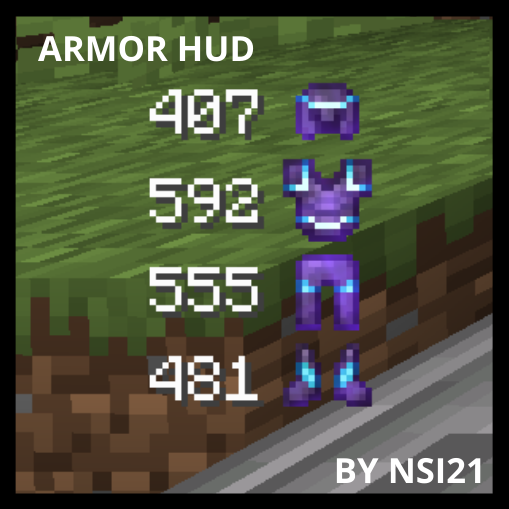
Armor Durability HUD
This mod will show you your armor durability