Minecraft version
Back to mods 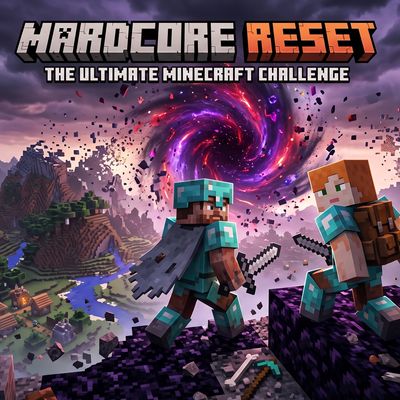
CurseForge · Minecraft mod
Hardcore Reset
No more "one death and it's over." **Hardcore Reset** turns death into a *world*
Choose a version Pick your version below, then grab the matching file.
Quick answer
Which Hardcore Reset release matches 26.2?
Best match for your filters hardcorereset-2.0.1+26.2.jar
Game version 26.2
Loader Fabric
Hardcore Reset hardcorereset-2.0.1+26.2.jar targets 26.2 with Fabric. The project page does not say whether this file belongs on the client, dedicated server, or both. No extra mods listed for this file.
Where it goes
Is Hardcore Reset required on the client, server, or both?
The project page does not say whether this file belongs on the client, dedicated server, or both.
Client Source doesn’t say
Dedicated server Source doesn’t say
Loader for this release Fabric
Required install it here Optional supported, not mandatory Not supported do not install here Source doesn’t say do not assume
The source does not explicitly classify this release as client-only or server-only.
What else does Hardcore Reset hardcorereset-2.0.1+26.2.jar need?
hardcorereset-2.0.1+26.2.jar on 26.2. Every mod below is checked against that same setup.
This file does not list any required mods. Do not add a library just because a different file uses it.
This file does not list any required or optional mods.
Before you install it
Add Hardcore Reset without breaking your instance.
Built for Hardcore Reset hardcorereset-2.0.1+26.2.jar on 26.2. Pick another file and the loader, install side or required mods may change.
- 01
Stick to this file
Use hardcorereset-2.0.1+26.2.jar. It targets 26.2 with Fabric; another release may have different loader, side or dependency requirements.
- 02
Bring the mods it needs
This file does not list any required mods. Do not add a library just because a different file uses it.
- 03
Put it on the correct side
The project page does not say whether this file belongs on the client, dedicated server, or both.
- 04
Pick the file you checked
Use the “Get this file” button beside hardcorereset-2.0.1+26.2.jar. It opens that exact file at the source.
About this project
What does Hardcore Reset add?
Hardcore Reset
**Built with Essential in mind for hosting games. It has not been tested on dedicated
servers. Everyone playing needs this file in their modpack for it to work over
Essential.**
No more "one death and it's over." Hardcore Reset makes death a world event instead of
a personal one. When anyone dies, the death is cancelled before the death screen shows
up, and the entire world (Overworld, Nether and End) is thrown away and regenerated
from a brand new seed. Every player online, including whoever died, gets teleported
into the fresh world with a clean inventory, no XP and no advancements. Nobody is
kicked and nobody has to leave and manually recreate the save.
You wake up in the new world instead of being dumped into it. The screen starts fully
black and clears over about a second, with the respawn sound landing at the same time.
Features
- Any player death resets the whole world instead of ending the game
- Overworld, Nether and End all regenerate together on a new random seed
- Everyone online is teleported to the new spawn, healed, and has their inventory, XP
and advancements cleared - Nobody gets kicked and nothing has to be deleted by hand, it all happens live while
everyone stays connected - Black screen fade on arrival with the respawn sound, so it feels like coming round
- Chat report on every reset showing who died, how they died, and how long that world
lasted - A run timer that survives closing the game, so you keep your time when you come back
- Gamerules, difficulty and clock settings carry over into each new world
- Every sound and fade setting is per player, so you can tune yours without changing
anyone else's
The reset message
WORLD RESET - run #3 is over
Steve was slain by a Zombie
Somewhere, a speedrunner is laughing.
Time spent on that world: 1h 12m 40s
A new world has been generated. Good luck.
The death line is Minecraft's own message, so it covers every way you can die and
shows up in each player's language. Under it you get one of 16 random lines.
Commands
| Command | Range | What it does |
|---|---|---|
/survived |
How long the current run has lasted, and the run number | |
/hcr |
Show your own settings | |
/hcr test |
Preview the sound and fade on yourself without dying | |
/hcr volume <value> |
0.0 to 2.0 | Your respawn sound volume |
/hcr pitch <value> |
0.5 to 2.0 | Your respawn sound pitch |
/hcr delay <ticks> |
0 to 200 | Extra pause after the world loads, before the effect |
/hcr fade <ticks> |
0 to 200 | Your blackout length, 20 ticks is 1 second, 0 turns it off |
/hcr reset |
Put your settings back to defaults |
None of these need op or cheats turned on. Every command only touches the settings of
whoever ran it, so there is nothing you can change that affects anyone else.
You do not need to touch delay if your PC is slow. The effect already waits until
your game has finished loading the new world before it plays, so it lands when you
actually get there no matter how long that takes.
Requirements
- Minecraft 26.2
- Fabric Loader 0.19.3 or newer
- Fabric API
- Java 25 or newer
Fantasy is bundled inside the jar, so there is no separate download for it.
Notes
- Everyone needs the mod installed. The world reset and the chat message are handled by
the host, but the sound and the fade need the mod on each player's game. Anyone
without it still gets reset properly, they just will not see or hear the effect. - Your personal settings are saved on whoever is hosting, so they stick around when you
reconnect. - Stats like playtime and blocks mined do not get reset. Inventory, XP and advancements
do. - The run timer counts actual play time, not real world time, so leaving the world for
a day does not add a day to your run. - You do not need Hardcore mode turned on for this, the mod handles all of it. Running
it on a world that is actually flagged Hardcore is risky, because if the mod ever
fails to load then a single death applies real Hardcore rules and the world is done
for good. A normal world on Hard gives you the same thing without that risk.
Credits and licence
Hardcore Reset's own code is MIT licensed.
It bundles Fantasy by NucleoidMC, unmodified,
which is what makes generating dimensions on the fly possible. Fantasy is licensed
under the GNU Lesser General Public License v3.0, and a copy of that licence ships
inside the jar as the LGPL requires.
Project description from CurseForge.
Pick your setup
Hardcore Reset by Minecraft version and loader
Choose the version and loader you play, then open the matching release.
Check the dependencies, then try the file in a copied instance before changing a world you care about.
Recent files
Hardcore Reset versions and loaders
hardcorereset-2.0.1+26.2.jar
hardcorereset-2.0.1.jar
17 Aug 2026
Client Source doesn’t say Server Source doesn’t say Dependencies No extras listed Listed on Release listing
Check the 26.2 · Fabric setup Fabric26.2 release
Looking for an older file? The official CurseForge project page is in Resources.